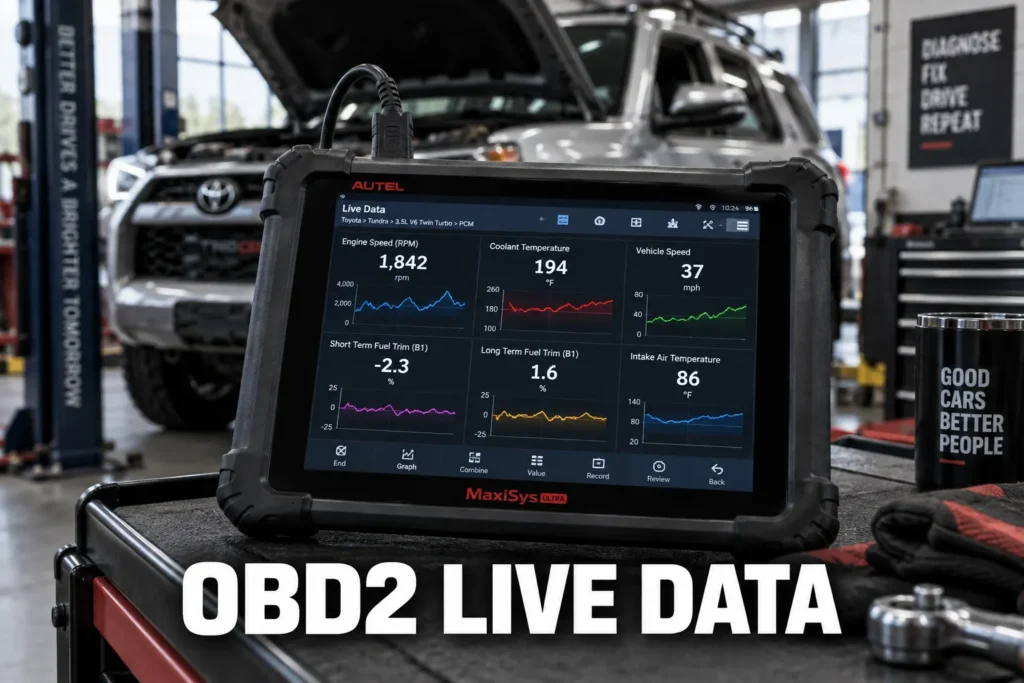
Most drivers use an OBD2 scanner for one purpose: pull the code, look it up, clear it. OBD2 live data is the second function that most problems actually require, and most drivers never touch it. A trouble code names what the ECU detected as wrong. Live data shows what every sensor in the engine is reading right now, while the engine runs, in real time. The code is the complaint. Live data is the evidence behind it.
My obd2 electric vehicles ev diagnostics covers this step by step.
My obd2 scanner different codes than mechanic covers this step by step.
My wired vs bluetooth obd2 scanner covers this step by step.
My my guide on read live data for misfire diagnosis covers this step by step.
My obd2 diagnostic link connector dlc explained covers this step by step.
My a j2534 pass thru device explained covers this step by step.
My what are obd2 pids and how do they work covers this step by step.
My my guide on bleed abs brakes covers this step by step.
For Audi Q5 owners using live data to trace DSG S-tronic clutch slip or timing chain stretch on the 2.0 TFSI, my Q5 diagnostic guide covers which tools maintain accurate CAN FD scan rates for reliable real-time readings.

About the author: Hello! I’m Kamil Siegień, founder of OBD2 Scout. My diagnostic experience started with an engine rebuild on a 2014 Skoda Superb 1.8 TSI, where tuning from 160 to 222 hp required mastering live data and ECU behavior that basic code readers cannot handle. I am a former BMW and MINI employee and regularly use diagnostic scanners on my own Audi A4 2.0 TFSI.
This guide covers what OBD2 live data actually is, which parameters matter most, what normal looks like for each one, and how to read them in a way that produces a real diagnostic result rather than a confusing wall of scrolling numbers.
For Audi Q7 owners reading HPFP rail pressure and EAS height sensor channels simultaneously, my Audi Q7 scanner guide covers which tools return those specific Q7 channels clearly rather than a generic data stream.
What OBD2 Live Data Is
OBD2 live data is a stream of real-time sensor readings broadcast by the vehicle’s ECU through Mode $01 of the OBD2 protocol. Each individual reading is called a PID, short for Parameter ID. A PID is a specific data channel: engine RPM is one PID, coolant temperature is another, short-term fuel trim for Bank 1 is another. Most OBD2-compliant vehicles support dozens of standard PIDs, and some support hundreds more through manufacturer-specific extensions. My guide on what OBD2 is and what it’s built to access covers the standardized PID structure, what Mode $01 was designed to expose from the ECU, and where generic OBD2 coverage ends and manufacturer-specific access begins.
The distinction between live data and trouble codes matters for diagnosis. A trouble code is a historical record: the ECU detected a fault, logged it, and stored it. Live data is current: it shows what every sensor is reading at this exact moment, with the engine running. A code tells you what went wrong. Live data tells you what the engine is doing right now, which is where the actual cause is found. My guide on pending, confirmed, and permanent codes covers what each lifecycle stage means and how the ECU decides when to turn the check engine light on — the diagnostic gap that live data fills.
Accessing live data requires the ignition on and, for most parameters, the engine running. Connect the scanner to the OBD2 port, navigate to Live Data, Data Stream, or View PIDs depending on the scanner interface, and select the parameters you want to monitor. The scanner begins polling the ECU and displaying the values in real time. My guide on how to use an OBD2 scanner from plug-in to diagnosis covers the full sequence beyond code reading, including how to navigate to the live data mode and what to do with the values once they appear on screen.
The Essential PIDs to Start With
Not every PID is equally useful for diagnosis. The eight parameters below cover the engine’s core operating systems and provide the most diagnostic information per reading. Start with these before adding anything else to the display. My Innova 3100RS hands-on review covers how this budget scanner handles live data PID selection and whether its update rate holds up for diagnostic work.
| Parameter | Normal at Idle | Normal at Cruise | Deviation Suggests |
|---|---|---|---|
| Engine RPM | 650 to 900 | 1,500 to 3,000+ | Rough idle, stall, load issues |
| Coolant Temp (ECT) | 90 to 105°C when warm | 90 to 105°C | Thermostat, coolant fan, sensor fault |
| Fuel System Status | Closed Loop | Closed Loop | Open Loop means trims are not reliable |
| Short-Term Fuel Trim (STFT) | Within ±5% | Within ±5% | Beyond ±10%: active lean or rich condition |
| Long-Term Fuel Trim (LTFT) | Within ±5% | Within ±5% | Beyond ±10%: persistent learned correction |
| Upstream O2 Sensor (B1S1) | 0.1 to 0.9V switching | 0.1 to 0.9V switching | Slow or stuck: degraded sensor or rich/lean bias |
| MAF Sensor (g/s) | ~2 to 7 g/s (4-cyl) | 12 to 18 g/s (4-cyl) | Low for RPM: dirty or failing MAF |
| Calculated Engine Load | Under 20% | 20 to 60% | High at idle: vacuum leak, timing, fueling fault |
Why Selecting Too Many PIDs Hurts Your Diagnosis
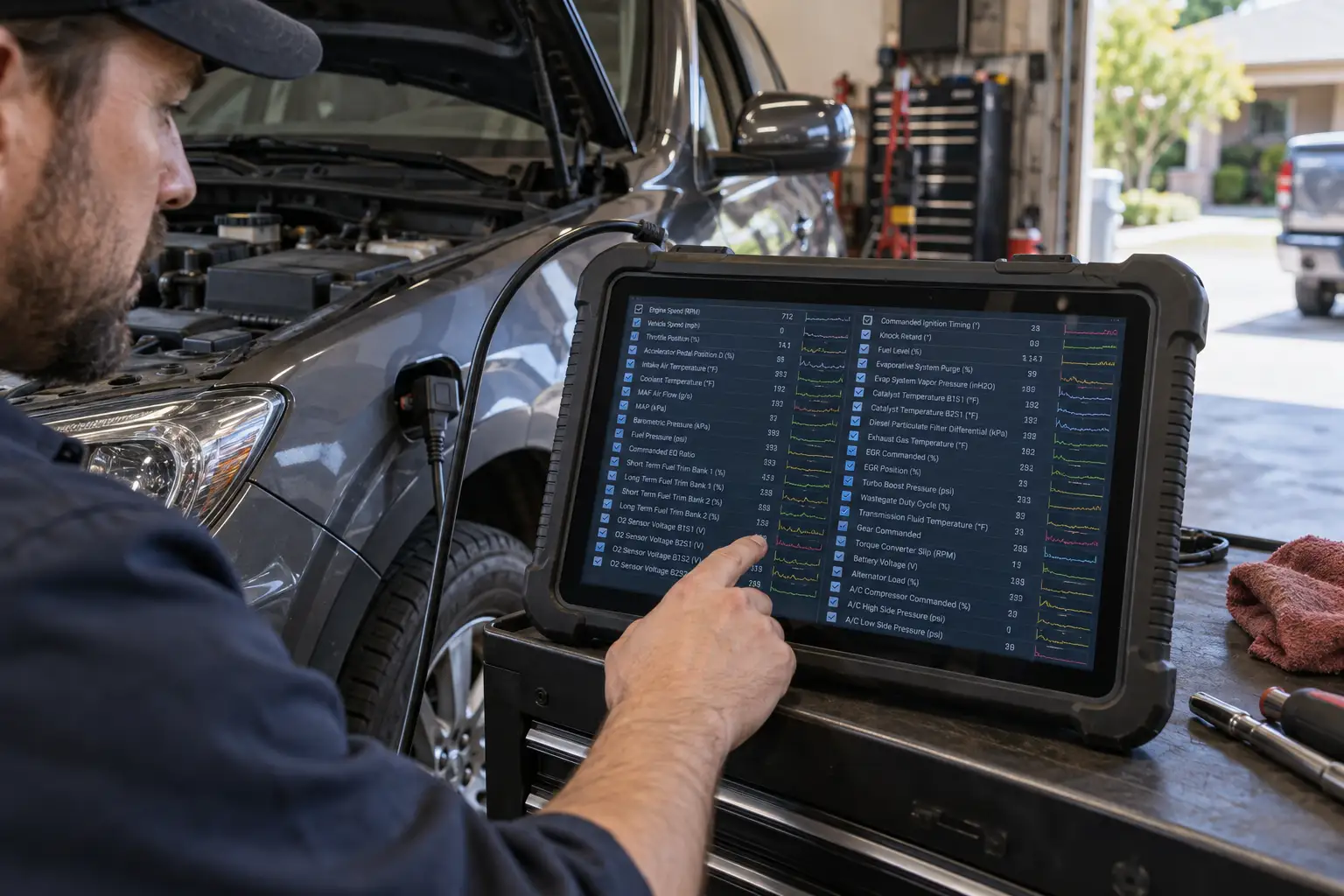
This is the point almost every live data guide skips. OBD2 does not broadcast all PIDs simultaneously. The scanner polls each selected PID one at a time in sequence, then cycles back to the beginning. The more PIDs you select, the longer that cycle takes, and the slower each individual reading refreshes.
My a pid obd2 diagnostics explained covers this step by step.
My guide on the check engine light on with no codes stored covers how this same polling limitation explains why intermittent faults disappear from the code list before a scan is run.
Subaru Crosstrek owners monitoring CVT fluid temperature and AVCS cam advance via OBD Fusion will find the scanner and app combination in my Crosstrek CVT monitoring guide.
Select eight PIDs and each one might update three or four times per second, which is fast enough to catch most diagnostic patterns. Select forty PIDs and each one may update once every several seconds. For a fault that appears as a brief dropout or a momentary spike, that update gap is long enough to miss the event entirely. The scanner shows nothing unusual because it was polling a different PID when the fault occurred.
A focused PID set logged continuously after a code clear is also one of the most reliable ways to detect a fault reconfirming before the MIL turns back on; my guide on live data indicators of a fault returning after clearing covers which parameters signal that the ECU is about to store the same code again.
My guide on whether you can drive with the check engine light on covers which parameters to monitor in real time when the light comes on during a drive and what the readings tell you about short-term safety.
For diagnostic sessions, select only the PIDs relevant to the system you are investigating. Five to eight focused parameters gives fast, reliable data. A scrolling wall of fifty values refreshing slowly is not diagnosis; it is noise. If the fault is in the fuel system, monitor RPM, ECT, fuel system status, STFT, LTFT, O2 sensor, and MAF. That is enough to see what is happening. My guide to entry-level OBD2 scanner options covers which budget models display those eight core PIDs clearly and refresh fast enough to catch the faults worth finding.
Always Confirm Closed Loop Before Reading Fuel Trims
Short-term and long-term fuel trims are two of the most diagnostic parameters available. They are also completely useless if the engine is not in closed loop operation. This is the single most common misread in DIY live data diagnosis.
The shift from open loop to closed loop is also when the ECU begins running the readiness monitors needed to turn the check engine light off; my guide to how long the check engine light takes to reset after entering closed loop covers the relationship between closed loop operation, monitor completion, and the self-clear timeline.
A high-rate misfire that triggers a flashing check engine light pushes raw unburned fuel into the exhaust, which overwhelms normal fuel trim control and skews live data readings during the event.
Forester owners monitoring AVCS cam timing parameters alongside fuel trim data will find the compatible tools and apps in my Subaru Forester scanner picks.
In closed loop, the ECU actively uses oxygen sensor feedback to adjust fuel delivery. STFT and LTFT reflect real corrections to a real lean or rich condition. In open loop, which occurs during cold start, wide-open throttle, and certain deceleration events, the ECU ignores O2 sensor feedback and runs a fixed fuel map. STFT and LTFT values during open loop are not diagnostic. They do not represent a fuel problem. My guide to the OBD2 monitor warm-up sequence covers the full cold-start-to-closed-loop transition and which enabling conditions determine how long the open loop phase lasts.
Before interpreting any fuel trim reading, check the fuel system status PID. It should read Closed Loop. If it reads Open Loop, wait. Let the engine reach full operating temperature, around 90°C coolant temperature or higher, and verify the status switches to Closed Loop before drawing any conclusions from the trim values. My guide on OBD2 monitor enabling conditions covers the role of fuel system status in monitor completion and why a vehicle that stays in open loop during a short drive may fail to run several non-continuous monitor self-tests.
How to Interpret the Key Parameters

Engine coolant temperature: ECT should stabilize between 90 and 105°C once the engine is fully warm and the thermostat is fully open. A temperature that never climbs above 75°C suggests the thermostat is stuck open, which causes poor fuel economy and long warm-up times. A temperature that keeps climbing above 110°C is a cooling system concern. Stop driving if ECT continues rising toward 120°C or higher.
Short-term and long-term fuel trims: STFT reacts within seconds. LTFT changes slowly over hours of driving. Both should stay within roughly ±5% under normal closed-loop operation. STFT values beyond ±10% indicate an active correction to a real lean or rich condition. LTFT values beyond ±10% indicate the ECU has been making that correction consistently for long enough to learn it. When LTFT is high, the problem has been present for days or weeks, not just today. When STFT is high but LTFT is near zero, the fault is recent or intermittent.
My my guide on diagnose vacuum leaks covers this step by step.
My my guide on stft vs ltft read fuel trims covers this step by step.
Upstream O2 sensor: In closed loop, the upstream oxygen sensor should switch rapidly and repeatedly between approximately 0.1V and 0.9V. The ECU uses that switching pattern to correct fuel delivery. A sensor that switches slowly, stays near one voltage, or does not move is either degraded or is responding to a genuine lean or rich condition in the exhaust. The switching rate matters as much as the voltage itself.
My how to read o2 sensor live data obd2 scanner covers this step by step.
Downstream O2 sensor: Unlike the upstream sensor, the downstream sensor should read steady, typically between 0.45 and 0.7V, with very little movement. If the downstream sensor voltage begins switching back and forth in a pattern that mirrors the upstream sensor, the catalytic converter between them is no longer efficiently converting exhaust gases. A switching downstream sensor is a reliable catalyst health indicator available directly from live data, with no additional equipment.
MAF sensor: Mass airflow is measured in grams per second. At idle, a healthy 4-cylinder engine typically reads between 2 and 7 g/s. As RPM and load increase, the reading rises proportionally. A MAF reading that is low relative to the engine’s RPM and load suggests the sensor is dirty or failing, the intake is restricted, or there is a large air leak downstream of the sensor that is not being measured. Cross-reference MAF against calculated load: if load reads high but MAF reads low for the same RPM, the discrepancy is diagnostic.
My how to read maf sensor data obd2 scanner covers this step by step.
Battery voltage: Battery voltage is a live data PID that most beginners ignore and most guides do not mention. With the engine off, a healthy battery reads approximately 12.6V. With the engine running, the alternator should raise the reading to 13.7 to 14.7V. A reading below 13.5V with the engine running suggests the alternator is undercharging. This check takes five seconds and can identify a charging system fault before it leaves the driver stranded. For Bluetooth adapters that remain in the port between drives, tracking this PID can reveal whether the adapter is affecting battery charge state: my guide on whether OBD2 adapters drain car batteries covers the specific conditions.
Read Patterns, Not Individual Numbers
Normal ranges are not hard targets. They shift with altitude, ambient temperature, engine design, fuel quality, and load. A fuel trim value that looks abnormal against a published chart may be perfectly normal for a high-altitude location or a cold climate on a specific engine. Treating published ranges as absolute pass/fail thresholds leads to misdiagnosis.
The more reliable approach is to cross-reference related parameters against each other. When throttle position rises, MAF should rise in proportion. When calculated load rises, STFT should react and then settle. When RPM increases, coolant temperature should stay stable. When one parameter moves in a way that is inconsistent with others, that mismatch is the diagnostic signal, regardless of whether the individual number sits inside or outside a published range.
Outback owners who log CVT fluid temperature and EZ36 bank fuel trims via SSM2 will find which adapters support those parameters in my Subaru Outback scanner guide.
One specific pattern beginners often misread: a momentary STFT spike of ±15 to 20% during a quick throttle blip is normal ECU transient behavior. The ECU momentarily loses precise control during a rapid throttle change and STFT swings to compensate. This is not a fault. STFT that is consistently high or that climbs steadily during steady driving is a fault. Brief spikes during throttle changes are not.
My beginners guide reading obd2 data covers this step by step.
Bank Comparison on V-Engines
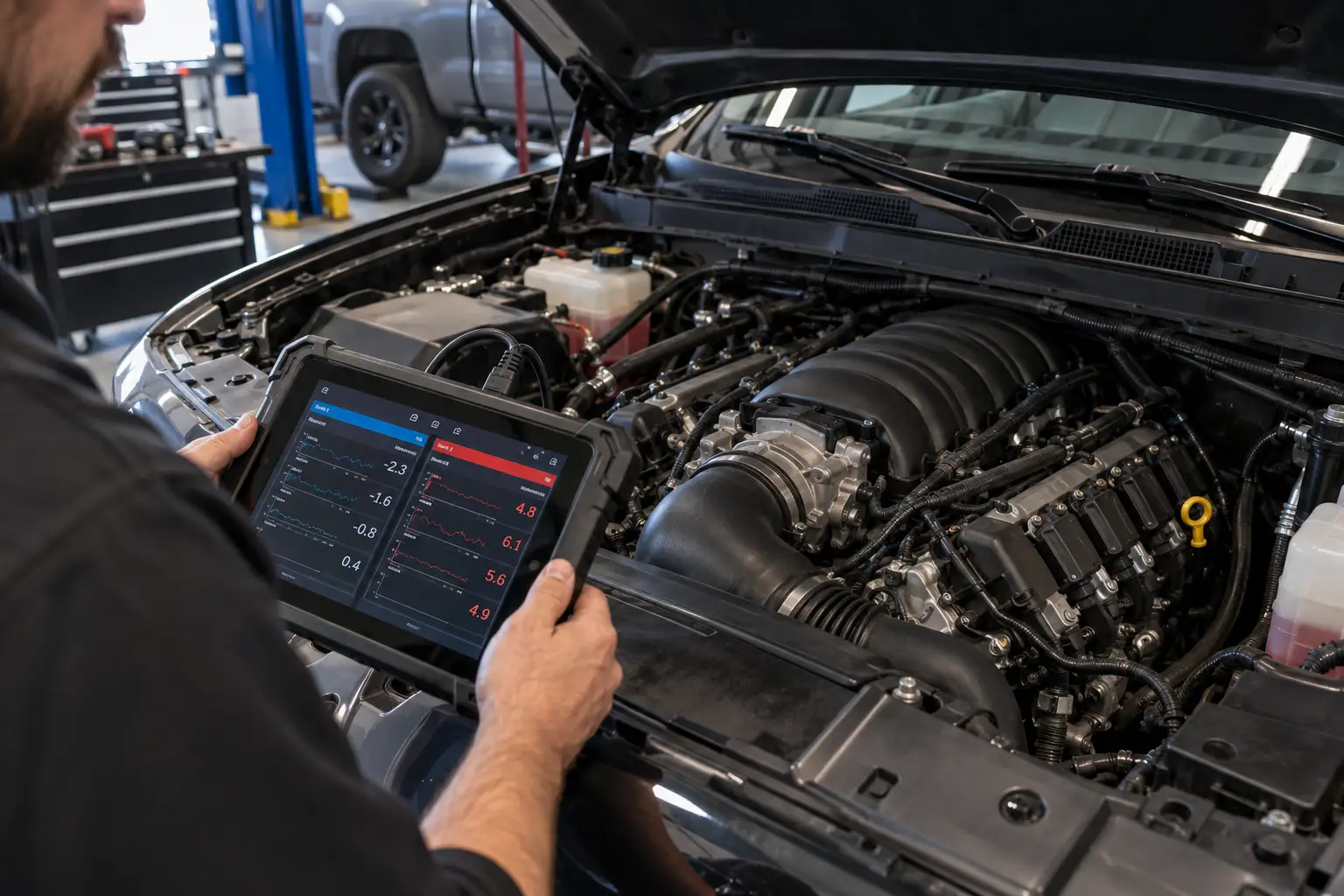
On V6 and V8 engines, the ECU tracks fuel trims separately for each bank of cylinders. Bank 1 and Bank 2 each have their own STFT and LTFT. Most OBD2 scanners display these as separate PIDs: STFT B1, STFT B2, LTFT B1, LTFT B2.
Comparing the two banks is one of the fastest diagnostic shortcuts available on multi-cylinder engines. If Bank 1 shows LTFT at +14% while Bank 2 shows LTFT at +2%, the lean condition is isolated to Bank 1. The problem is on that side of the engine: an air leak at the intake manifold gasket on the Bank 1 side, a vacuum hose specific to Bank 1, a failing injector on Bank 1, or an oxygen sensor fault on Bank 1 Sensor 1. Without the bank comparison, the search spans the entire engine. With it, half the engine is ruled out in seconds. My guide to multi-system OBD2 scanner options covers which models display Bank 1 and Bank 2 fuel trim channels side by side in live data view, alongside ABS and transmission data in the same session.
On inline 4-cylinder engines, there is only one bank, so this comparison does not apply. It is most useful on V6, V8, and flat-4 engines where the ECU manages separate fuel trim channels for each side.
Graph the Data, Do Not Just Watch the Numbers
Watching raw PID values scroll on a screen is like trying to read a sentence one letter at a time. Individual numbers tell you the value at one moment. A graph shows you how that value is behaving over time, which is where most faults actually reveal themselves. My Foxwell NT630 Plus review covers how this mid-range scanner handles multi-PID graphing and whether its update rate and screen layout are practical for tracking the patterns that live number monitoring misses.
An intermittent MAF sensor dropout that lasts 0.2 seconds is invisible in a scrolling number list. On a graph, it appears as a sudden spike downward followed by recovery. An upstream O2 sensor that is switching too slowly shows as a waveform with stretched intervals between peaks. An RPM dip that precedes a misfire event appears as a consistent pattern when graphed under load. My complete Autel MaxiSYS Elite II Pro walkthrough covers how a professional scanner integrates Mode 6 test results with graphing so the RPM pattern, misfire counter, and cylinder-specific test data appear in the same session.
Most full OBD2 scanners include a graphing mode. Select the four or five parameters most relevant to the fault and switch to graph view before putting the vehicle through the conditions that trigger the symptom. Drive the route or reproduce the load that causes the problem, then review the graph for anomalies. This approach catches intermittent faults that raw number monitoring cannot reliably detect. My guide to professional-grade OBD2 diagnostic tools covers the scanners where high-sample-rate multi-channel graphing, bidirectional actuator testing, and Mode 6 numerical data are standard rather than optional.
Live Data and Freeze Frame Together
Freeze frame and live data serve different diagnostic roles and work best when used in sequence. Freeze frame provides the historical snapshot: what the engine was doing at the exact moment the fault code confirmed. Live data provides the current picture: what the engine is doing right now. My guide on reading OBD2 freeze frame snapshots covers which parameters in the freeze frame most directly guide PID selection for the live data session that follows.
The diagnostic workflow is to use the freeze frame to establish the operating scenario and form a hypothesis, then use live data to test it. If the freeze frame shows high positive fuel trims at warm idle, reproduce those conditions during a live data session: warm the engine fully, let it idle, confirm closed loop, and watch the trim values. If live data shows the same high positive trims at warm idle, the hypothesis is confirmed and the fault is active and repeatable. If live data looks normal at the same conditions, the fault is intermittent and the graph approach becomes the next step. Trax owners using live data for intermittent fault diagnosis can find compatible tool options in my Chevy Trax scanner guide.
The Bottom Line
OBD2 live data is where code lookup ends and actual diagnosis begins. A code narrows the system. Live data shows you what is happening inside that system in real time. Used with a focused PID selection, a confirmed closed loop status, cross-referenced parameter patterns, and a graph for anything intermittent, live data produces a testable hypothesis rather than a parts guess. My guide on car diagnostic fees covers how arriving at the shop with this level of preparation changes what you pay.
The drivers and technicians who resolve faults on the first repair attempt are not the ones who replace the part named in the code description. They are the ones who read OBD2 live data, recognize the pattern, and test the hypothesis before buying anything. My guide on what an OBD2 scanner cannot detect covers the conditions that remain invisible even to a full live data session: mechanical wear, fluid condition, and structural faults outside any sensor’s reach.
FAQs
How many PIDs should I monitor at once?
Five to eight PIDs is the practical limit for useful diagnostic work. OBD2 polls each selected PID sequentially, so the more you add, the slower each one refreshes. Eight focused PIDs relevant to the system you are diagnosing gives fast, readable data. Selecting all available PIDs produces a slow-refreshing wall of numbers where brief anomalies are invisible and patterns are impossible to read.
Does the engine need to be running to read live data?
For most live data parameters, yes. Ignition on with the engine off gives you some static readings like battery voltage and sensor outputs, but parameters like RPM, MAF airflow, O2 sensor switching, and calculated load require the engine to be running to produce meaningful values. For fuel trim diagnosis specifically, the engine must also be fully warm and in closed loop before the readings are diagnostically useful.
What is the difference between OBD2 live data and freeze frame data?
Freeze frame is a static snapshot captured at one specific moment: the instant the ECU confirmed a trouble code. It does not change and reflects historical conditions. OBD2 live data is a continuous real-time stream that updates while the engine runs. Freeze frame tells you what the engine was doing when the fault confirmed. Live data tells you what it is doing right now. The correct diagnostic sequence is to read the freeze frame first to form a hypothesis, then validate that hypothesis with live data under the same operating conditions.
For Audi Q8 owners diagnosing 48V MHEV BSG faults using freeze frame as the starting point, my scanner recommendations for the Q8 cover which tools return the BSG torque output and recovery energy channels needed to validate the hypothesis.
My fuel trims look high but there are no stored codes. What does that mean?
High fuel trims without stored codes usually mean the ECU is correcting a lean or rich condition but has not yet confirmed the fault across the required drive cycles to set a code. This is the live data equivalent of a pending code situation. Consistently high long-term fuel trim, especially LTFT above +10%, means the engine has been running lean long enough for the ECU to learn the correction. The underlying cause, a vacuum leak, a dirty MAF sensor, a weak fuel pump, is present even though no code has confirmed yet. OBD2 live data catches this condition before it becomes a check engine light.