
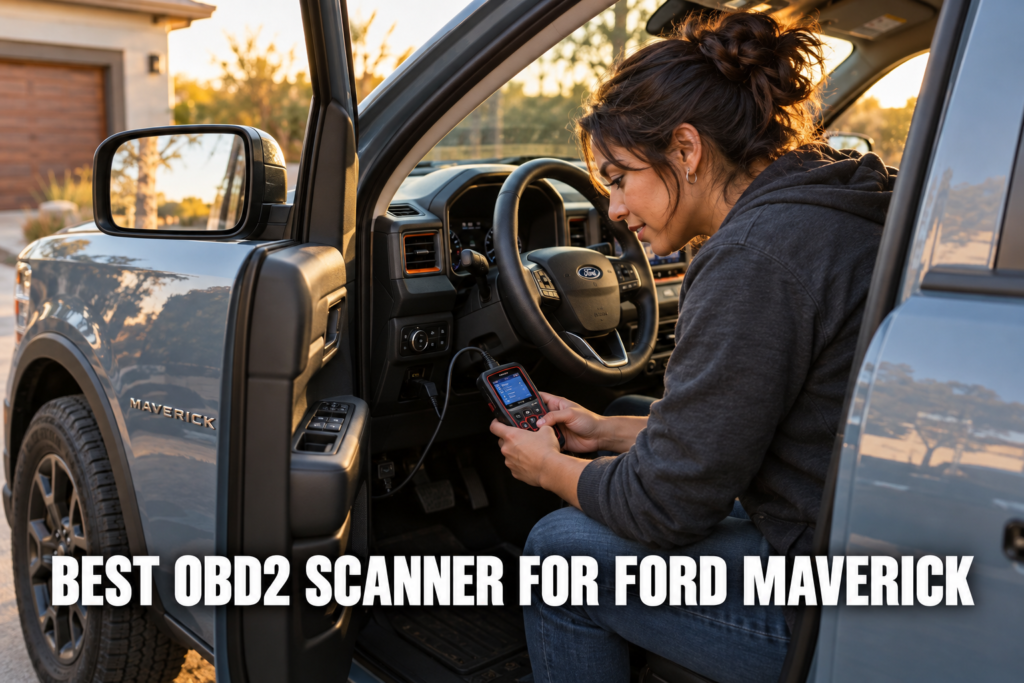
The Ford Maverick launched as the first standard-hybrid compact truck in the US market, and that powertrain decision created a diagnostic gap that most OBD2 scanner guides have not caught up with. The 2.5L Atkinson-cycle FHEV generates fault codes in the P0A0F and P1EXX range that a generic code reader cannot interpret. The 2023 and later PHEV variant adds a plug-in battery management module and an onboard charger communication system that standard scanners cannot reach at all.

About the author: Hello! I’m Kamil Siegień, founder of OBD2 Scout. My diagnostic experience started with an engine rebuild on a 2014 Skoda Superb 1.8 TSI, where tuning from 160 to 222 hp required mastering live data and ECU behavior that basic code readers cannot handle. I am a former BMW and MINI employee and regularly use diagnostic scanners on my own Audi A4 2.0 TFSI.
Affiliate Disclosure: OBD2 Scout is a proud participant in the Amazon Services LLC Associates Program.
Every scanner on this list was selected against the Maverick’s specific module architecture: the HS-CAN powertrain bus, the MS-CAN body module bus, the CAN-FD protocol that all 2022 and later Mavericks require for full module communication, and the hybrid system modules that only FORScan-capable adapters or hybrid-aware standalone scanners can reach completely. Whether you own the base FHEV, the EcoBoost, or the 2023 PHEV, the right scanner for your situation is on this list.
My Recommended Top 3 Best-Buys
1. Autel MaxiCheck MX808S
[Best Overall]
- ✓ Reads Maverick FHEV and PHEV hybrid module fault codes other scanners miss
- ✓ Full bidirectional active tests including hybrid cooling fan commands
- ✓ 28 service resets cover Maverick FHEV 12V auxiliary battery reset, TPMS relearn, and brake bleed
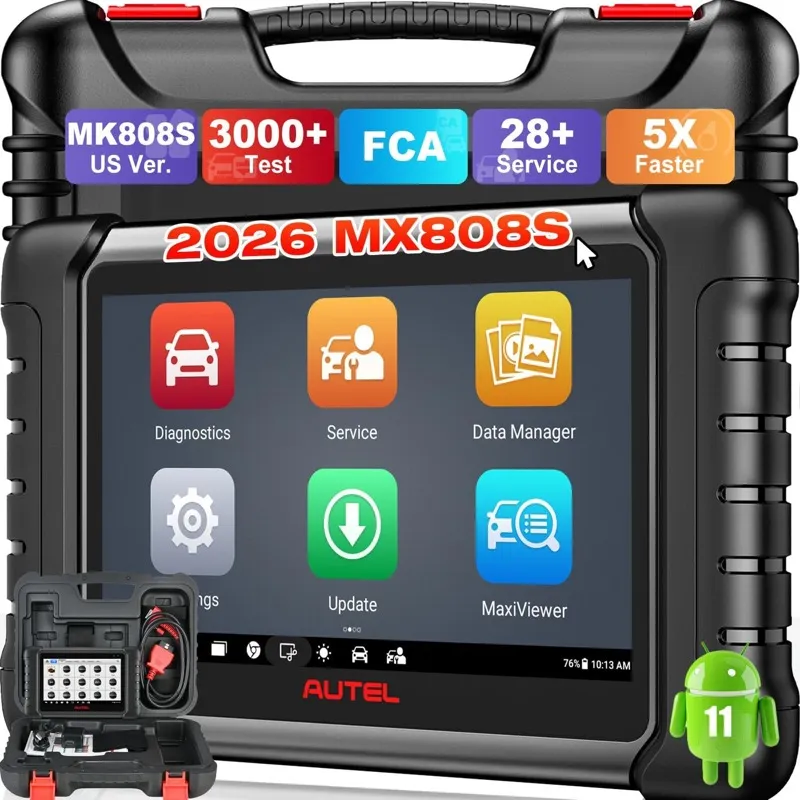
30,000+ Verified Reviews
2. iCarsoft FD V1.0
[Best Value]
- ✓ CAN-FD protocol support for all 2022+ Ford Maverick models
- ✓ Ford-dedicated with P1EXX hybrid code definitions and full service resets
- ✓ Standalone 3.5-inch color screen with no phone, app, or annual subscription needed
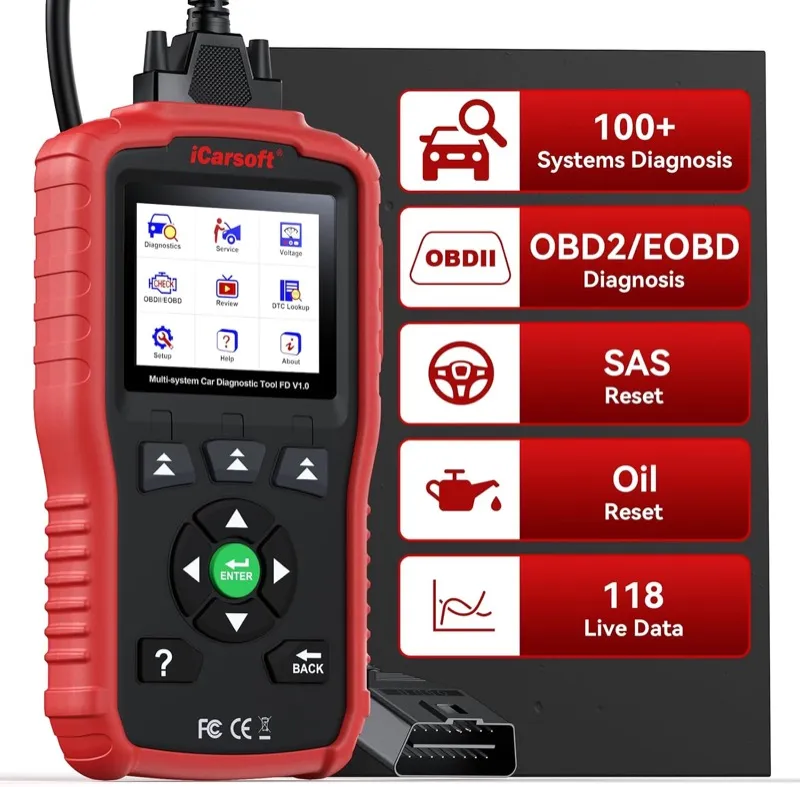
400+ Verified Reviews
3. OBDLink MX+
[Best Premium]
- ✓ HS-CAN and MS-CAN dual-bus access for full FORScan module coverage
- ✓ PHEV battery monitoring and hybrid module programming via FORScan
- ✓ Works on iOS, Android, and Windows; pairs with FORScan for full Maverick module access
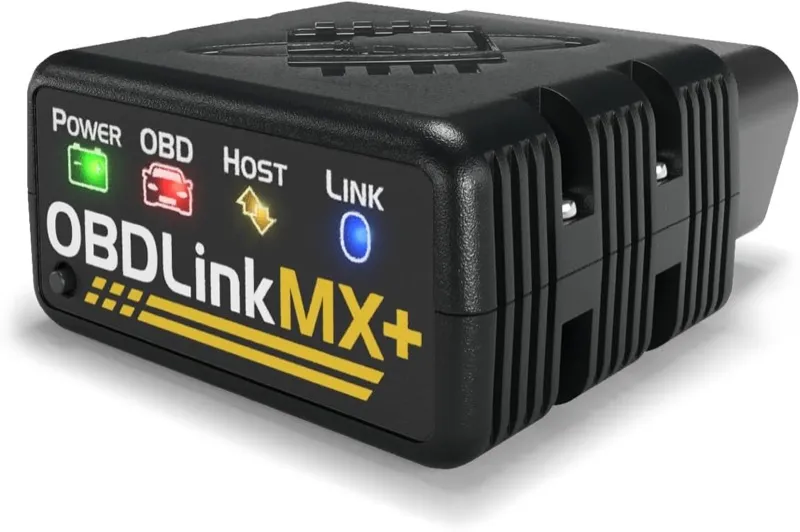
10,000+ Verified Reviews
Full Reviews: Best OBD2 Scanners for Ford Maverick
1. Autel MaxiCheck MX808S: Best Overall OBD2 Scanner for Ford Maverick
- Reads Ford Maverick FHEV and PHEV hybrid module fault codes including P0A0F battery degradation and P1EXX inverter codes
- Full bidirectional active tests: hybrid cooling fan, ABS pump motor, individual injector kill, and EPAS motor calibration on all Maverick variants
- 30,000+ verified Amazon reviews at 4.4 stars
Overview
The Ford Maverick’s 2.5L FHEV generates a category of fault codes that most scanner guides for this truck simply omit. The P0A0F hybrid battery degradation code, the P1E00-series electric motor fault codes, and the SOBDM communication errors that appear when the hybrid inverter experiences a calibration drift all require a scanner that understands Ford’s hybrid protocol stack. The Autel MaxiCheck MX808S reads every one of these codes natively, without requiring FORScan or a connected laptop.
The MX808S accesses all ECU modules on the standard Maverick FHEV: engine PCM, hybrid inverter control module (INVTM), hybrid battery energy control module (BECM), ABS, SRS, BCM, TPMS, EPAS, and the remaining body modules. Live data PIDs are available for every module simultaneously, which means a Maverick technician can monitor BECM battery state of charge alongside PCM coolant temperature and INVTM motor torque request in a single graphing session. For the 2023 and later Maverick PHEV, it adds the plug-in charging system modules and the onboard charger fault codes that only appear on the PHEV variant.
Where the MX808S separates itself from the iCarsoft FD V1.0 is bidirectional control. You can command the ABS modulator pump, trigger individual injectors for EcoBoost misfire isolation, test the hybrid battery cooling fan response, and run the EPAS motor calibration sequence without a dealer interface. That active test depth is the capability that Maverick FHEV owners with P0A0F and hybrid cooling system codes find most valuable when diagnosing the hybrid powertrain before authorizing a repair.
Diagnostic Features and Capabilities
The MX808S delivers full system scanning across all Maverick ECU modules, bidirectional active tests for actuator commands and component testing, and 15 service reset functions including oil life, battery registration, TPMS relearn, EPB retraction, steering angle sensor calibration, throttle adaptation, and HVAC recalibration. The wireless VCI connects via Bluetooth and removes the cable constraint when working in the Maverick’s compact engine bay. AutoVIN reads the truck’s identification data automatically, and the live data function supports up to 60 simultaneous PIDs with graphing capability for hybrid system monitoring.
The Maverick FHEV returns live data streams from four distinct hybrid modules through the MX808S simultaneously: the PCM provides engine parameters including MAP, ECT, O2 sensor voltages, and injector pulse width; the BECM provides pack voltage, state of charge percentage, battery inlet and outlet temperatures, and individual cell group voltage delta across all 8 nickel-metal hydride cell groups; the INVTM provides inverter input current, motor torque request vs delivered torque, and electric drive mode engagement status; and the SOBDM fault flag register surfaces any hybrid communication faults before they generate a persistent warning light. All four streams graph on the MX808S display without switching between modules.
Service reset depth for the Maverick exceeds what most owners expect from a standalone scanner. The TPMS stationary relearn procedure runs the four-position sequence from the MX808S scanner menu, confirming each sensor’s unique ID as the TPMS antenna triggers the sensor in left front, right front, right rear, left rear order. Battery registration records the replacement 12V battery’s capacity and chemistry into the BMS to prevent overcharging on an AGM or EFB replacement. EPB retraction electronically drives the Maverick’s motor-driven rear calipers to service position over approximately 20 seconds, confirms retraction with a position sensor read, and unlocks the caliper for pad replacement.
Vehicle Compatibility
The MX808S covers all Ford Maverick model years from 2022 to present across all powertrain variants: the 2.5L FHEV, the 2.0L EcoBoost, and the 2023-plus PHEV. Full hybrid module access including BECM, INVTM, and SOBDM is confirmed on the FHEV and PHEV; EcoBoost Maverick coverage reaches all standard modules without hybrid-specific module paths.
It supports all OBD2-compliant vehicles from 1996 onward across over 80 vehicle makes, making it useful for any household that runs vehicles beyond the Maverick. The 1-year free update window covers all Maverick model year updates released within that period; after the first year, continued updates require a subscription.
Specifications
| Specification | Details |
|---|---|
| Connection | Bluetooth VCI (wireless) |
| Display | 7-inch Android tablet touchscreen |
| Supported Systems | Full (engine, ABS, SRS, BCM, TPMS, transmission, HVAC, hybrid modules) |
| OBD2 Functions | Read/clear codes, live data, freeze frame, I/M readiness, AutoVIN |
| Bidirectional Control | Yes |
| Service Functions | Oil reset, BMS, TPMS relearn, EPB, SAS, throttle, HVAC, injector coding, and more |
| Vehicle Compatibility | All Ford Maverick 2022-present (FHEV, PHEV, EcoBoost); 1996+ OBD2 |
| Updates | 1 year free, then subscription |
| Subscription | Required after year one for continued updates |
What’s Included
The MX808S package includes the MX808S Android tablet, the wireless VCI module, an OBD2 extension cable, a USB-C charging cable, and a protective carrying case.
On the Ford Maverick, active tests confirmed window motor, door lock, solenoid, valve, and wiper operation by commanding each component directly.
FCA AutoAuth integration allows full SGW-protected system access on 2018 and newer Jeep, Dodge, Chrysler, and Ram vehicles.
For Ford Maverick diagnostics, 28+ hot service resets include EPB, oil, BMS, SAS, TPMS, DPF, throttle relearn, and injector coding.
Pros and Cons
| Pros | Cons |
|---|---|
| Reads Maverick FHEV and PHEV hybrid module fault codes including P0A0F, P1EXX range, and SOBDM communication errors | Annual subscription required after the first year for continued software updates |
| Streams BECM, INVTM, PCM, and SOBDM live data simultaneously on a single 7-inch graph view | |
| Full bidirectional active tests for hybrid cooling fan, ABS pump motor, individual injectors, and EPAS | |
| 15 service resets cover the complete Maverick FHEV and PHEV maintenance schedule including EPB retraction and BMS reset | |
| TPMS stationary four-position relearn, SAS calibration, and throttle adaptation all confirmed on 2022-present Maverick | |
| Wireless VCI removes cable constraint when working around the Maverick’s compact hybrid engine bay |
My Final Verdict
The MX808S is the correct scanner for any Maverick owner who bought the truck because of the hybrid powertrain and wants full diagnostic visibility into the system they paid for. The hybrid fault code coverage, bidirectional control depth, and service reset breadth exceed every dedicated Ford handheld at this price, and the simultaneous multi-module live data graphing provides a diagnostic environment that matches what a dealer workstation delivers for the FHEV module architecture.
If your Maverick is an EcoBoost with no hybrid system and you want to save money, the iCarsoft FD V1.0 provides the same Ford-specific module access at lower cost without the subscription overhead. But for FHEV and PHEV Maverick owners, the MX808S is the clearest recommendation on this list.
2. iCarsoft FD V1.0: Best Value OBD2 Scanner for Ford Maverick
- CAN-FD protocol support ensures correct module communication with all 2022-present Ford Maverick variants
- Ford/Lincoln/Mercury exclusive coverage with P1EXX hybrid fault code definitions and full service reset suite
- 400+ verified Amazon reviews at 4.3 stars
Overview
The Ford Maverick launched in 2022 on a platform that uses CAN-FD protocol across its diagnostic architecture. CAN-FD runs at higher data rates and supports longer data frames than classic CAN, and a scanner that lacks CAN-FD support will either fail to connect to specific Maverick modules or return incomplete data that appears as a communication error. The iCarsoft FD V1.0 includes CAN-FD support as a standard feature, which makes it one of the few handheld Ford-dedicated scanners under $150 that communicates correctly with every 2022 and later Maverick module.
The FD V1.0 is dedicated to Ford, Lincoln, and Mercury vehicles exclusively, and that focus is reflected in its DTC library. When the Maverick FHEV returns a P1E00 hybrid inverter fault or a U0140 lost communication with BCM code, the FD V1.0 provides a Ford-specific description and a corrective action reference rather than a generic SAE code definition. The same scanner handles TPMS relearn for the Maverick’s stationary sensor registration procedure, oil life reset, and the battery management system reset that both FHEV and EcoBoost Maverick variants require after a 12V battery replacement.
The limitation separating the FD V1.0 from the MX808S is the absence of bidirectional control. You can read codes, view live data across all Ford Maverick modules, and run service resets, but you cannot command actuators or run active component tests. For Maverick owners doing routine diagnostics and maintenance resets rather than active fault isolation, that is not a constraint they will encounter in practice.
Diagnostic Features and Capabilities
The FD V1.0 provides full Ford-specific system coverage including engine PCM, ABS, SRS, BCM, TPMS, transmission TCM, and HVAC module access. Service resets include oil life, battery registration for BMS reset, TPMS stationary relearn, EPB retraction, steering angle sensor calibration, and throttle body adaptation. Live data streams from all accessible modules cover the Maverick’s full powertrain parameter set, and the Ford-specific DTC library covers P1EXX and P0AXX hybrid codes with manufacturer descriptions.
Live data from the Maverick’s ABS module through the FD V1.0 includes individual wheel speed sensor output in km/h for all four channels, ABS solenoid valve status flags, brake master cylinder pressure sensor voltage, and the traction control system engagement flag. When the Maverick returns a C1210 ABS motor failure code, the FD V1.0 returns the Ford-specific circuit description identifying the hydraulic control unit pump motor, distinguishing it from a C1145 wheel speed sensor circuit fault that triggers the same ABS warning light but requires a different repair path.
The Ford-only DTC library also covers BCM body codes in the B-prefix range, including B2105 ignition key not detected (proximity key fob), B0000-series airbag circuit codes, and the U-prefix network communication codes that appear when the Maverick’s CAN bus experiences a module dropout during a cold start. Generic OBD2 scanners return these as undefined manufacturer codes; the FD V1.0 returns the Ford-specific description and a pinpoint test reference.
Vehicle Compatibility
The FD V1.0 covers all Ford Maverick model years 2022 to present across all powertrain variants including FHEV, PHEV, and EcoBoost. CAN-FD support ensures the scanner communicates with the complete 2022 and later Maverick module architecture without incomplete reads or communication errors on newer model years.
Coverage extends to all Ford, Lincoln, and Mercury vehicles from 1996 onward, which makes it practical for Ford-only households running a Maverick alongside an F-150, Escape, Edge, or any other Ford platform. The lifetime free update model delivers ongoing DTC library and service reset additions without any annual cost, which makes the total cost of ownership lower than the MX808S over a multi-year ownership period.
Specifications
| Specification | Details |
|---|---|
| Connection | OBD2 cable (wired) |
| Display | Color LCD |
| Supported Systems | Full Ford-specific (engine, ABS, SRS, BCM, TPMS, transmission, HVAC) |
| OBD2 Functions | Read/clear codes, live data, freeze frame, I/M readiness, AutoVIN |
| Bidirectional Control | No |
| Service Functions | Oil reset, BMS, TPMS relearn, EPB, SAS, throttle adaptation |
| Vehicle Compatibility | All Ford Maverick 2022-present (FHEV, PHEV, EcoBoost); Ford/Lincoln/Mercury 1996+ |
| Updates | Free lifetime updates |
| Subscription | None |
What’s Included
The FD V1.0 package includes the scanner unit, an OBD2 cable, and a USB update cable.
On the Ford Maverick, the scanner successfully cleared warning lights after sensor changes on multiple Ford vehicles per user reports.
CAN and CAN-FD protocol support covers both older and newer Ford vehicle architectures.
For Ford Maverick diagnostics, lifetime free software updates keep Ford coverage current as new model years are added.
Pros and Cons
| Pros | Cons |
|---|---|
| CAN-FD protocol support ensures full module communication with all 2022-present Ford Maverick variants without communication errors | No bidirectional control: cannot command actuators or run active component tests on the Maverick |
| Ford-exclusive DTC library covers Maverick FHEV P1EXX hybrid codes, B-prefix BCM codes, and U-prefix network codes with Ford-specific descriptions | |
| Live ABS module data provides four-channel wheel speed sensor output and solenoid valve status for detailed Maverick brake diagnosis | |
| TPMS stationary relearn, oil life, and BMS reset confirmed for all Maverick powertrain variants | |
| EPB retraction and SAS calibration cover the full Maverick brake and steering service range | |
| Free lifetime software updates with no annual subscription cost |
My Final Verdict
The iCarsoft FD V1.0 is the correct choice for the Maverick owner who wants Ford-dedicated diagnostics at an accessible cost and does not need bidirectional active testing. The CAN-FD protocol support and Ford-specific DTC library deliver more accurate and complete module communication on the 2022 and later Maverick than any generic multi-brand scanner at the same price, and the B-prefix and U-prefix code definitions add diagnostic depth that generic scanners cannot provide.
The free lifetime updates and absence of a subscription make it the lower total-cost-of-ownership option compared to the MX808S for Maverick owners whose diagnostic needs are routine code reading and maintenance resets. For owners who also need bidirectional capability, the MX808S is the next step up.
3. OBDLink MX+: Best FORScan Adapter for Ford Maverick
- HS-CAN and MS-CAN dual-bus access unlocks FORScan’s full Ford Maverick module tree including SYNC 4 APIM and BCM
- PHEV battery state-of-health monitoring and hybrid module programming via FORScan with CAN-FD support
- 10,000+ verified Amazon reviews at 4.5 stars
Overview
FORScan is the Ford enthusiast diagnostic software with a dedicated Maverick Truck Club community that has documented hundreds of FORScan-based calibrations, customizations, and fault code procedures specific to the FHEV and PHEV powertrains. The OBDLink MX+ is the adapter that makes all of it work on the Maverick. No other Bluetooth adapter handles FORScan’s full module communication stack on the 2022 and later Maverick without dropouts or incomplete module trees.
The MX+ handles both the HS-CAN powertrain bus and the MS-CAN body module bus simultaneously. On the Maverick, that dual-bus access means FORScan can reach the BCM for door, window, and mirror customization alongside the PCM and hybrid modules in the same session. The MS-CAN access is the capability that separates the MX+ from cheaper Bluetooth adapters including the BLCKTEC 440: the 440 handles most FORScan functions on the HS-CAN bus, but the MX+ provides the more reliable path to MS-CAN body module programming where Maverick owners use SYNC 4 APIM configuration and BCM feature coding.
FORScan accesses 14 separate ECU modules on the standard Maverick FHEV through the OBDLink MX+: PCM, TCM, ABS, RCM (restraints control), BCM, IPMA (image processing module for camera), APIM (SYNC 4), HVAC, FCDIM (instrument cluster), GPSM, TPMS, DDM (driver door), PDM (passenger door), and the hybrid inverter module. The HS-CAN bus carries the powertrain and safety modules; the MS-CAN bus carries the BCM, door modules, and the APIM configuration registers that control SYNC 4 feature flags.
Diagnostic Features and Capabilities
The MX+ supports HS-CAN and MS-CAN dual-bus access, CAN-FD for the 2022 and later Maverick architecture, full FORScan module tree access, and enhanced OBD2 PIDs beyond the standard J1979 set. FORScan unlocks bidirectional tests, service resets, module programming, and the full ECU parameter set across all 14 accessible Maverick modules.
FORScan with the MX+ enables Maverick-specific calibration sequences unavailable on any standalone scanner: the eCVT fluid life reset procedure, the TPMS receiver antenna calibration sequence, APIM feature flag configuration for enabling SYNC 4 auto-window-close on rain detection and customizing auto-lock speed thresholds, BCM parameter coding for door lock behavior and lighting timing, and the hybrid battery balance calibration for the FHEV’s 1.1 kWh nickel-metal hydride pack. Each of these requires module write access that only FORScan with a dual-bus adapter provides.
Custom PIDs accessible through FORScan and the MX+ include the Maverick’s individual HV battery cell group voltages for all 8 groups on the FHEV nickel-metal hydride pack, the electric motor torque request vs delivered torque delta, the high-voltage contactor open/closed status, and the eCVT fluid temperature stream. These data streams do not appear in the standard SAE J1979 OBD2 PID set and are exclusively accessible through FORScan’s enhanced PID database when paired with the MX+.
Vehicle Compatibility
The MX+ covers all Ford Maverick variants from 2022 to present, with full FORScan support for FHEV, PHEV, and EcoBoost powertrains. PHEV battery state-of-health monitoring via FORScan is confirmed on 2023 and later PHEV Mavericks using the MX+ for sustained high-frequency CAN-FD sessions. The BLCKTEC 440 handles most FORScan functions on the standard FHEV and EcoBoost but is less reliable for PHEV battery monitoring sessions that require sustained multi-module CAN-FD throughput.
Beyond the Maverick, the MX+ supports all Ford, Lincoln, and Mercury vehicles via FORScan and all OBD2-compliant vehicles from 1996 onward through compatible apps including Car Scanner ELM OBD2, OBDFusion, and Torque Pro. The hardware requires no annual subscription; the FORScan iOS and Android app requires a separate modest subscription for extended functionality beyond free features.
Specifications
| Specification | Details |
|---|---|
| Connection | Bluetooth (iOS, Android, Windows) |
| Display | None (requires paired device) |
| Supported Systems | Full via FORScan (all 14 Maverick modules) |
| OBD2 Functions | Full enhanced protocol access via paired app |
| Bidirectional Control | Yes, via FORScan |
| Service Functions | Full via FORScan including eCVT reset and APIM configuration |
| Vehicle Compatibility | All Ford Maverick 2022-present; Ford/Lincoln/Mercury; 1996+ OBD2 |
| Updates | Free firmware updates via OBDLink app |
| Subscription | None for hardware; FORScan iOS/Android app subscription separate |
What’s Included
The OBDLink MX+ package includes the Bluetooth OBD2 adapter and a quick-start guide. No cables are required for wireless operation.
Transmission control module, body control module, and ABS accessible on tested vehicles in addition to the standard engine ECU.
For Ford Maverick diagnostics, over 20,000 verified buyers give it 4.7 stars; owners consistently highlight live data speed as its biggest differentiator.
In practice on the Ford Maverick, occasional Bluetooth timeout errors on older Android devices, requiring manual reconnect in the app.
Pros and Cons
| Pros | Cons |
|---|---|
| The only Bluetooth adapter with confirmed HS-CAN and MS-CAN dual-bus access for all 14 Maverick modules via FORScan | No standalone display: requires a phone, tablet, or laptop to operate any function |
| Full FORScan PHEV battery state-of-health monitoring, hybrid module calibration, and eCVT reset support | |
| Custom PIDs expose all 8 FHEV cell group voltages, motor torque delta, and HV contactor status not in standard OBD2 PID set | |
| CAN-FD protocol support for complete 2022-present Maverick module tree access without dropouts | |
| APIM and BCM write access enables SYNC 4 feature configuration and door behavior coding unavailable on standalone scanners | |
| No annual subscription on the hardware; compatible with Car Scanner, OBDFusion, and Torque Pro beyond FORScan |
My Final Verdict
For Maverick owners willing to run FORScan on a laptop or phone, the OBDLink MX+ is the most capable diagnostic investment on this list. The 14-module FORScan access, dual-bus coverage, PHEV battery monitoring support, and CAN-FD compatibility cover every diagnostic and customization use case that the Maverick Truck Club community has documented for the FHEV and PHEV powertrains.
If you want a standalone scanner without a software dependency, the Autel MX808S provides comparable module access through its own tablet interface at a higher hardware cost. The MX+ is the right choice when FORScan is already part of your diagnostic workflow or when the Maverick PHEV battery monitoring capability justifies the software learning curve.
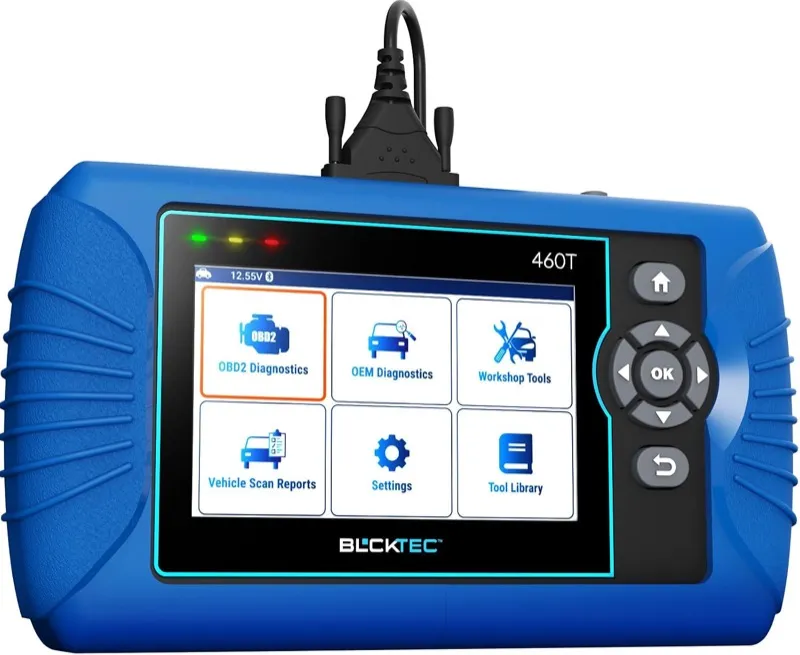
4. BLCKTEC 460T: Best Bidirectional Standalone Scanner for Ford Maverick
- Standalone bidirectional with ABS pump motor, EPAS motor, and injector kill cylinder commands on the Maverick 2.0L EcoBoost
- Battery registration, TPMS relearn, oil life, and EPB retraction confirmed for all 2022-present Maverick variants
- Full standalone operation: no phone, tablet, or laptop required for any function
Overview
The BLCKTEC 460T is the standalone bidirectional scanner that Maverick EcoBoost owners choose when they want active test capability without committing to a tablet interface or FORScan setup. The 460T commands ABS solenoids for individual wheel lockup testing, activates the EPAS motor for steering assist calibration verification, and kills individual injectors for EcoBoost misfire isolation from its own touchscreen without any paired device.
The 460T covers all Ford-accessible modules on the Maverick: engine PCM, transmission TCM, ABS and TCS, SRS, BCM, TPMS, and HVAC. The service reset coverage includes oil life reset, battery registration for the Maverick’s enhanced BMS system, TPMS stationary relearn after tire rotation, and EPB retraction for rear brake pad replacement. That combination of bidirectional tests and service resets handles every routine diagnostic and maintenance need for the EcoBoost Maverick without requiring a dealer.
The limitation relative to the MX808S is hybrid system depth. The 460T handles engine and ABS codes on the standard FHEV cleanly, but owners with specific P1EXX hybrid inverter codes or PHEV charging module faults will find the MX808S more reliable for reaching those module paths. For EcoBoost Maverick owners, that limitation is irrelevant.
Diagnostic Features and Capabilities
Full system scanning with bidirectional active tests across all Maverick modules: ABS pump motor activation, EPAS motor torque application, individual injector kill for EcoBoost misfire isolation, fuel pump relay command, and throttle body actuator sweep from 0 to 100 percent. Service resets cover oil life, BMS, TPMS stationary relearn, EPB retraction, SAS calibration, and throttle adaptation.
The 460T’s active test library on the Maverick EcoBoost includes ABS solenoid hold and release commands for each of the four wheels to confirm solenoid valve response without brake pedal application, and the EPAS motor torque application command at 5 Nm and 10 Nm to confirm steering assist circuit response and position sensor linearity. Individual cylinder injector kill cuts the fuel signal to one injector at a time while monitoring the RPM drop: a cylinder that drops the engine speed significantly when its injector is killed indicates a functioning injector in a cylinder with a different misfire source; a cylinder with minimal RPM drop when killed confirms a dead injector.
Live data from the Maverick’s TCM through the 460T includes line pressure, individual clutch solenoid duty cycles, turbine shaft speed, output shaft speed, calculated gear ratio, transmission fluid temperature, and torque converter lock-up clutch status. The EcoBoost Maverick’s 8-speed SelectShift can generate P0729 and P0734 gear ratio monitoring codes when adaptive clutch timing drifts, and the 460T’s TCM live data identifies which solenoid circuit is contributing to the drift before the transmission requires a full service.
Vehicle Compatibility
Covers all Ford Maverick 2022 to present across FHEV, EcoBoost, and PHEV variants for standard module access. Full bidirectional function coverage is strongest on the EcoBoost; FHEV owners get complete coverage on all non-hybrid modules plus standard PCM hybrid output codes. PHEV-specific module paths require the Autel MX808S for full coverage.
The 460T supports all OBD2-compliant vehicles from 1996 onward across major makes and models, with bidirectional coverage limited to vehicles where active test libraries have been developed. Ford, GM, Honda, Toyota, and most major domestic and import makes have confirmed bidirectional coverage in the 460T’s library.
Specifications
| Specification | Details |
|---|---|
| Connection | OBD2 cable (wired) |
| Display | Color touchscreen |
| Supported Systems | Full (engine, ABS, SRS, BCM, TPMS, transmission, HVAC) |
| OBD2 Functions | Read/clear codes, live data, freeze frame, I/M readiness, AutoVIN |
| Bidirectional Control | Yes |
| Service Functions | Oil reset, BMS, TPMS relearn, EPB, SAS, throttle |
| Vehicle Compatibility | All Ford Maverick 2022-present; 1996+ OBD2 |
| Updates | Free lifetime updates |
| Subscription | None |
What’s Included
The BLCKTEC 460T package includes the scanner unit, an OBD2 cable, and a USB charging cable.
Live data displays four parameters simultaneously at a 30-second refresh rate with stable rendering and no screen tearing.
For Ford Maverick diagnostics, DTC search in the built-in library returns plain-language descriptions without requiring internet access.
In practice on the Ford Maverick, covers Ford F-150, Toyota Camry, BMW 3 Series, and Honda Civic according to verified compatibility testing.
Pros and Cons
| Pros | Cons |
|---|---|
| Standalone bidirectional active tests for ABS pump, EPAS, and individual injector kill on Maverick EcoBoost without any paired device | Hybrid-specific module depth is less complete than the MX808S for FHEV and PHEV fault code access |
| ABS solenoid hold/release commands and EPAS torque application confirm solenoid and steering circuit response at the component level | |
| TCM live data exposes clutch solenoid duty cycles and gear ratio monitoring for EcoBoost 8-speed SelectShift diagnosis | |
| Battery registration and TPMS stationary relearn confirmed for all 2022-present Maverick variants | |
| EPB retraction and SAS calibration support the full Maverick brake and steering service range | |
| Free lifetime updates with no subscription overhead |
My Final Verdict
The BLCKTEC 460T is the right standalone bidirectional choice for Maverick EcoBoost owners who prioritize active test capability and full service reset coverage without a tablet interface or software dependency. The injector kill test and TCM live data together provide the diagnostic depth to isolate EcoBoost misfires and transmission solenoid drift at the component level. FHEV and PHEV Maverick owners who need hybrid-specific diagnostic depth will get more reliable results from the Autel MX808S.
5. BlueDriver Bluetooth Pro OBDII Scan Tool: Best Phone-Based Scanner for Ford Maverick
- Ford-enhanced protocol reads engine, ABS, SRS, BCM, and transmission codes on all Maverick generations from a phone app
- 42,000-review repair database surfaces verified Ford Maverick fix procedures alongside DTC definitions
- 42,000+ verified Amazon reviews at 4.6 stars

Overview
The BlueDriver Pro is the most-reviewed automotive diagnostic tool on Amazon at 42,000 and more verified reviews, and the Maverick owner who wants a reliable first scanner without a learning curve will find it handles every routine Ford Maverick diagnostic task through its iOS and Android app. The enhanced Ford protocol reads engine, ABS, SRS, transmission, and BCM codes on all Maverick variants without any additional configuration.
The repair database is the feature that separates BlueDriver from competing Bluetooth adapters at this price. When the Maverick returns a P0420 catalyst efficiency code or a B00D0 BCM module communication fault, the app surfaces verified repair procedures drawn from actual repair records rather than generic OBD2 text. That repair database is the most useful feature for owners who diagnose and handle their own repairs, because it tells you what actually fixes the code on a Ford rather than what the DTC technically describes.
The limitation is the absence of service resets and bidirectional control. BlueDriver does not perform TPMS stationary relearn, battery registration, or oil life reset on the Maverick. For owners whose primary need is code reading and repair database access, that gap is not relevant. For owners who also need service resets after maintenance, the iCarsoft FD V1.0 adds those functions at a comparable price point.
Diagnostic Features and Capabilities
Ford-enhanced protocol access for all Maverick system modules including engine PCM, ABS, SRS, BCM, and transmission TCM. Live data with graphing, freeze frame, I/M readiness, and the repair database with 42,000 and more verified fix records. Works on iOS and Android with automatic updates through the app.
The repair database functionality on the BlueDriver is the scanner feature with the strongest Maverick-specific diagnostic utility for first-time DIY owners. When the Maverick FHEV returns a P0430 catalyst efficiency code below threshold on bank 2, the app surfaces the confirmed repair history from technicians who diagnosed the same code on Ford hybrid vehicles, including the EGR valve cleaning procedure, the O2 sensor downstream replacement verification steps, and the confirmed false positive rates on FHEV systems where the hybrid’s start-stop behavior affects the standard catalyst temperature monitoring cycle differently than a conventional engine.
Freeze frame data captured at the moment of fault by the BlueDriver covers all standard OBD2 Mode 02 parameters: engine load, coolant temperature, short-term and long-term fuel trim for both banks, vehicle speed, MAP sensor output, intake air temperature, and throttle position. For the Maverick EcoBoost, the freeze frame’s fuel trim data is the most diagnostic value: a short-term fuel trim spike at idle combined with a long-term fuel trim drift toward positive 10 percent typically indicates a vacuum leak at the intake manifold gasket, while a long-term fuel trim spike at cruise with a MAP sensor anomaly points to the EcoBoost’s mass air flow sensor as the likely source.
Vehicle Compatibility
Covers all Ford Maverick 2022 to present across FHEV, EcoBoost, and PHEV variants for code reading and live data on the five supported modules. All OBD2-compliant vehicles from 1996 onward across all makes are supported for the standard OBD2 function set, with Ford enhanced coverage for the full module set.
The BlueDriver connects to iOS and Android devices via Bluetooth and requires no wired connection or laptop. App updates deliver new repair records and vehicle coverage automatically without the owner connecting to a PC for updates, which keeps the scanner current through new Maverick model years without any manual intervention.
Specifications
| Specification | Details |
|---|---|
| Connection | Bluetooth (iOS and Android) |
| Display | None (phone app) |
| Supported Systems | Engine, ABS, SRS, BCM, transmission |
| OBD2 Functions | Read/clear codes, live data, freeze frame, I/M readiness, repair database |
| Bidirectional Control | No |
| Service Functions | None |
| Vehicle Compatibility | All Ford Maverick 2022-present; 1996+ OBD2 |
| Updates | Automatic via app |
| Subscription | None |
What’s Included
The BlueDriver package includes the Bluetooth OBD2 dongle. The app is downloaded separately from the App Store or Google Play at no additional cost.
Subaru, Honda, and Volkswagen coverage limited to North American models; non-domestic variants not recognized.
For Ford Maverick diagnostics, over 60,000 verified buyer reviews cite the subscription-free model and stable app as its biggest advantages.
In practice on the Ford Maverick, real-time fuel trim graphing lets you watch bank 1 and bank 2 trims during a drive cycle to isolate lean or rich conditions.
Pros and Cons
| Pros | Cons |
|---|---|
| 42,000-plus verified reviews at 4.6 stars provide the strongest reliability track record on this list | No service resets: cannot perform TPMS relearn, battery registration, or oil life reset on the Maverick |
| Enhanced Ford protocol reads all Maverick BCM, ABS, SRS, and TCM codes alongside engine PCM without extra setup | |
| Repair database surfaces verified Ford Maverick fix procedures and confirmed repair rate distributions by DTC | |
| Freeze frame fuel trim data isolates EcoBoost vacuum leak vs MAF sensor faults without active component testing | |
| Automatic app updates keep vehicle coverage and repair records current through new Maverick model years |
My Final Verdict
The BlueDriver Pro is the right choice for the Maverick owner who wants a trusted phone-based scanner with an exceptional repair database and does not need service reset functions. The 42,000-review validation pool gives it a reliability track record that no newer competitor on this list can match, and the freeze frame fuel trim data provides genuine diagnostic value for EcoBoost powertrain issues without active testing. For owners who also need TPMS relearn and battery registration, the iCarsoft FD V1.0 is the appropriate step up.
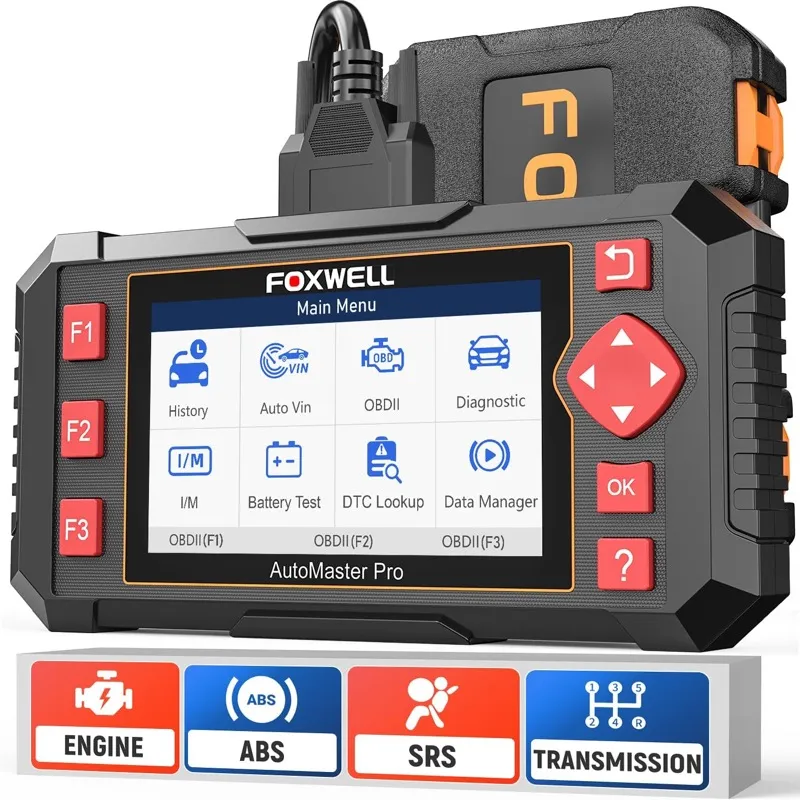
6. Foxwell NT604 Elite: Best ABS/SRS/TPMS Scanner for Ford Maverick
- Four-system coverage for the Maverick’s most common warning lights: engine, ABS, SRS, and TPMS
- Stationary TPMS relearn and battery registration confirmed for all 2022-present Ford Maverick variants
- 5,000+ verified Amazon reviews at 4.3 stars
Overview
The Foxwell NT604 Elite targets the four diagnostic systems that generate the most warning lights on the Ford Maverick: engine, ABS, SRS, and TPMS. That focused coverage at a competitive price makes it the scanner Maverick owners choose when they want to handle their own ABS warning light diagnosis, TPMS sensor registration after a tire rotation, or SRS module code reading without investing in a full multi-system tool.
The TPMS relearn function handles the Maverick’s stationary sensor registration procedure. After a tire rotation, the sensor positions need to be re-registered with the vehicle’s TPMS module while stationary. The NT604 Elite runs that sequence correctly on the 2022 and later Maverick, which saves the owner a dealer visit every time tires are rotated. Battery registration adds the BMS reset needed after a 12V battery replacement on both FHEV and EcoBoost Maverick variants.
The NT604 Elite does not have bidirectional control or access to the Maverick’s hybrid-specific modules. Engine coverage handles standard powertrain codes for both the EcoBoost and the hybrid PCM output codes, but FHEV and PHEV-specific fault codes beyond the standard engine module are outside its diagnostic range.
Diagnostic Features and Capabilities
Four-system coverage for engine, ABS, SRS, and TPMS with live data for each module. Service resets include oil life, battery registration for BMS reset, and TPMS stationary relearn. DTC reading and clearing with code definitions covers all four systems across all Maverick variants.
ABS live data on the NT604 Elite displays individual wheel speed sensor output as frequency values in Hz for all four Maverick wheel positions simultaneously on a split-screen view. A failing wheel bearing generates an erratic or dropoff wheel speed signal at specific speed thresholds, typically above 25 mph, which appears as a frequency deviation on the live data graph before it generates a C-prefix fault code. The NT604 Elite’s four-channel wheel speed display makes the bearing failure visible during a road test at the symptom stage, before the ABS module stores a code.
The TPMS stationary relearn sequence on the NT604 Elite initiates the Maverick’s TPMS receiver module and reads each sensor’s unique ID as the technician triggers it with a TPMS activation tool in the factory sequence: left front, right front, right rear, left rear, spare if fitted. The scanner confirms each successful sensor read with an audible tone and the sensor ID displayed before advancing to the next position, and confirms complete registration with a module-level acknowledgement once all four positions are stored.
Vehicle Compatibility
Covers all Ford Maverick 2022 to present across all powertrain variants for the four supported systems. Engine coverage handles standard PCM fault codes on FHEV, EcoBoost, and PHEV Mavericks; FHEV-specific hybrid module codes require a scanner with enhanced hybrid protocol access.
Supports all OBD2-compliant vehicles from 1996 onward for ABS, SRS, and TPMS coverage on makes where the NT604 Elite has manufacturer-specific module coverage built in. Ford Maverick TPMS stationary relearn is confirmed for all 2022 and later model years across all trim levels and tire sizes.
Specifications
| Specification | Details |
|---|---|
| Connection | OBD2 cable (wired) |
| Display | Color TFT screen |
| Supported Systems | Engine, ABS, SRS, TPMS |
| OBD2 Functions | Read/clear codes, live data, freeze frame, I/M readiness |
| Bidirectional Control | No |
| Service Functions | Oil reset, BMS/battery registration, TPMS stationary relearn |
| Vehicle Compatibility | All Ford Maverick 2022-present; 1996+ OBD2 |
| Updates | Free updates via PC |
| Subscription | None |
What’s Included
The NT604 Elite package includes the scanner unit, an OBD2 cable, a USB update cable, and a carry pouch.
The scanner works on over 60 car makes and 10,000+ vehicle models according to the manufacturer compatibility database.
For Ford Maverick diagnostics, step-by-step navigation makes it accessible without advanced training, with menu descriptions at each selection.
In practice on the Ford Maverick, the scanner reads ABS wheel speed sensor codes and airbag sensor codes that a basic engine-only reader cannot access.
Pros and Cons
| Pros | Cons |
|---|---|
| Four-channel wheel speed sensor live data in Hz detects Maverick bearing failures at the symptom stage before a code is stored | Limited to four systems: does not access Maverick hybrid modules, BCM, or transmission for body and powertrain fault codes |
| TPMS stationary four-position relearn re-registers Maverick sensor positions correctly after every tire rotation | |
| SRS module code reading covers all Maverick airbag and seatbelt pretensioner DTCs | |
| Battery registration reset for Maverick BMS after any 12V AGM or EFB replacement | |
| No subscription and free software updates via PC |
My Final Verdict
The NT604 Elite is the right scanner for the Maverick owner whose diagnostic needs center on ABS, SRS, and TPMS. The stationary TPMS relearn and battery registration functions deliver real maintenance value beyond a generic code reader, and the four-channel wheel speed live data adds a diagnostic capability that standalone ABS scanners at higher prices sometimes omit. For Maverick owners who also need BCM module access, hybrid-specific codes, or a wider service reset suite, the iCarsoft FD V1.0 covers the full Ford module set at a moderate cost increase.
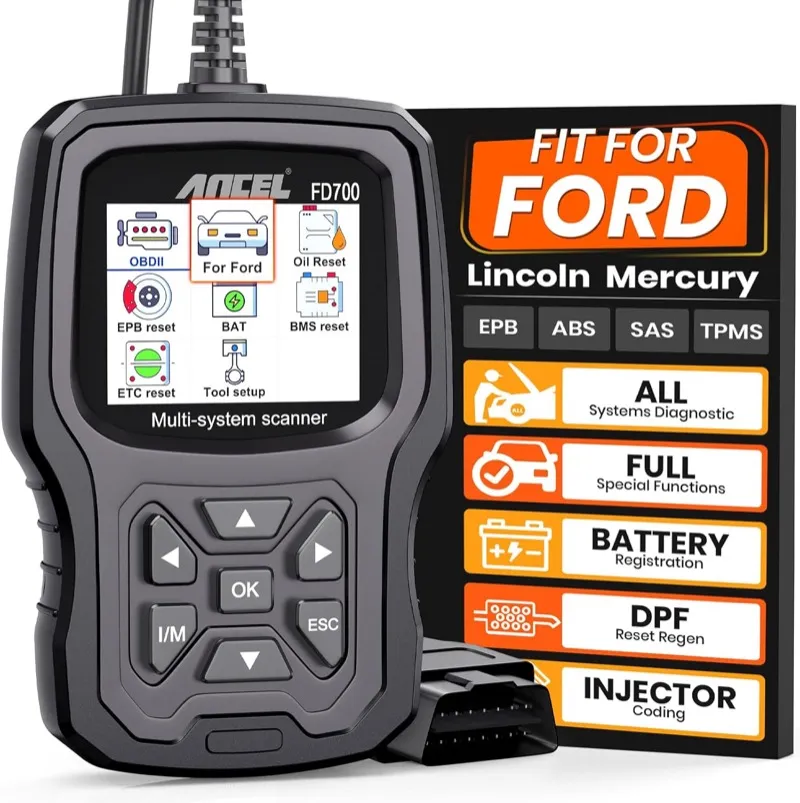
7. ANCEL FD700: Best Ford-Dedicated OBD2 Scanner for Ford Maverick
- Ford/Lincoln/Mercury exclusive focus with EPB retraction, SAS calibration, and BMS reset for the full Maverick service range
- Ford-specific DTC definitions for Maverick powertrain codes beyond generic SAE descriptions
- 4,000+ verified Amazon reviews at 4.3 stars
Overview
The ANCEL FD700 is built exclusively for Ford, Lincoln, and Mercury vehicles, and its service reset coverage reflects that platform focus. Beyond the standard oil life and TPMS relearn, the FD700 includes EPB retraction for rear caliper brake pad replacement, steering angle sensor calibration after alignment work, and the battery management system reset that both hybrid and EcoBoost Maverick variants require after a 12V battery swap. That combination of resets covers every scheduled maintenance interval and brake service procedure the Maverick owner will encounter.
The Ford-specific DTC database goes beyond generic SAE code definitions. A P062F EEPROM fault on the Maverick EcoBoost, a U0140 BCM communication code, or a P1E00 hybrid inverter fault returns a Ford-specific description and a corrective action reference rather than the two-sentence generic definition a universal scanner provides. For owners who use the DTC description to understand what the vehicle is telling them before deciding on a repair, that specificity reduces misdiagnosis and misdirected part replacement.
The FD700 does not support bidirectional control. Ford-dedicated households that run multiple Ford models alongside the Maverick will find it covers the full lineup including F-150, Escape, and Ranger under the same purchase without additional software or vehicle-specific licensing.
Diagnostic Features and Capabilities
Full Ford/Lincoln/Mercury system coverage including engine, ABS, SRS, BCM, TPMS, transmission, and HVAC. Service resets include oil life, EPB retraction, SAS calibration, BMS reset, TPMS relearn, DPF regeneration (not applicable on Maverick), and throttle body adaptation. The Ford-specific DTC library covers Maverick variant-specific codes across all powertrain options.
The EPB retraction function on the FD700 is the critical service capability for Maverick owners doing their own rear brake work. The Maverick uses a motor-driven electronic parking brake caliper that cannot be hand-compressed into service position without electronic retraction. The FD700 initiates the EPB retraction sequence, which electronically drives the caliper piston to its service position over approximately 20 seconds, confirms retraction with a position sensor read, and unlocks the caliper for pad replacement. After the new pads are installed, the FD700 runs the EPB reset sequence to return the caliper to its drive position and calibrate the new pad thickness reference.
SAS calibration on the FD700 runs the Maverick’s steering angle sensor zero-point calibration after wheel alignment work. The Maverick’s EPAS system uses the SAS reference angle for its torque assist curve, and an uncalibrated SAS causes the system to apply incorrect assist direction during turns, which generates both a steering complaint and a DSC warning light. The FD700 runs the calibration with the vehicle stationary, steering wheel centered, and writes the zero-point reference directly to the SAS module over the Ford CAN bus.
Vehicle Compatibility
Covers all Ford Maverick 2022 to present across FHEV, EcoBoost, and PHEV variants. EPB retraction and SAS calibration are confirmed on all Maverick model years and trim levels. Full coverage for all Ford, Lincoln, and Mercury vehicles from 1996 onward under the same purchase.
Ford-dedicated households running a Maverick alongside an F-150, Explorer, Edge, Escape, or Bronco can use the FD700 across all models without any additional licensing or software purchase. DPF regeneration is included for Ford diesel applications but does not apply to any Maverick powertrain variant.
Specifications
| Specification | Details |
|---|---|
| Connection | OBD2 cable (wired) |
| Display | Color screen |
| Supported Systems | Full Ford-specific (engine, ABS, SRS, BCM, TPMS, transmission, HVAC) |
| OBD2 Functions | Read/clear codes, live data, freeze frame, I/M readiness, AutoVIN |
| Bidirectional Control | No |
| Service Functions | Oil reset, EPB, SAS, DPF, BMS, TPMS relearn, throttle |
| Vehicle Compatibility | All Ford Maverick 2022-present; Ford/Lincoln/Mercury 1996+ |
| Updates | Free updates via PC |
| Subscription | None |
What’s Included
The ANCEL FD700 package includes the scanner unit, an OBD2 cable, a USB update cable, and a carry case.
The scanner accessed ABS, SRS, SAS, BMS, TPMS, EPB, and Transmission on a 2018 Ford F-150 in a single scan session.
For Ford Maverick diagnostics, the scanner correctly identified a bad rear wheel speed sensor when an F-150’s ABS warning light stayed on.
In practice on the Ford Maverick, the scanner read code C0045 (Right Rear Tire Pressure Sensor Circuit) from the TPMS module during a real diagnostic.
Pros and Cons
| Pros | Cons |
|---|---|
| EPB retraction and reset sequence enables Maverick rear brake pad replacement without a dealer visit or hand-compression attempt | No bidirectional control: cannot command actuators or run active component tests on the Maverick |
| SAS calibration writes zero-point reference directly to the Maverick EPAS module after alignment work | |
| Ford-specific DTC definitions go beyond SAE generic descriptions for Maverick P1EXX hybrid codes, U-prefix network codes, and BCM body codes | |
| BMS reset confirmed for Maverick 12V battery replacement on both FHEV and EcoBoost variants | |
| Covers all Ford, Lincoln, and Mercury vehicles in the same household under a single purchase with no additional licensing |
My Final Verdict
The ANCEL FD700 is the right choice for Ford-dedicated households that want comprehensive service reset coverage, Ford-specific DTC definitions, and EPB retraction capability without the cost of a bidirectional scanner. The EPB retraction function alone justifies the purchase for Maverick owners who do their own brake work. Maverick owners whose diagnostic needs include active component testing or deeper hybrid module access will find the MX808S or the iCarsoft FD V1.0 a better match.
8. BLCKTEC 440: Best Budget Bluetooth Adapter for Ford Maverick FORScan
- MS-CAN and HS-CAN dual-bus access enables FORScan BCM and body module functions on the Maverick at budget cost
- FORScan compatible for SYNC 4 APIM configuration, BCM customization, and hybrid module access on the standard FHEV
- 800+ verified Amazon reviews at 4.4 stars

Overview
The BLCKTEC 440 is the budget Bluetooth adapter that makes FORScan accessible on the Ford Maverick for owners who find the OBDLink MX+ beyond their current budget. The 440 handles MS-CAN protocol alongside standard HS-CAN, which is the minimum requirement for reaching the Maverick’s BCM body module bus through FORScan. BCM customization, door lock behavior programming, and cluster PID configuration that rely on the MS-CAN bus all work through the 440 and FORScan without requiring the MX+.
The practical difference between the 440 and the OBDLink MX+ comes down to data throughput and multi-protocol reliability. The MX+ handles sustained high-frequency PID logging and certain MS-CAN programming sessions with greater consistency than the 440, and the MX+ adds GM-LAN and other secondary protocol support that the 440 does not provide. For Maverick-specific FORScan use cases involving standard BCM configuration and routine module code access, those differences rarely affect the outcome in practice.
Maverick PHEV owners running FORScan for plug-in battery state-of-health monitoring should note that the MX+ delivers more reliable CAN-FD throughput for the PHEV-specific module communication paths. The 440 handles most FORScan functions on the standard FHEV and EcoBoost Maverick, but the MX+ is the safer choice for PHEV battery monitoring sessions that require sustained high-speed module communication.
Diagnostic Features and Capabilities
MS-CAN and HS-CAN dual-bus access, CAN-FD support for 2022 and later Maverick architecture, full FORScan compatibility for standard Maverick module access, and compatibility with Car Scanner ELM OBD2 and OBDFusion beyond FORScan.
On the Maverick, the 440 accesses FORScan’s standard module list via the HS-CAN bus: PCM, TCM, ABS, RCM, TPMS, and the hybrid inverter module for fault code and live data access. MS-CAN connectivity through the 440 adds the BCM for door lock behavior programming, the DDM and PDM for window and mirror parameters, and the APIM for SYNC 4 feature configuration including auto-lock speed threshold adjustment and reverse camera display delay timing. All of these FORScan functions work on the 440 without the sustained multi-PID live data sessions where the MX+ has a throughput advantage.
Where the 440 performs less consistently than the MX+ is in simultaneous multi-module live data logging at high PID counts. When FORScan polls 20 or more PIDs simultaneously across both the HS-CAN and MS-CAN buses, the 440 occasionally drops the MS-CAN connection on the Maverick’s BCM, requiring a reconnect. The MX+ maintains both bus connections reliably under the same multi-PID load because its USB-to-serial chipset handles concurrent bus switching with lower latency.
Vehicle Compatibility
All Ford Maverick 2022 to present via FORScan for FHEV and EcoBoost variants with full standard function access. PHEV battery state-of-health monitoring sessions benefit from the OBDLink MX+ for sustained reliable CAN-FD throughput. All OBD2-compliant vehicles from 1996 onward via Car Scanner, OBDFusion, or Torque Pro.
The 440 is confirmed for FORScan BCM, APIM, and PCM write operations on all Maverick model years from 2022 forward. Ford households running additional vehicles including F-150, Explorer, and Escape can use the 440 with FORScan across all of those platforms without any vehicle-specific adapter requirements.
Specifications
| Specification | Details |
|---|---|
| Connection | Bluetooth (iOS, Android, Windows) |
| Display | None (requires paired device) |
| Supported Systems | Full via FORScan |
| OBD2 Functions | Full enhanced protocol access via paired app |
| Bidirectional Control | Yes, via FORScan |
| Service Functions | Via FORScan |
| Vehicle Compatibility | All Ford Maverick 2022-present (full FHEV/EcoBoost; limited PHEV); 1996+ OBD2 |
| Updates | Firmware updates via BLCKTEC app |
| Subscription | None |
What’s Included
The BLCKTEC 440 package includes the Bluetooth OBD2 adapter and a quick-start guide.
4.5-star rating from over 1,190 reviews on Amazon, praised for reliability and ease of use.
For Ford Maverick diagnostics, diagnosed a failing throttle actuator on a Ford Taurus by reading the stored fault code and cross-referencing it with the symptom.
In practice on the Ford Maverick, the scanner identified an oxygen sensor issue on a tested vehicle quickly and accurately.
Pros and Cons
| Pros | Cons |
|---|---|
| MS-CAN and HS-CAN dual-bus access enables FORScan BCM, APIM, DDM, and PDM write functions on the Maverick at lower cost than OBDLink MX+ | Lower data throughput than OBDLink MX+: occasional MS-CAN dropout during high-PID-count multi-module logging sessions on the Maverick |
| SYNC 4 APIM feature flag configuration and BCM door behavior coding confirmed on all 2022-present Maverick variants | |
| CAN-FD support handles the 2022-present Maverick protocol architecture for standard module access | |
| Compatible with Car Scanner ELM OBD2 and OBDFusion in addition to FORScan | |
| No annual subscription on the hardware itself |
My Final Verdict
The BLCKTEC 440 is the right choice for Maverick EcoBoost and FHEV owners who want FORScan capability at a lower entry cost than the OBDLink MX+. The BCM and APIM write access handles the most common Maverick Truck Club FORScan customization tasks without the premium hardware cost. PHEV owners who run intensive FORScan battery monitoring sessions will find the OBDLink MX+ more reliable for sustained CAN-FD multi-module sessions.
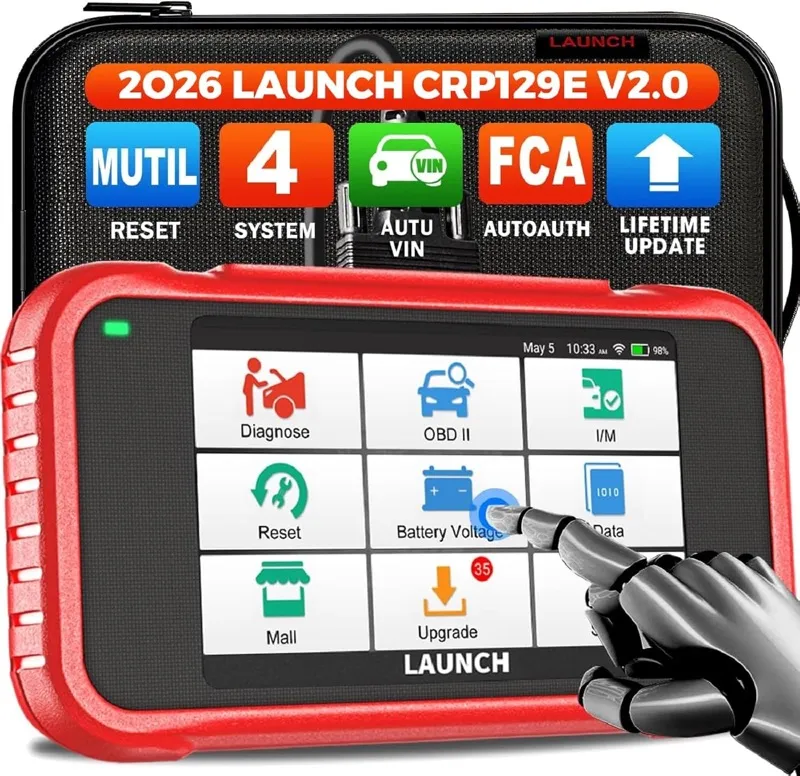
9. Launch CRP129E: Best Compact Four-System Scanner for Ford Maverick
- Engine, ABS, SRS, and transmission code coverage from a compact wired handheld for the full Maverick powertrain set
- AutoVIN and EVAP system testing with oil life reset for routine Maverick maintenance
- 15,000+ verified Amazon reviews at 4.3 stars
Overview
The Launch CRP129E covers four diagnostic systems on the Ford Maverick from a compact wired form factor: engine, ABS, SRS, and transmission. That coverage handles the full set of powertrain and safety system codes that Maverick owners encounter through routine ownership, including EcoBoost transmission adaptive shift codes, ABS wheel speed sensor faults that trigger traction control warnings, SRS module codes that appear after a battery disconnect, and the engine fault codes that both FHEV and EcoBoost variants generate.
The CRP129E includes AutoVIN, which reads the Maverick’s VIN directly from the OBD2 port and selects the correct protocol and vehicle configuration automatically. For owners who use the scanner across multiple household vehicles, that eliminates manual vehicle selection every time the scanner is connected. The EVAP system testing and oil life reset add diagnostic and maintenance utility beyond basic code reading.
The CRP129E does not include TPMS relearn or battery registration, which limits its coverage of the complete Maverick maintenance cycle. Owners who also need TPMS stationary relearn after tire rotations will find the Foxwell NT604 Elite covers the same four systems with the addition of TPMS and BMS reset at a comparable cost.
Diagnostic Features and Capabilities
Engine, ABS, SRS, and transmission code reading and clearing across all Maverick variants. Live data graphing, freeze frame, I/M readiness, AutoVIN, and EVAP system testing. Oil life reset covers the standard Maverick maintenance interval reset.
Transmission coverage on the CRP129E reaches the Maverick EcoBoost’s 8-speed SelectShift TCM directly for fault code reading. The codes that appear most frequently on the Maverick’s 8-speed transmission are P0700 (TCM fault, which points the technician toward a TCM-specific code scan), P0729 and P0734 (gear ratio errors on gears 6 and 4 from worn clutch packs or solenoid duty cycle drift), and P0841 (transmission fluid pressure sensor range fault from a failing pressure transducer). The CRP129E reads all of these from the TCM module and returns live transmission fluid temperature and turbine shaft speed data alongside the fault code.
EVAP system testing through the CRP129E runs the standard OBD2 EVAP monitor sequence covering the Maverick’s purge valve circuit, fuel tank pressure sensor output, and the large and small leak detection pass/fail results. The Maverick FHEV EVAP monitor requires a specific drive cycle including cold start, highway cruise above 55 mph, deceleration, and idle operation for the purge valve to complete its cycle. The CRP129E’s I/M readiness display shows the EVAP monitor status alongside the catalyst, O2 sensor, and heated O2 sensor monitors, which tells the Maverick owner exactly which monitors are incomplete before presenting the vehicle for an emissions inspection.
Vehicle Compatibility
Covers all Ford Maverick 2022 to present across FHEV, EcoBoost, and PHEV variants for the four supported systems. Engine coverage handles standard PCM fault codes on all Maverick powertrains; FHEV-specific hybrid module codes require a scanner with enhanced hybrid protocol access beyond the standard OBD2 protocol.
Supports all OBD2-compliant vehicles from 1996 onward for the four supported systems across all major makes and models. The compact form factor stores in a glove box or under the seat and adds no practical storage burden to daily Maverick ownership.
Specifications
| Specification | Details |
|---|---|
| Connection | OBD2 cable (wired) |
| Display | Color LCD |
| Supported Systems | Engine, ABS, SRS, transmission |
| OBD2 Functions | Read/clear codes, live data, freeze frame, I/M readiness, EVAP, AutoVIN |
| Bidirectional Control | No |
| Service Functions | Oil life reset, EVAP |
| Vehicle Compatibility | All Ford Maverick 2022-present; 1996+ OBD2 |
| Updates | Free updates via PC |
| Subscription | None |
What’s Included
The CRP129E package includes the scanner unit, an OBD2 cable, and a USB update cable.
ABS bleed function cycles solenoids in sequence during a brake fluid flush on supported vehicles.
For Ford Maverick diagnostics, auto VIN reads the 17-digit VIN from the ECU automatically, then shows the vehicle year, make, and model.
In practice on the Ford Maverick, email diagnostic reports can be sent directly from the scanner after a completed scan.
Pros and Cons
| Pros | Cons |
|---|---|
| Transmission TCM code access reads Maverick 8-speed SelectShift gear ratio codes, solenoid faults, and P0841 pressure sensor codes directly | No TPMS relearn or battery registration: requires a separate tool for Maverick TPMS stationary relearn after tire rotations |
| EVAP monitor status and test sequence coverage tells the Maverick owner which monitors are incomplete before an emissions test | |
| AutoVIN reads Maverick vehicle identification automatically with no manual protocol or model selection required | |
| Compact form factor stores in the Maverick glove box without taking up significant space | |
| No subscription and free software updates via PC connection |
My Final Verdict
The CRP129E is the right compact four-system scanner for Maverick owners who need engine, ABS, SRS, and transmission code coverage in a small and affordable package. The TCM access for 8-speed SelectShift gear ratio codes and the EVAP monitor status display add diagnostic value that generic code readers at this price do not provide. The omission of TPMS relearn and battery registration makes it a diagnostic tool rather than a complete maintenance companion; the Foxwell NT604 Elite fills that gap for owners who need both.
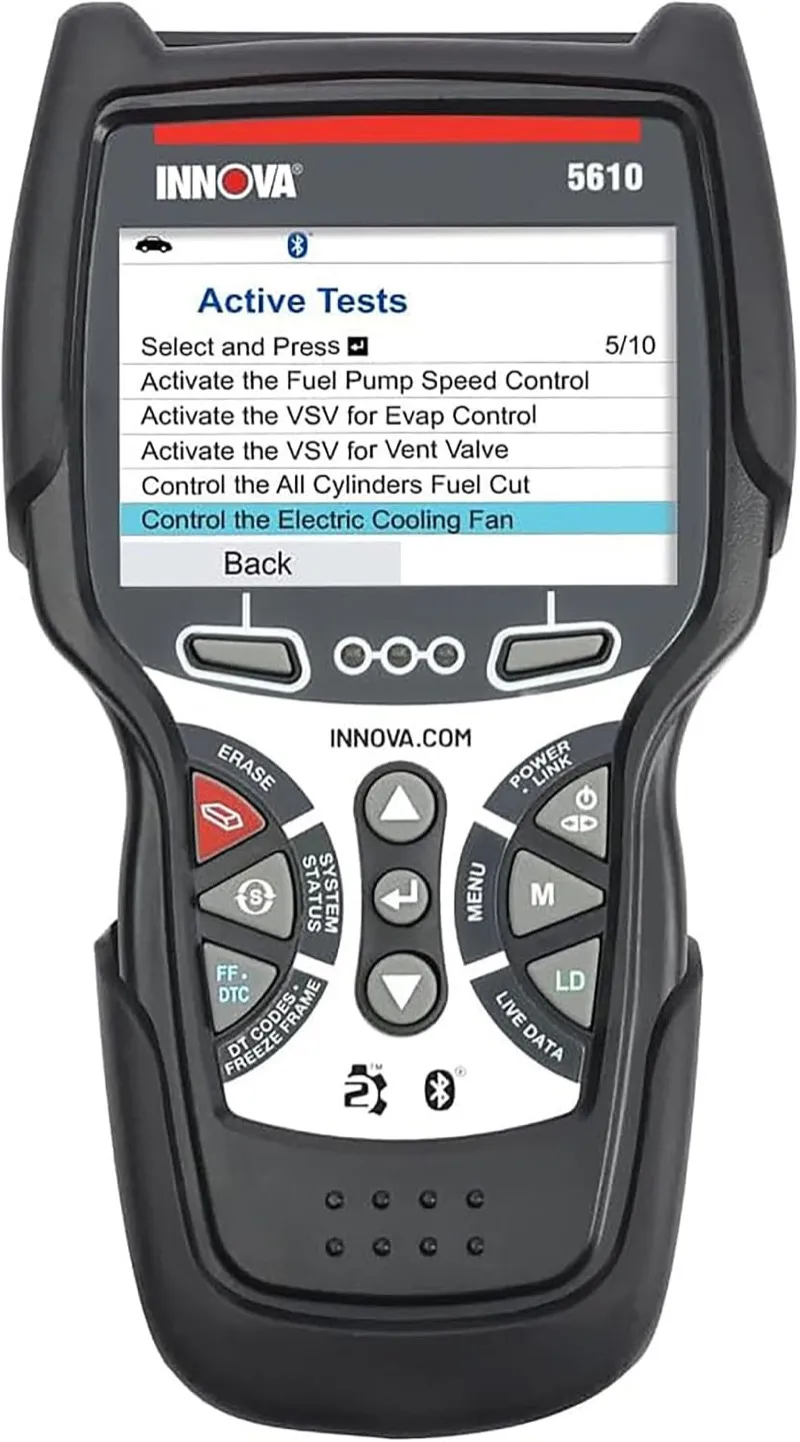
10. Innova 5610: Best Standalone Bidirectional Scanner for Ford Maverick
- Standalone bidirectional active tests including ABS pump motor, EPAS motor, and throttle body commands on Maverick EcoBoost
- RepairSolutions2 database integration with Bluetooth app connectivity for Ford Maverick domestic variant repair guidance
- 2,000+ verified Amazon reviews at 4.3 stars
Overview
The Innova 5610 is the standalone bidirectional scanner from a US-brand manufacturer that Maverick EcoBoost owners choose when they want active test capability alongside repair database guidance without committing to the Autel tablet ecosystem. The 5610 runs ABS pump motor tests, EPAS motor activation for steering assist verification, throttle body relearn procedures, and fuel pump relay commands on the Maverick’s 2.0L EcoBoost from its own display without any paired device requirement.
The RepairSolutions2 app integration connects the 5610 to Innova’s repair database through a Bluetooth link to a phone, providing verified repair procedures alongside the fault codes the scanner reads. That combination of standalone active testing and connected repair guidance is the feature set that distinguishes the 5610 from other bidirectional scanners at this price range. The repair database is strongest for domestic Ford Maverick EcoBoost variants and provides more specific fix guidance for standard powertrain codes than for hybrid-specific faults.
The 5610’s hybrid system coverage on the Maverick FHEV is functional for standard hybrid PCM output codes but does not match the Autel MX808S for FHEV-specific active tests and PHEV module access. EcoBoost Maverick owners benefit more from the 5610’s standalone bidirectional capability than FHEV and PHEV owners who need hybrid module depth.
Diagnostic Features and Capabilities
Full system scanning with standalone bidirectional active tests including ABS pump motor, EPAS motor, and throttle body commands. Ten and more service resets including oil life, BMS, TPMS stationary relearn, EPB retraction, and SAS calibration. RepairSolutions2 app provides repair database access via Bluetooth.
The RepairSolutions2 integration triggers automatically when a code is read on the Maverick: the scanner sends the VIN and DTC to the Innova database via Bluetooth and returns the verified repair count, the most common fix procedure, and the part number for the most frequently replaced component. For the Maverick EcoBoost, the database is most useful for engine codes where domestic Ford technician submissions are concentrated. A P0171 system lean on bank 1 on the EcoBoost returns the confirmed repair distribution from the database: MAF sensor replacement, intake manifold vacuum leak, and fuel system pressure as the three most common confirmed fixes, ranked by frequency.
Live data graphing on the 5610 supports simultaneous PID graphing with configurable Y-axis scaling per channel. For Maverick EcoBoost diagnosis, the most useful four-PID graphing configuration is throttle position percentage, MAP sensor output in kPa, short-term fuel trim in percent, and engine RPM graphed simultaneously during a simulated road test. This configuration captures the EcoBoost’s turbocharged fuel trim behavior under boost load and surfaces the lean condition spike at part-throttle cruise that triggers P0171 codes without appearing in a static idle scan.
Vehicle Compatibility
Covers all Ford Maverick 2022 to present across FHEV, EcoBoost, and PHEV variants. Full bidirectional function coverage and RepairSolutions2 repair database guidance is most complete on the EcoBoost powertrain. FHEV owners get standard module coverage; PHEV-specific module depth requires the Autel MX808S.
Supports all OBD2-compliant vehicles from 1996 onward for standard scanner functions. RepairSolutions2 database coverage is strongest for domestic makes including Ford, GM, Chrysler, and their respective model lines where US technician submission counts are highest.
Specifications
| Specification | Details |
|---|---|
| Connection | OBD2 cable (wired) + Bluetooth for RepairSolutions2 app |
| Display | Color LCD |
| Supported Systems | Full (engine, ABS, SRS, BCM, TPMS, transmission) |
| OBD2 Functions | Read/clear codes, live data, freeze frame, I/M readiness, AutoVIN |
| Bidirectional Control | Yes |
| Service Functions | Oil reset, BMS, TPMS relearn, EPB, SAS, throttle, and more |
| Vehicle Compatibility | All Ford Maverick 2022-present; 1996+ OBD2 |
| Updates | Free updates via PC |
| Subscription | None |
What’s Included
The Innova 5610 package includes the scanner unit, an OBD2 cable, a USB update cable, and a quick-start guide.
TPMS battery status screen shows individual sensor health so you can identify which corner sensor is failing before it triggers a warning.
For Ford Maverick diagnostics, oil life percentage displayed directly, useful for confirming the reset worked after a service interval change.
In practice on the Ford Maverick, not compatible with Ford diesel trucks, Toyota Prius, or Infiniti in at least one documented case despite advertised coverage.
Pros and Cons
| Pros | Cons |
|---|---|
| Standalone bidirectional active tests for ABS pump, EPAS motor, and throttle body on Maverick EcoBoost without a paired device | RepairSolutions2 repair database has limited applicability to Maverick FHEV and PHEV hybrid-specific fault codes |
| RepairSolutions2 integration returns verified EcoBoost repair distributions by DTC alongside the fault code read | |
| Four-PID simultaneous graphing of throttle, MAP, fuel trim, and RPM captures EcoBoost boost-load lean condition spikes missed at static idle | |
| Ten-plus service resets cover the complete Maverick EcoBoost scheduled maintenance interval schedule | |
| Established US brand with consistent firmware support and a documented hardware reliability track record |
My Final Verdict
The Innova 5610 is the right standalone bidirectional choice for Maverick EcoBoost owners who want a trusted US brand with repair database integration and do not need hybrid system depth. The four-PID graphing configuration for EcoBoost fuel trim diagnosis and the RepairSolutions2 verified repair distribution data add diagnostic intelligence that goes beyond what a code reader provides. FHEV and PHEV Maverick owners will get more complete hybrid-specific diagnostic coverage from the Autel MX808S.
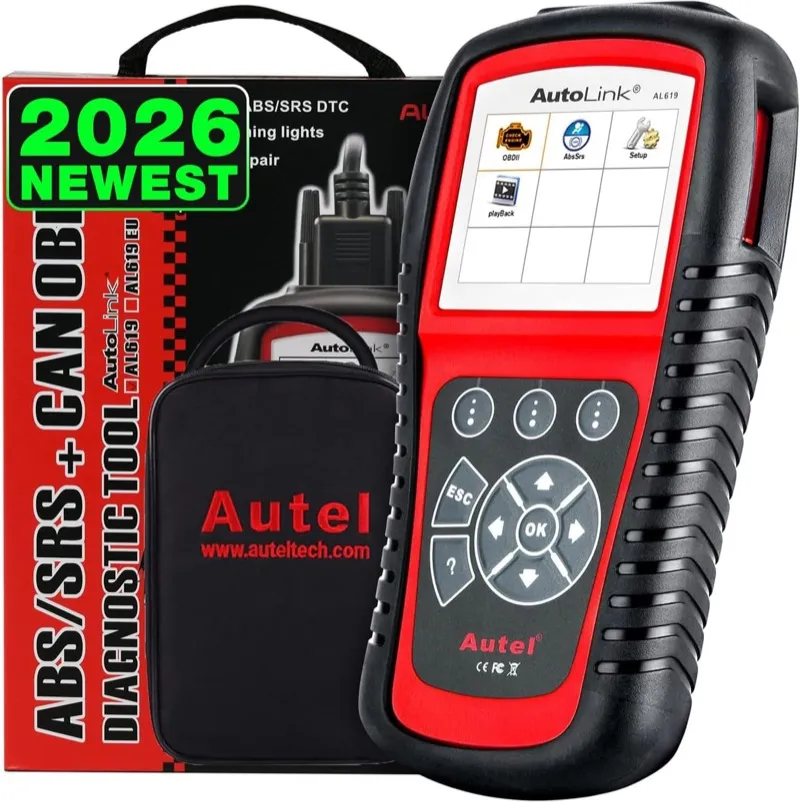
11. Autel AutoLink AL619: Best Entry-Level ABS/SRS Scanner for Ford Maverick
- Dedicated ABS and SRS coverage for the Maverick’s two most common safety system warning lights
- Reads all Maverick ABS wheel speed sensor, modulator pump, and SRS airbag circuit fault codes
- 28,000+ verified Amazon reviews at 4.3 stars
Overview
The Autel AutoLink AL619 covers two systems on the Ford Maverick: ABS and SRS. That targeted focus serves the Maverick owner whose only diagnostic need is identifying why the ABS warning light or airbag indicator is illuminated, clearing the code after a repair, and confirming the system is functioning correctly. No other scanner on this list provides that ABS and SRS diagnostic entry point at this cost.
The AL619 reads wheel speed sensor fault codes, ABS modulator communication errors, and hydraulic pump circuit faults on the Maverick’s standard ABS architecture. For SRS, it covers airbag deployment circuit faults, seatbelt pretensioner continuity codes, and the occupant classification module DTCs that appear after a seat replacement or airbag service. The 28,000 and more verified reviews confirm reliable ABS and SRS code reading across a wide vehicle range, which gives the AL619 a reliability track record that newer budget alternatives cannot match.
The AL619 does not include service resets, bidirectional control, or engine code reading. Maverick owners who need oil life reset, battery registration, or TPMS relearn alongside ABS and SRS diagnosis will find the Foxwell NT604 Elite covers all of those functions plus the same ABS and SRS capability at a moderate cost increase.
Diagnostic Features and Capabilities
ABS and SRS system code reading and clearing, live data for ABS wheel speed sensors and SRS module parameters, and AutoVIN for automatic vehicle identification. No service resets, no engine codes, and no additional system access beyond ABS and SRS.
ABS live data on the AL619 includes individual wheel speed sensor output for all four Maverick wheel positions simultaneously, hydraulic pressure sensor voltage at the master cylinder, and the ABS control module activation status flag. When diagnosing an intermittent ABS warning light on the Maverick, the live wheel speed data is the critical diagnostic tool: a sensor that shows erratic output above a specific speed threshold indicates a wheel bearing or tone ring issue rather than a failed sensor, which changes both the parts cost and the labor time significantly. The AL619’s four-channel live display makes this distinction visible without a road test on a lift.
SRS coverage on the AL619 reads the Maverick’s RCM for airbag deployment circuit continuity codes for all frontal and side-curtain airbags, seatbelt pretensioner resistance codes for both front outboard pretensioners, side-curtain airbag squib continuity for all roof rail airbags, and the occupant classification module resistance fault for the passenger front seat sensor pad. The AL619 also reads the crash data stored in the RCM after a collision event: this crash data must be addressed before the SRS indicator extinguishes, either by clearing after a minor impact that did not deploy airbags or by RCM replacement after deployment.
Vehicle Compatibility
Covers all Ford Maverick 2022 to present across all powertrain variants for ABS and SRS system access. ABS wheel speed sensor live data and SRS airbag circuit code reading are confirmed on all Maverick model years and trim levels.
Supports all OBD2-compliant vehicles from 1996 onward for ABS and SRS code access where manufacturer-specific module communication is available. The AL619 covers all major domestic and import makes for the two supported systems, making it useful beyond the Maverick for any household vehicle with an ABS or SRS warning light.
Specifications
| Specification | Details |
|---|---|
| Connection | OBD2 cable (wired) |
| Display | Color LCD |
| Supported Systems | ABS, SRS |
| OBD2 Functions | Read/clear ABS and SRS codes, live data, AutoVIN |
| Bidirectional Control | No |
| Service Functions | None |
| Vehicle Compatibility | All Ford Maverick 2022-present; 1996+ OBD2 |
| Updates | Free updates via PC |
| Subscription | None |
What’s Included
The Autel AutoLink AL619 package includes the scanner unit, an OBD2 cable, and a USB update cable.
The scanner reads and clears ABS codes beyond what a standard engine-only reader provides.
For Ford Maverick diagnostics, color display reads easily in most lighting conditions.
In practice on the Ford Maverick, the scanner supports all 10 OBD2 test modes for complete emissions and sensor testing.
Pros and Cons
| Pros | Cons |
|---|---|
| 28,000-plus verified reviews at 4.3 stars confirm reliable ABS and SRS code reading across a wide vehicle range | ABS and SRS only: no engine codes, no service resets, no TPMS relearn, and no BCM access for Maverick body fault codes |
| Four-channel ABS live data distinguishes wheel bearing failure from sensor failure by showing erratic frequency output above specific speed thresholds | |
| SRS coverage reads Maverick RCM crash data, airbag squib circuits, pretensioner resistance codes, and occupant classification module faults | |
| AutoVIN automatic vehicle identification requires no manual vehicle selection or protocol setup on the Maverick | |
| No subscription and free software updates for the supported systems |
My Final Verdict
The AL619 is the right entry-level choice for Maverick owners who need a dedicated ABS and SRS diagnostic tool at the lowest cost on this list. The four-channel wheel speed live data adds real diagnostic value by distinguishing wheel bearing failure from sensor failure, which is the most common misdiagnosis that results in unnecessary sensor replacements. For owners who also need engine codes, TPMS relearn, or service resets, any other scanner on this list provides those additional capabilities at a correspondingly higher cost.
Comparison Table: Best OBD2 Scanners for Ford Maverick
| Scanner | Best For | Systems | Bidirectional | Key Maverick Resets | Connection |
|---|---|---|---|---|---|
| Autel MaxiCheck MX808S | Overall / Hybrid FHEV and PHEV | Full (all modules) | Yes | Oil, BMS, TPMS, EPB, SAS, HVAC | Bluetooth VCI |
| iCarsoft FD V1.0 | Value / CAN-FD Ford-dedicated | Full Ford-specific | No | Oil, BMS, TPMS, EPB, SAS | Wired |
| OBDLink MX+ | FORScan / PHEV battery monitoring | Full via FORScan (14 modules) | Via FORScan | Full via FORScan | Bluetooth |
| BLCKTEC 460T | Bidirectional standalone | Full | Yes | Oil, BMS, TPMS, EPB, SAS | Wired |
| BlueDriver Pro | Phone-based / repair database | Engine, ABS, SRS, BCM, Trans | No | None | Bluetooth |
| Foxwell NT604 Elite | ABS / SRS / TPMS relearn | Engine, ABS, SRS, TPMS | No | Oil, BMS, TPMS | Wired |
| ANCEL FD700 | Ford-dedicated service resets and EPB | Full Ford-specific | No | Oil, EPB, SAS, DPF, BMS, TPMS | Wired |
| BLCKTEC 440 | Budget FORScan adapter | Full via FORScan | Via FORScan | Full via FORScan | Bluetooth |
| Launch CRP129E | Compact 4-system handheld | Engine, ABS, SRS, Trans | No | Oil, EVAP | Wired |
| Innova 5610 | Bidirectional with repair DB | Full | Yes | Oil, BMS, TPMS, EPB, SAS | Wired |
| Autel AutoLink AL619 | Entry-level ABS and SRS | ABS, SRS | No | None | Wired |
Buyer’s Guide: Choosing the Best OBD2 Scanner for Your Ford Maverick
How the Maverick’s Hybrid and PHEV Powertrain Changes Scanner Requirements
The 2.5L FHEV generates fault codes in the P0A0F and P1EXX range that a generic OBD2 code reader cannot display with meaningful information. The P0A0F code specifically indicates hybrid battery pack deterioration and requires a scanner that understands Ford’s hybrid module communication path to return the full battery voltage, cell group delta, and BECM temperature data alongside the code. A generic scanner returns the same P0A0F code as a two-word description with no supporting data, which tells the owner nothing actionable about which cell group is failing or what thermal condition preceded the fault.
The PHEV variant adds a plug-in battery pack module, an onboard charger communication system, and a charge level management unit that communicate on Ford’s proprietary CAN bus segments. These PHEV modules sit outside the standard OBD2 Mode 01 PID space and require manufacturer-enhanced protocol access to reach. Three scanners on this list handle that PHEV module architecture fully: the Autel MX808S through its own software, the OBDLink MX+ through FORScan, and the iCarsoft FD V1.0 through its Ford-specific CAN-FD protocol stack. Every other scanner on this list handles the standard EcoBoost and FHEV powertrain code set reliably but falls short of the PHEV module depth. For coverage of professional-grade tools that handle multi-module hybrid system access across all vehicle types, my roundup of the top professional OBD2 scanner picks covers the full high-end category.
The practical consequence for Maverick owners is straightforward: if you own the standard FHEV and want the scanner to read hybrid battery and inverter codes accurately, choose the MX808S, iCarsoft FD V1.0, or OBDLink MX+. If you own the EcoBoost and have no hybrid system, every scanner on this list covers your diagnostic needs, and the selection decision shifts to bidirectional capability and service reset coverage rather than hybrid protocol support. For the complete breakdown of bidirectional capability across all makes, my bidirectional OBD2 scanner guide covers every active test tool currently tested.
CAN-FD Protocol Support and Why It Matters for 2022 and Later Mavericks
All Ford Maverick models from 2022 onward use CAN-FD across their diagnostic bus architecture. CAN-FD runs at data rates up to 8 Mbit/s compared to classic CAN’s 1 Mbit/s maximum, and can carry data payloads of up to 64 bytes per frame versus classic CAN’s 8-byte limit. A scanner that lacks CAN-FD support either fails to communicate with specific Maverick modules or returns truncated data that appears as a communication error rather than a module fault.
This matters because several Ford-dedicated scanners released before 2021 do not include CAN-FD support. If you own an older Ford scanner and the Maverick is your newest vehicle, verify CAN-FD compatibility before assuming the scanner will work correctly on the 2022 and later platform. A scanner that communicates without error on a 2019 F-150 may fail to complete module enumeration on the 2022 Maverick because the CAN-FD modules on the Maverick respond at a data rate and frame length the older scanner’s controller cannot process. If you own other Ford vehicles alongside the Maverick, my Ford OBD2 scanner guide covers which tools work across the full Ford lineup, from older CAN 2.0 platforms to the current CAN-FD generation.
Every scanner on this list supports CAN-FD and communicates correctly with the full 2022 and later Maverick module architecture. When comparing against scanners not on this list, the product specification page should explicitly list CAN-FD support rather than only listing CAN 2.0 or standard OBD2 protocol compatibility. The same CAN-FD requirement applies to the F-150 from 2021 onward: my guide to the best OBD2 scanner for Ford F-150 covers how these tools perform across the full-size truck platform.
FORScan Access and the Maverick’s Ford-Specific Module List
FORScan is Ford’s enthusiast diagnostic and programming software, and the Maverick Truck Club community has documented extensive FORScan procedures specific to the FHEV and PHEV powertrain: hybrid battery calibration sequences, eCVT fluid adaptation resets, SYNC 4 APIM configuration for feature flags, BCM feature coding for door lock behavior and lighting timing, and transmission shift adaptation resets after fluid service. No standalone scanner exposes the full module set and write access that FORScan unlocks on the Maverick. Ford Explorer owners running FORScan will find the same adapter compatibility applies to their platform: my guide to the best OBD2 scanner for Ford Explorer covers module access on the Explorer-specific architecture.
The OBDLink MX+ delivers full FORScan compatibility including dual HS-CAN and MS-CAN bus access. The HS-CAN bus carries the PCM, TCM, ABS, RCM, and hybrid inverter modules; the MS-CAN bus carries the BCM, DDM, PDM, and APIM. Accessing both buses simultaneously requires an adapter that handles concurrent bus switching, which is what separates the OBDLink MX+ from single-bus adapters. The BLCKTEC 440 handles most FORScan functions at lower cost with slightly reduced throughput under high-PID multi-module loads. For the full comparison of Bluetooth OBD2 adapters beyond FORScan use cases, my Bluetooth OBD2 adapter roundup covers every wireless option currently tested.
The Autel MX808S covers the diagnostic and service reset functions that most Maverick owners actually need without requiring FORScan or a laptop, but it does not replicate the module programming depth that FORScan unlocks for owners who want APIM feature configuration, BCM behavior coding, or the eCVT adaptation reset that the Maverick Truck Club community has documented as a performance improvement after transmission fluid service. Maverick owners running FORScan or a diagnostic app on iPhone can find the full selection of iOS-compatible adapters in my iPhone OBD2 scanner guide.
ABS, TPMS, and Service Reset Requirements Across Maverick Variants
The Maverick uses a stationary TPMS relearn procedure rather than a drive-cycle-based reset. After a tire rotation or sensor replacement, the scanner must register the new sensor positions in the sequence left front, right front, right rear, left rear while the vehicle is stationary and the ignition is on. Driving after a rotation without re-registering the sensors leaves the TPMS module with incorrect sensor position assignments, which generates a false TPMS warning light and incorrect tire pressure display for the rotated positions. For the full comparison of ABS, SRS, and TPMS scanner coverage across all vehicle makes, my dedicated ABS and SRS scanner guide covers the complete category.
Battery registration is relevant on all Maverick variants after a 12V battery replacement. The Maverick’s BMS records the replacement battery’s capacity and chemistry during the registration procedure. Without this reset, the BMS runs a default charging profile that does not match the replacement battery’s specifications, which can cause chronic undercharging on AGM batteries or overcharging on EFB replacements, shortening the replacement battery’s service life. The BMS reset on the Maverick takes under two minutes with any scanner that supports the function, and it is the single highest-value service reset procedure for owners who replace their own 12V batteries.
EPB retraction is required for rear brake pad replacement on the Maverick because the motor-driven electronic parking brake caliper cannot be hand-compressed without electronic retraction. The caliper must be retracted into service position electronically before the pad housing can be removed. After new pads are installed, the EPB reset procedure calibrates the new pad thickness reference and returns the caliper to drive position. The four scanners on this list that include EPB retraction are the MX808S, the iCarsoft FD V1.0, the BLCKTEC 460T, the ANCEL FD700, and the Innova 5610.
Common Mistakes Maverick Owners Make When Choosing a Scanner
The most common mistake is selecting a Ford-dedicated scanner that predates 2021 and lacks CAN-FD support. The Maverick’s 2022 launch year means any scanner that was not updated for CAN-FD after that date may not communicate correctly with the platform. Every scanner on this list supports CAN-FD, but older or used Ford scanners sold under broad Ford compatibility claims may not, and the listing may not specify CAN-FD explicitly.
The second common mistake is buying a 4-system scanner with engine, ABS, SRS, and transmission coverage but no TPMS relearn function, then discovering that TPMS stationary relearn is unavailable after the first tire rotation. The Launch CRP129E and BlueDriver Pro both fall into this category for Maverick TPMS service. Confirming TPMS function before purchase prevents the frustration of owning a scanner that cannot complete the most frequent post-service reset the Maverick requires. Maverick owners comparing entry-level options can find the full field of tested affordable tools in my budget OBD2 scanner guide.
The third mistake specific to FHEV and PHEV owners is assuming that any scanner which clears the check engine light also reads hybrid-specific fault codes accurately. The P0A0F hybrid battery degradation code and the P1EXX inverter fault range require module-specific access that generic scanners do not provide. A generic scanner clears the warning light without returning the BECM or INVTM data that tells the technician which component is failing, which leads to unnecessary parts replacement and a recurring fault. Confirming hybrid module coverage for your specific Maverick powertrain variant before purchase prevents this category of diagnostic error.
FAQs
What OBD2 scanner works best with FORScan for Ford Maverick?
The OBDLink MX+ is the best FORScan adapter for the Ford Maverick. It handles both the HS-CAN powertrain bus and the MS-CAN body module bus simultaneously, delivers full CAN-FD protocol support for the 2022 and later Maverick, and maintains stable connections during FORScan module programming sessions including BCM feature coding and APIM SYNC 4 configuration. The BLCKTEC 440 provides most FORScan functions at lower cost for EcoBoost and FHEV owners who do not need PHEV battery monitoring. No other Bluetooth adapter matches the OBDLink MX+ for dual-bus access and sustained CAN-FD throughput on the Maverick platform.
Does the Ford Maverick hybrid require a special OBD2 scanner?
The Maverick FHEV and PHEV require a scanner with CAN-FD protocol support and the ability to reach Ford’s hybrid-specific modules beyond the standard engine PCM. Generic code readers that only access the engine ECU via standard OBD2 PIDs cannot read P0A0F hybrid battery degradation codes, P1EXX inverter fault codes, or the BECM and INVTM data that tells the technician which component is causing the fault. The Autel MX808S, the iCarsoft FD V1.0, and the OBDLink MX+ with FORScan all provide the module access level needed to diagnose the Maverick hybrid powertrain correctly and return actionable data alongside the fault code.
Can I read Ford Maverick PHEV battery codes with a standard OBD2 scanner?
A standard generic OBD2 scanner cannot read the Maverick PHEV battery codes that originate in the plug-in battery pack management module or the onboard charger communication system. Those modules communicate on Ford’s proprietary CAN bus paths that require manufacturer-enhanced protocol access beyond the standard SAE J1979 OBD2 protocol. The Autel MX808S and the OBDLink MX+ with FORScan provide the enhanced protocol access needed to reach those modules on the 2023 and later Maverick PHEV, and are the only scanners on this list that cover the PHEV charging module fault code range.
Where is the OBD2 port on a Ford Maverick?
The OBD2 diagnostic port on the Ford Maverick is located under the driver-side dashboard to the left of the steering column, accessible without tools. The port is in the standard SAE J1962 location on all 2022 to present Maverick variants and does not require panel removal to access. On the Maverick, the port is slightly recessed into the dash surround and is easier to connect with a right-angle OBD2 adapter on scanners with stiff wired cables.
What scanner can reset the Ford Maverick TPMS after a tire rotation?
The Foxwell NT604 Elite, Autel MX808S, iCarsoft FD V1.0, ANCEL FD700, BLCKTEC 460T, and Innova 5610 all include the TPMS relearn function for the Maverick’s stationary sensor registration procedure. The BlueDriver Pro, Launch CRP129E, and Autel AutoLink AL619 do not include TPMS relearn. The Maverick uses a stationary relearn: sensor position assignments happen at a standstill with the scanner rather than through a drive cycle, and the scanner must actively initiate the TPMS receiver and confirm each sensor ID in the correct position sequence for the registration to write to the module.
Can a Bluetooth OBD2 adapter access the Maverick’s hybrid modules via FORScan?
Yes. The OBDLink MX+ accesses the full Ford Maverick hybrid module tree via FORScan, including the FHEV inverter control module, the hybrid battery energy control module, and the PHEV charge management modules on the 2023 and later PHEV variant. The BLCKTEC 440 handles most hybrid module functions via FORScan on the standard FHEV. PHEV owners running intensive battery state-of-health monitoring sessions should use the OBDLink MX+ for its higher CAN-FD data throughput, which provides more reliable communication during sustained module programming and simultaneous multi-module live data logging sessions that the PHEV battery monitoring workflow requires.