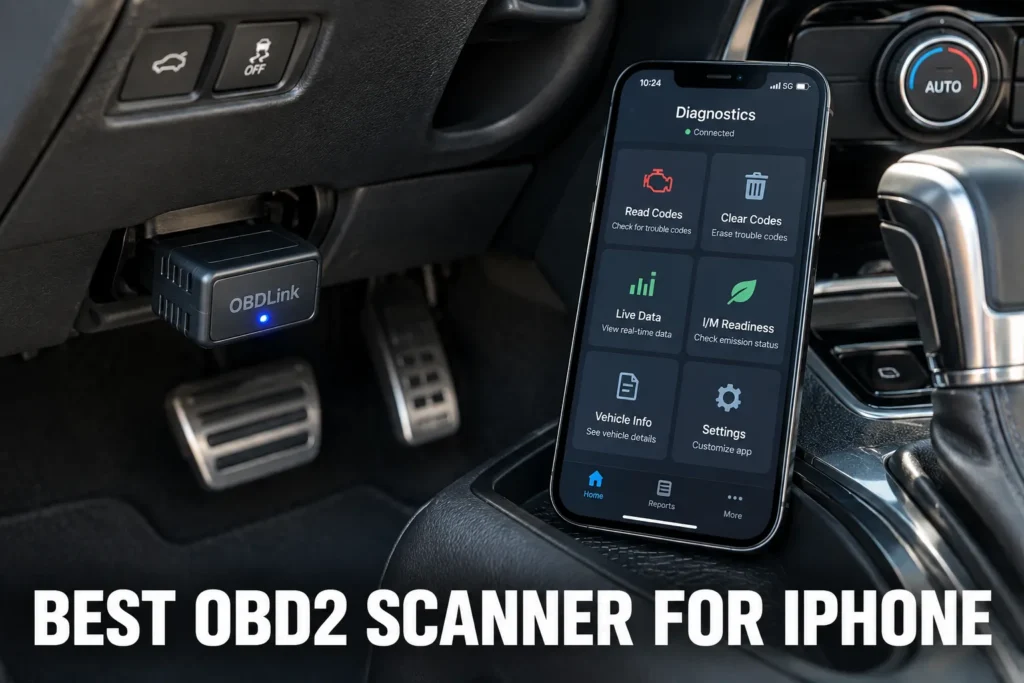
Choosing an OBD2 scanner for iPhone is harder than it looks. Most of the popular adapters on Amazon use classic Bluetooth, which does not work with iOS. Apple restricts Bluetooth accessories to Bluetooth Low Energy (BLE) connections, so any adapter without BLE will fail to pair with an iPhone regardless of what the listing claims. Beyond that compatibility filter, diagnostic depth, app quality, and subscription costs vary more than most buyers expect.

About the author: Hello! I’m Kamil Siegień, founder of OBD2 Scout. My diagnostic experience started with an engine rebuild on a 2014 Skoda Superb 1.8 TSI, where tuning from 160 to 222 hp required mastering live data and ECU behavior that basic code readers cannot handle. I am a former BMW and MINI employee and regularly use diagnostic scanners on my own Audi A4 2.0 TFSI.
Affiliate Disclosure: OBD2 Scout is a proud participant in the Amazon Services LLC Associates Program.
I tested 13 OBD2 scanners specifically selected for iPhone compatibility: BLE adapters, coding-specific tools, full-system diagnostic dongles, and budget entry points. Every product in this list pairs with an iPhone without workarounds. None use classic Bluetooth.
Two things to understand before buying. First, iPhones require BLE (Bluetooth Low Energy, version 4.0 or higher). Adapters using classic Bluetooth 2.0 or 3.0, including the widely recommended BAFX and OBDLink LX, are Android-only. Second, BLE adapters vary significantly in what they can do. A $20 BLE dongle reads engine codes. A $100 BLE adapter like the BlueDriver Pro reads ABS and airbag codes, provides verified repair data, and costs nothing beyond the purchase price. That gap is worth understanding before choosing.
My Recommended Top 3 Best-Buys
1. BlueDriver Pro
[Best Overall]
- ✓ Full-system diagnostics (ABS, SRS, transmission)
- ✓ BLE 4.0, native iOS support, no subscription
- ✓ Verified fix reports from ASE-certified data
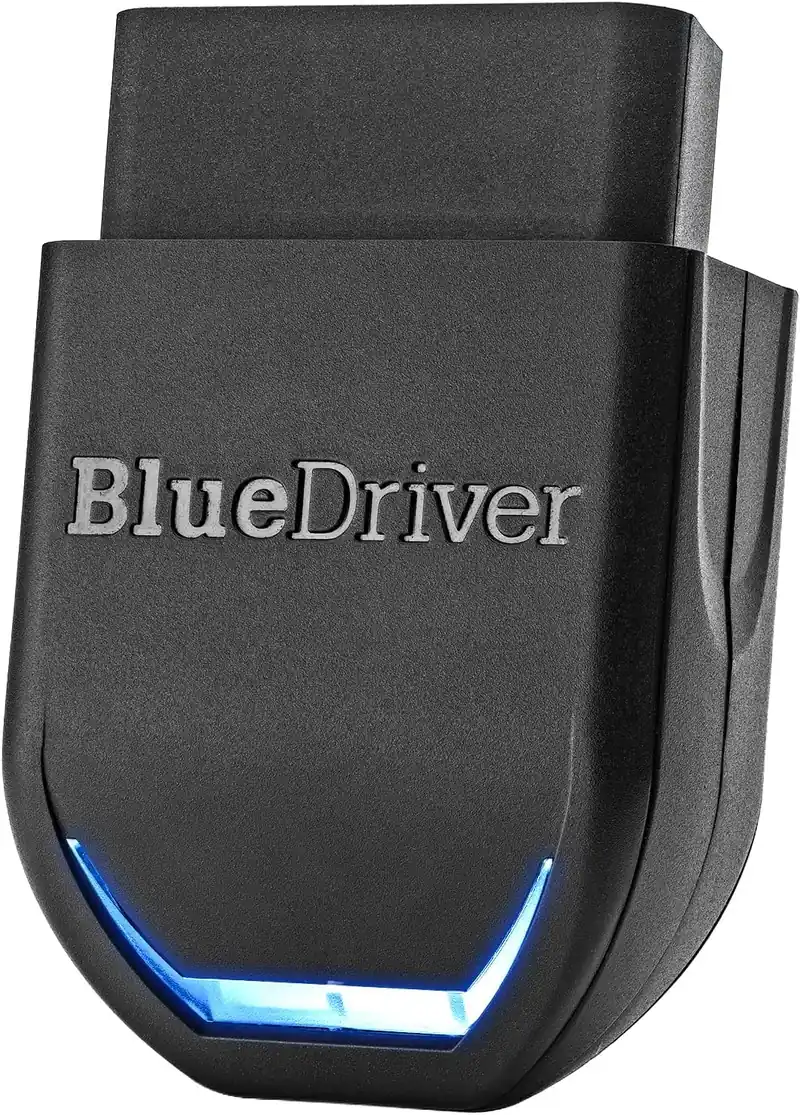
5,200+ Verified Reviews
2. OBDLink MX+
[Best for Third-Party iOS Apps]
- ✓ Works with OBDFusion, BimmerCode, Car Scanner on iOS
- ✓ Fastest live data of any BLE OBD2 adapter
- ✓ No subscription, iOS and Android
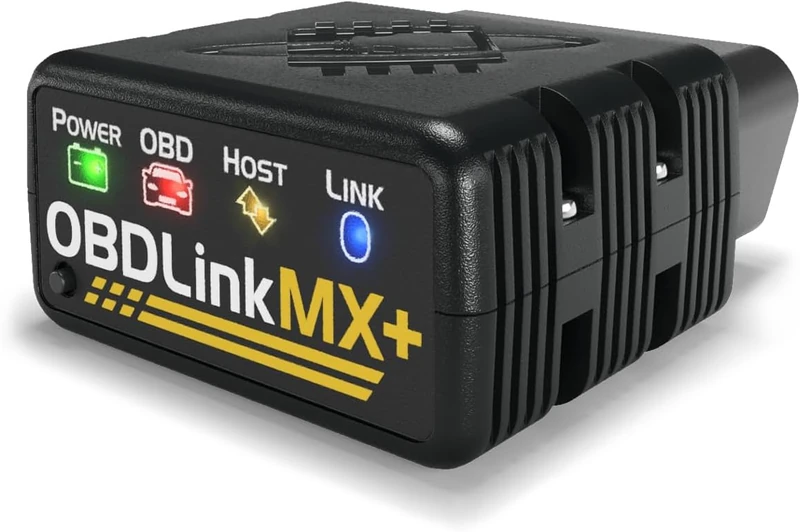
66,800+ Verified Reviews
3. TOPDON TopScan Lite
[Best Value for iPhone]
- ✓ Bidirectional tests and 8 service resets under $60
- ✓ BLE 5.0, native iOS support
- ✓ Full-system diagnostics across major modules
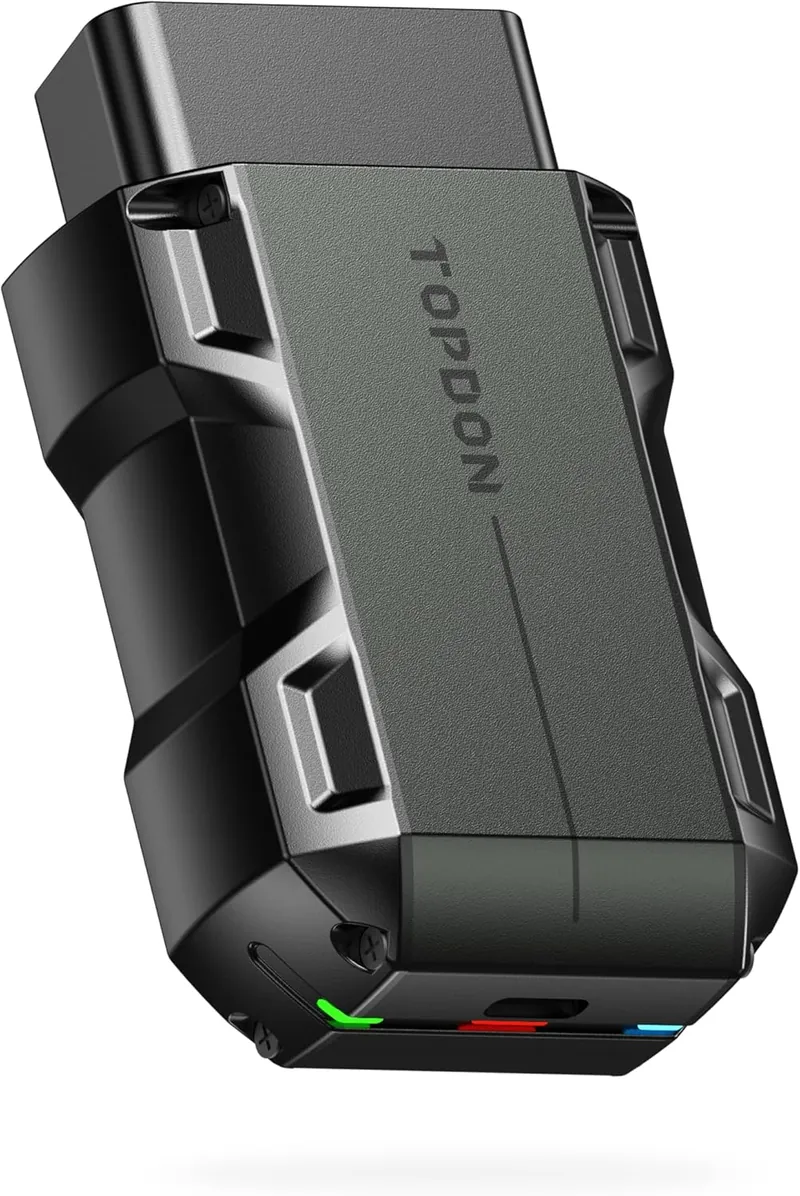
6,500+ Verified Reviews
13 Best OBD2 Scanners for iPhone in 2026
1. BlueDriver Pro: Best Overall OBD2 Scanner for iPhone
- BLE 4.0 pairs directly with iPhone without configuration
- Full-system access to ABS, SRS, and transmission codes on supported vehicles
- Verified fix reports from ASE-certified mechanic data, no subscription
Overview
The BlueDriver Pro is the OBD2 scanner most iPhone users should buy. It uses BLE 4.0, which means it pairs with an iPhone the same way AirPods do: no adapters, no settings changes, no workarounds. The BlueDriver app is designed for iOS and Android and is one of the cleaner OBD2 app experiences available. Beyond the ease of setup, it delivers real diagnostic value. Full-system access covers ABS, SRS, and transmission modules on supported vehicles, and the verified fix feature gives repair suggestions based on ASE-certified mechanic data rather than generic code definitions. There is no subscription after purchase.
Diagnostic Features and Capabilities
The BlueDriver reads and clears codes across engine, ABS, SRS, transmission, and TPMS modules on supported vehicles. Live data with graphing is available for monitoring real-time parameters. Freeze frame captures conditions at fault time. Oil reset, EPB, and BMS service functions are supported on compatible vehicles. The scanner does not perform bidirectional active tests. It is locked to the BlueDriver app and does not work with third-party OBD2 applications.
Vehicle Compatibility
All 1996 and newer OBD2-compliant vehicles sold in the United States. Enhanced system coverage beyond generic OBD2 varies by make and model year. The BlueDriver app includes a compatibility checker worth using before purchase if ABS or SRS access on a specific vehicle is the primary reason for buying.
Jeep Grand Cherokee owners who want BlueDriver Pro’s TIPM and FCA module coverage on iPhone will find it evaluated alongside dedicated FCA tools in my OBD2 scanner picks for Jeep Grand Cherokee.
Specifications
| Specification | Details |
|---|---|
| Connection | BLE 4.0 |
| Supported Systems | Engine, ABS, SRS, Transmission, TPMS (vehicle-dependent) |
| OBD2 Functions | Read/clear codes, freeze frame, live data with graphing, I/M readiness |
| Bidirectional Control | No |
| Service Functions | Oil reset, EPB, BMS (vehicle-dependent) |
| Vehicle Compatibility | 1996+ OBD2 (US) |
| App | BlueDriver (iOS and Android, proprietary) |
| Updates | Free |
| Subscription | None |
What’s Included
BlueDriver Pro scanner, USB charging cable.
Pros and Cons
| Pros | Cons |
|---|---|
| Native BLE pairing with iPhone, no setup friction | Locked to BlueDriver app, no third-party app support |
| Full-system access across ABS, SRS, and transmission on supported vehicles | Enhanced system coverage varies by vehicle make and year |
| Verified fix reports from ASE-certified mechanic data | |
| No subscription or annual fee | |
| Clean, well-structured iOS app | |
| Live data graphing for real-time monitoring | |
| Repair history and maintenance tracking |
My Final Verdict
The BlueDriver Pro is the right scanner for most iPhone users. It pairs easily, delivers genuine full-system diagnostic access on supported vehicles, and does not require a subscription. The only meaningful limitation is the locked app ecosystem. If you already use a specific iOS OBD2 app like OBDFusion or BimmerCode, the OBDLink MX+ is a better fit. For everyone else, this is where to start. Read my BlueDriver Pro review for a full breakdown of app experience, vehicle-specific ABS and SRS coverage, and how it compares to open adapters for iPhone users who want third-party app flexibility.
2. OBDLink MX+: Best OBD2 Adapter for Third-Party iOS Apps
- Works with OBDFusion, BimmerCode, Car Scanner ELM, and most iOS OBD2 apps
- Fastest live data throughput of any BLE OBD2 adapter
- GM-LAN and Ford MS-CAN support for expanded module access on those makes
Overview
The OBDLink MX+ is the adapter to buy if you already know which iOS OBD2 app you want to use. It is an open adapter, which means it works with nearly every BLE-compatible OBD2 application on the App Store. OBDFusion, BimmerCode, Car Scanner ELM OBD2, and similar iOS apps all connect to it reliably. The live data throughput is faster than competing BLE adapters, which matters when monitoring multiple parameters simultaneously or logging data during a drive. It also supports two extended protocols most adapters ignore: GM-LAN for deeper General Motors access and Ford MS-CAN for expanded Ford and Lincoln coverage, both accessible from iOS apps that support those protocols. Equinox owners looking for an iPhone-compatible adapter with GM-LAN support will find the best options in my OBD2 scanner guide for the Chevy Equinox.
Diagnostic Features and Capabilities
Diagnostic depth depends on which iOS app you pair with the MX+. The adapter provides the communication layer at higher speed than competitors. With OBDFusion on iOS, you can access full-system modules on supported vehicles. With BimmerCode, BMW owners can read and modify vehicle coding options. With Car Scanner ELM, broad live data and DTC access is available across most makes. The MX+ has no built-in app and no standalone service reset functions. It is a communication adapter that lets iOS apps perform the diagnostics.
Vehicle Compatibility
All 1996 and newer OBD2-compliant vehicles. GM-LAN protocol expands access on General Motors vehicles. Ford MS-CAN expands access on Ford and Lincoln. Coverage beyond standard OBD2 depends on the third-party iOS app used. Trax owners looking for iOS-compatible adapters with GM-LAN support can find the best options in my OBD2 scanner guide for the Chevy Trax.
Specifications
| Specification | Details |
|---|---|
| Connection | BLE (Bluetooth Smart), USB |
| Supported Systems | App-dependent; full-system on supported vehicles via third-party iOS apps |
| OBD2 Functions | Read/clear codes, freeze frame, live data, I/M readiness, Mode $06 |
| Bidirectional Control | No |
| Service Functions | None built-in |
| Vehicle Compatibility | 1996+ OBD2; expanded via GM-LAN and Ford MS-CAN |
| App | iOS, Android, Windows (any compatible third-party app) |
| Updates | Free |
| Subscription | None |
What’s Included
OBDLink MX+ adapter, quick-start guide.
Pros and Cons
| Pros | Cons |
|---|---|
| Compatible with every major third-party iOS OBD2 app | No built-in app; requires research into which iOS app fits your vehicle |
| Fastest live data refresh rate in the BLE adapter category | |
| GM-LAN and Ford MS-CAN for expanded protocol coverage | |
| BimmerCode compatible for BMW hidden-feature coding on iPhone | |
| No subscription | |
| USB connection as an alternative to Bluetooth |
My Final Verdict
The OBDLink MX+ is the right choice if you use or plan to use a specific iOS OBD2 app. It is the most compatible open adapter in this category and delivers the fastest live data available over BLE. If you want a scanner that comes with its own app and useful repair data, the BlueDriver Pro is the better pick. If you have a preferred iOS app and just need the best adapter to connect it to your car, this is the one. My OBDLink MX+ review covers live data throughput testing, third-party iOS app compatibility results, and how the MX+ compares to the BlueDriver Pro on vehicles where both cover full-system access.
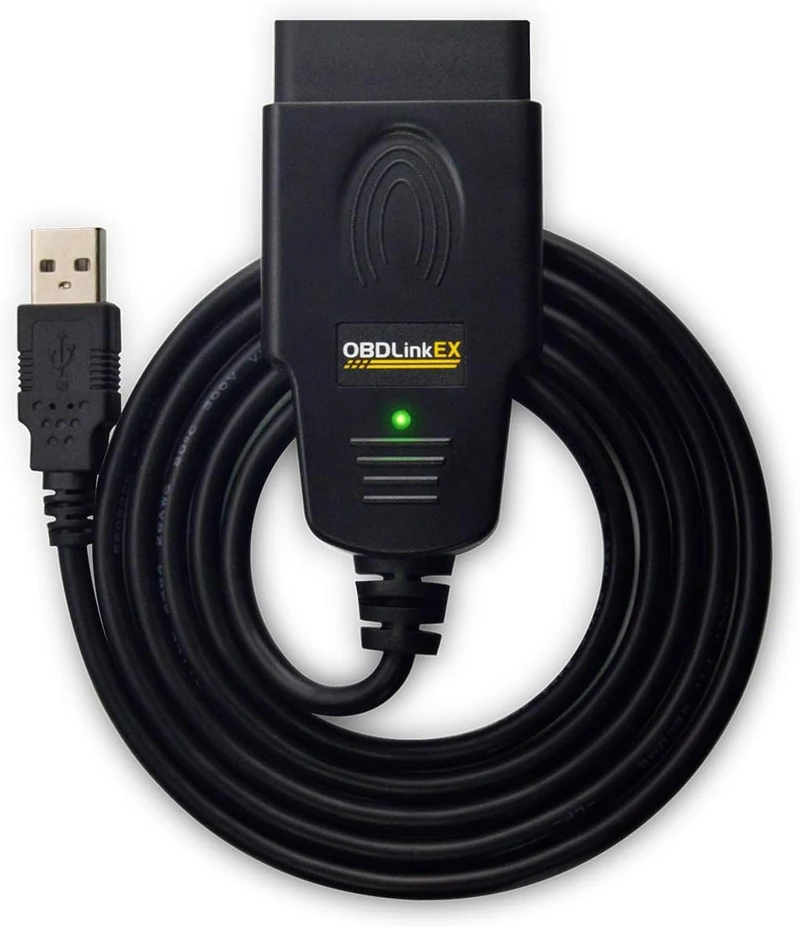
3. OBDLink EX: Best OBD2 Adapter for Ford iPhone Users
- Designed specifically for FORScan on iPhone, including Ford MS-CAN protocol support
- BLE connection pairs directly with iOS without driver installation
- Expands Ford and Lincoln module access beyond standard OBD2 on supported vehicles
Overview
The OBDLink EX is the dedicated adapter for Ford, Lincoln, and Mazda owners who use FORScan on iPhone. FORScan is one of the deepest free diagnostic apps available for Ford platforms, covering modules that most generic scanners cannot reach. The EX supports the Ford-specific MS-CAN and HS-CAN protocols that unlock that expanded access. The adapter uses BLE, so it connects to an iPhone the same way any other BLE accessory does. At around $60, it is the most cost-effective way to run FORScan on iOS with full Ford protocol support. It also works with other iOS OBD2 apps, though its design is optimized for the FORScan use case. Maverick owners using the EX with FORScan on iPhone will find the adapter’s Ford MS-CAN module coverage tested against the Maverick’s specific requirements in my Maverick FORScan adapter picks.
Diagnostic Features and Capabilities
Through FORScan on iOS, the EX accesses Ford-specific modules including the BCM, IPC, APIM, SYNC, transmission, ABS, and others depending on the vehicle. Module programming, configuration changes, and service procedures available in FORScan are accessible from an iPhone. Standard OBD2 engine functions work with any compatible iOS app. The adapter itself does not perform diagnostics; it provides the communication bridge between the FORScan iOS app and the vehicle. Bidirectional tests and service resets available in FORScan depend on the vehicle year and model.
Vehicle Compatibility
Optimized for Ford, Lincoln, and Mazda vehicles where FORScan is the target application. Standard OBD2 functions work on all 1996 and newer compliant vehicles. MS-CAN and HS-CAN support is Ford and Lincoln specific.
Specifications
| Specification | Details |
|---|---|
| Connection | BLE |
| Supported Systems | Ford/Lincoln full module access via FORScan; standard OBD2 via other apps |
| OBD2 Functions | Read/clear codes, freeze frame, live data, I/M readiness; extended via FORScan |
| Bidirectional Control | Via FORScan (vehicle-dependent) |
| Service Functions | Via FORScan (vehicle-dependent) |
| Vehicle Compatibility | 1996+ OBD2; Ford/Lincoln MS-CAN extended coverage |
| App | FORScan iOS (recommended); any BLE-compatible iOS OBD2 app |
| Updates | Free |
| Subscription | None (FORScan offers optional extended license) |
What’s Included
OBDLink EX adapter, quick-start guide.
Pros and Cons
| Pros | Cons |
|---|---|
| Full Ford MS-CAN protocol support for FORScan on iPhone | Best value for Ford/Lincoln owners only; generic use is handled equally well by the MX+ |
| BLE pairs with iPhone without driver installation | |
| Deeper Ford module access than any generic OBD2 adapter | |
| Also works with other BLE-compatible iOS apps | |
| No subscription | |
| Lower price than the MX+ for a dedicated Ford use case |
My Final Verdict
If you drive a Ford or Lincoln and want to run FORScan on your iPhone, the OBDLink EX is the correct adapter. It costs less than the MX+ and is specifically validated for the Ford protocol stack that FORScan requires. For non-Ford vehicles or general iOS app use, the MX+ provides broader compatibility. But for the FORScan on iPhone use case, the EX is the purpose-built answer.
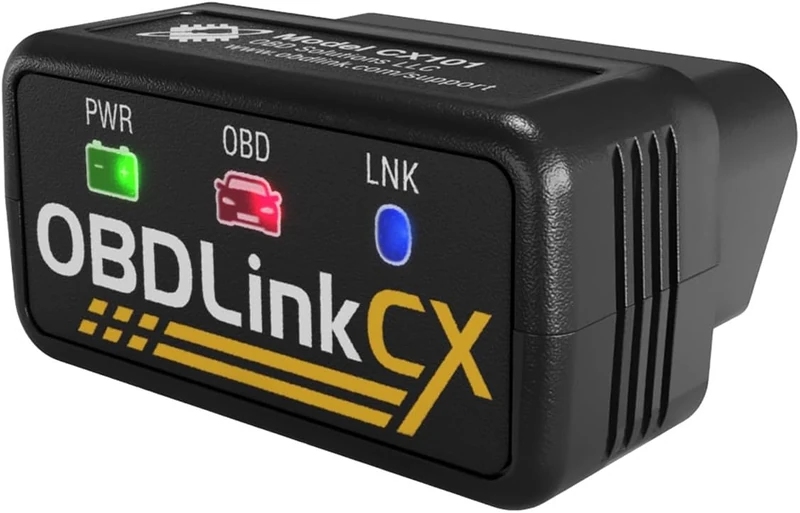
4. OBDLink CX: Best BLE Adapter for BMW and MINI Coding on iPhone
- BLE 5.1, explicitly verified as iPhone and iOS compatible
- Designed for BimmerCode: reads and writes BMW and MINI module coding on iPhone
- One-time per-make unlock in BimmerCode, no recurring fees
Overview
The OBDLink CX was built for one primary purpose: BMW and MINI coding via BimmerCode on iOS. BimmerCode is the most capable consumer-grade coding app for BMW vehicles, and the CX is listed as one of the recommended adapters for the iPhone version of the app. BLE 5.1 ensures a stable, fast connection with the BimmerCode iOS app. The coding access covers hidden features and module configuration options in BMW F and G series vehicles and MINI models built on those platforms. BimmerCode charges a one-time per-make unlock fee rather than a subscription, so after the initial purchase, ongoing costs are minimal. The CX also works as a general BLE OBD2 adapter with other iOS apps.
Diagnostic Features and Capabilities
Via BimmerCode on iOS, the CX reads and writes coding data across BMW and MINI modules, enabling changes to factory configuration options including lighting behavior, comfort features, and driver assistance settings on supported vehicles. Through other compatible iOS OBD2 apps, standard OBD2 diagnostic functions are available. The adapter does not perform bidirectional active tests on its own. Coding scope depends on the vehicle model, year, and which BimmerCode vehicle pack is unlocked.
Vehicle Compatibility
Primarily BMW F series and G series vehicles, and MINI vehicles on the same platforms. Standard OBD2 functions apply to all 1996 and newer compliant vehicles. BimmerCode vehicle coverage is confirmed on the BimmerCode compatibility page.
Specifications
| Specification | Details |
|---|---|
| Connection | BLE 5.1 |
| Supported Systems | BMW/MINI module coding via BimmerCode; standard OBD2 via other apps |
| OBD2 Functions | Read/clear codes, freeze frame, live data, I/M readiness |
| Bidirectional Control | Limited (via BimmerCode coding functions) |
| Service Functions | Via compatible iOS apps |
| Vehicle Compatibility | BMW F/G series, MINI; 1996+ OBD2 for generic functions |
| App | BimmerCode (iOS); any BLE-compatible iOS OBD2 app |
| Updates | Free |
| Subscription | None (BimmerCode charges one-time per-make unlock) |
What’s Included
OBDLink CX adapter.
Pros and Cons
| Pros | Cons |
|---|---|
| BLE 5.1 with explicit iPhone/iOS compatibility | Niche value proposition: best for BMW/MINI coding specifically |
| Recommended adapter for BimmerCode iOS app | |
| One-time per-make BimmerCode unlock, no recurring subscription | |
| Works with other BLE-compatible iOS OBD2 apps | |
| Stable BLE 5.1 connection |
My Final Verdict
The OBDLink CX makes the most sense for BMW and MINI owners who want to use BimmerCode on an iPhone. The BLE 5.1 connection handles the coding communication reliably, and the one-time unlock model in BimmerCode keeps long-term costs reasonable. For VW Group vehicles or makes where Carista covers coding options, the Carista EVO at a lower hardware cost is worth comparing. But for BMW F and G series coding on iOS specifically, the CX is the validated choice. My guide to the best OBD2 scanners for BMW covers the full range from handheld tools with BMW-specific system access to dedicated coding adapters, with F and G series coverage data to confirm compatibility before buying.
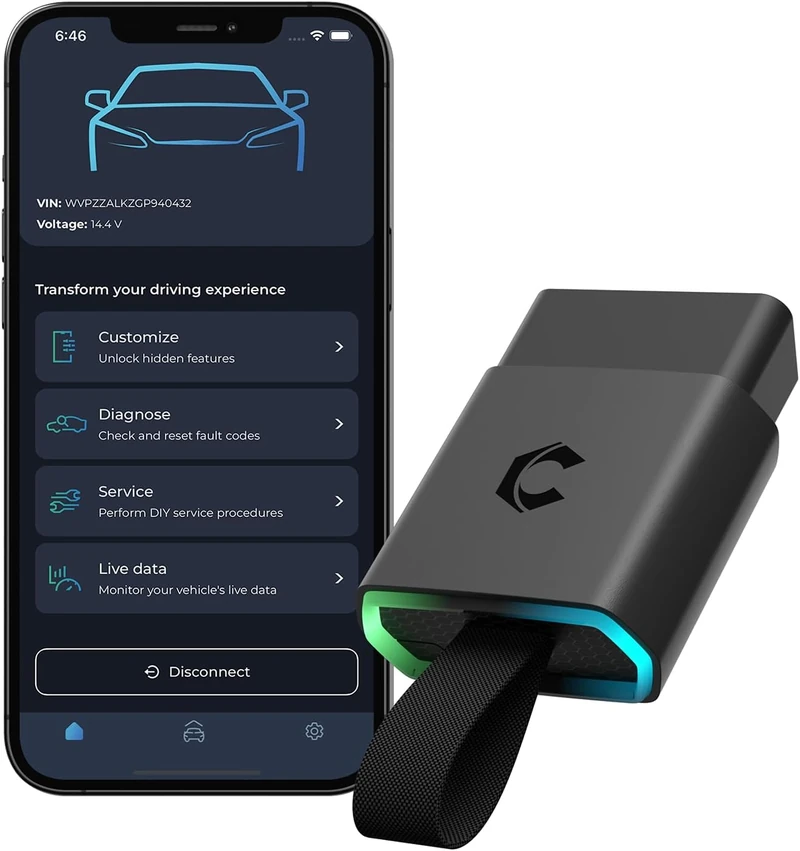
5. Carista EVO: Best for Multi-Brand Coding on iPhone
- OEM-level coding and customization for BMW, VW, Audi, Toyota, Honda, and more on iPhone
- BLE adapter pairs directly with iOS, around $70 hardware cost
- Access to factory module options not reachable with standard OBD2 apps
Overview
The Carista EVO is the coding adapter that covers the most makes in a single tool. Where the OBDLink CX is focused on BMW and MINI via BimmerCode, Carista spans BMW, Volkswagen, Audi, Skoda, Seat, Toyota, Lexus, Honda, and Dacia within one app ecosystem. The hardware is a BLE adapter that connects to iPhone without any configuration. The Carista app offers fault code reading across all modules on supported vehicles, and the advanced tier adds OEM-level customization: enabling or disabling factory options buried in the BCM, comfort features, lighting behavior, and other module-level settings that are configured at the dealership. Advanced coding and customization require the Carista subscription at approximately $80 per year, which is the main trade-off to evaluate.
Diagnostic Features and Capabilities
The Carista app reads and clears fault codes across all modules on supported vehicles. The coding layer provides access to OEM options that change factory-set configuration in supported modules. Options vary significantly by vehicle make, model, and production year. Live data and basic OBD2 functions are available. Bidirectional active tests and service resets are limited compared to dedicated diagnostic tools. The primary differentiation is the coding and customization access, not general diagnostics.
Vehicle Compatibility
BMW, Volkswagen, Audi, Skoda, Seat, Toyota, Lexus, Honda, and Dacia. Coding and customization coverage is make, model, and year dependent. The Carista website includes a vehicle compatibility checker.
Specifications
| Specification | Details |
|---|---|
| Connection | BLE |
| Supported Systems | All modules for fault codes; coding is feature-specific by make |
| OBD2 Functions | Read/clear codes, live data, I/M readiness |
| Bidirectional Control | Limited |
| Service Functions | Limited; primary function is coding and customization |
| Vehicle Compatibility | BMW, VAG group, Toyota, Lexus, Honda, Dacia |
| App | Carista (iOS and Android) |
| Updates | Subscription-dependent |
| Subscription | Required for advanced coding, approximately $80/year |
What’s Included
Carista EVO adapter.
Pros and Cons
| Pros | Cons |
|---|---|
| Coding and customization across BMW, VAG, Toyota, Honda in one app | Not a general-purpose diagnostic scanner for all makes |
| BLE pairs directly with iPhone | Annual subscription required for coding access |
| Access to OEM factory module options not available in generic apps | |
| Reads and clears fault codes across all modules on supported vehicles | |
| Clean, purpose-built iOS app |
My Final Verdict
Carista is the right choice if you own a VAG vehicle (VW, Audi, Skoda, Seat), a Toyota, or a Honda and want coding and customization access on your iPhone without a separate per-make adapter. BMW owners should compare directly against the OBDLink CX and BimmerCode, where the one-time unlock model may work out cheaper over time than Carista’s annual subscription. For general fault code diagnostics across multiple makes, the BlueDriver or AP200M are more capable tools at a comparable price. My guide to the best OBD2 scanners for Toyota covers Carista alongside dedicated handheld options for Toyota owners who need deeper system access or want to avoid annual subscription costs.
Audi owners who want standalone VAG-platform scanner coverage for EPB service, SFD access, and full-system diagnostics beyond the Carista coding layer will find the compatible options in my Audi OBD2 scanner guide.
6. TOPDON TopScan Lite: Best Full-System BLE Value for iPhone
- Bidirectional active tests and 8 service resets under $60, rare at this price
- BLE 5.0 for a stable, fast iOS connection
- Full-system diagnostics across ABS, SRS, and transmission on supported vehicles
Overview
For iPhone users who want more than code reading at a reasonable price, the TOPDON TopScan Lite is the clearest option in this category. Bidirectional active tests and eight service reset functions at under $60 are genuinely unusual. Most BLE adapters at this price do only code reading. The TopScan uses BLE 5.0, which connects to iPhone without the pairing issues that older BLE versions sometimes cause, and the TOPDON app runs on iOS and Android. The trade-off is the subscription model: the first year of advanced features is included free, but renewal applies after that for bidirectional and service functions. Basic OBD2 code reading remains available without a subscription.
Diagnostic Features and Capabilities
The TopScan Lite reads and clears codes across engine, ABS, SRS, transmission, and additional body systems on supported vehicles. Bidirectional active tests are available for components such as cooling fans, ABS actuators, and fuel injectors, with specific test availability depending on the vehicle. Service resets include oil, EPB, steering angle sensor, BMS, DPF, throttle adaptation, TPMS relearn, and ABS bleed. Live data with graphing and freeze frame are included.
Vehicle Compatibility
All 1996 and newer OBD2-compliant vehicles. Advanced functions including bidirectional tests and service resets are vehicle-dependent. The TOPDON app includes a compatibility checker for specific vehicles.
Specifications
| Specification | Details |
|---|---|
| Connection | BLE 5.0 |
| Supported Systems | Engine, ABS, SRS, Transmission, body modules (vehicle-dependent) |
| OBD2 Functions | Read/clear codes, freeze frame, live data with graphing, I/M readiness |
| Bidirectional Control | Yes (vehicle-dependent) |
| Service Functions | 8 functions: oil, EPB, SAS, BMS, DPF, throttle, TPMS, ABS bleed (vehicle-dependent) |
| Vehicle Compatibility | 1996+ OBD2 |
| App | TOPDON (iOS and Android) |
| Updates | 1 year free, then subscription |
| Subscription | Optional after year one; basic OBD2 remains free |
What’s Included
TopScan Lite adapter, carrying pouch, quick-start guide.
Pros and Cons
| Pros | Cons |
|---|---|
| Bidirectional tests and 8 service resets at under $60 | Subscription required after year one for advanced functions |
| BLE 5.0 for stable iPhone connection | App experience less polished than BlueDriver |
| Full-system diagnostics across major modules | |
| Native iOS app support | |
| Basic OBD2 remains free after subscription ends | |
| AutoVIN for quick vehicle setup |
My Final Verdict
The TopScan Lite is the best value BLE scanner for iPhone users who need bidirectional tests or service resets and do not want to spend $100 or more. The subscription model is worth knowing about before buying, but the first year includes the full feature set and the core value is real. For a home mechanic who occasionally needs to retract an EPB or run an actuator test from an iPhone, this is the tool.
7. Autel MaxiAP AP200M: Best Full-System iOS Scanner Without Subscription
- Full-system diagnostics across 45+ vehicle brands, iOS and Android
- Six service resets including EPB, BMS, and DPF with no subscription
- OE-level diagnostic depth from Autel’s professional data platform

Overview
The Autel AP200M brings Autel’s professional diagnostic coverage into a BLE dongle that works with iOS and Android. The MaxiAP app is available on the App Store, and the scanner connects to iPhone without any extra steps. Full-system coverage spans 45 or more vehicle brands including domestic, Asian, and European makes. Six service reset functions are included with no subscription. That combination, professional-level system depth, broad brand coverage, and no recurring fee, is difficult to match under $100 on iOS. The AP200M does not support bidirectional active tests, so the TopScan Lite is the better pick if active component testing is needed.
Diagnostic Features and Capabilities
The AP200M accesses engine, transmission, ABS, SRS, body, and chassis modules on supported vehicles. Service resets include oil reset, EPB retraction, steering angle sensor calibration, BMS, DPF, and throttle adaptation. Live data and freeze frame are available across supported systems. No bidirectional tests. System and service function coverage are vehicle-dependent.
Vehicle Compatibility
45 or more vehicle brands, 1996 and newer OBD2-compliant vehicles. The MaxiAP app includes a vehicle compatibility check.
Specifications
| Specification | Details |
|---|---|
| Connection | BLE |
| Supported Systems | Engine, Transmission, ABS, SRS, Body, Chassis (vehicle-dependent) |
| OBD2 Functions | Read/clear codes, freeze frame, live data, I/M readiness |
| Bidirectional Control | No |
| Service Functions | Oil reset, EPB, SAS, BMS, DPF, Throttle adaptation (vehicle-dependent) |
| Vehicle Compatibility | 45+ brands, 1996+ OBD2 |
| App | MaxiAP (iOS and Android) |
| Updates | Free |
| Subscription | None |
What’s Included
Autel AP200M adapter, quick-start guide.
Pros and Cons
| Pros | Cons |
|---|---|
| Full-system coverage across 45+ brands with no subscription | No bidirectional active tests |
| iOS and Android via MaxiAP app | |
| Six service reset functions included | |
| OE-level data from Autel’s professional diagnostic platform | |
| No recurring fees after purchase |
My Final Verdict
The AP200M is the right scanner for an iPhone user who wants genuine full-system access across multiple brands without a subscription and does not need active tests. It is a dependable, no-frills option for reading and resetting ABS, SRS, and service lights on a range of vehicles from one app on iOS.
8. THINKCAR ThinkDiag2: Best Bidirectional iPhone OBD2 Scanner
- Bidirectional active tests and ECU coding on supported vehicles via iOS
- CAN-FD protocol support for 2020 and newer vehicles
- 15+ service reset functions through the ThinkDiag iOS app

Overview
The ThinkDiag2 sits between the TopScan Lite and professional-grade tools in both price and capability. It offers bidirectional active tests, ECU coding on supported vehicles, CAN-FD protocol support for newer vehicles, and 15 or more service reset functions, all accessible from the ThinkDiag iOS app. The cost model is more complex than most tools here. Full access beyond the included first year requires per-brand purchases. For an iPhone user who drives one make and wants bidirectional and coding access at a mid-range price, the ThinkDiag2 can deliver strong value. For multi-brand use, the per-brand unlock approach adds up.
Diagnostic Features and Capabilities
Full-system code reading, bidirectional active tests for actuators and components, ECU coding on select makes, CAN-FD protocol for 2020 and newer vehicles, 15-plus service resets including oil, EPB, SAS, BMS, DPF, throttle, TPMS, and ABS bleed. AutoVIN is included. Advanced functions beyond year one require renewal or per-brand purchase through the ThinkDiag app on iOS.
Vehicle Compatibility
Coverage depends on which brand license is active. The included subscription covers the initial supported brand set. CAN-FD coverage applies to vehicles using that protocol. Bidirectional and coding capabilities are vehicle and year dependent.
Specifications
| Specification | Details |
|---|---|
| Connection | BLE 5.0 |
| Supported Systems | Full-system on supported vehicles |
| OBD2 Functions | Read/clear codes, freeze frame, live data, I/M readiness |
| Bidirectional Control | Yes (vehicle-dependent) |
| Service Functions | 15+ functions (vehicle-dependent) |
| Vehicle Compatibility | 1996+ OBD2; advanced functions require brand license |
| App | ThinkDiag (iOS and Android) |
| Updates | 1 year free, then per-brand subscription |
| Subscription | Per-brand after year one |
What’s Included
ThinkDiag2 adapter, quick-start guide.
Pros and Cons
| Pros | Cons |
|---|---|
| Bidirectional active tests via iPhone at a mid-range price | Per-brand licensing gets expensive for multi-make households |
| ECU coding on supported vehicles | |
| CAN-FD support for 2020+ vehicles | |
| 15+ service reset functions | |
| BLE 5.0, iOS and Android | |
| AutoVIN for quick vehicle setup |
My Final Verdict
The ThinkDiag2 is worth considering for an iPhone user who drives one vehicle brand and wants bidirectional access and ECU coding without paying for a professional-grade scanner. Evaluate the per-brand licensing cost before buying if you own multiple makes. For single-brand iPhone users who want the deepest affordable diagnostic access, the ThinkDiag2 covers that use case well. My guide to the top bidirectional OBD2 scanners covers the full tier from budget active-test tools to professional-grade platforms, including options with broader brand coverage and no per-make licensing model.
9. Vgate iCar Pro 2S: Best BLE 5.2 Adapter for iPhone
- BLE 5.2 for the most stable and responsive iPhone connection in this price range
- Compatible with OBDFusion, BimmerCode, Car Scanner ELM, and most iOS OBD2 apps
- No subscription, around $25 to $30
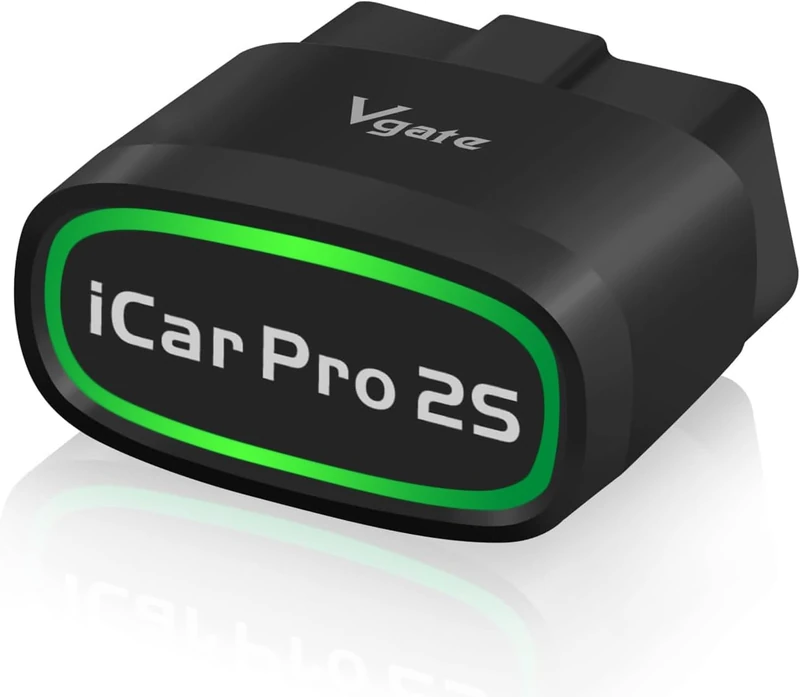
Overview
The Vgate iCar Pro 2S is the updated version of one of the most commonly recommended budget BLE adapters for iPhone. The 2S upgrades the Bluetooth standard to BLE 5.2, which delivers faster connection setup and improved stability compared to the original BLE 4.0 version. For iPhone users who want to use a third-party iOS OBD2 app at the lowest reasonable cost, the 2S is the current best answer. It reads standard OBD2 engine codes through any compatible app, costs around $25 to $30, and does not require a subscription. It does not access ABS or SRS modules on its own; diagnostic depth beyond engine OBD2 depends on the iOS app used.
Diagnostic Features and Capabilities
Standard OBD2 engine functions: read and clear codes, freeze frame, live data, I/M readiness. Third-party iOS app support includes OBDFusion, Car Scanner ELM, BimmerCode, and other BLE-compatible apps. No full-system module access without a compatible iOS app. No bidirectional tests or service resets built in.
Vehicle Compatibility
All 1996 and newer OBD2-compliant vehicles for standard engine functions. Advanced module access depends on the iOS app used.
Specifications
| Specification | Details |
|---|---|
| Connection | BLE 5.2 |
| Supported Systems | Standard OBD2 engine functions; advanced via third-party iOS app |
| OBD2 Functions | Read/clear codes, freeze frame, live data, I/M readiness |
| Bidirectional Control | No |
| Service Functions | None |
| Vehicle Compatibility | 1996+ OBD2 |
| App | Any BLE-compatible iOS OBD2 app |
| Updates | Firmware updates via app |
| Subscription | None |
What’s Included
Vgate iCar Pro 2S adapter.
Pros and Cons
| Pros | Cons |
|---|---|
| BLE 5.2, newest standard available in this price range for iPhone | No built-in app; iOS app selection is left to the buyer |
| Compatible with all major iOS OBD2 apps | Engine OBD2 only without a full-system iOS app |
| No subscription | |
| Compact, can stay plugged in | |
| Genuine chip, not an ELM327 clone |
My Final Verdict
The iCar Pro 2S is the best sub-$30 BLE adapter for iPhone users who have a preferred iOS OBD2 app and need only engine-level diagnostics. The BLE 5.2 connection is the most current standard available at this price, which gives it a reliability edge over older BLE 4.0 adapters. If you also need ABS or SRS access, step up to the BlueDriver Pro or AP200M.
10. Veepeak OBDCheck BLE+: Best Budget BLE Adapter for iPhone
- BLE 4.0, consistent iPhone pairing track record across several years
- Compatible with OBDFusion, BimmerCode, and major iOS OBD2 apps
- No subscription at around $30

Overview
The Veepeak OBDCheck BLE+ has been a recommended option for iPhone users for several years and maintains consistent buyer satisfaction. It uses BLE 4.0, which is sufficient for stable iOS pairing, and it has a proven compatibility track record with the iOS OBD2 apps that iPhone users actually use: OBDFusion, BimmerCode, and Car Scanner ELM. For BMW owners who want to try BimmerCode on an iPhone without spending much on the adapter, this is one of the lower-cost confirmed-compatible options. It does not access ABS or SRS without a full-system iOS app, and it has no built-in service functions.
Diagnostic Features and Capabilities
Standard OBD2 engine functions via any compatible iOS app. Third-party iOS app support includes OBDFusion, BimmerCode, and Car Scanner ELM. No bidirectional tests or service resets. Diagnostic depth beyond engine OBD2 depends on the iOS app selected.
Specifications
| Specification | Details |
|---|---|
| Connection | BLE 4.0 |
| Supported Systems | Standard OBD2 engine; advanced via third-party iOS app |
| OBD2 Functions | Read/clear codes, freeze frame, live data, I/M readiness |
| Bidirectional Control | No |
| Service Functions | None |
| Vehicle Compatibility | 1996+ OBD2 |
| App | Any BLE-compatible iOS OBD2 app |
| Updates | No |
| Subscription | None |
What’s Included
Veepeak OBDCheck BLE+ adapter.
Pros and Cons
| Pros | Cons |
|---|---|
| Proven BLE 4.0 compatibility with iOS OBD2 apps over several years | Older BLE 4.0 standard compared to the iCar Pro 2S BLE 5.2 |
| BimmerCode compatible for iPhone BMW users | |
| Works with OBDFusion and Car Scanner ELM on iOS | |
| No subscription | |
| Compact, stays plugged in without excess bulk |
My Final Verdict
The Veepeak BLE+ is a reliable budget BLE adapter for iPhone with a long-established track record. The Vgate iCar Pro 2S edges it out on connection standard (BLE 5.2 vs 4.0) at a similar price, but the Veepeak has more documented iOS app compatibility history. Either adapter works for the same use case. If you rely on a specific iOS app and want the most consistent documented compatibility, the Veepeak is the safer pick on history alone.
11. Vgate iCar Pro BLE 4.0: Best Sub-$20 BLE Adapter for iPhone
- The original iCar Pro, BLE 4.0, iPhone-compatible at the lowest price in this list
- Works with OBDFusion, Car Scanner ELM, BimmerCode, and other iOS apps
- No subscription, compact form factor
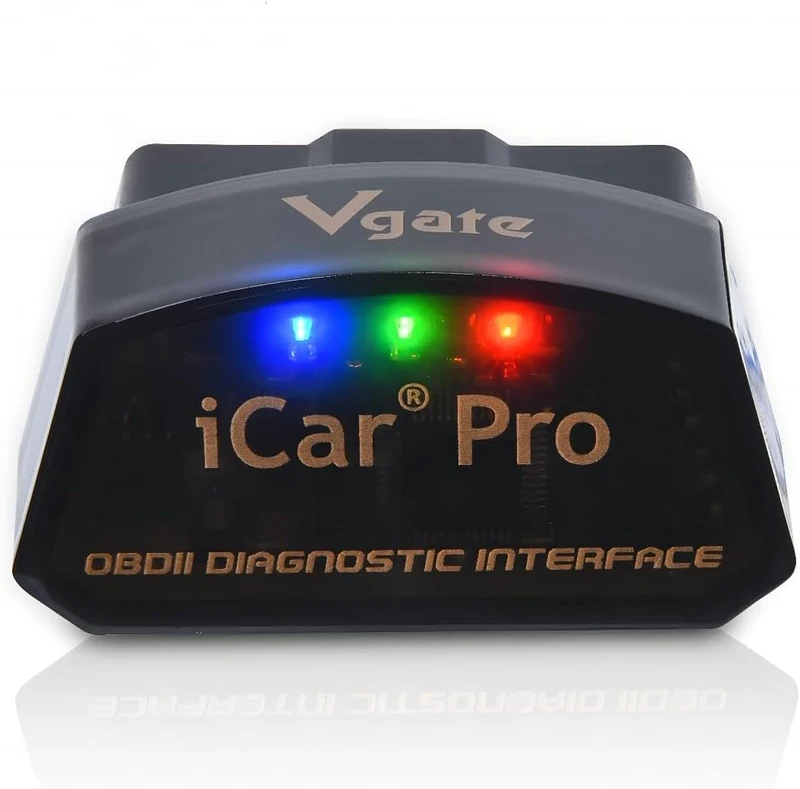
Overview
The Vgate iCar Pro BLE 4.0 is the original version of the iCar Pro line, sold at a lower price than the 2S. It uses BLE 4.0, which works reliably with iPhone, and it is compatible with the same iOS OBD2 app ecosystem as the 2S. If your budget is under $20 and you need a BLE adapter that works with iOS apps, this is the entry point. The connection is slightly less responsive than BLE 5.2 under heavy live data loads, but for standard code reading and basic monitoring, the difference is not meaningful. It does everything the 2S does, just on an older Bluetooth standard.
Diagnostic Features and Capabilities
Standard OBD2 engine functions through any compatible iOS app. Read and clear codes, freeze frame, live data, I/M readiness. Compatible with OBDFusion, Car Scanner ELM, BimmerCode, and other BLE-compatible iOS apps. No standalone service functions or bidirectional tests.
Specifications
| Specification | Details |
|---|---|
| Connection | BLE 4.0 |
| Supported Systems | Standard OBD2 engine; advanced via third-party iOS app |
| OBD2 Functions | Read/clear codes, freeze frame, live data, I/M readiness |
| Bidirectional Control | No |
| Service Functions | None |
| Vehicle Compatibility | 1996+ OBD2 |
| App | Any BLE-compatible iOS OBD2 app |
| Updates | No |
| Subscription | None |
What’s Included
Vgate iCar Pro BLE 4.0 adapter.
Pros and Cons
| Pros | Cons |
|---|---|
| Lowest price in this list for a BLE adapter that works with iPhone | BLE 4.0 is older than the iCar Pro 2S BLE 5.2 |
| Compatible with OBDFusion, BimmerCode, and major iOS apps | |
| No subscription | |
| Compact, can stay plugged in permanently | |
| Genuine hardware, not an ELM327 clone |
My Final Verdict
If the budget is under $20 and you want a BLE adapter that actually works with iPhone, the original iCar Pro is the right choice. The iCar Pro 2S is the upgrade for a few dollars more, and that BLE 5.2 improvement is worth it if you intend to use live data heavily. But for occasional code checking through an iOS app, the BLE 4.0 version does the job at the lowest price in this list. My guide to the best budget OBD2 scanners covers sub-$100 picks beyond BLE adapters, including handheld tools that do not require a phone connection and include a built-in screen.
12. FIXD OBD2 Bluetooth Sensor: Best for Non-Technical iPhone Users
- Plain-English code explanations, maintenance reminders, and repair cost estimates in the iOS app
- BLE, pairs directly with iPhone
- Low hardware cost at around $20; advanced features require subscription

Overview
FIXD is built for the iPhone user who does not want to learn anything about OBD2. The FIXD app on iOS translates fault codes into plain language, explains the likely severity, sends maintenance reminders, and estimates repair costs. The hardware cost is around $20, which makes it appear to be the cheapest option here. The reality is that most of the features that make FIXD different from a basic code reader require the FIXD Premium plan, which runs approximately $99 per year. Over three years, the total cost is around $320. Without the subscription, you get basic code reading and clearing. The app is well-designed for a non-technical audience, which is its genuine strength.
Diagnostic Features and Capabilities
Standard OBD2 engine functions: read and clear codes, I/M readiness, maintenance reminders. Plain-English code explanations with severity ratings. ABS and SRS codes are not accessible. No bidirectional tests or service resets. Premium subscription adds AI Mechanic guidance, repair cost estimates, and predictive maintenance forecasting.
Specifications
| Specification | Details |
|---|---|
| Connection | BLE |
| Supported Systems | Standard OBD2 engine functions |
| OBD2 Functions | Read/clear codes, I/M readiness, maintenance tracking |
| Bidirectional Control | No |
| Service Functions | None |
| Vehicle Compatibility | 1996+ OBD2 |
| App | FIXD (iOS and Android) |
| Updates | Subscription-dependent |
| Subscription | ~$99/year for premium features |
What’s Included
FIXD sensor, quick-start guide.
Pros and Cons
| Pros | Cons |
|---|---|
| Plain-English explanations require no automotive knowledge | Engine OBD2 only; no ABS or airbag code access |
| Maintenance reminders and vehicle health tracking on iOS | Three-year total cost with subscription is around $320 |
| Low hardware cost around $20 | |
| BLE, pairs directly with iPhone | |
| Useful for drivers who want a non-technical experience |
My Final Verdict
FIXD is a reasonable choice for an iPhone user who wants to understand a check engine light without learning OBD2 terminology and is willing to pay for the subscription. If you are comfortable using a generic code lookup, the iCar Pro 2S or Veepeak BLE+ handle the same diagnostic job at a lower total cost with no subscription. The $20 hardware price is the entry point, not the full cost of owning FIXD.
13. KONNWEI KW906: Best Ultra-Budget iPhone OBD2 Scanner
- iOS and Android confirmed, Bluetooth wireless connection
- Engine code reading plus battery test function
- Around $20 to $25, no subscription
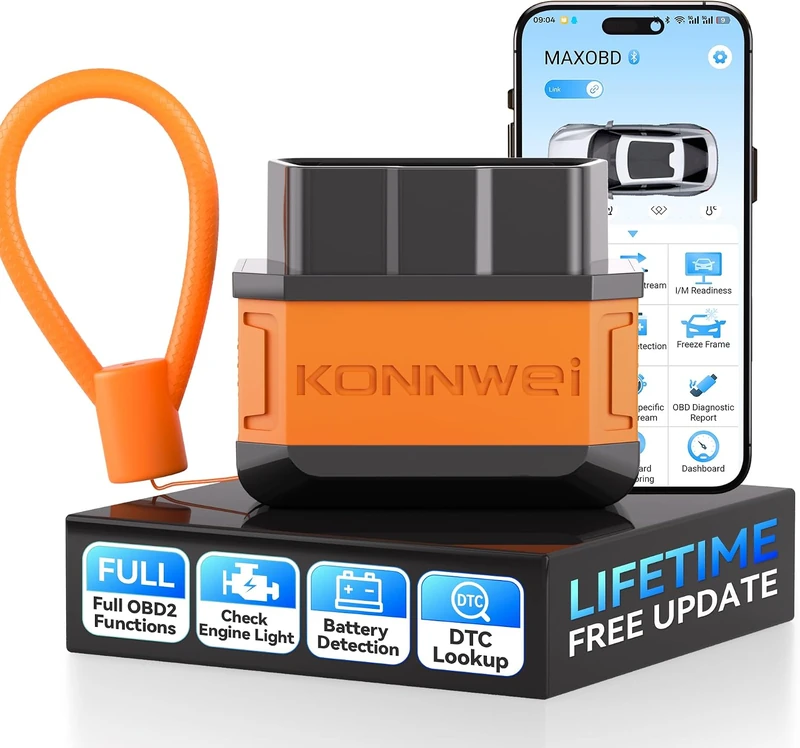
Overview
The KONNWEI KW906 adds one feature the pure BLE adapters in this list do not offer at this price: a built-in battery test function. If you want to check both your check engine light and your 12V battery condition from an iPhone, the KW906 combines both in one unit. It is confirmed iOS and Android compatible, reads standard OBD2 engine codes, and costs around $20 to $25. It is not a full-system scanner. ABS and SRS codes are not accessible, and there are no service reset functions. At the ultra-budget end of the iPhone OBD2 market, it is a practical option for a driver who wants code reading and battery health monitoring in one tool.
Diagnostic Features and Capabilities
Standard OBD2 engine functions: read and clear codes, freeze frame, live data, I/M readiness. Battery test function checks 12V battery condition and charging system status. No ABS, SRS, or advanced system access. No bidirectional tests or service resets.
Specifications
| Specification | Details |
|---|---|
| Connection | Bluetooth (iOS and Android) |
| Supported Systems | Standard OBD2 engine functions; battery test |
| OBD2 Functions | Read/clear codes, freeze frame, live data, I/M readiness, battery test |
| Bidirectional Control | No |
| Service Functions | None |
| Vehicle Compatibility | 1996+ OBD2 |
| App | Compatible iOS OBD2 app |
| Updates | No |
| Subscription | None |
What’s Included
KONNWEI KW906 adapter.
Pros and Cons
| Pros | Cons |
|---|---|
| Battery test function alongside engine OBD2 codes | Engine OBD2 only; no ABS or SRS access |
| iOS and Android compatible | Newer brand with less established track record than Vgate or Veepeak |
| No subscription | |
| Ultra-budget price around $20 to $25 |
My Final Verdict
The KW906 is the right pick for an iPhone user who wants engine code reading and battery testing in one tool at the lowest price in this list. If you only need standard OBD2 code access on iPhone, the iCar Pro BLE 4.0 is the safer brand choice at a similar price. But if the battery test function is useful to you, the KW906 adds that without any additional cost.
Comparison Table: All 13 OBD2 Scanners for iPhone
| Scanner | Award | BLE Version | Full-System | Bidirectional | Service Resets | Subscription |
|---|---|---|---|---|---|---|
| BlueDriver Pro | Best Overall | BLE 4.0 | Yes | No | 3 (vehicle-dep.) | None |
| OBDLink MX+ | Best for Third-Party iOS Apps | BLE | App-dependent | No | None | None |
| OBDLink EX | Best for Ford iPhone Users | BLE | Ford via FORScan | Via FORScan | Via FORScan | None |
| OBDLink CX | Best for BMW/MINI Coding | BLE 5.1 | Via BimmerCode | Limited | Limited | None (BimmerCode one-time) |
| Carista EVO | Best Multi-Brand Coding | BLE | Limited | Limited | Limited | ~$80/year |
| TOPDON TopScan Lite | Best Value for iPhone | BLE 5.0 | Yes | Yes | 8 (vehicle-dep.) | After yr 1 |
| Autel AP200M | Best Full-System Without Subscription | BLE | Yes | No | 6 (vehicle-dep.) | None |
| THINKCAR ThinkDiag2 | Best Bidirectional for iPhone | BLE 5.0 | Yes | Yes | 15+ (vehicle-dep.) | Per-brand after yr 1 |
| Vgate iCar Pro 2S | Best BLE 5.2 Adapter | BLE 5.2 | App-dependent | No | None | None |
| Veepeak OBDCheck BLE+ | Best Budget BLE for iPhone | BLE 4.0 | App-dependent | No | None | None |
| Vgate iCar Pro BLE 4.0 | Best Sub-$20 BLE | BLE 4.0 | App-dependent | No | None | None |
| FIXD | Best for Non-Technical Users | BLE | No | No | None | ~$99/year |
| KONNWEI KW906 | Best Ultra-Budget | BLE | No | No | None | None |
Buyer’s Guide: How to Choose an OBD2 Scanner for Your iPhone
Why iPhones Require BLE and Most OBD2 Adapters Do Not Qualify
Apple restricts Bluetooth accessory connections on iOS to Bluetooth Low Energy (BLE). Classic Bluetooth adapters, which use BT 2.0 or BT 3.0, cannot pair with an iPhone regardless of what the listing says. This eliminates the majority of OBD2 adapters sold on Amazon, including popular models like the BAFX Products adapter, OBDLink LX, and most of the ELM327 dongles in the sub-$15 category. The product listing must specifically say BLE, Bluetooth Low Energy, BLE 4.0, or BLE 5.x to work with an iPhone. Listings that say only “Bluetooth” without specifying BLE may or may not work, and contacting the seller to confirm before buying is the safe approach. My roundup of the best Bluetooth OBD2 scanners covers both BLE adapters confirmed for iPhone and classic Bluetooth options for Android users, with a clear separation of which products work on which platform.
Full-System vs. Engine-Only: What Each iPhone OBD2 Scanner Actually Accesses
Standard OBD2 covers the engine and emissions system only. That is what the check engine light refers to. If your ABS warning light is on, or the airbag light is illuminated, or you have a transmission temperature alert, those codes live in different modules that standard OBD2 does not reach. Entry-level BLE adapters including the Vgate iCar Pro 2S, Veepeak BLE+, FIXD, and KONNWEI KW906 read engine OBD2 codes only. Full-system adapters including the BlueDriver Pro, TOPDON TopScan Lite, Autel AP200M, and ThinkDiag2 access ABS, SRS, and transmission modules. If any warning light other than the check engine light is the reason you are buying, full-system access is not optional. My guide to the best OBD2 scanners for ABS and SRS covers both handheld tools and BLE adapters with confirmed multi-system access, and includes vehicle-specific coverage data for the makes where ABS and SRS module access varies most.
Proprietary iOS App vs. Open Adapter: What the Difference Means in Practice
Some adapters work only with their own iOS app. The BlueDriver is locked to the BlueDriver app. TOPDON TopScan works only with the TOPDON app. FIXD works only with the FIXD app. Others are open adapters that work with any BLE-compatible iOS OBD2 application. The OBDLink MX+, OBDLink EX, OBDLink CX, Vgate iCar Pro 2S, Veepeak BLE+, and the original iCar Pro all fall into this category. Open adapters let you choose the iOS app that fits your needs: OBDFusion for broad full-system access, BimmerCode for BMW coding, FORScan for Ford programming, or Car Scanner ELM for live data. If you already have a preferred iOS OBD2 app, you need an open adapter. If you want one tool that works out of the box without choosing an app, a proprietary option like the BlueDriver is simpler.
Coding Adapters on iPhone: OBDLink CX vs. Carista EVO
Two adapters in this list are built specifically for vehicle coding and customization rather than standard diagnostics. The OBDLink CX targets BMW and MINI owners using BimmerCode on iOS. BimmerCode charges a one-time per-make unlock fee, so after the initial purchase there are no recurring costs. The Carista EVO covers a wider brand set including BMW, VAG group (VW, Audi, Skoda, Seat), Toyota, Lexus, Honda, and Dacia through one app, but the Carista subscription runs approximately $80 per year for advanced features. For a BMW owner who only needs BMW coding, the OBDLink CX and BimmerCode combination works out cheaper over time. For a household with multiple makes that Carista supports, the subscription may be worth it for the multi-brand convenience.
FORScan on iPhone: What You Need
FORScan is a diagnostic and programming tool for Ford, Lincoln, and Mazda vehicles that accesses modules beyond what standard OBD2 allows. It has an iOS app. To use it on iPhone, you need a BLE adapter that supports Ford MS-CAN protocol. The OBDLink EX is the purpose-built option for this. The OBDLink MX+ also supports Ford MS-CAN and works with FORScan iOS, though it costs more than the EX. Generic BLE adapters like the Vgate iCar Pro 2S or Veepeak BLE+ may work with FORScan on iOS for standard OBD2 functions but will not unlock the expanded Ford module access that requires MS-CAN support.
Subscription Costs: The Real Total Price Over Three Years
Several adapters in this list cost more to own than their purchase price suggests. FIXD charges approximately $99 per year for its most useful features, making the three-year total around $320. Carista charges approximately $80 per year for coding access. The TOPDON TopScan Lite includes the first year free, then requires renewal for bidirectional and service functions. No-subscription tools include the BlueDriver Pro, OBDLink MX+, OBDLink EX, OBDLink CX (though BimmerCode charges a one-time per-make unlock), Autel AP200M, Vgate iCar Pro 2S, Veepeak BLE+, original iCar Pro, FIXD at base level, and KONNWEI KW906. Comparing the three-year total cost rather than the purchase price gives a more accurate picture of what each scanner actually costs to use.
Battery Drain: Can You Leave an OBD2 Adapter Plugged Into Your Car?
BLE adapters draw very little power in standby compared to classic Bluetooth adapters. The BLE adapters in this list, including the iCar Pro 2S, Veepeak BLE+, and iCar Pro 4.0, draw minimal current when idle and are generally safe to leave plugged in. If you park a vehicle for more than a week without starting it, removing any OBD2 adapter is the cautious approach regardless of the connection type. Classic Bluetooth adapters draw more standby power and should not be left plugged in for extended periods on infrequently driven vehicles.
Ford owners who need standalone bidirectional support beyond what FORScan provides will find all options covered in my Ford OBD2 scanner breakdown.
If your use case goes beyond what any BLE adapter handles (ECU programming, OE-level bidirectional tests, or multi-make professional work), my guide to the best professional OBD2 scanners covers that tier.
Common iPhone OBD2 Scanner Buying Mistakes
Buying a classic Bluetooth adapter that does not work with iPhone. Many popular OBD2 adapters use classic Bluetooth and list “Bluetooth” as the connection type without specifying BLE. If the product page does not say BLE, Bluetooth Low Energy, or BLE 4.0 (or higher) explicitly, the adapter almost certainly will not pair with an iPhone.
Accord owners using the OBDLink app on iOS for Honda-enhanced diagnostics need a verified BLE 4.0 or higher adapter; my Honda Accord OBD2 picks identifies which BLE adapters maintain full Honda protocol access on the Accord.
Elantra owners using Car Scanner ELM on iOS for CAN FD and extended Hyundai PIDs need a verified BLE 4.0 adapter; my Elantra diagnostic scanner guide identifies which iOS adapters cover the CN7 platform fully.
Assuming all BLE adapters have full-system access. BLE is a connection protocol, not a diagnostic capability level. A $20 BLE adapter reads engine OBD2 codes. A $100 BLE scanner reads ABS and SRS codes. Confirming which modules the adapter accesses, not just whether it pairs with an iPhone, determines whether it solves your actual problem.
Jeep Wrangler JL owners need an adapter that supports FCA AutoAuth to access manufacturer-specific codes through the Security Gateway; my Wrangler OBD2 scanner guide identifies the iOS-compatible tools that clear the gateway.
Outback owners who need EyeSight or CVT access on an iPhone should confirm enhanced Subaru protocol support; my Outback OBD2 scanner roundup covers which iOS adapters work.
Santa Fe owners who need CAN FD gateway access for MX5 modules on an iPhone should confirm explicit CAN FD support; my Santa Fe OBD2 scanner picks covers which iOS options handle the MX5 platform.
Tucson owners who need CAN FD access on 2021 and newer NX4 platforms via iPhone should confirm CAN FD gateway support; my Hyundai Tucson scanner picks covers the compatible options.
Overlooking app compatibility. An open BLE adapter does not automatically work with every iOS OBD2 app. Some apps are BLE-compatible; others require specific adapter brands. If you have a specific iOS app in mind, verifying that it works with the adapter you are considering before buying prevents disappointment.
Underestimating FIXD subscription costs. The $20 hardware price covers basic code reading. The features that make FIXD useful for a non-technical driver require the subscription. The three-year total is around $320, which is more than most tools in this list combined.
Buying a coding adapter for a vehicle it does not support. Carista EVO and OBDLink CX deliver value only on the specific makes and models they cover. Buying a coding adapter before confirming your vehicle is on the supported list results in a general BLE adapter with limited utility.
My Final Recommendations
For most iPhone users who want a reliable OBD2 scanner with full-system access and no subscription, the BlueDriver Pro is the right choice. It connects to iPhone without any configuration, covers ABS and SRS codes on supported vehicles, and does not require any recurring fee.
For Jeep Gladiator owners who prefer iPhone-based diagnostics, FCA AutoAuth-compatible iOS tools are the only option for full-system access; my Gladiator OBD2 scanner guide covers the app-based choices for JT builds.
For iPhone users who already use or plan to use a specific iOS OBD2 app, the OBDLink MX+ is the best open adapter. It is compatible with every major iOS OBD2 application and provides the fastest live data available over BLE.
For Ford and Lincoln owners who want to run FORScan on an iPhone, the OBDLink EX is the purpose-built answer at around $60.
For BMW and MINI owners who want hidden-feature coding on an iPhone without a subscription, the OBDLink CX paired with BimmerCode is the validated combination.
For bidirectional tests and service resets on a budget, the TOPDON TopScan Lite is the only BLE scanner under $60 that genuinely delivers both on iPhone.
For a no-subscription full-system scanner across multiple brands on iOS, the Autel MaxiAP AP200M is the dependable pick at under $100.
For iPhone users who need only engine-code access and want third-party app compatibility at the lowest price, the Vgate iCar Pro 2S at around $28 is the most cost-effective BLE option.
FAQs
Do OBD2 scanners work with iPhone?
Yes, but only if the adapter uses Bluetooth Low Energy (BLE). iPhones cannot connect to classic Bluetooth OBD2 adapters because Apple restricts non-BLE Bluetooth for accessories. Every adapter in this list uses BLE or is confirmed iOS compatible. Before buying any OBD2 scanner for an iPhone, confirm the product description explicitly states BLE 4.0 or higher.
What is the best OBD2 scanner for iPhone?
The BlueDriver Pro is the best overall OBD2 scanner for iPhone. It pairs directly with iOS using BLE 4.0, covers full-system diagnostics including ABS and SRS on supported vehicles, provides verified repair data from ASE-certified sources, and requires no subscription after purchase. For iPhone users who want third-party app compatibility instead of a proprietary ecosystem, the OBDLink MX+ is the better choice.
Can I use FORScan with my iPhone?
Yes. FORScan has an iOS app that works with BLE adapters supporting Ford MS-CAN protocol. The OBDLink EX is the recommended adapter for FORScan on iPhone and provides full Ford protocol support at around $60. The OBDLink MX+ also works with FORScan iOS and supports Ford MS-CAN. Generic BLE adapters without MS-CAN support will work with FORScan for standard OBD2 functions only, not expanded Ford module access.
Can I use BimmerCode with my iPhone?
Yes. BimmerCode has an iOS app and works with BLE adapters. The OBDLink CX (BLE 5.1) is one of the recommended adapters for BimmerCode on iPhone. The Veepeak OBDCheck BLE+ and Vgate iCar Pro 2S also work with BimmerCode on iOS at a lower cost, though without the faster BLE 5.1 connection the CX provides. BimmerCode charges a one-time per-make unlock fee rather than a subscription.
Why does my OBD2 adapter not connect to my iPhone?
The most common reason is that the adapter uses classic Bluetooth rather than BLE. Classic Bluetooth (BT 2.0 or 3.0) cannot pair with an iPhone. Check whether the adapter’s specification says BLE specifically. A second common reason is app incompatibility: some open BLE adapters work with certain iOS apps but not others. Confirming the adapter is listed as compatible with your specific iOS app before buying prevents this issue.
Do Bluetooth OBD2 scanners drain the car battery?
BLE adapters draw minimal power in standby and are generally safe to leave plugged in. Classic Bluetooth adapters draw more standby current and should not be left in infrequently driven vehicles for extended periods. All adapters in this list are BLE-based. If you park a car for more than a week without starting it, removing the adapter is the safe practice regardless of the connection type.
Can a BLE OBD2 scanner clear an ABS light or airbag light on iPhone?
Only if the scanner supports full-system diagnostics. Entry-level BLE adapters including the Vgate iCar Pro 2S, Veepeak BLE+, FIXD, and KONNWEI KW906 read only standard OBD2 engine codes and cannot access the ABS or SRS module. The BlueDriver Pro, TOPDON TopScan Lite, Autel AP200M, and THINKCAR ThinkDiag2 can read and clear ABS and SRS codes on supported vehicles from an iPhone. Clearing the code does not fix the underlying fault; the warning light will return if the fault persists.
What is the cheapest OBD2 scanner that works with iPhone?
The Vgate iCar Pro BLE 4.0 at around $18 is the lowest-cost confirmed BLE adapter in this list. It pairs with iPhone and works with major iOS OBD2 apps. The KONNWEI KW906 and FIXD cost around the same, though FIXD’s subscription makes it significantly more expensive over time. None of the sub-$20 options provide full-system ABS or SRS access.
Which OBD2 apps work best with iPhone?
OBDFusion is one of the most capable iOS OBD2 apps and works with open BLE adapters including the OBDLink MX+ and Vgate iCar Pro 2S. Car Scanner ELM OBD2 is a free alternative with strong live data features. BimmerCode is the best iOS option for BMW hidden-feature coding and requires a BLE-compatible adapter. FORScan has an iOS app for Ford, Lincoln, and Mazda vehicles. The BlueDriver, TOPDON, Autel, FIXD, and ThinkDiag apps are proprietary to their respective scanners.