
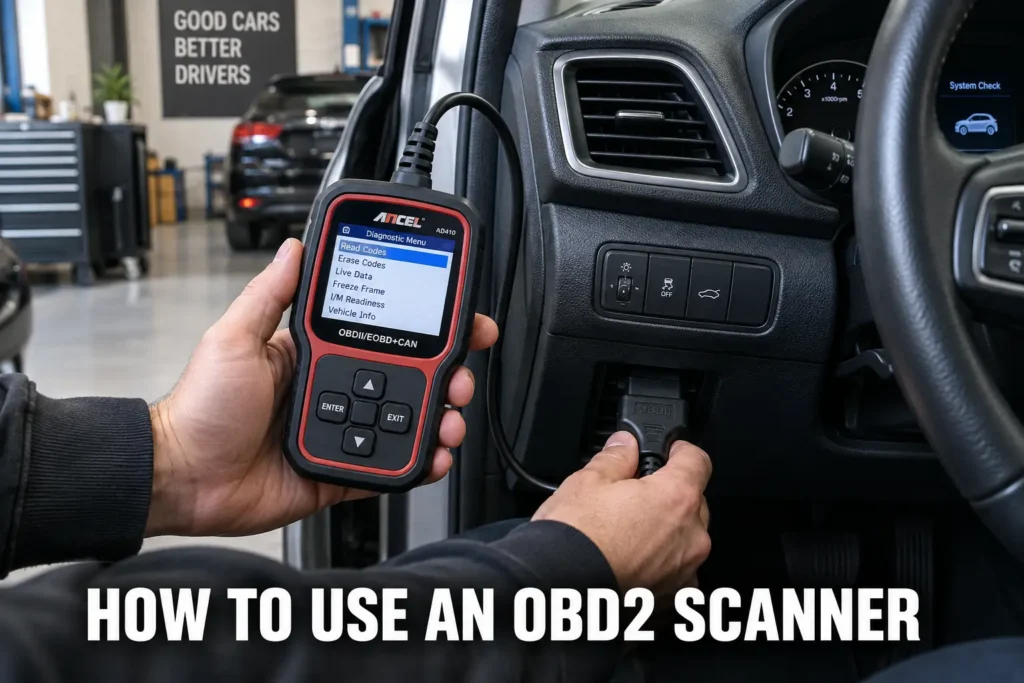
A check engine light comes on and you want to know what it means without paying $120 for a shop to plug in a scanner. Knowing how to use an OBD2 scanner yourself takes about five minutes to learn, and it can save you real money on diagnostic fees. This guide covers both wired and Bluetooth scanners, from your first connection through understanding what the codes actually mean and what to do next.

About the author: Hello! I’m Kamil Siegień, founder of OBD2 Scout. My diagnostic experience started with an engine rebuild on a 2014 Skoda Superb 1.8 TSI, where tuning from 160 to 222 hp required mastering live data and ECU behavior that basic code readers cannot handle. I am a former BMW and MINI employee and regularly use diagnostic scanners on my own Audi A4 2.0 TFSI.
OBD2 has been standard on every passenger vehicle sold in the United States since 1996. If your car is a 1996 model or newer, it has an OBD2 port and works with any compatible scanner. Older vehicles use OBD1, which is not standardized and requires different tools.
What You Need Before You Use an OBD2 Scanner
You need a 1996 or newer vehicle, an OBD2 scanner or Bluetooth adapter, and a few minutes with the engine off. That is it. Most wired scanners draw power directly from the OBD2 port, so no batteries are required. Bluetooth adapters need a smartphone and a compatible app, which I will cover in a separate section below. Before leaving a Bluetooth adapter in the port between drives, my guide on whether an OBD2 scanner can drain your battery covers which adapter types pose a drain risk and how to test whether your specific vehicle’s port is always powered.
Some scanners ask you to input your vehicle’s year, make, model, and engine size when you first connect. This helps the scanner pull the correct manufacturer-specific data alongside the generic codes. Have that information ready, especially if your scanner does not auto-detect via the VIN. For Bluetooth setups, download the app before you go to the car so you are not searching for it on a parking lot Wi-Fi connection. My roundup of reliable budget OBD2 scanners covers the models that auto-detect your vehicle from the VIN rather than requiring manual entry, which skips this step entirely and reduces the chance of mismatched scan data.
Where to Find the OBD2 Port
Federal law requires the OBD2 port to sit within two feet of the steering wheel on the driver’s side. In most cars and trucks, it is under the dashboard, near the steering column, pointing downward toward the driver. The connector is a 16-pin trapezoid shape, and it only accepts the scanner plug one way. My guide on OBD2 port location covers the exact technique for finding it in any vehicle, the common placement variations between brands, and what to do when the port is recessed behind a trim panel rather than fully visible under the dash.
If you do not see it immediately, check slightly to the left or right of center under the dash, near the fuse box area, or behind a small plastic trim panel. Some European vehicles and older trucks place the port in less obvious locations. A quick look with your phone flashlight usually finds it within a few seconds. Once you locate it the first time, you will find it immediately on every scan after that. My guide on how OBD1 and OBD2 differ covers the manufacturer-specific protocols, the blink code diagnostic method, and the dedicated scanner options for pre-1996 vehicles.
How to Use a Wired OBD2 Scanner
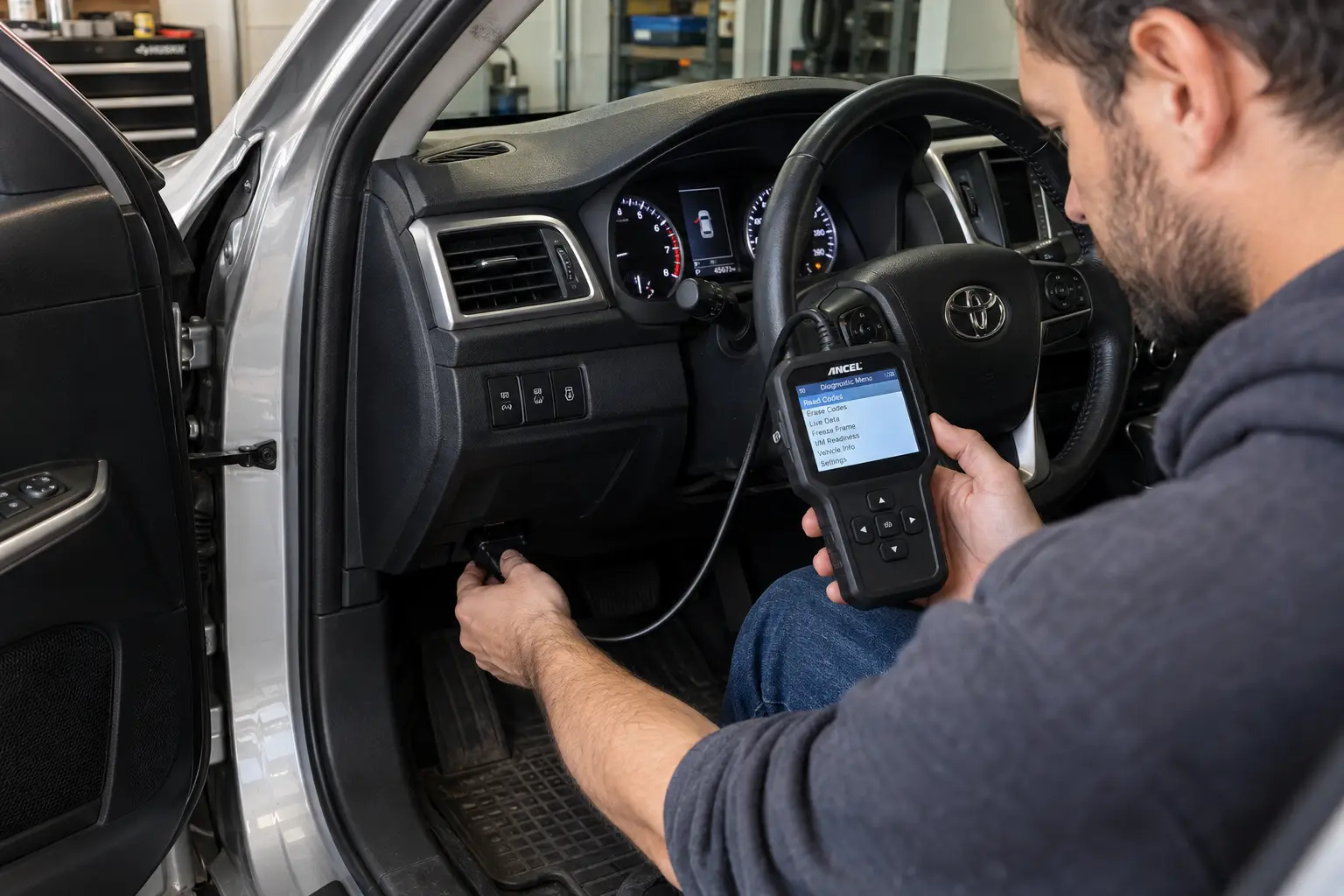
The steps below apply to virtually every wired OBD2 scanner on the market. The menu names may differ slightly by brand, but the process is the same. My guide to professional OBD2 diagnostic tools covers the models that extend well beyond this standard menu sequence, including bidirectional component tests and service resets not available on basic scanners.
Step 1: Turn the engine off
Before connecting anything, make sure the engine is fully off. You do not need a running engine to read stored diagnostic trouble codes. Starting with the engine off keeps things simple and avoids any confusion about what readings you are seeing on the screen. My comprehensive guide on OBD2 codes and what they tell you covers every code category, how the five-character format is structured, and the single most important rule about what a stored DTC identifies versus what it leaves for further diagnosis.
Step 2: Plug the scanner into the OBD2 port
Push the scanner’s connector firmly into the OBD2 port until it seats fully. There is usually a click or a firm stop when it is fully inserted. The connector is keyed, so it only goes in one way. The scanner powers on automatically from the port in most cases, no separate power button required. My Innova 3100RS walkthrough covers what the scan process looks like immediately after the connector seats, how quickly it completes the ECU handshake, and how the initialization sequence compares to other entry-level wired tools.
Step 3: Turn the ignition to the ON position
Turn the key to the second click, which powers the dashboard and electronics without starting the engine. On push-button start vehicles, press the start button once without pressing the brake pedal. The scanner needs the car’s electrical system active to communicate with the OBD2 port. If your scanner screen shows “No Vehicle Communication,” the ignition is likely not in the ON position.
Step 4: Enter your vehicle information if prompted
Some scanners ask you to confirm or enter your vehicle’s year, make, model, and engine. This step helps the scanner match manufacturer-specific codes to the correct definitions. If your scanner reads the VIN automatically, it may skip this step. If it does ask, take a moment to enter the information accurately rather than skipping past it. My guide on what OBD2 is and what it monitors covers which sensors the ECU tracks, how a fault moves from sensor reading to stored code, and why the 16-pin connector became universal from 1996 onward.
Step 5: Select “Read Codes” from the main menu
Open the main menu on the scanner and select the Read Codes or Scan option. The scanner communicates with the vehicle’s onboard computer and retrieves any stored or pending diagnostic trouble codes. This process usually takes between 15 seconds and two minutes, depending on the scanner and how many systems it checks. My guide on how to read OBD2 trouble codes covers what to do with the codes the scanner returns, how to identify the code type and system category, and how to use the freeze frame data alongside the code for an accurate diagnosis.
Step 6: Record every code before doing anything else
Before you clear anything, write down every code the scanner shows. Note whether each code is listed as active or pending, and check if the scanner displays freeze frame data alongside the code. Many scanners have a save function, but photographing the screen works just as well. Once you erase the codes, that record is gone from the vehicle’s computer, and freeze frame data goes with it. My guide on how to clear OBD2 codes covers exactly what gets deleted in that action, which scanner steps to complete before clearing, and the only situations where clearing immediately is the right call.
How to Use a Bluetooth OBD2 Scanner
A Bluetooth OBD2 scanner is a small adapter, roughly the size of a matchbox, that plugs into the same 16-pin port. All the scanning and code-reading happens through an app on your phone instead of a screen on the device itself. My BlueDriver Pro review covers how the app handles pairing, what the interface looks like versus a wired screen scanner, and how it performs across the same code-reading and live-data functions covered in this guide.
Plug the adapter into the OBD2 port with the engine off. Open the app on your phone and follow its pairing instructions. Most Bluetooth OBD2 adapters pair through the app itself, not through your phone’s general Bluetooth settings. Attempting to pair through the phone’s Bluetooth menu is the most common mistake people make, and it causes connection errors. If the app is not connecting, check that you are pairing from within the app. If you use an iPhone, the additional requirement is BLE compatibility — my guide to iPhone-compatible OBD2 adapters covers which Bluetooth adapters work with iOS natively and which are Android-only.
Once paired, the process mirrors a wired scanner. Select your vehicle profile in the app, turn the ignition to ON without starting the engine, and tap Read Codes or Scan. The results appear on your phone screen. Brand-specific adapters like the BlueDriver Pro and the OBDLink MX+ each have their own dedicated apps. Universal adapters work with third-party apps like Car Scanner or Torque, both available for free.
One practical advantage of Bluetooth scanners over wired ones is real-time live data. You can monitor engine speed, coolant temperature, oxygen sensor voltage, and fuel trim values while someone drives the car. This is particularly useful for diagnosing problems that come and go without triggering a stored code. My guide on real-time OBD2 sensor readings covers the eight core parameters to monitor, how to read them together as a system rather than individually, and the patterns that reveal faults a code alone cannot locate.
How to Read and Understand OBD2 Codes
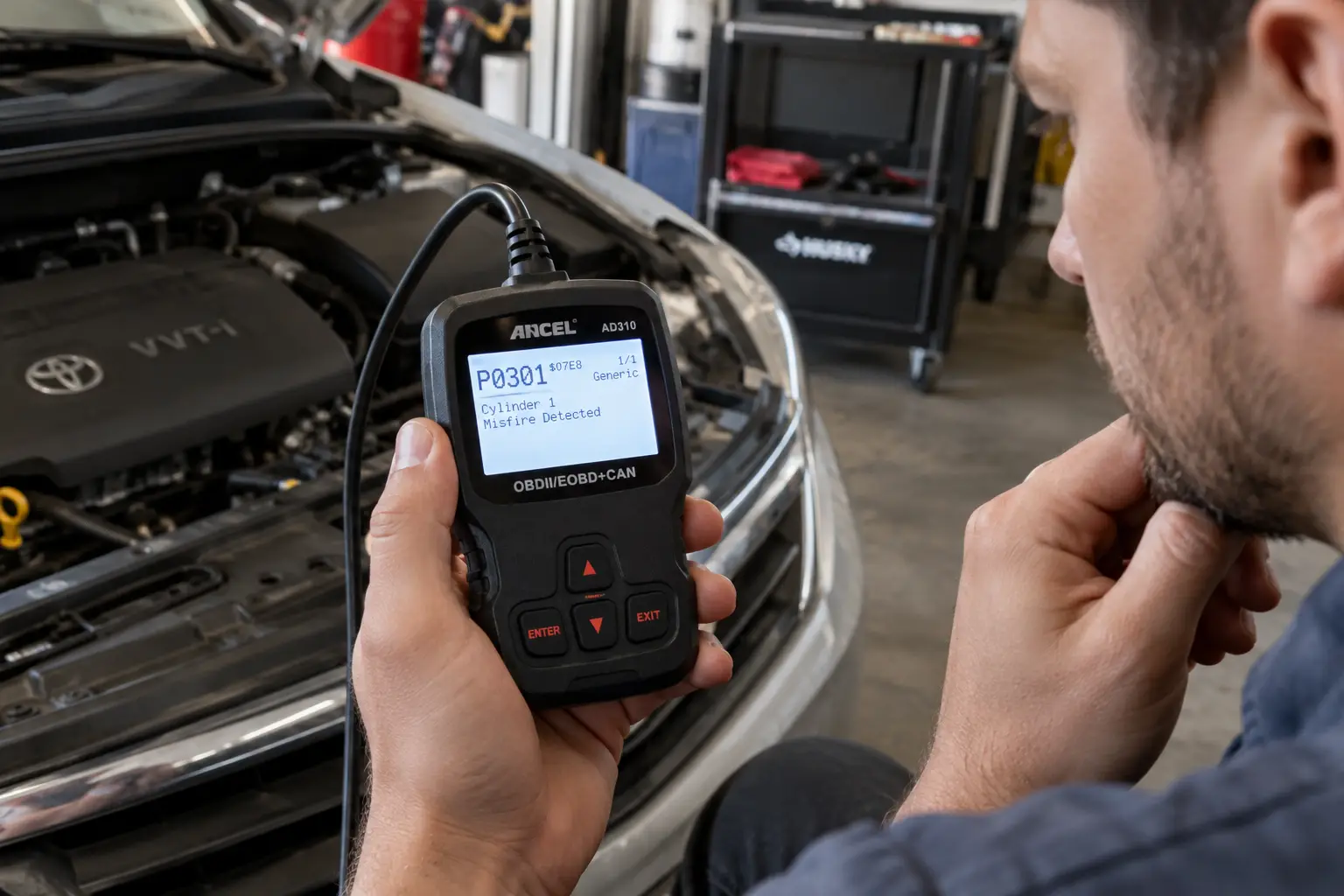
Every OBD2 code has a one-letter prefix followed by four digits. The letter tells you which vehicle system detected the fault. The digits identify the specific issue within that system. My full breakdown of OBD2 codes explained covers what each letter category means, how the four-digit number narrows the fault to a specific circuit, and why manufacturer-specific codes require a make-specific lookup rather than a generic database search.
What the letter means
P codes cover the powertrain: the engine, fuel system, transmission, and emissions components. These are the most common codes car owners encounter. B codes cover body systems, such as interior electronics and, in some vehicles, airbag modules. C codes point to chassis systems including ABS, traction control, and suspension. U codes indicate a communication fault between two or more control modules in the vehicle. For the B and C code categories — body and chassis — my guide on reading ABS and airbag codes with a multi-system scanner covers the scanner requirements and the safety considerations specific to SRS codes.
What the first digit means
The digit immediately after the letter tells you whether the code is generic or manufacturer-specific. A zero means the code follows the standardized OBD2 definition shared across all makes and models. A one means it is manufacturer-specific, and the standard code databases may not give you the right definition for your particular car. For P1 codes, search the code together with your vehicle’s brand for a more accurate result. My Autel MaxiSYS Elite II Pro walkthrough covers how its onboard database handles manufacturer-specific codes, returning the make-specific definition and common fixes without requiring a separate online search.
Active vs. pending codes
An active code has confirmed the fault and triggered the check engine light. A pending code is one the system detected during one drive cycle but has not yet confirmed a second time. The check engine light stays off for pending codes, which causes many drivers to ignore them. A pending code almost always becomes active within a few days of normal driving. Treating it early is easier and cheaper than waiting for the light to come on. My guide on pending, confirmed, and permanent code status covers the full lifecycle — the two-trip detection strategy, when a pending code can resolve on its own, and why a persistent pending code is worth diagnosing before it confirms and triggers the light.
How to look up a code
Your scanner may show a short description next to each code. For more detail, search the full code in an OBD2 database or pair the code with your vehicle’s make and model for a more specific result. A P0420 code means “catalyst efficiency below threshold.” It does not tell you whether the catalytic converter is actually failing or whether a bad oxygen sensor is giving the system inaccurate readings. The code points you to a system. Your diagnosis narrows it to a cause.
What to Do After Reading the Codes
Reading the codes is the beginning of the diagnostic process, not the end. The codes tell you which system flagged a problem and under what conditions. What you do with that information determines whether you fix the right thing. My guide on what a shop diagnostic actually covers breaks down the full cost structure, from free parts store scans to dealer-level diagnostics.
Look up each code individually using its full alphanumeric identifier. P0300 indicates a random misfire across multiple cylinders. P0301 points to cylinder 1 specifically. Those two codes have different likely causes and require different approaches, even though they both start with P03.
Match the codes to the symptoms your car is showing. A P0171 code (system running lean on bank 1) combined with rough idling and poor fuel economy points toward a vacuum leak, a dirty mass airflow sensor, or a failing oxygen sensor. The code narrows the system. Your symptoms narrow the cause within that system. Both pieces of information together are worth more than either one alone. My Foxwell NT630 Plus review covers how it presents freeze frame data alongside the code list, making the symptom-matching process faster and more accurate than stepping between separate screens.
If your scanner shows freeze frame data, check it. Freeze frame captures the engine conditions at the exact moment the fault triggered: RPM, vehicle speed, coolant temperature, and engine load. If the code triggered at idle but your symptom only appears under hard acceleration, that is important information. If the conditions match your symptoms, you are likely looking at the right system. My guide to OBD2 freeze frame data covers exactly how to read those engine conditions — how to establish the operating scenario first and which parameters actually carry diagnostic weight once the scenario is known.
One triage point matters before anything else: a solid check engine light means investigate the code and decide on a repair plan. A flashing or blinking check engine light means stop driving. A flashing light typically signals an active misfire severe enough to overheat and damage the catalytic converter. Do not continue highway driving with a flashing check engine light. My guide to OBD2 scanners with full multi-system coverage covers the models that also read ABS and airbag codes from the same port, so when active safety warnings accompany the check engine light, you can triage everything with one tool.
How to Clear OBD2 Codes
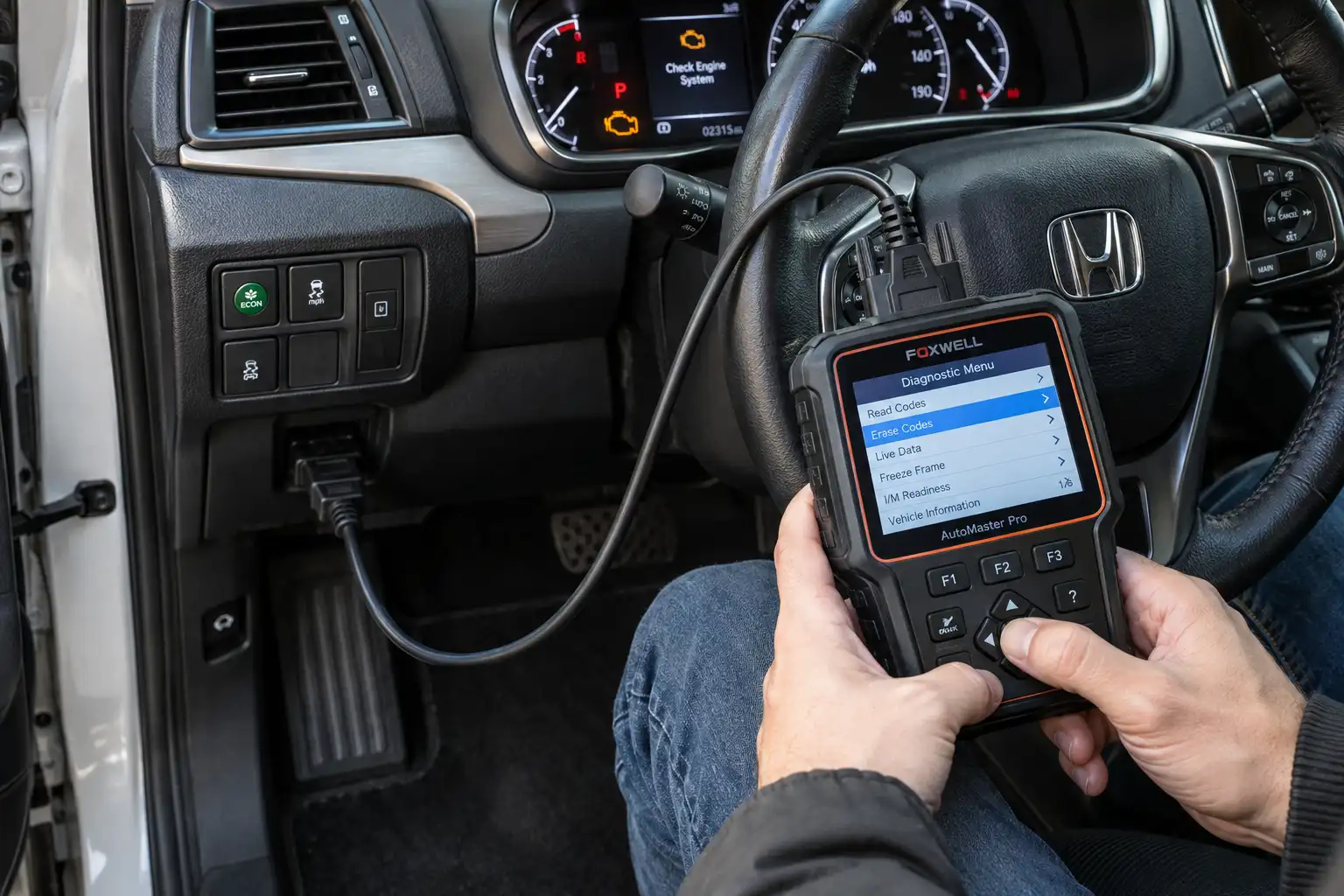
Clearing codes removes the stored fault records from the vehicle’s computer and turns off the check engine light. On a wired scanner, open the main menu and select Erase Codes or Clear Codes, then confirm. The process takes a few seconds. On a Bluetooth scanner, the equivalent option is in the app.
The rule for clearing is straightforward: only clear codes after the underlying problem is actually fixed. Clearing a code to silence the light without repairing the fault means the code returns within a few drive cycles. You have not solved the problem. You have only hidden the record of it temporarily, and you have lost the freeze frame data that could have helped you diagnose it. My guide to the OBD2 drive cycle covers the full sequence for completing readiness monitors after a code clear, including the specific enabling conditions that determine how long the process takes.
Clearing codes also resets all readiness monitors to incomplete. If you plan to take the car for an emissions test, this matters. After clearing, the vehicle needs to complete a full drive cycle to set those monitors back to ready. Running a smog check immediately after clearing codes almost guarantees a failure, even with no active faults. Give the car at least a few days of normal driving first. My guide to OBD2 readiness monitors covers what each one tests, the enabling conditions for non-continuous monitors, and why some take longer than others to complete after a reset.
Common Mistakes When Using an OBD2 Scanner
Clearing codes before diagnosing is the most common mistake by a wide margin. The temptation is to clear the light and see if it comes back. Doing this erases the freeze frame data attached to the code, which is often the most useful information available. Read the data first, save it, then clear only when you have a plan. A related and equally common mistake is treating a clean scan as a clean bill of health: my guide on the scanner’s diagnostic limits covers every fault category that a clean scan cannot rule out.
Ignoring pending codes is another frequent mistake. Because the check engine light is not on, pending codes feel less urgent. In practice, a pending code means the system already detected the fault at least once. It is telling you that something is wrong before the light forces you to pay attention. Addressing a pending code early is almost always less expensive than waiting for it to become active.
Using a basic code reader on an ABS or airbag warning light produces no results and leads to the wrong conclusion. Basic OBD2 scanners only access engine and emissions codes. ABS and airbag systems are separate control modules. If an ABS or airbag light is on and your basic scanner shows nothing, the scanner is not broken. It simply cannot reach those systems. You need a scanner that explicitly supports extended system diagnostics. For a full breakdown of what separates a code reader from a multi-system scanner, my guide on OBD2 code reader vs scanner covers the capability tiers and what each one can and cannot do.
Replacing parts based only on the code without confirming the fault with live data is expensive and often unnecessary. A P0420 code can come from a failing catalytic converter, but it can also come from a bad downstream oxygen sensor, an exhaust leak upstream of the sensor, or incorrect fuel trim affecting the readings. Buying a catalytic converter without confirming the oxygen sensor is reading correctly first is a costly assumption. My Autel MK808BT Pro review covers how its live data display works during active code diagnosis, which sensor parameters it surfaces for P02xx fuel and air faults, and whether the dataset is broad enough to confirm a fault before ordering parts.
My guide on using an OBD2 scanner for an emissions test covers the full pre-check sequence, what the inspector reads, and why clearing codes the night before is the most common preparation mistake.
Getting the Most From Your OBD2 Scanner
Knowing how to use an OBD2 scanner well comes down to one habit: read first, act second. Plug in, record every code, check freeze frame, look at live data if the situation calls for it, and only clear codes once you understand what you are looking at and have a plan to address it. One of the most valuable applications of a scanner outside of your own vehicles is the pre-purchase OBD2 scan: the four-phase process for checking a used car before committing to a price is covered in a separate guide.
Before clearing anything, photograph the code screen, the freeze frame screen, and the readiness monitor status. That three-part record gives you a baseline if the code returns, and it gives a mechanic useful context if the repair turns out to be beyond a straightforward DIY fix. The scanner takes 30 seconds to plug in. Taking an extra 30 seconds to document what it shows costs nothing.
A scanner tells you what the vehicle’s computer detected. Connecting that information to your symptoms and confirming the actual cause is the diagnostic step the scanner cannot do for you. Treat the codes as a starting point, not a verdict, and you will get accurate and useful information from every scan. If you drive a hybrid or electric vehicle, the scanner’s role shifts significantly: my guide on whether OBD2 scanners work on electric vehicles covers what a standard scanner can and cannot access on an EV powertrain.
FAQs
Does the car have to be running to use an OBD2 scanner?
No. For reading stored and pending codes, you only need the ignition in the ON position with the engine off. The vehicle’s OBD2 system powers up with the rest of the electronics. Some advanced functions, such as live data monitoring or active component tests, require the engine to be running. Basic code reads do not.
Do OBD2 scanners read ABS and airbag codes?
Not all of them. A standard OBD2 scanner reads powertrain codes covering the engine and emissions systems. ABS and airbag systems are separate control modules that require a scanner with extended system coverage. If an ABS or SRS warning light is on and your scanner returns no codes, the scanner is working correctly. It simply does not have access to those modules. You need a scanner that explicitly lists ABS and SRS diagnostics as supported features.
Can I leave my OBD2 scanner plugged in all the time?
A wired scanner with a screen is not designed for permanent installation. Bluetooth adapters intended for continuous use draw a small constant current, typically under 15 milliamps, which is not a problem for a daily driver whose battery recharges every time you drive. If the car sits for a week or more without being started, a permanently connected adapter can slowly contribute to battery drain. Unplugging when the car will sit for an extended period is a reasonable precaution.
How long does it take to scan a car?
A basic code read takes between 15 seconds and two minutes, depending on the scanner and the vehicle. Some scanners check only engine codes and return results quickly. Others run a full system scan across multiple modules and take longer. For most everyday vehicles and a standard OBD2 scanner, the whole process from plugging in to reading the results takes under two minutes.
Can an OBD2 scanner fix my car?
No. A scanner reads and reports what the vehicle’s computer has detected. It does not repair anything, replace parts, or adjust mechanical components. Clearing a code removes the stored fault from the computer but does not address the underlying problem. The scanner’s job is to give you accurate, specific information so you can make an informed repair decision. The repair is always a separate step.
Will clearing codes help me pass an emissions test?
No, and it can actually cause a failure. Clearing codes resets the readiness monitors, and an emissions test checks whether those monitors have completed their self-tests. If you clear codes and take the car for a smog check before the monitors reset, the vehicle fails for incomplete monitors even with no active codes. You need to drive the car through a complete drive cycle after clearing codes before attempting an emissions test. Knowing how to use an OBD2 scanner includes knowing when clearing codes can work against you.