
What Is the OBD2 Diagnostic Link Connector (DLC) and Where Is It Located
By Kamil Siegień / October 12, 2026
The OBD2 diagnostic link connector (DLC) is the 16-pin port in the vehicle’s interior where a diagnostic scanner plugs in. It is the physical interface that connects the scanner to the vehicle’s communication buses, supplying both power to the scanner and the communication signals it needs to exchange data with the vehicle’s modules. Every OBD2-compliant vehicle sold in the United States since 1996 has this connector in a standardized location and with a standardized pinout. Knowing where to find it, what the pins do, and what the connector’s physical condition indicates saves diagnostic time and explains several common scanner communication issues.
For scanner recommendations to perform this type of work, see my top OBD2 scanner picks.

About the author: Hello! I’m Kamil Siegień, founder of OBD2 Scout. My diagnostic experience started with an engine rebuild on a 2014 Skoda Superb 1.8 TSI, where tuning from 160 to 222 hp required mastering live data and ECU behavior that basic code readers cannot handle. I am a former BMW and MINI employee and regularly use diagnostic scanners on my own Audi A4 2.0 TFSI.
This guide covers the DLC’s standardized pinout and what each pin does, where the connector is located in different vehicle types, what non-standard pins are used for, common DLC issues that cause scanner communication failures, and what to do when a scanner does not power on or communicate after connecting to the DLC.
For a scanner that handles ABS and SRS diagnostics, check my best tools for ABS codes.
OBD2 DLC Location
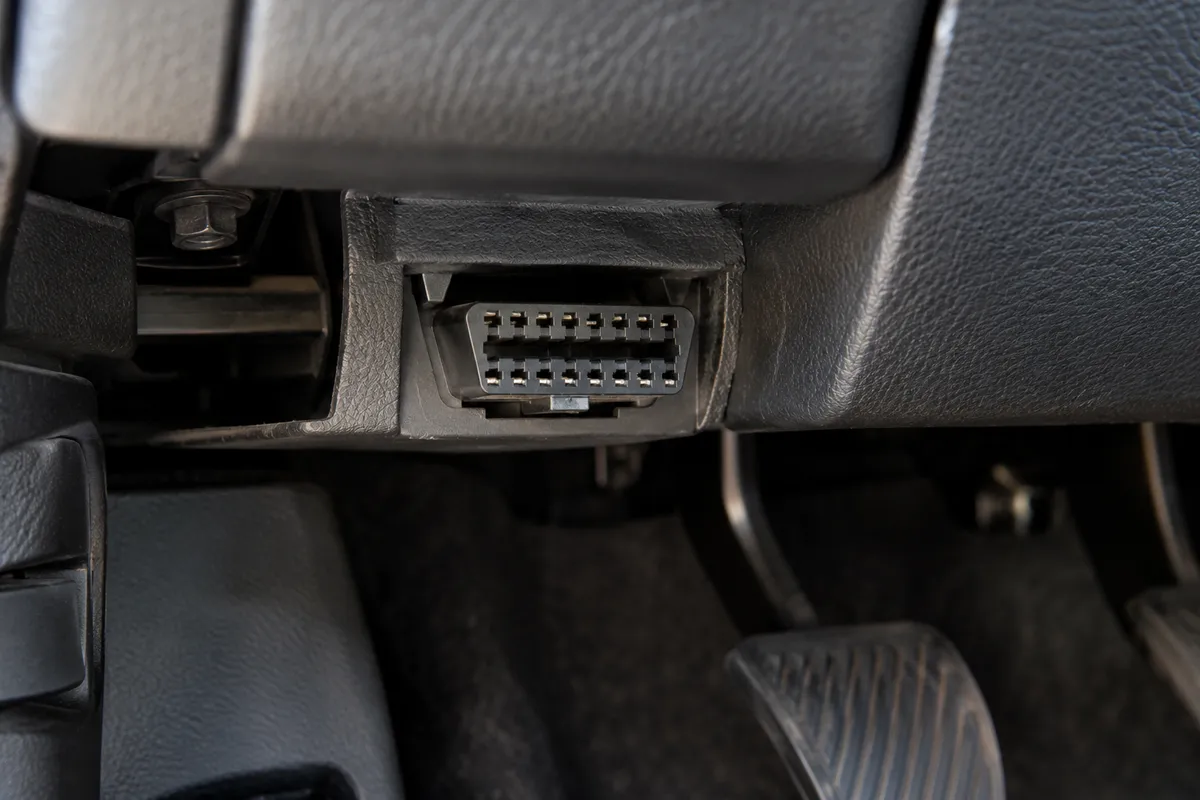
SAE J1962 (the standard that defines the OBD2 connector) requires the DLC to be located within reach of the driver’s seat, within a rectangular zone defined as: below the instrument panel, not more than 300mm to the right of the vehicle’s centerline, and between the dash and a point 600mm below the lower edge of the instrument panel. In practice, the vast majority of vehicles place the DLC directly below the steering column, typically accessible without tools and visible from the driver’s seat position.
If you are on a tight budget, my top budget scanner picks covers the top value picks.
Common specific locations: directly below the steering column on the left side of the column support (most American vehicles), in the center console area under a small cover (some Japanese vehicles), in the lower left corner of the dash near the door edge (some European vehicles), or inside the center console storage compartment behind a removable cover. A small percentage of manufacturers hide the connector behind a trim panel or inside the glove box, which is non-standard but compliant if the location is within the defined zone. If you cannot locate the connector immediately, check the driver’s side footwell area behind the knee bolster trim and the underside of the dash to the left of the steering column.
Audi Q8 owners can find the right scanner in my top Q8 diagnostic tools.
The OBD2 DLC Pinout
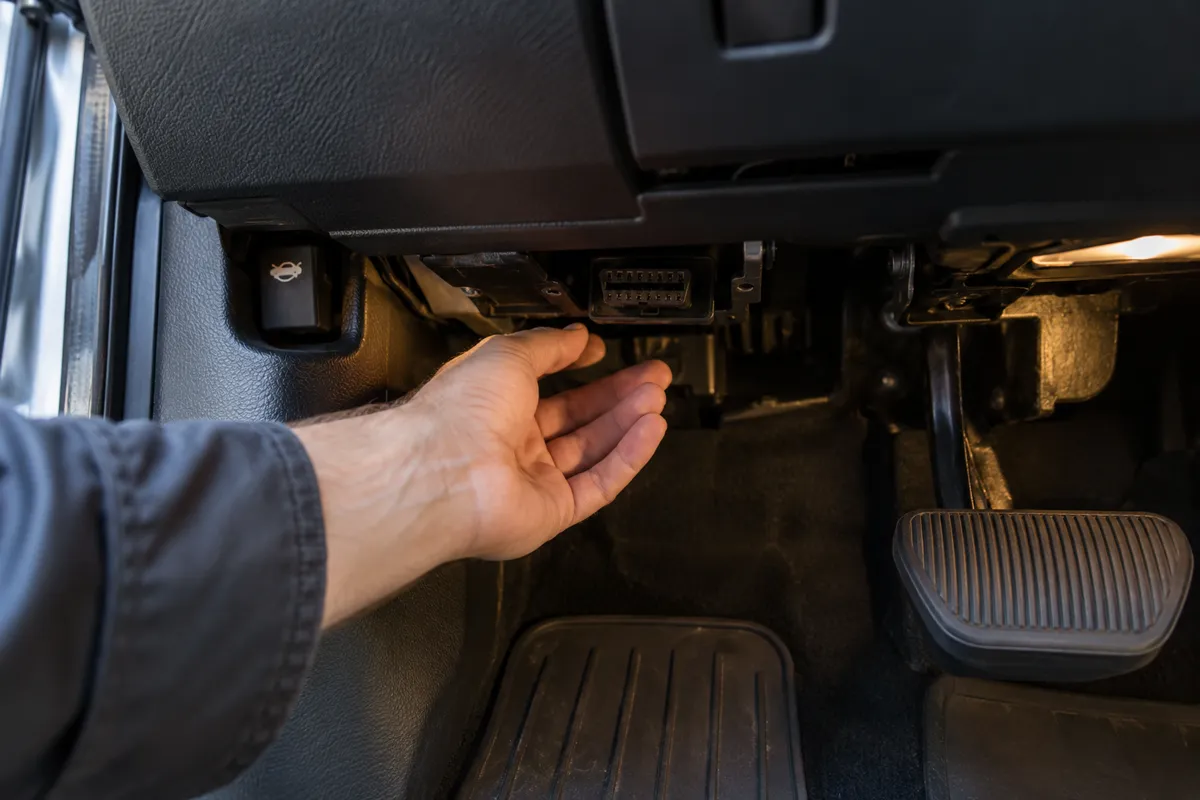
The 16-pin DLC follows a specific pin assignment for the mandatory pins:
For a scanner with active test capability, see my best active-test scanners.
Pin 4: chassis ground. This is the vehicle chassis ground reference for the scanner. It provides a ground connection directly to the vehicle’s body ground, not through the battery negative terminal.
Audi Q7 owners can find the right scanner in my top diagnostic tools for the Q7.
Pin 5: signal ground. Used as the reference ground for the communication signals rather than for power. On some vehicles, pins 4 and 5 are tied together at the connector; on others they are separate grounds serving distinct purposes.
Audi Q5 owners can find the right scanner in my Q5-compatible diagnostic tools.
Pin 16: battery power (12V). This pin is live whenever the battery is connected, not just with the ignition on. It powers the scanner directly. All OBD2 scanners draw their operating power from pin 16.
I cover this capability in more detail in my NT530 Plus BMW deep dive.
Pin 6: CAN-High (ISO 15765-4 high-speed CAN). On CAN-based vehicles (2008 and newer in the US for mandatory compliance, earlier for European models), this is the CAN-High line of the primary powertrain CAN bus.
My can bus obd2 diagnostics explained covers this step by step.
I cover this capability in more detail in my BlueDriver Pro breakdown.
Pin 14: CAN-Low (ISO 15765-4 high-speed CAN). The CAN-Low line of the primary powertrain CAN bus, paired with pin 6.
I explain this in more detail in my my guide on check used car.
Pin 7: ISO 9141-2 / KWP2000 K-line. The single-wire communication line for ISO 9141-2 and ISO 14230 (KWP2000) protocols, used on European and Asian vehicles before CAN became mandatory.
I explain this in more detail in my can you drive with check engine light on.
Pin 15: ISO 9141-2 L-line. A secondary line used in the initialization sequence for ISO 9141-2 communication on some older vehicles. On most vehicles, only the K-line is used and pin 15 is unpopulated.
I explain this in more detail in my check engine light on but no codes stored.
Pin 2: J1850 bus positive (SAE J1850 PWM and VPW). Used on older Ford (PWM) and GM (VPW) vehicles for their respective pre-CAN communication protocols. On CAN-based vehicles, this pin is typically unused.
I explain this in more detail in my my guide on use an.
Pins 1, 3, 8, 9, 11, 12, 13: manufacturer-specific or unused. These pins are available for each manufacturer to use for their own purposes: additional communication buses (some manufacturers run a second CAN network on these pins for body systems), programming voltage lines, or additional grounds.
Non-Standard Pins and Manufacturer Use
Several manufacturers use the non-mandatory DLC pins for access to secondary communication buses. VW Group uses pin 1 for a second CAN bus (the “comfort” CAN network). BMW uses pin 1 for body module communication. Some Ford models use pin 13 for an additional bus. These non-standard pins allow a scanner to access modules on secondary buses without the gateway routing that is required when accessing them through the primary CAN on pins 6/14.
Audi owners looking for the right scanner should check my top-rated scanners for Audi.
The presence of activity on non-standard pins (which a scanner with extended protocol support probes automatically during vehicle identification) is why some scanners identify vehicle configurations more accurately and access more modules than others: a scanner that probes only pins 6 and 14 misses the secondary buses that some manufacturers route to other pins. This affects full system scan completeness and some service functions that communicate over secondary bus protocols.
My a full system scan obd2 scanner explained covers this step by step.
Common DLC Issues That Cause Communication Problems
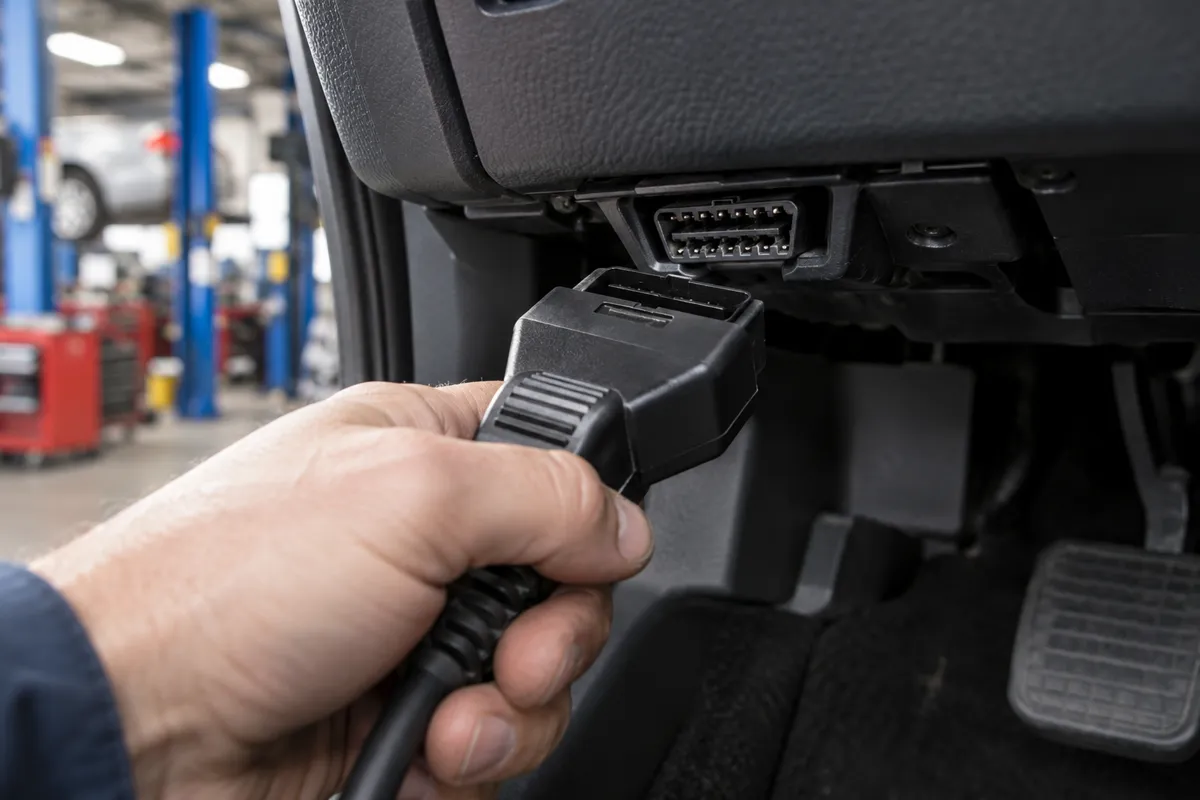
The most common DLC-related scanner communication issue is damaged or bent pins inside the connector. Pin 16 (battery power) is the most critical: a bent or broken pin 16 means the scanner does not receive power and shows no power-on behavior. Check pin 16 continuity with a multimeter (measure voltage between pin 16 and pin 4 with the battery connected, should read approximately 12 volts) if the scanner does not light up when connected.
Honda owners looking for the right scanner should check my top-rated scanners for Honda.
Pins 6 and 14 (CAN bus) are also commonly damaged by rough connector insertion or previous corrosion. A scanner that powers on but cannot communicate with any modules on a CAN-based vehicle has either a pin 6 or 14 damage issue or a blown fuse protecting the DLC circuit. The DLC on most vehicles is protected by a dedicated fuse in the underhood or interior fuse box: check the owner’s manual for the OBD or DLC fuse location if the scanner shows no communication after powering on correctly.
BMW owners looking for the right scanner should check my top-rated scanners for BMW.
Corrosion inside the DLC from water intrusion (particularly on vehicles in high-humidity environments or where the footwell has experienced water ingress) can affect all pins simultaneously. A corroded DLC may power the scanner but produce intermittent communication errors or fail to maintain a stable connection. Cleaning the connector contacts with electrical contact cleaner and a small brush restores reliable contact in most cases.
Ford owners looking for the right scanner should check my top Ford scanner picks.
Diagnosing DLC Circuit and Fuse Problems
When a scanner does not communicate correctly, the DLC circuit is the first thing to verify before concluding the scanner or the vehicle has a deeper problem. The DLC circuit on most vehicles is protected by a dedicated fuse labeled “OBD,” “DLC,” “Data Link,” or “Diagnostic” in the fuse box index. The fuse location varies by make and model: check both the interior (passenger compartment) fuse panel and the underhood fuse box. A blown DLC fuse results in the scanner powering on from the vehicle’s battery (pin 16 is typically on a shared circuit that survives a blown DLC fuse on some vehicles) but failing to communicate because the module communication circuit is de-energized.
Chevy owners looking for the right scanner should check my top-rated scanners for Chevy.
Check voltage at pin 16 relative to pin 4 with a multimeter before concluding a communication issue is in the vehicle’s modules. Battery voltage at pin 16 confirms the power circuit is intact. Then check the communication pins. For CAN vehicles: with the ignition on and no scanner connected, CAN-High (pin 6) should read approximately 2.5 to 3.5 volts relative to chassis ground (a resting or active bus). CAN-Low (pin 14) should read 1.5 to 2.5 volts. A reading of 0 volts on both pins simultaneously indicates the powertrain CAN bus is not active: the ECM may not be powered, the CAN bus fuse may be blown, or the bus has a short circuit to ground.
Resistance testing with the ignition off (battery connected, no scanner plugged in) provides additional information about the CAN bus health. Measure resistance between pin 6 and pin 14: a healthy CAN bus with both 120-ohm termination resistors intact reads approximately 60 ohms. A reading above 120 ohms indicates one termination resistor is missing or the bus is broken. A reading near zero ohms indicates a short between CAN-High and CAN-Low, which prevents all bus communication. A reading significantly above 120 ohms (or open circuit) indicates both termination resistors are missing or the bus wiring is broken.
Ground resistance at the DLC is also worth checking. Measure resistance between pin 4 and the negative battery terminal: should be near 0 ohms. A high resistance ground at the DLC (above 1 to 2 ohms) causes voltage drops in the scanner’s reference ground, which produces erratic communication even though the scanner powers on and appears to function. Poor DLC grounds are more common on older vehicles where the ground points corrode, and they produce frustrating intermittent communication failures that disappear after the ground connection is cleaned and retightened.
Toyota owners looking for the right scanner should check my top-rated scanners for Toyota.
After confirming the DLC electrical health, test with a known-good scanner if the original scanner still fails to communicate. An ELM327-based adapter with a phone app is a low-cost second opinion tool: if it communicates where the original scanner failed, the issue is scanner compatibility or a scanner hardware fault. If it also fails to communicate, the vehicle-side issue is confirmed.
My elm327 and what can it do explained covers this step by step.
Subaru owners looking for the right scanner should check my best diagnostic tools for Subaru.
FAQs
Can I use the OBD2 port to power a dash cam or other accessories?
Yes, and many OBD2 adapter accessories designed for this purpose are available. Pin 16 provides permanent 12V battery power (not switched by the ignition), which means a device plugged into the DLC draws power even when the vehicle is parked. A device that draws excessive current while parked can drain the battery over days or weeks. Use only low-draw accessories (below 50 mA continuous) in the DLC without a smart relay that cuts power with the ignition. High-current accessories should use an ignition-switched circuit rather than the DLC.
My scanner falls out of the DLC. What causes this?
The DLC connector clips wear with repeated scanner insertion and removal. The locking tabs on the DLC body hold the scanner plug in place: worn tabs no longer hold firmly and the connector droops or falls out under vibration. Replacing the DLC connector is a straightforward repair on most vehicles: the DLC is a modular connector that unscrews or unplugs from its mounting bracket, and a replacement connector is available from the dealer or parts suppliers for most makes. A temporary fix is securing the scanner with a small cable tie through the connector body.
Is the OBD2 port the same as the diagnostic port on older vehicles?
No. Pre-OBD2 vehicles (before 1996 in the US) used proprietary diagnostic connectors that varied by manufacturer. GM used Assembly Line Diagnostic Link (ALDL) connectors, Ford used various proprietary connectors, and other manufacturers had their own designs. None of these pre-OBD2 connectors are physically compatible with OBD2 scanners, and their communication protocols are completely different. Aftermarket scan tools for pre-OBD2 vehicles use specific adapters for each manufacturer’s proprietary connector format. The standardized 16-pin DLC is exclusively the OBD2 interface.
Why does the DLC have only 16 pins if some are unused?
The SAE J1962 standard defined 16 pin positions to accommodate the multiple communication protocols in use when the standard was written and to leave room for manufacturer-specific use. At the time the standard was finalized, J1850 PWM, J1850 VPW, ISO 9141-2, and KWP2000 were all in active use, each needing dedicated pins. Later, when CAN became the universal protocol and older protocols were phased out, many of the previously protocol-specific pins became unused on new vehicles. The 16-pin form factor remains for backward compatibility and to allow manufacturers to use the available positions for their own purposes.