What Is a J2534 Pass-Thru Device and How Does It Work
By Kamil Siegień / October 12, 2026
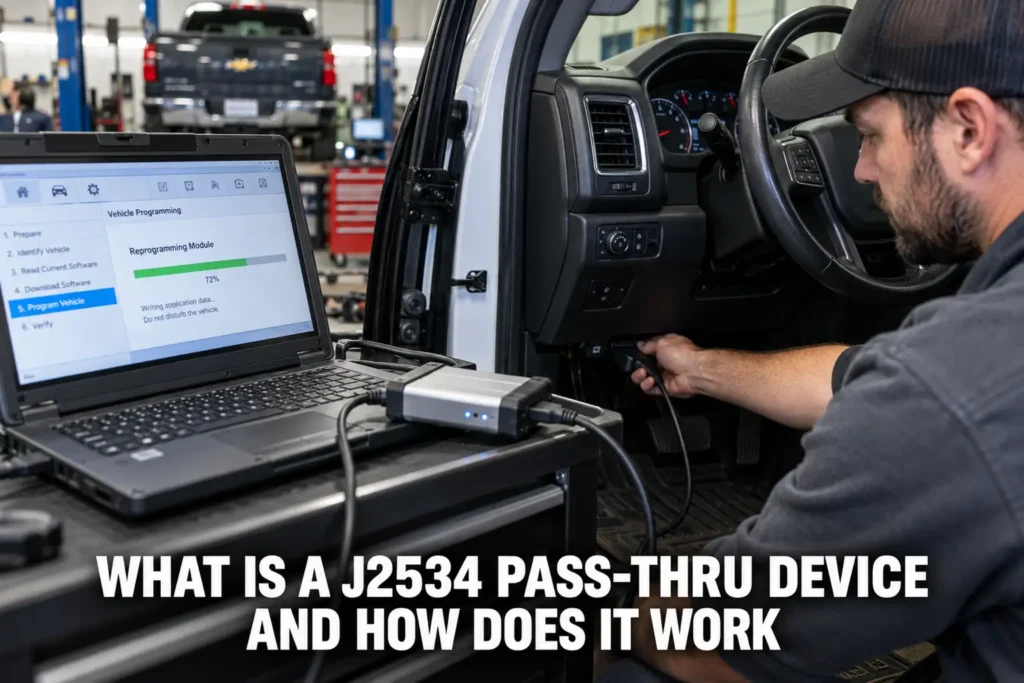
A J2534 pass-thru device is a hardware interface that connects a vehicle’s OBD2 port to a computer and translates the vehicle’s communication protocols into data that the computer’s software can read and write. Unlike a dedicated scanner that contains its own display, software, and protocol support, a J2534 device is essentially a protocol bridge: it handles the electrical and timing requirements of the vehicle’s communication buses and exposes a standardized API that any J2534-compatible software running on the connected computer can use. This architecture separates the hardware from the software, allowing manufacturers to update ECU programming software independently of the hardware interface. J2534 is the standard that makes dealer-level ECU reflashing possible on any J2534-compatible device rather than requiring proprietary hardware from each manufacturer.
My ecu coding when does it need to be done explained covers this step by step.
I explain this in more detail in my can you drive with check engine light on.
For scanner recommendations to perform this type of work, see my top-rated diagnostic tools.

About the author: Hello! I’m Kamil Siegień, founder of OBD2 Scout. My diagnostic experience started with an engine rebuild on a 2014 Skoda Superb 1.8 TSI, where tuning from 160 to 222 hp required mastering live data and ECU behavior that basic code readers cannot handle. I am a former BMW and MINI employee and regularly use diagnostic scanners on my own Audi A4 2.0 TFSI.
This guide covers the J2534 standard and its purpose, how the pass-thru architecture works, what tasks require J2534 capability, the difference between standard J2534 and the J2534-2 extensions, which J2534 devices are available for independent shops, and when J2534 is the right tool versus a standalone diagnostic scanner.
If you are on a tight budget, my top budget scanner picks covers the top value picks.
The Purpose of the J2534 Standard
Before the SAE J2534 standard was established in 2004, ECU programming tools were entirely proprietary. Each manufacturer required its own specific hardware interface to flash or reprogram control modules. A shop that serviced multiple makes needed a separate dedicated programming tool from each manufacturer, which was expensive and impractical for independent repair shops. The US EPA mandated J2534 as part of its right-to-repair regulations: vehicle manufacturers were required to make their ECU reprogramming software available using J2534-compliant pass-thru devices rather than proprietary hardware, enabling independent shops to perform ECU updates using commercially available interfaces rather than manufacturer-exclusive tools.
For a professional-grade tool, my best scanners for professional use covers the top options.
The standard defines the API (application programming interface) that J2534 software uses to communicate with J2534 hardware. Any J2534-compatible software can call standard API functions (such as “open connection,” “send message,” “start periodic message,” “set programming voltage”) and the J2534 device handles the actual hardware execution. The software does not need to know the specifics of the hardware: it sends J2534 API calls, and the device executes them on the correct communication bus at the correct voltage and timing.
Audi owners looking for the right scanner should check my best diagnostic tools for Audi.
How the Pass-Thru Architecture Works
A J2534 device connects to the vehicle via the OBD2 port and to a Windows PC via USB (or in some cases via Ethernet or wireless, though USB remains most common for reliable programming sessions). The device’s firmware handles the physical layer requirements of each supported protocol: CAN bus termination and arbitration timing for CAN-based vehicles, K-line voltage levels and baud rate for older ISO 9141/KWP2000 vehicles, Class 2 current pulses for older GM vehicles, and so on. When the software running on the PC calls a J2534 API function to send a CAN message, the device encodes it correctly at the physical layer and transmits it on the bus.
Honda owners looking for the right scanner should check my best diagnostic tools for Honda.
The software side is a manufacturer’s PC application that implements the specific ECU programming procedures for that make. Ford’s PCM programming software, GM’s TIS2Web, Toyota’s TIS Techstream, and similar manufacturer software all use the J2534 API to communicate with the vehicle. The software handles the higher-level programming logic (which files to download, which security algorithm to unlock the ECU, which sequence to follow for a safe flash write) while the J2534 device handles the physical communication.
BMW owners looking for the right scanner should check my best diagnostic tools for BMW.
This separation allows a single J2534 device to work with multiple manufacturers’ software. A technician who needs to program Ford, Honda, and Nissan ECUs can use one J2534 device and install each manufacturer’s programming software on the same PC, rather than buying three proprietary hardware tools.
Ford owners looking for the right scanner should check my top Ford scanner picks.
Tasks That Require J2534 Capability
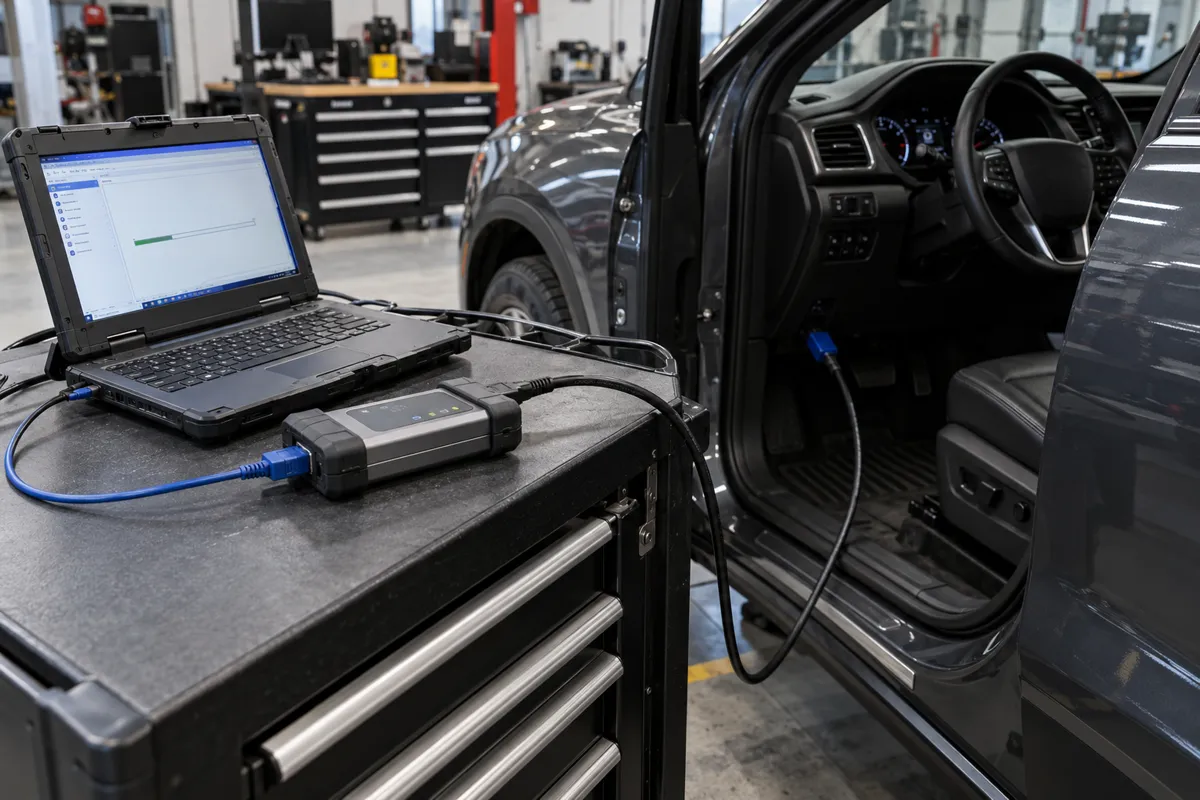
The primary use case for J2534 is ECU software updates (reflashing). When a manufacturer releases a revised calibration file for an ECM (to address a driveability issue, improve emissions compliance, fix a known fault, or update strategy for changed hardware), the update is distributed as a file that the manufacturer’s J2534 software downloads to the ECU via the pass-thru device. This is different from basic OBD2 diagnostics: it involves writing new software to the ECU’s flash memory rather than reading sensor data.
My beginners guide reading obd2 data covers this step by step.
My my guide on update firmware covers this step by step.
If you prefer a wireless setup, my top wireless scanner picks covers the best options.
Other tasks that require or benefit from J2534: module initialization (configuring a new replacement module with the vehicle’s specific settings after installation), variant coding (programming a module with the specific options and features active on the vehicle, such as which accessories are installed), key programming on vehicles that require factory-level key learning, and advanced diagnostic access using the manufacturer’s own service software where an ELM327 or standalone scanner is insufficient.
My elm327 and what can it do explained covers this step by step.
Chevy owners looking for the right scanner should check my best diagnostic tools for Chevy.
A standalone OBD2 scanner cannot perform ECU reflashing because it lacks the J2534 API required by the manufacturer’s programming software: the scanner’s proprietary protocol layer does not expose the standardized interface the programming software expects. Only a J2534-compliant device can serve as the programming interface for manufacturer-provided software.
Toyota owners looking for the right scanner should check my best diagnostic tools for Toyota.
Standard J2534 vs J2534-2 Extensions
The original J2534 standard covered the most common OBD2 protocols: ISO 15765-4 (CAN), ISO 14230 (KWP2000), ISO 9141-2, SAE J1850 PWM, and SAE J1850 VPW. The J2534-2 addendum extends this to cover additional protocols used by specific manufacturers: dual-wire CAN configurations, high-speed CAN variants at non-standard baud rates, UART and FlexRay for specific applications, and ISO 15765 CAN with non-standard speed and configuration options.
My can bus obd2 diagnostics explained covers this step by step.
Mercedes owners looking for the right scanner should check my best diagnostic tools for Mercedes.
Whether a specific J2534 device supports J2534-2 extensions matters for the specific vehicles you service. European vehicles with multiple CAN networks at different baud rates, or newer vehicles using specific proprietary CAN configurations, may require a device that supports J2534-2 protocol extensions. Entry-level J2534 devices may support only the original J2534 protocols. Professional devices from Drew Technologies (now Snap-on), Actia, and similar vendors typically support both the original standard and J2534-2 extensions.
Honda CR-V owners can find the right scanner in my CR-V-compatible diagnostic tools.
Available J2534 Devices for Independent Shops
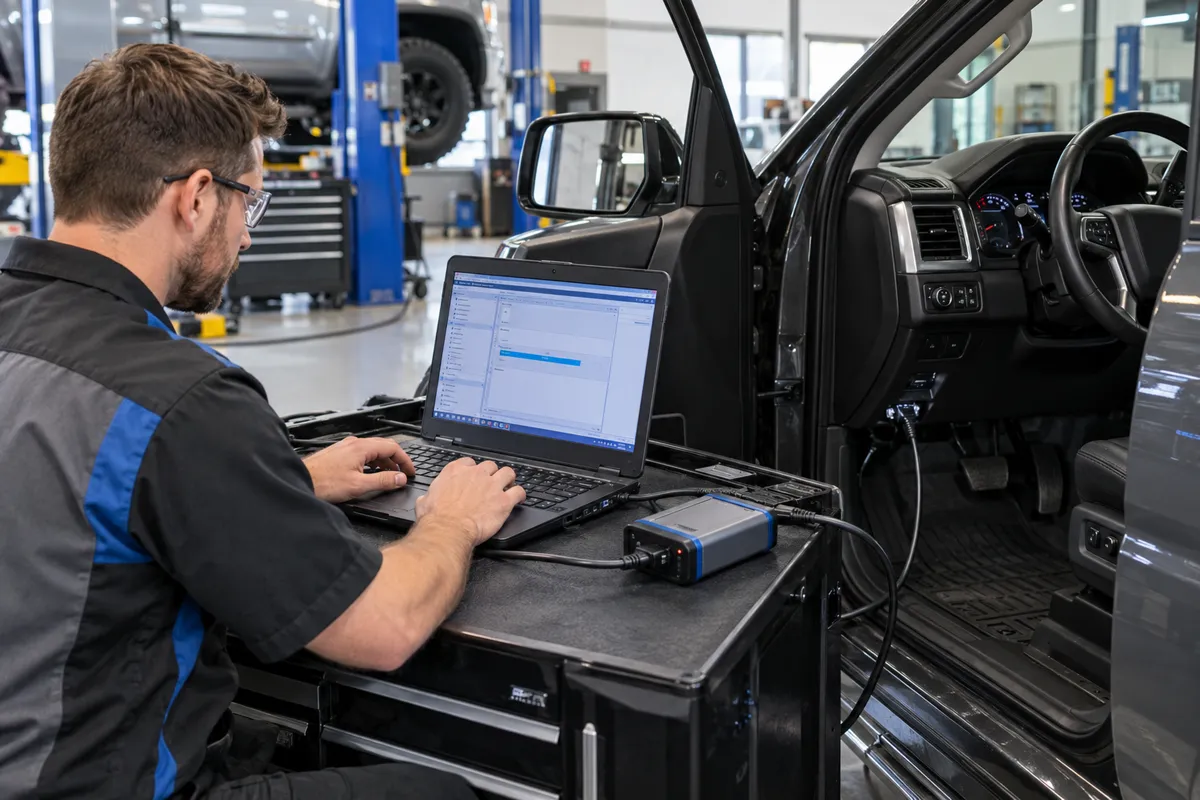
The J2534 device market includes several options at different price and capability levels. The Drew Technologies MongoosePro series (acquired by Snap-on) is one of the most widely supported: it appears in many manufacturer’s tested and approved device lists. The Bosch VCI (Vehicle Communication Interface) is another widely supported professional-grade device. The Autel MaxiFlash Elite and Pro are professional bidirectional J2534 devices from Autel that combine J2534 capability with Autel’s own diagnostic software.
Ford F-150 owners can find the right scanner in my top F-150 diagnostic tools.
Lower-cost options exist, including the OpenPort 2.0 from Tactrix (popular in the enthusiast community for specific makes) and various budget J2534 devices marketed for shop use. The critical factor for professional ECU programming is whether the specific device appears on the manufacturer’s approved J2534 device list for the software you are using: manufacturers test specific devices with their software and publish approved lists. Using a device not on the approved list risks programming failures or incomplete flashes, which can leave an ECU in a non-functional state requiring recovery procedures.
Audi Q8 owners can find the right scanner in my top Q8 diagnostic tools.
Setting Up a J2534 Programming Station Correctly
A J2534 programming session has specific requirements that, when not met, cause failed flashes or corrupted ECU firmware. The most critical requirement is stable battery voltage. ECU flash writes involve erasing and rewriting the ECU’s internal flash memory, a process that takes 5 to 30 minutes depending on the module size. A voltage drop below approximately 11.5 volts during this period can interrupt the write mid-cycle, leaving the ECU in an unknown state. Use a dedicated battery support unit (also called a battery maintainer or programming power supply) that provides a stable regulated 13.5 to 14.4 volts from an external power source connected to the battery terminals. A standard battery charger is not sufficient: most chargers do not maintain stable enough voltage under the varying current demands of the vehicle during programming.
I cover this capability in more detail in my Autel MaxiSys coverage.
The PC used for J2534 programming should be dedicated or at least configured to prevent automatic updates, sleep mode, and background processes from interrupting the session. Windows 10 automatic updates that restart the system mid-flash have caused real-world ECU failures. Disable Windows Update, disable sleep and hibernate, and close all unnecessary background applications before starting a programming session. Many professional shops maintain a dedicated offline PC for J2534 programming specifically to avoid these risks.
I cover this capability in more detail in my OBDLink MX+ breakdown.
Internet connectivity during programming is required for many manufacturer software systems: they verify subscription status, download calibration files, and log programming events online. Ford’s FDRS (Ford Diagnostic and Repair System), GM’s TIS2Web, and similar systems require an active internet connection throughout the session. Ensure the connection is stable before starting: a dropped connection mid-download does not necessarily interrupt the flash (many systems pre-download the file before writing), but it can cause the session to fail at the verification step.
I explain this in more detail in my my guide on check used car.
Security Gateway Considerations on Modern Vehicles
Vehicles from approximately 2018 onward increasingly implement a security gateway module that filters OBD2 diagnostic traffic and blocks certain commands from unauthorized tools. Stellantis vehicles (Chrysler, Dodge, Jeep, Ram, Fiat) from 2018 onward use the SGW (Security Gateway) module. BMW iCOM systems have similar gateway authentication requirements. Mercedes-Benz implements gateway authentication on their newer platforms.
I explain this in more detail in my does obd2 work on electric cars.
For J2534 ECU programming on gateway-protected vehicles, the programming software must authenticate with the gateway before the ECU write commands are allowed through. Manufacturer software (FDRS for Ford, TechAuthority for Stellantis) handles this authentication automatically as part of the programming session when the technician has a valid subscription. Third-party tools that do not have gateway authentication capability cannot perform ECU programming on protected vehicles even if the tool is otherwise J2534-compliant.
I explain this in more detail in my my guide on use an.
FAQs
Can I use a J2534 device for regular OBD2 diagnostics?
Yes, but it is not the most practical tool for everyday diagnostics. A J2534 device paired with the right PC software can perform all standard OBD2 diagnostics and many enhanced manufacturer-specific functions. However, using it for routine code reading requires launching the PC software, connecting the device, and working through the software’s interface rather than using a handheld scanner’s menu. For routine diagnostics, a dedicated standalone scanner is faster and more convenient. J2534 devices shine for ECU programming, module initialization, and advanced manufacturer-specific functions that a standalone scanner cannot perform.
Is J2534 the same as OBD2?
No. OBD2 is the standardized diagnostic interface defined by the EPA and SAE for emissions-related diagnostics. J2534 is a standardized API that defines how programming software communicates with a hardware interface device. A J2534 device uses the OBD2 connector on the vehicle to communicate, but the J2534 standard itself governs the software-to-hardware interface, not the vehicle-to-scanner interface. All J2534 programming sessions go through the OBD2 port, but not all OBD2 communication is J2534-based.
Can J2534 programs brick my ECU?
A failed or interrupted ECU flash can leave the ECU in a non-functional state, requiring recovery programming or, in worst cases, ECU replacement. The risk is highest if the programming session is interrupted by a power loss, communication error, or software crash midway through the write process. To minimize risk: use a battery support unit to maintain stable voltage above 12.5 volts throughout the session, use a device on the manufacturer’s approved list, ensure the PC does not go to sleep or lose connection during the session, and do not disconnect the OBD2 connector until the software confirms the programming is complete and successful. Most modern ECUs have a bootloader that can recover from a failed flash using a separate recovery procedure, but recovery requires manufacturer tools and is not always straightforward.
Do I need J2534 to update my car’s software?
For most standard OBD2 diagnostics and code clearing, no J2534 is needed. A J2534 pass-thru device is required specifically when you need to reprogram an ECU using the manufacturer’s official programming software, perform module coding after a module replacement, or access programming functions that require the manufacturer’s own software interface rather than a third-party scanner. Many manufacturers also offer over-the-air (OTA) updates on newer vehicles that update ECU software through the vehicle’s telematics system without any physical connection.