
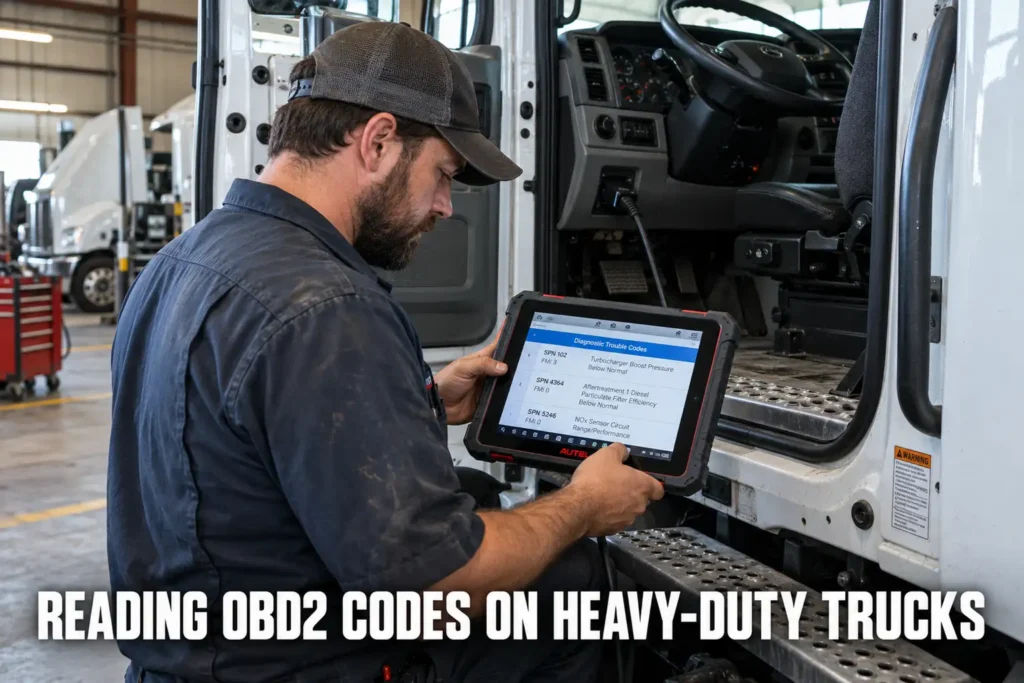
Reading OBD2 Codes on Heavy-Duty Trucks: J1939 and What’s Different
By Kamil Siegień / October 12, 2026
The OBD2 standard that governs passenger car and light truck diagnostics does not apply to heavy-duty commercial vehicles. Semi-trucks, large buses, and Class 7 and 8 commercial vehicles operate on a different diagnostic protocol called J1939, defined by SAE for heavy-duty vehicle networks. Understanding the difference between OBD2 and J1939 is necessary for anyone who works on both light and heavy-duty vehicles, and for anyone who has tried to connect a standard OBD2 scanner to a commercial truck and found it does not work. This guide explains what J1939 is, how it differs from OBD2, what tools are required to read J1939 data, and the specific diagnostic concepts that apply to heavy-duty vehicles.
For scanner recommendations to perform this type of work, see my top-rated diagnostic tools.

About the author: Hello! I’m Kamil Siegień, founder of OBD2 Scout. My diagnostic experience started with an engine rebuild on a 2014 Skoda Superb 1.8 TSI, where tuning from 160 to 222 hp required mastering live data and ECU behavior that basic code readers cannot handle. I am a former BMW and MINI employee and regularly use diagnostic scanners on my own Audi A4 2.0 TFSI.
This guide covers the key differences between OBD2 and J1939 protocols, the connector and pinout differences, what Suspect Parameter Numbers (SPNs) and Failure Mode Identifiers (FMIs) mean, how J1939 fault codes compare to OBD2 DTCs, what tools can read J1939 data, and the specific emissions-related diagnostic differences in heavy-duty diesel vehicles.
Ford F-150 owners can find the right scanner in my top diagnostic tools for the F-150.
OBD2 Versus J1939: The Core Difference
OBD2 (standardized under SAE J1979 and ISO 15765) was designed for passenger cars and light trucks — vehicles up to approximately 8,500 lbs gross vehicle weight rating in the US for the original mandate, with the EPA extending requirements to medium-duty trucks above 8,500 lbs through subsequent rulemaking. Heavy-duty commercial vehicles (Class 7 and 8, typically above 26,001 lbs GVWR) have always been under separate regulations and have always used J1939, a separate SAE standard that predates modern OBD2 and was designed specifically for the high-electrical-load, multi-ECU environment of commercial truck and bus applications.
If you are on a tight budget, my top entry-level code readers covers the top value picks.
Both OBD2 and J1939 use CAN (Controller Area Network) as their physical layer communication bus. The difference is entirely in the application layer: the message formats, arbitration IDs, address assignments, parameter structures, fault code formats, and the entire way data is organized and requested. OBD2 uses a request-response model where the scan tool asks for specific parameters and the ECM answers. J1939 uses a broadcast model where ECUs continuously transmit their data onto the bus in defined message formats (PGNs — Parameter Group Numbers) and other modules listen for relevant broadcasts rather than requesting them individually. This architectural difference means OBD2 scan tools and J1939 diagnostic tools are fundamentally incompatible beyond the physical CAN layer.
Audi Q8 owners can find the right scanner in my top diagnostic tools for the Q8.
The GVWR boundaries matter practically because many Class 3 through 6 medium-duty trucks (delivery vans, box trucks, larger pickup trucks over 8,500 lbs) occupy a transition zone where EPA OBD requirements apply but the vehicle also communicates over J1939 for chassis systems. A Ford F-650, a Ram 3500 with a diesel chassis, or an Isuzu NPR in the Class 5 range may have both an OBD2-compatible 16-pin connector for emissions-related engine diagnostics and J1939-based chassis communication for ABS, transmission, and body modules that requires J1939 tools for full access.
iPhone users looking for a compatible scanner can check my top iOS diagnostic tools.
Connector and Pinout Differences
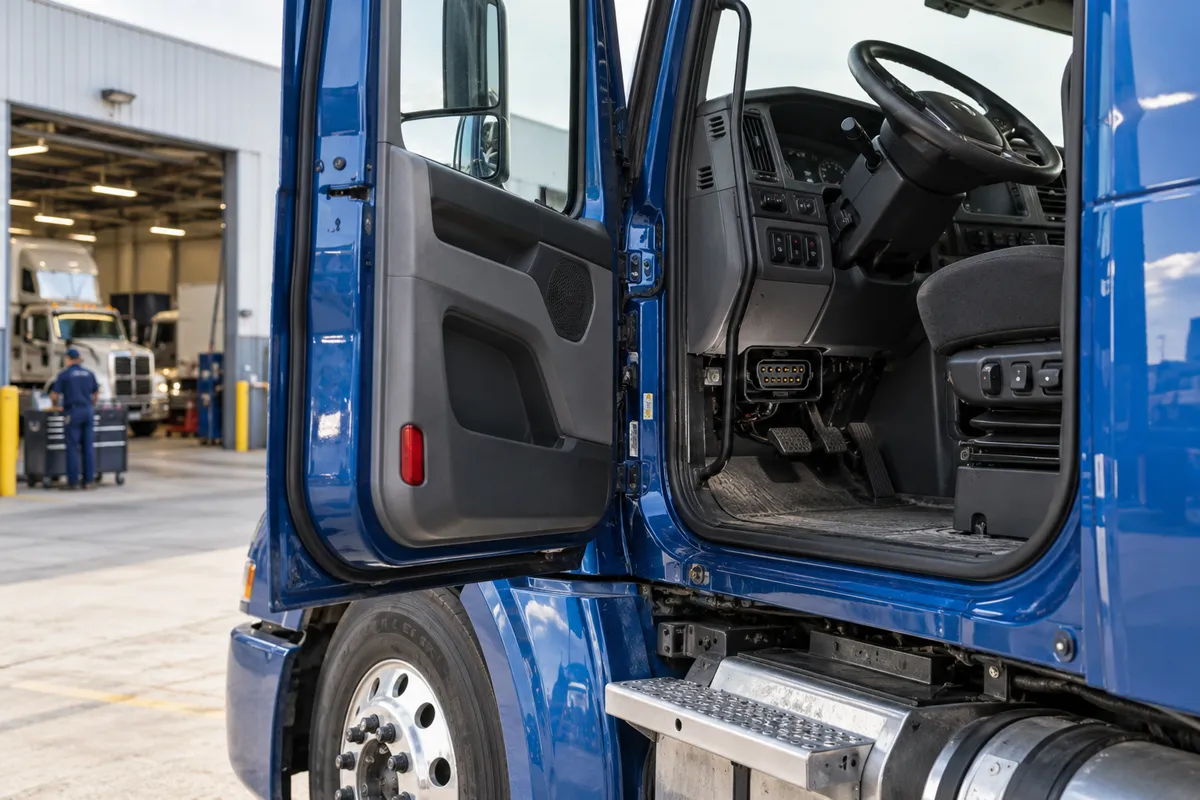
OBD2 vehicles use the SAE J1962 16-pin connector (the standard OBD2 DLC), typically located under the dashboard within reach of the driver’s seat. The heavy-duty J1939 standard specifies a 9-pin Deutsch connector (defined in SAE J1939-13), which has a distinctive trapezoidal black plastic body that is physically incompatible with the OBD2 16-pin connector. The 9-pin Deutsch connector on a commercial truck is typically located in the cab near the driver, often on the dash panel, the firewall, or in the engine compartment.
My what is obd2 diagnostic link connector dlc covers this step by step.
Audi owners looking for the right scanner should check my top Audi scanner picks.
The 9-pin Deutsch connector pinout for J1939: pin A is the J1939 CAN High wire, pin B is J1939 CAN Low, pin C is the battery positive (+12V or +24V), pin D is battery negative (ground). The remaining pins cover proprietary OEM data buses, additional bus channels on some trucks, and shield/drain for the twisted-pair CAN wiring. Connecting to a heavy-duty truck for J1939 diagnostics requires either a J1939-specific 9-pin Deutsch adapter or a professional heavy-duty scan tool with the appropriate cable. Attempting to use a consumer OBD2 ELM327 adapter on this connector will at minimum produce no useful data and could potentially damage the adapter if pin voltages differ from what the adapter’s input circuitry expects.
Ford owners looking for the right scanner should check my top Ford scanner picks.
Some heavy-duty trucks built after approximately 2013 that comply with US EPA OBD heavy-duty requirements (HD-OBD) provide a standard 16-pin OBD2 connector alongside the 9-pin Deutsch connector. On these trucks, the 16-pin connector provides access to a standardized subset of emissions-related diagnostic data through OBD2-compatible protocols — specifically for the engine’s emissions-related parameters under the HD-OBD regulation. Full access to J1939 chassis data (transmission, ABS, body modules, DPF system) still requires J1939-capable tools on the 9-pin connector. The 16-pin connector on an HD-OBD truck is an emissions compliance interface, not a full-service diagnostic access point.
Honda owners looking for the right scanner should check my top Honda scanner picks.
Suspect Parameter Numbers (SPNs) and Failure Mode Identifiers (FMIs)
J1939 uses a two-part fault code structure instead of OBD2’s five-character alphanumeric DTC format. A J1939 fault is described by its Suspect Parameter Number (SPN) and its Failure Mode Identifier (FMI) — typically written as SPN/FMI.
I cover this capability in more detail in my BlueDriver diagnostic coverage.
The SPN is a number identifying the specific parameter or component with the fault. SPNs are defined in SAE J1939-71 (Vehicle Application Layer) and many common SPNs are standardized across all manufacturers: SPN 91 is throttle position, SPN 100 is engine oil pressure, SPN 102 is boost pressure, SPN 110 is engine coolant temperature, SPN 190 is engine speed (RPM), SPN 235 is engine hours, SPN 247 is total engine hours, SPN 441 is auxiliary input/output status. SPNs from 0 to 524,287 are standardized. SPNs from 524,288 upward are manufacturer-specific: Cummins, Detroit Diesel, Caterpillar, PACCAR, and other engine manufacturers define their own SPNs in the proprietary range for parameters unique to their specific engine management systems.
My my guide on read map sensor data covers this step by step.
I cover this capability in more detail in my Innova 3100RS coverage.
The FMI is a standardized number (0 through 31, with 18 currently defined in SAE J1939-71) identifying the type of failure at the SPN location. FMI values are consistent across all J1939 vehicles regardless of make: FMI 0 = data valid but above normal operational range (most severe), FMI 1 = data valid but below normal operational range (most severe), FMI 2 = data erratic, intermittent, or incorrect, FMI 3 = voltage above normal or shorted high, FMI 4 = voltage below normal or shorted low, FMI 5 = current below normal or open circuit, FMI 6 = current above normal or grounded circuit, FMI 7 = mechanical system not responding or out of adjustment, FMI 8 = abnormal frequency, pulse width, or period, FMI 9 = abnormal update rate, FMI 10 = abnormal rate of change, FMI 11 = root cause not known, FMI 14 = special instructions (often used for calibration requirements), FMI 19 = received network data in error. The combination of SPN and FMI is the J1939 equivalent of an OBD2 DTC.
I explain this in more detail in my check engine light on but no codes stored.
A real example: SPN 110 FMI 0 means engine coolant temperature is above normal range at the most severe level. SPN 110 FMI 3 means the coolant temperature sensor circuit voltage is above normal (shorted high). SPN 110 FMI 5 means the coolant temperature sensor circuit has current below normal (open circuit). The same SPN (the component being monitored) with different FMIs describes completely different fault conditions: physical over-temperature versus a wiring fault on the sensor circuit. This distinction matters for diagnosis: SPN 110 FMI 0 requires investigating the cooling system; SPN 110 FMI 3 or FMI 5 requires checking the sensor wiring and connector.
J1939 Fault Severity: Lamp Indicators and Derates
J1939 faults carry a lamp indicator field specifying which warning indicator the fault should activate. The four J1939 lamp types in order of severity: Protect Lamp (lowest severity — the ECM is actively protecting a system from further damage), Amber Warning Lamp (operator action needed, but not immediate shutdown), Red Stop Lamp (immediate engine shutdown or stop is required), and Malfunction Indicator Lamp (MIL, equivalent to the passenger car check engine light — emissions-related fault requiring service attention).
My what is the malfunction indicator light mil covers this step by step.
I explain this in more detail in my my guide on check used car.
The practical significance of the Red Stop Lamp is severe: a commercial truck ECM activating the Red Stop Lamp is demanding that the operator stop the vehicle immediately. Typical triggers for Red Stop conditions include: engine oil pressure critically low (SPN 100 FMI 1), coolant temperature critically high (SPN 110 FMI 0), boost pressure critically high (SPN 102 FMI 0), or aftertreatment regeneration failure creating fire risk. Continuing to operate with a Red Stop active almost always results in major engine damage or component failure.
I explain this in more detail in my service engine soon light vs check engine light.
Engine derates are the heavy-duty diesel’s equivalent of a passenger car going into limp mode. When the ECM detects a fault that could cause damage at full power, it limits engine output to protect the system. Derates range from a mild 10-15% power reduction to a severe derate limiting the engine to idle speed only (sometimes called a “parked regen required” derate on DPF-equipped trucks). The severity of the derate correlates with the SPN, FMI, and lamp indicator: Amber Warning faults typically produce mild derates if any; Red Stop faults can trigger severe derates immediately. Identifying the specific SPN/FMI combination causing a derate is the diagnostic priority.
I explain this in more detail in my can you drive with check engine light on.
Emissions-Related J1939 Diagnostics: DPF, DEF, and SCR
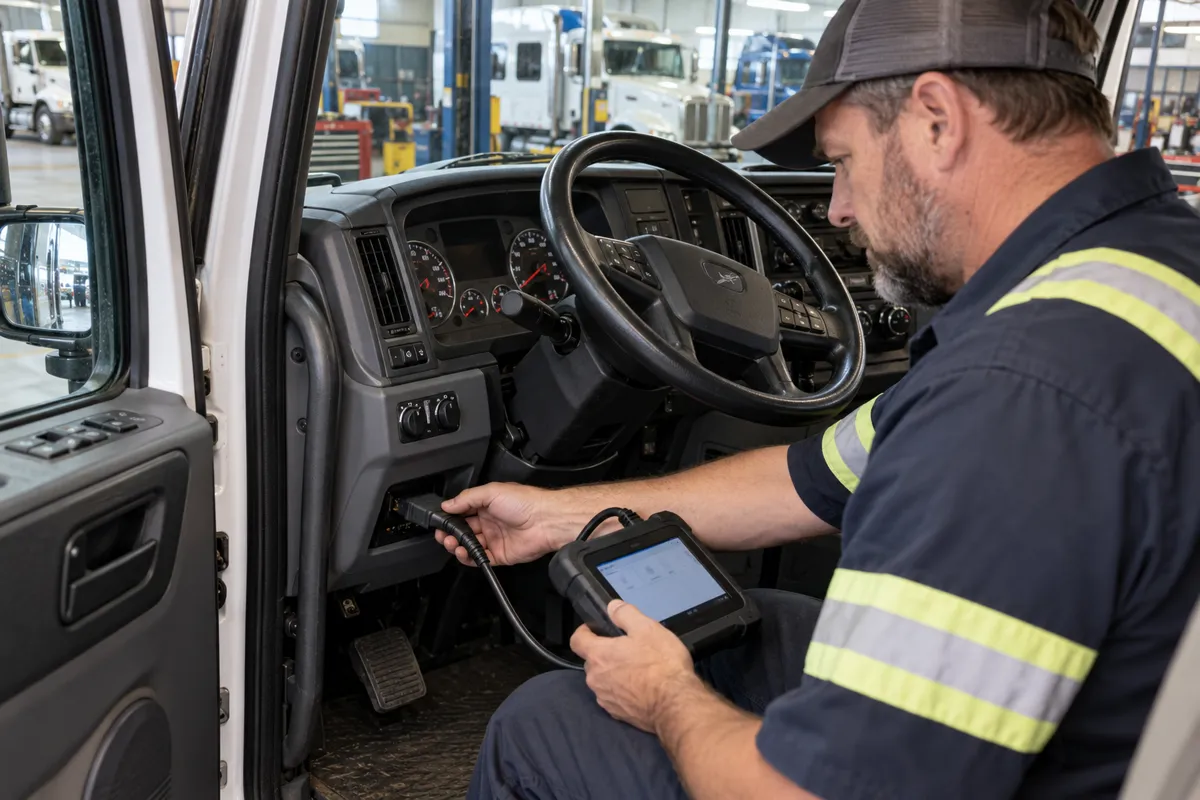
Modern heavy-duty diesel trucks built after the EPA 2010 emissions standards use complex aftertreatment systems: Diesel Particulate Filter (DPF), Diesel Exhaust Fluid (DEF) injection, and Selective Catalytic Reduction (SCR). These systems generate their own J1939 SPN/FMI faults and have specific diagnostic procedures.
BMW owners looking for the right scanner should check my top BMW scanner picks.
DPF diagnostics: The DPF captures soot particles from combustion exhaust. As soot accumulates, differential pressure across the filter increases (monitored by SPN 3251, DPF differential pressure). When soot load exceeds the threshold for passive regeneration (burning off soot through normal hot exhaust during highway driving), the ECM initiates an active regeneration: injecting extra fuel into the exhaust stream to raise DPF inlet temperature to approximately 550-650°C to oxidize the accumulated soot. SPN 3700 (aftertreatment DPF active regeneration status) and associated FMIs indicate regeneration state. DPF faults that prevent regeneration: SPN 3251 FMI 0 (differential pressure too high — overfilled DPF), SPN 3241 FMI 0 (DPF inlet temperature too high — temperature runaway risk), and SPN 3361 FMI 2 (DPF regeneration inhibited by driver or system). A DPF that cannot regenerate passively or actively will eventually reach maximum soot capacity and trigger a severe derate requiring a forced parked stationary regeneration or physical filter cleaning.
SCR/DEF diagnostics: The SCR system reduces NOx emissions by injecting DEF (a 32.5% aqueous urea solution, sold as AdBlue in Europe or DEF in North America) into the exhaust stream upstream of the SCR catalyst. DEF decomposes to ammonia in the hot exhaust and reacts with NOx over the SCR catalyst. Key SPNs for SCR health: SPN 1761 (DEF tank level percentage — FMI 1 when low, FMI 18 when very low), SPN 3516 (DEF quality — concentration and contamination), SPN 4334 (SCR NOx conversion efficiency — comparable to the catalyst efficiency test in OBD2 Mode 06). Low DEF level triggers a defined derate sequence under EPA regulations: at a defined low level, a warning lamp activates; at empty, a progressive derate down to 5 mph road speed is mandated to compel refilling.
DEF quality faults are common and often misdiagnosed. Using water instead of DEF (intentionally to save cost, or accidentally), using windshield washer fluid, or DEF that has been contaminated or degraded from heat exposure all trigger SPN 3516 FMI 2 (DEF quality erratic). The SCR system cannot function with incorrect DEF concentration, and NOx reduction efficiency drops to near zero. The ECM detects this through the SCR catalyst efficiency monitor and stores faults. The repair is to drain the DEF tank completely, flush it, and refill with certified DEF (ISO 22241 specification).
My obd2 codes after car accident covers this step by step.
Tools for J1939 Diagnostics
Standard consumer OBD2 scanners do not support J1939 on heavy-duty trucks. The required tools are categorized by application:
Chevy owners looking for the right scanner should check my top Chevy scanner picks.
Engine manufacturer software (most comprehensive coverage): Cummins INSITE for all Cummins ISX, ISB, ISC, and related engines — this is the standard tool for Cummins and is required for some calibration and parameter changes that are not available through generic J1939 tools. Detroit Diesel Diagnostic Link (DDDL) for Detroit Diesel Series 60, DD13, DD15, DD16 engines. Caterpillar ET (Electronic Technician) for CAT C-series engines. These engine-specific tools provide the deepest access to the engine ECM including calibration parameters, injection timing, fuel map adjustment, and fault code analysis beyond what generic J1939 tools show.
Chassis manufacturer tools: Kenworth/Peterbilt use PACCAR diagnostics. Volvo Trucks uses Premium Tech Tool (PTT). International/Navistar uses ServiceMaxx Pro. Freightliner uses ServiceLink. These tools cover chassis systems beyond the engine: the transmission ECU, ABS module, instrument cluster, body controller, and suspension systems that are manufacturer-specific and not fully accessible through generic J1939 tools.
Toyota owners looking for the right scanner should check my best diagnostic tools for Toyota.
Professional multi-brand J1939 tools: Noregon JPro (formerly JPRO Commercial Vehicle Diagnostics) is the standard generic professional tool for multi-make heavy-duty truck diagnostics. It connects via a 9-pin Deutsch adapter to a laptop and covers all major OEM engines and chassis systems with J1939 and proprietary protocol support. Dearborn Group DG Technologies DPA5 adapter combined with appropriate diagnostic software is another professional option. These tools are used by independent truck repair shops that cannot afford separate manufacturer-specific software for every make they service.
If you prefer a wireless setup, my top wireless scanner picks covers the best options.
Entry-level J1939 access: For a fleet manager or truck owner who wants basic fault code access without professional-shop investment, the Noregon TripVision mobile app with a compatible J1939 Bluetooth adapter (approximately $300-$500 for adapter plus subscription) provides SPN/FMI fault reading, basic live data, and active fault monitoring. This does not replace professional tools for repair diagnosis but is sufficient for fault logging, driver-facing alerts, and documenting fault codes before a shop visit.
Mercedes owners looking for the right scanner should check my best diagnostic tools for Mercedes.
OBD-HD: The Bridge Between OBD2 and Heavy-Duty
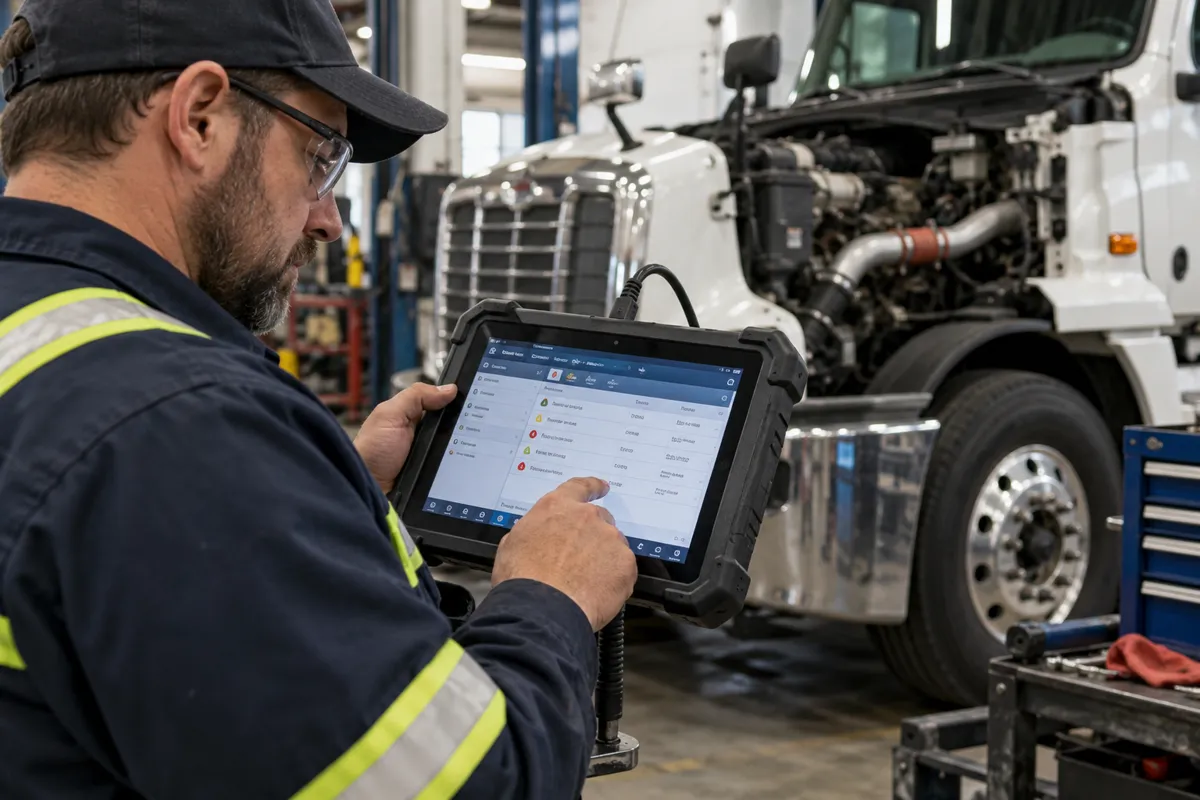
US EPA regulations introduced HD-OBD (Heavy-Duty On-Board Diagnostics) requirements for heavy-duty vehicles above 14,001 lbs GVWR from model year 2010 onward. HD-OBD requires a standardized diagnostic interface: a 16-pin J1962 OBD2-style connector providing access to emissions-related fault codes and monitor status through an ISO 15765-4 (CAN-based OBD2) compatible protocol. This is the same connector and protocol format used on passenger cars for OBD2 emissions access, enabling standard OBD2 emission test equipment to interrogate heavy-duty trucks for emissions compliance without requiring J1939 tools at the emissions test station.
Honda CR-V owners can find the right scanner in my top diagnostic tools for the CR-V.
The HD-OBD 16-pin connector on a compliant truck provides standardized access to: MIL status, stored DTCs related to emissions systems, readiness monitor status for aftertreatment monitors, and live data for OBD2-standardized emissions-related parameters. On a 2015 Freightliner Cascadia with Cummins ISX15 engine, a standard OBD2 scanner connected to the HD-OBD 16-pin connector can read the aftertreatment DPF and SCR fault codes, the MIL status, and basic engine parameters like coolant temperature and engine speed through OBD2-formatted responses. This makes emissions testing with standard equipment possible at government inspection stations.
Full repair-level diagnostic access still requires J1939 tools. The HD-OBD interface exposes a defined subset of data specifically for emissions compliance verification — it does not expose proprietary calibration parameters, all engine subsystem data, or chassis system data that are accessible only through J1939 and manufacturer-specific protocols.
FAQs
Can I use an OBD2 Bluetooth adapter in a semi-truck?
A standard consumer ELM327-based OBD2 Bluetooth adapter physically plugs into a 16-pin OBD2 connector if the truck has one. On HD-OBD compliant trucks (2010 and newer, above 14,001 lbs GVWR), the 16-pin connector provides access to the standardized HD-OBD interface, and some OBD2 adapters can read basic emissions-related fault codes and parameters through this interface. However, the data available through HD-OBD is a subset of what the truck’s full J1939 system contains. Most consumer OBD2 apps (Torque, OBD Fusion) do not have heavy-duty truck PID support and will show limited or confusing data. For the 9-pin Deutsch J1939 connector, a standard consumer OBD2 adapter physically does not fit and cannot be used even with an adapter plug without J1939 protocol support in the adapter’s firmware.
Are J1939 SPN numbers the same across all truck makes?
SPNs defined in the SAE J1939-71 standard (0 through 524,287) are consistent across all compliant makes for common parameters: SPN 110 is always engine coolant temperature, SPN 190 is always engine speed, SPN 100 is always engine oil pressure. Manufacturer-specific SPNs (524,288 and above, sometimes noted as “proprietary range”) mean different things on different makes and engines. The proprietary range is where each manufacturer implements parameters unique to their specific engine management system — Cummins ISX-specific injection timing feedback, Detroit DD15-specific EGR cooling efficiency, Caterpillar ACERT-specific cylinder cut-out status. A professional scan tool correctly identifies these proprietary SPNs only when it has the manufacturer-specific SPN library for that engine loaded in its database.
What is the difference between an active fault and an inactive fault in J1939?
J1939 explicitly distinguishes active faults (the fault condition is currently present — the relevant parameter is currently out of spec or the circuit is currently at fault voltage) from inactive faults (the fault was detected previously but is no longer currently active). Active faults are the ones currently triggering lamp indicators and potentially causing derates. Inactive faults are historical records showing what problems the vehicle has experienced that may have since resolved or been intermittently resolved. A professional J1939 scan tool displays both categories separately. The diagnostic focus should be on active faults and their associated lamp indicators and derates. Inactive fault history is useful context for understanding recurring problems and component wear patterns, but does not require immediate action unless the fault is recurrent.
My truck went into derate mode. How do I identify which fault is causing it?
Connect a J1939-capable diagnostic tool and read all active faults. Active faults with a Red Stop Lamp indicator are the most immediate concern. Active faults with an Amber Warning Lamp indicator and any active derate command in the ECM’s status data are causing the power reduction. On Cummins-powered trucks, Cummins INSITE shows the specific derate percentage and which fault is commanding it. On other makes, the engine manufacturer’s software or Noregon JPro shows similar derate-causing fault identification. Without a diagnostic tool, some trucks display the active SPN/FMI on the instrument cluster’s display screen — check the driver information center for a fault code readout, which many late-model trucks provide directly to the driver without requiring external tools. The SPN/FMI displayed on the cluster can be looked up in the engine manufacturer’s fault code reference to understand the immediate cause.