
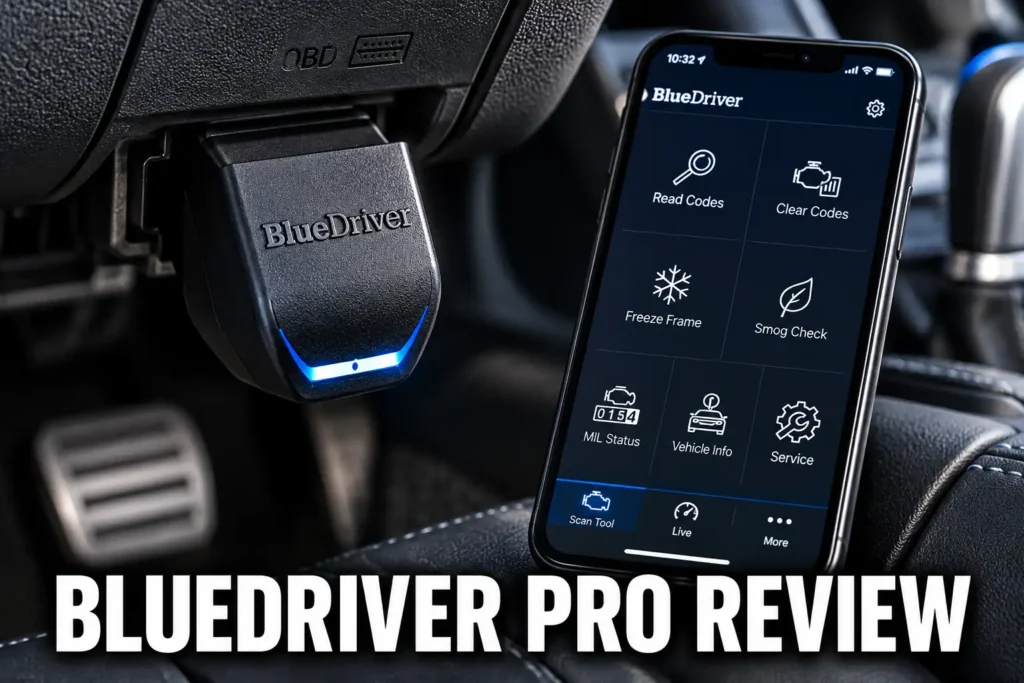
This BlueDriver Pro review covers everything you need to decide whether this Bluetooth OBD2 scanner is right for your vehicle and your budget. The BlueDriver Pro is a compact dongle that pairs with the BlueDriver smartphone app to deliver full-system diagnostics on supported vehicles, covering engine, ABS, SRS, transmission, and TPMS codes. It also provides verified fix suggestions sourced from ASE-certified mechanic data, supports oil reset, EPB, and BMS service functions on compatible cars, and requires no subscription after purchase. I looked at its diagnostic depth, app quality, compatibility limits, bidirectional capability, and how it stacks up against the closest alternatives to give you a clear answer on who it suits and who should look elsewhere.

About the author: Hello! I’m Kamil Siegień, founder of OBD2 Scout. My diagnostic experience started with an engine rebuild on a 2014 Skoda Superb 1.8 TSI, where tuning from 160 to 222 hp required mastering live data and ECU behavior that basic code readers cannot handle. I am a former BMW and MINI employee and regularly use diagnostic scanners on my own Audi A4 2.0 TFSI.
Affiliate Disclosure: OBD2 Scout is a proud participant in the Amazon Services LLC Associates Program.
BlueDriver Pro Review: Quick Verdict
The BlueDriver Pro is a Bluetooth OBD2 dongle that plugs into your vehicle’s OBD2 port and pairs with your smartphone through the proprietary BlueDriver app. Unlike most Bluetooth adapters at this price, it reads more than engine codes. On supported vehicles, you get access to ABS, SRS, transmission, and TPMS modules, which covers the warning lights that cause the most concern for most car owners. The verified fix feature gives you repair suggestions sourced from ASE-certified mechanic data, not generic code definitions. There is no subscription after purchase, and software updates are free.
This is the right Bluetooth OBD2 scanner for most car owners who want more than a basic code reader without paying for a professional tablet. The limitations are clear: there are no bidirectional active tests, and the scanner is locked to the BlueDriver app. If you use FORScan, BimmerCode, or any other third-party OBD2 software, the OBDLink MX+ is a better fit. For everyone else, the BlueDriver Pro is the one Bluetooth scanner I would reach for first. My roundup of the best Bluetooth OBD2 scanners covers the full field at this tier, including every adapter that supports third-party app pairing alongside the proprietary-ecosystem options like BlueDriver.
Product Overview
The BlueDriver Pro belongs to the full-system enhanced code reader class. It sits above basic code readers that only handle engine codes and below professional tablets with bidirectional active test capability. The dongle stays plugged into the OBD2 port under the dashboard while you view diagnostics on your phone. The BlueDriver app is available on both iOS and Android, which makes this one of the few Bluetooth OBD2 tools that works equally well on both platforms without restrictions.
The core appeal is straightforward: genuine full-system access on supported vehicles, a well-designed app, mechanic-sourced repair data, and no subscription. For the car owner who wants to understand and track warning lights without visiting a shop for every code, that combination is hard to beat at this price. For users who prefer a standalone wired scanner with dedicated ABS and SRS focus over a Bluetooth adapter, my review of the Foxwell NT630 Plus covers the wired alternative with comparable module coverage and no app dependency.
Specifications
| Specification | Details |
|---|---|
| Product | BlueDriver Pro |
| Scanner Type | Bluetooth OBD2 dongle |
| Connection | Bluetooth 4.0 |
| Platforms | iOS and Android |
| Generic OBD-II | Yes |
| Full-System Diagnostics | Engine, ABS, SRS, Transmission, TPMS (vehicle-dependent) |
| Bidirectional Control | No |
| Service Functions | Oil reset, EPB, BMS (vehicle-dependent) |
| AutoVIN | Yes |
| CAN-FD | No |
| DoIP | No |
| App | BlueDriver (proprietary) |
| Third-Party App Support | No |
| Updates | Free |
| Subscription | None |
| Vehicle Compatibility | 1996+ OBD2 (US) |
| Warranty | 1 year |
Setup and First Use
Setup is three steps: download the BlueDriver app, plug the dongle into the OBD2 port, and pair via Bluetooth. The app walks you through vehicle profile creation using your VIN or by selecting year, make, and model manually. From there, a full-vehicle scan runs with a single button press. The initial scan is fast and the results are organized clearly by module.
Before you buy, the BlueDriver app includes a compatibility checker that tells you which systems and service functions are supported for your specific vehicle. This is worth checking if full-system or service function access matters for your particular car. The tool is available on the BlueDriver website without purchasing the scanner. Toyota and Lexus owners who find BlueDriver coverage limited on their specific model should look at Foxwell’s dedicated Toyota scanner, which delivers full-system bidirectional capability and the 2026 Toyota protocol library for owners who need more than a universal adapter can provide.
Diagnostic Features and Capabilities
Generic OBD-II Functions
The BlueDriver Pro handles all standard OBD-II diagnostic functions. You can read and clear stored, pending, and permanent DTCs across the powertrain system. Freeze frame data captures the sensor readings and operating conditions at the moment a fault was stored, giving you a starting point for diagnosis beyond the code number alone. I/M readiness monitors show whether the vehicle’s emissions systems have completed their self-tests, which is useful before a state inspection.
Live data is available with graphing, so you can monitor real-time parameter values while the vehicle is idling or during a drive. Mode $06 onboard monitoring data is also accessible for emissions readiness on supported vehicles. These are standard OBD-II functions that work on every 1996 and newer compliant vehicle in the US.
Full-System Diagnostics
Beyond the engine, the BlueDriver Pro accesses ABS, SRS, transmission, and TPMS modules on supported vehicles. Reading an ABS code or an airbag code at home instead of paying a shop to retrieve it saves a diagnostic fee every time. This is the main point where most Bluetooth adapters in this price range fall short, and the BlueDriver separates itself from the competition. My guide to OBD2 scanners with ABS and SRS access covers the models that add this capability across all price tiers, from Bluetooth adapters to full-system handhelds.
Enhanced module access is vehicle-dependent. Coverage varies by make, model, and year. Domestic, Japanese, and Korean vehicles generally have broad BlueDriver coverage. European vehicles can be more limited, particularly for modules beyond the engine. The BlueDriver app’s compatibility checker is the most reliable way to confirm which modules will be accessible on your specific vehicle before you buy. For Toyota owners choosing between a universal Bluetooth adapter and a platform-dedicated tool, my guide to OBD2 scanners for Toyota covers the options with the broadest full-system coverage on Japanese makes.
Jeep Grand Cherokee owners evaluating the BlueDriver Pro for TIPM, SRS, and FCA multi-module access will find it ranked and compared in my recommended OBD2 scanners for Jeep Grand Cherokee.
Bidirectional Tests
The BlueDriver Pro does not support bidirectional active tests. It cannot send commands to actuators, run component tests, or trigger solenoids, relays, or injectors. If you need to bleed ABS brakes electronically, perform a relative compression test, or force a component on to verify it works, you need a scanner with active test capability. The OBDLink MX+ paired with FORScan provides some bidirectional control on Ford and Lincoln vehicles. For broader active test support, a mid-range handheld scanner with bidirectional capability would be the appropriate step up. My roundup of bidirectional OBD2 scanners covers the specific models with active test support at each price point, including which capabilities carry over to all makes and which are platform-specific.
Service Functions
The BlueDriver Pro supports oil reset, EPB service, and BMS reset on compatible vehicles. Oil reset clears the oil life monitor after a change. EPB service puts the rear calipers in retract mode so pads can be replaced without damaging the electric motor. BMS reset registers a new battery to the vehicle’s power management system on makes that require it, including many European vehicles and some domestic models. Equinox owners can find the top picks for their specific model in my recommended OBD2 scanners for the Equinox.
Explorer owners who want to confirm the BlueDriver covers their generation’s specific service resets alongside other scanner options will find the comparison in my Ford Explorer scanner comparison.
These three service functions cover the procedures that come up most often for routine maintenance. Availability depends on your vehicle. Use the compatibility checker to confirm before buying if any of these is important to you.
Vehicle Compatibility and Protocol Support
The BlueDriver Pro is compatible with 1996 and newer OBD2-compliant vehicles sold in the United States. That covers the generic OBD-II layer that every compliant vehicle supports. Enhanced diagnostics covering ABS, SRS, transmission, and TPMS are manufacturer-specific and vary by vehicle. The BlueDriver website and app both include a compatibility lookup tool where you can enter your year, make, and model to see exactly which functions are supported before purchasing.
Hyundai owners who want to verify MDPS, IVT, and SRS module coverage before buying will find the BlueDriver evaluated alongside other tools in my OBD2 scanner guide for Hyundai.
Tucson owners who want to confirm BlueDriver’s CVVT coverage, CANFD compatibility on 2021 NX4, and AWD module access will find the evaluation in my best Hyundai Tucson scanner options.
Elantra owners who want to confirm BlueDriver’s IVT module access and P1326 support before buying will find the platform-specific evaluation in my Hyundai Elantra scanner picks.
Santa Fe owners who want to confirm BlueDriver’s HTRAC AWD coverage and 8DCT fault code access before purchasing will find the evaluation in my Hyundai Santa Fe scanner picks.
On the protocol side, the BlueDriver Pro communicates over Bluetooth 4.0 using standard OBD-II protocols. It does not support CAN-FD or DoIP, which are the communication standards used on some 2021 and newer vehicles for advanced diagnostics. If your vehicle is a recent model year and you need advanced module access beyond standard OBD-II, check the compatibility tool and confirm whether the BlueDriver covers your specific needs. BMW owners who specifically need CBS oil service resets, EPB retraction, or BMW-proprietary fault code access beyond standard OBD-II will find the dedicated BMW diagnostic scanner from Foxwell covers that ground more fully than any universal Bluetooth adapter.
Live Data and Diagnostic Workflow
Live data in the BlueDriver app displays real-time parameter values with graphing. You can monitor multiple PIDs at once and track how values change over time while driving or idling. The graphing interface is clean and easy to read without being cluttered. Freeze frame data appears alongside stored codes so you can see what the sensor conditions were at the moment the fault was logged.
The verified fix feature is the most distinctive element of the BlueDriver ecosystem. It cross-references your specific DTC and vehicle profile with a database of mechanic-reported repair outcomes, giving you a list of what actually resolved that code on similar vehicles. It is more useful than a raw code definition, though it is a starting point for diagnosis, not a guaranteed fix recommendation.
Subaru Outback owners evaluating BlueDriver for CVT and EyeSight fault code access will find my Subaru Outback scanner comparison covers what BlueDriver can and cannot reach on each Outback generation.
F-150 owners evaluating the BlueDriver against tools with deeper Ford-specific ABS, SRS, and service reset coverage will find a full platform-specific comparison in my F-150 scanner comparison.
Hardware, Connectivity and Build Quality
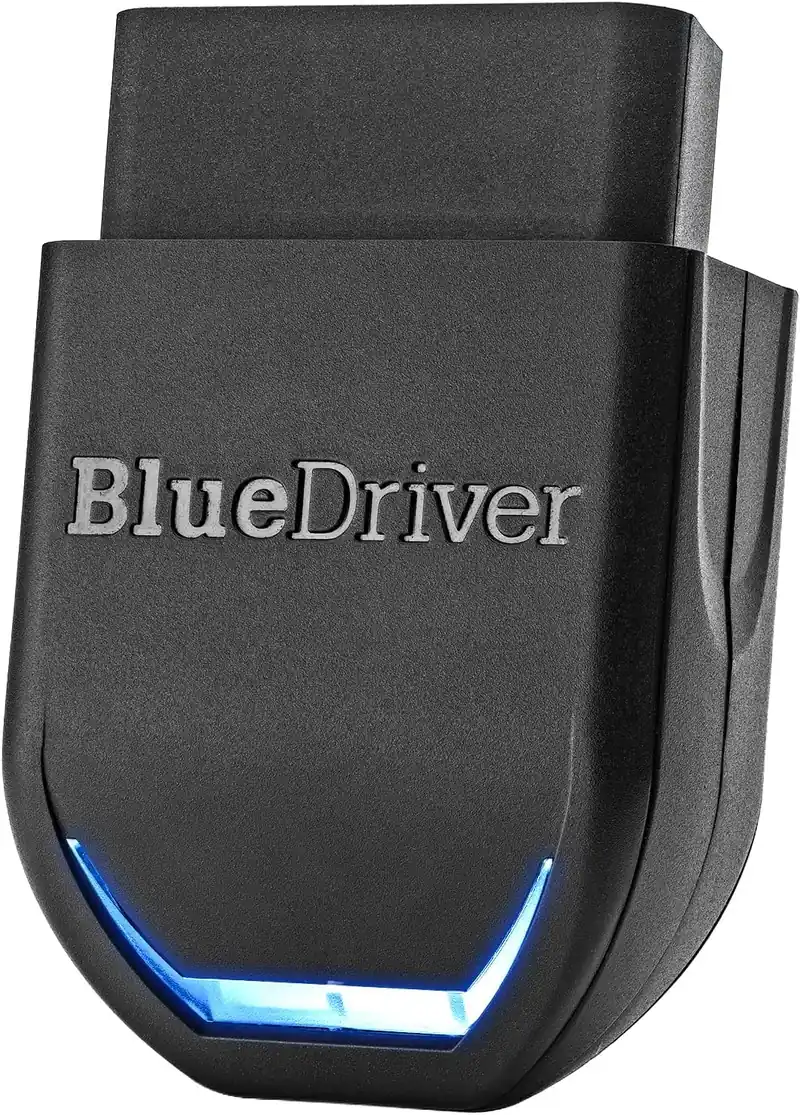
The BlueDriver dongle is compact and fits securely in the OBD2 port without obstructing surrounding trim. An LED indicator on the dongle shows connection status. It is designed to stay plugged in during a scan session and to be removed when done. Leaving it plugged in while the vehicle is parked is not recommended, as it draws a small current from the OBD2 port with the ignition off.
Bluetooth 4.0 connectivity is reliable within a normal vehicle cabin. Range is sufficient to use the scanner from the driver’s seat with the phone on the passenger seat or dashboard. Reconnection from a previous session is quick once the vehicle and app recognize each other. The hardware is solid for a compact Bluetooth dongle. For drivers who want a wired scanner with a built-in screen and no phone dependency, my review of the Innova 3100RS covers the most reliable entry-level standalone option for basic code reading and ABS access.
App and Software Experience
The BlueDriver app is one of the better-designed proprietary OBD2 apps available. The menu structure is clear, code results are easy to read, and the verified fix database is integrated directly into the scan results rather than buried in a separate section. Vehicle history stores past scan sessions so you can track whether a recurring code is coming back or whether a repair has held.
The tradeoff is that the BlueDriver scanner is locked to the BlueDriver app. It does not work with FORScan, BimmerCode, Torque Pro, OBDFusion, or any other third-party OBD2 software. If you already rely on a specific app for manufacturer-specific diagnostics, or if you want the flexibility to switch apps in the future, the OBDLink MX+ is the better choice. For users who do not have a preferred app and want a reliable all-in-one experience, the BlueDriver app delivers exactly that.
Updates, Subscription and Total Cost of Ownership
The BlueDriver Pro requires no subscription and no annual fee. Software updates are free and delivered through the BlueDriver app. The scanner is a one-time purchase. This ownership model is one of its strongest arguments in a category where several competitors charge $30 to $60 per year to maintain full functionality. After the initial purchase, there are no ongoing costs to factor in.
Forester owners who want no-subscription CVT and EyeSight code access will find my Subaru Forester diagnostic scanner guide covers how BlueDriver compares against active-test tools.
Vehicle coverage and service function support may expand through free updates over time. The app itself also continues to receive improvements. The lack of recurring costs makes the long-term total cost of ownership genuinely low compared to most alternatives with similar diagnostic capability.
What’s Included
- BlueDriver Pro scanner
- USB charging cable
Who Is This Scanner Best For?
The BlueDriver Pro is the right choice for car owners and beginner to intermediate DIYers who want full-system diagnostics without committing to a professional-grade scanner. If you drive a domestic, Japanese, or Korean vehicle and want to read ABS, SRS, and transmission codes at home, reset the oil life monitor, service the EPB after a brake job, or get mechanic-sourced repair suggestions tied to your specific code and vehicle, this scanner delivers that without any recurring fees. iPhone users in particular will appreciate that Bluetooth 4.0 compatibility means no workarounds and no adapter needed.
Volvo XC40 owners who want the BlueDriver’s full CMA diagnostic coverage breakdown before purchasing will find it in my Volvo XC40 OBD2 picks.
Subaru owners in particular will find the BlueDriver at the top of my best OBD2 scanner for Subaru guide, where its full-system coverage across Subaru ABS, SRS, and EyeSight modules earns it the top spot.
It also works well for drivers who want a reliable single-app diagnostic experience without managing multiple software tools. The BlueDriver app handles everything in one place. For shops or advanced DIYers who need a step up to professional bidirectional control and ECU coding, my review of the Autel MaxiSys Elite II Pro covers the professional platform built for that level of diagnostic work.
Who Should Skip It?
Skip the BlueDriver Pro if you need bidirectional active tests. Skip it if you already use FORScan, BimmerCode, or any other third-party OBD2 app and want a Bluetooth adapter to pair with it. Skip it if you drive a European vehicle and expect full ABS, SRS, and body-module coverage across all makes. Skip it if your vehicle uses CAN-FD or DoIP for advanced diagnostics and you need access beyond standard OBD-II. In any of these situations, the OBDLink MX+ or a handheld bidirectional scanner would be a better fit. For BMW owners in particular, my guide to OBD2 scanners for BMW covers the tools that handle the marque’s proprietary diagnostic stack, including the module coverage and protocol support BlueDriver cannot reach.
Full system scan accesses ABS, SRS, TPMS, and transmission modules in addition to the engine ECU.
Pinpoints which individual corner TPMS sensor is failing, rather than simply flagging a generic tire pressure warning.
Repair reports matched to VIN provide ASE-verified fixes so you know whether the recommended repair addresses the exact vehicle configuration.
Pros and Cons
| Pros | Cons |
|---|---|
| Full-system access: reads ABS, SRS, transmission, and TPMS codes on supported vehicles | No bidirectional active tests or actuator control |
| Verified fix reports sourced from ASE-certified mechanic data | Locked to the BlueDriver app, no third-party software support |
| No subscription and no annual fee after purchase | Enhanced module coverage varies by vehicle make, model, and year |
| Works with both iOS and Android using Bluetooth 4.0 | |
| Built-in vehicle compatibility checker confirms support before you buy | |
| Live data with graphing for real-time parameter monitoring | |
| Free software updates keep vehicle coverage current |
How It Compares With Alternatives
BlueDriver Pro vs OBDLink MX+
The OBDLink MX+ is the better choice for users who need third-party app compatibility. It works with FORScan, BimmerCode, Torque Pro, OBDFusion, and other apps, and it offers faster live data refresh rates. On Ford and Lincoln vehicles, FORScan unlocks bidirectional controls and manufacturer-specific functions that the BlueDriver cannot match. The OBDLink MX+ does not include integrated repair data or the same guided diagnostic experience. If your goal is a smooth, self-contained smartphone diagnostic experience with repair guidance, the BlueDriver Pro is easier to use. If you need flexibility across multiple apps or manufacturer-specific depth on Ford, the OBDLink MX+ is the right call. Ford or Lincoln owners who want a dedicated handheld option beyond app-based adapters will find the full comparison in my Ford OBD2 scanner guide, which covers MS-CAN support and bidirectional coverage across the Ford range.
BlueDriver Pro vs Autel MaxiAP AP200M
The Autel MaxiAP AP200M covers more service functions and supports a wider range of vehicle brands at the enhanced diagnostic level. It also works with iOS and Android. The main difference is cost of ownership: Autel requires an annual software subscription to maintain full functionality and new-model coverage. The BlueDriver Pro is a one-time purchase with free updates. For users who want a simple no-recurring-cost model, the BlueDriver Pro is the better long-term value. For users who need maximum service function coverage or broader European vehicle support, the AP200M may be worth the annual fee.
Volvo XC90 owners looking for the full comparison of tools with confirmed SPA system coverage will find the analysis in my Volvo XC90 OBD2 scanner guide.
Subaru Crosstrek owners deciding between BlueDriver and a tablet scanner for CVT and EyeSight diagnostics will find my Crosstrek OBD2 scanner comparison covers each tool’s Crosstrek-specific protocol depth.
BlueDriver Pro vs TOPDON TopScan Lite
The TOPDON TopScan Lite costs less than the BlueDriver Pro and adds some basic bidirectional tests, which makes it a strong budget option for users who need active test capability. The BlueDriver Pro has a better app experience, more reliable long-term support, and a stronger verified repair data feature. For users who prioritize bidirectional on a budget, TopScan Lite is worth considering. For users who prioritize app quality and repair data, BlueDriver Pro is the better tool. My roundup of the best budget OBD2 scanners covers all the options in this price range side by side, with the full breakdown of which tools add bidirectional, ABS coverage, and app quality without exceeding $100.
My Final Verdict on the BlueDriver Pro
The BlueDriver Pro earns its position as the top-recommended Bluetooth OBD2 scanner for most car owners. It reads the codes that matter, accesses ABS, SRS, and transmission modules on supported vehicles, provides genuinely useful mechanic-sourced repair data, and does all of this without charging you anything after the initial purchase. The verified fix feature alone sets it apart from most of the competition at this price. For iPhone users comparing options, my roundup of the best OBD2 scanners for iPhone covers how the BlueDriver Pro positions against open BLE adapters and other full-system iOS-compatible tools, with confirmed pairing notes for each product.
The limitations are real but clearly defined. There are no bidirectional active tests. The scanner is locked to the BlueDriver app. Enhanced module coverage varies by vehicle. If those tradeoffs are acceptable for how you plan to use the tool, the BlueDriver Pro is the Bluetooth OBD2 scanner that holds up the longest without hidden costs or app frustrations. For most drivers with domestic, Japanese, or Korean vehicles, this is the one to buy. For Mercedes drivers who need full European module coverage, my guide to OBD2 scanners for Mercedes covers the dedicated tools that reach the body, chassis, and HVAC modules that a universal adapter typically misses.
Frequently Asked Questions
Does the BlueDriver Pro require a subscription?
No. The BlueDriver Pro is a one-time purchase with no subscription and no annual fee. Software updates are free and delivered through the BlueDriver app. The price you pay upfront is the total cost of ownership.
Does the BlueDriver Pro support bidirectional active tests?
No. The BlueDriver Pro reads and clears codes and supports service functions on compatible vehicles, but it cannot send commands to actuators or run active component tests. If you need bidirectional control, the OBDLink MX+ paired with FORScan on Ford and Lincoln vehicles, or a handheld bidirectional scanner, would be more appropriate.
Does the BlueDriver Pro work with ABS and SRS?
It accesses ABS and SRS modules on supported vehicles. Enhanced module coverage is vehicle-dependent, so not every make, model, and year will have ABS or SRS access. Use the BlueDriver compatibility checker with your specific vehicle before buying to confirm which modules are supported. Trax owners can find a side-by-side comparison of compatible tools in my Chevy Trax OBD2 scanner guide.
Is the BlueDriver Pro compatible with iPhone?
Yes. The BlueDriver app is available for both iOS and Android. The dongle uses Bluetooth 4.0, which is BLE-compatible and works with iPhones without any additional adapter or workaround. This is one of the few Bluetooth OBD2 tools that works equally well on both platforms.
Can the BlueDriver Pro reset the check engine light?
Yes. The BlueDriver Pro can read and clear diagnostic trouble codes, which turns off the check engine light if the underlying fault has been resolved. If the fault condition is still present, the light will return. Clearing a code is not a repair, and the code will come back if the root cause has not been addressed.
How does the BlueDriver Pro compare to the OBDLink MX+?
The BlueDriver Pro is the better choice if you want a self-contained diagnostic experience with integrated verified fix data. The OBDLink MX+ is better if you need third-party app support for FORScan, BimmerCode, or Torque Pro, or if you need manufacturer-specific depth on Ford or GM vehicles. Both are one-time purchases with no subscription. This BlueDriver Pro review covers the specific tradeoffs for different use cases in the comparison section above. Chevy Silverado owners comparing scanner options can find the top picks in my best OBD2 scanner for Chevy Silverado guide.
What vehicles does the BlueDriver Pro support?
The BlueDriver Pro is compatible with 1996 and newer OBD2-compliant vehicles sold in the United States for standard engine diagnostics. Enhanced system coverage for ABS, SRS, transmission, and service functions is vehicle-dependent and varies by make, model, and year. The BlueDriver compatibility tool on the manufacturer’s website or inside the app will tell you exactly what is supported for your specific vehicle.