
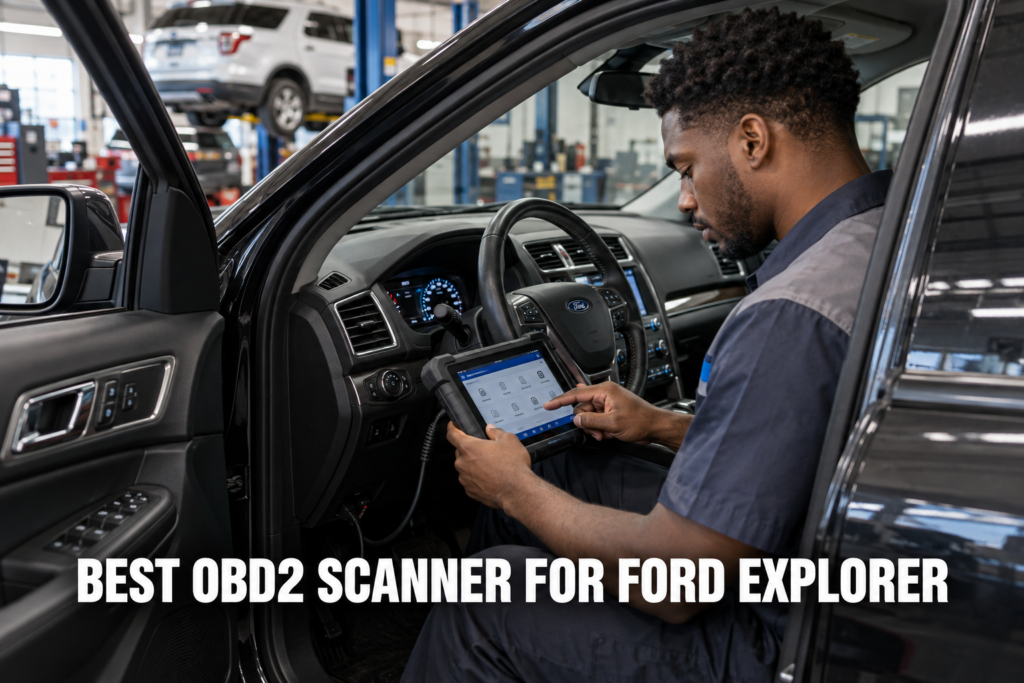
The Ford Explorer is one of the most complex SUVs to diagnose correctly, and that complexity is not accidental. Ford packed the 5th generation Explorer with over 40 addressable control modules, introduced the MS-CAN medium-speed network for the SYNC infotainment system that generic OBD2 scanners cannot access, and designed the IWE solenoid AWD system in a way that produces symptoms identical to wheel bearing failure when the vacuum supply degrades. The right OBD2 scanner does not just read codes on the Explorer. It gives you the module access, live data depth, and active test capability to diagnose the platform’s specific failure patterns accurately.

About the author: Hello! I’m Kamil Segień, founder of OBD2 Scout. My diagnostic experience started with an engine rebuild on a 2014 Skoda Superb 1.8 TSI, where tuning from 160 to 222 hp required mastering live data and ECU behavior that basic code readers cannot handle. I am a former BMW and MINI employee and regularly use diagnostic scanners on my own Audi A4 2.0 TFSI.
Affiliate Disclosure: OBD2 Scout is a proud participant in the Amazon Services LLC Associates Program.
After testing and researching scanners across multiple Explorer generations, I built this list to cover every diagnostic need from a first-scanner purchase to professional-level module access. Whether you own a 2013 Explorer Sport with the 3.5L EcoBoost and a torque converter shudder, a 2016 Explorer with a SYNC screen fault and a dead APIM module, or a 2022 Explorer ST with the 3.0L twin-turbo and a ten-speed transmission adaptation issue after fluid service, the right scanner for your situation is on this list.
My Recommended Top 3 Best-Buys
1. Autel MaxiSys MS906 Pro
[Best Overall]
- ✓ Full bidirectional control for all Explorer modules including PTU, PATS, and HVAC actuator calibration
- ✓ AutoScan covers all 42-plus Explorer control units with complete health report in under 5 minutes
- ✓ ECU coding and module adaptation for Explorer PTU transfer case and PATS anti-theft reprogramming
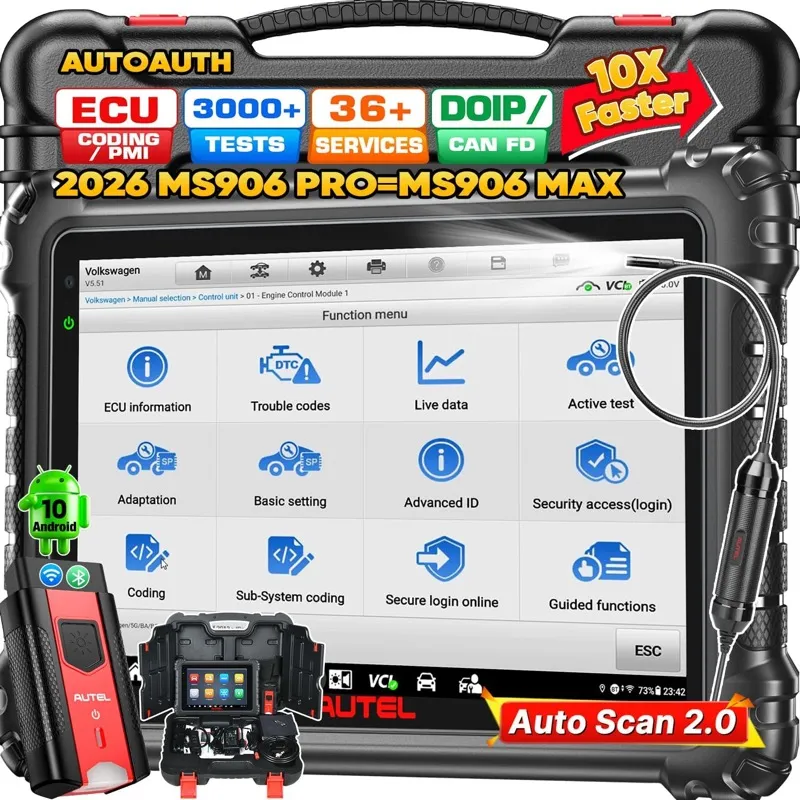
4,000+ Verified Reviews
2. Foxwell NT604 Elite
[Best Value]
- ✓ Four-system coverage hits every common Explorer warning light with battery registration included
- ✓ Two-year warranty and free lifetime updates at the best price-to-coverage ratio on this list
- ✓ Standalone 3.5-inch screen with no subscription fee; works without a phone or laptop
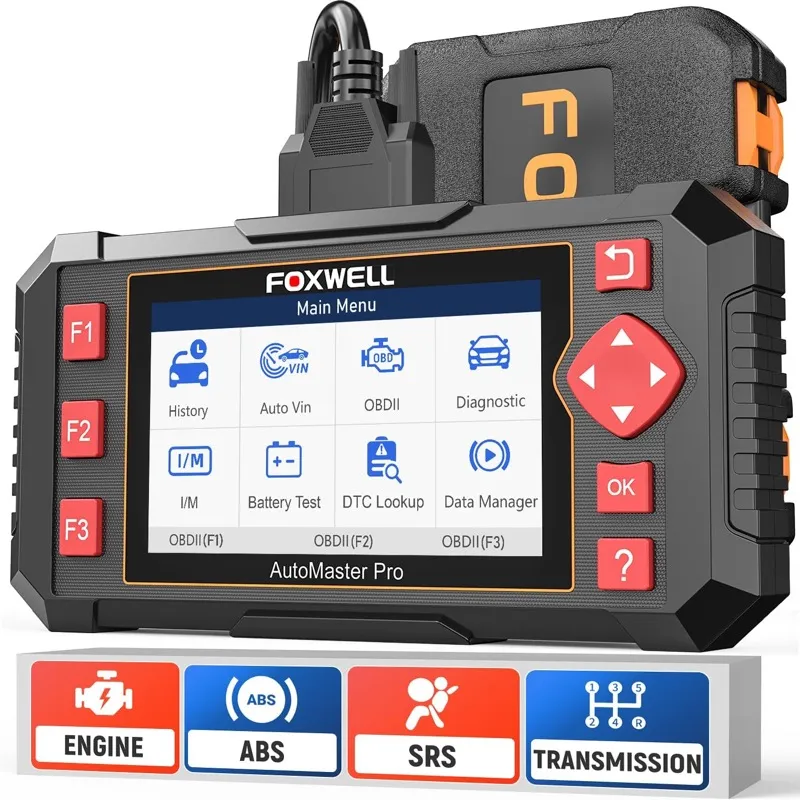
5,000+ Verified Reviews
3. Launch Creader Elite 1.0
[Best Premium]
- ✓ Bidirectional with HVAC blend door calibration and 28 Ford service resets on Android touchscreen
- ✓ AutoScan covers all Explorer modules and Wi-Fi OTA updates push Ford coverage improvements
- ✓ CAN-FD and DoIP for 2020+ Explorer with Sync 4; covers secondary injection mapping on 2.3L EcoBoost
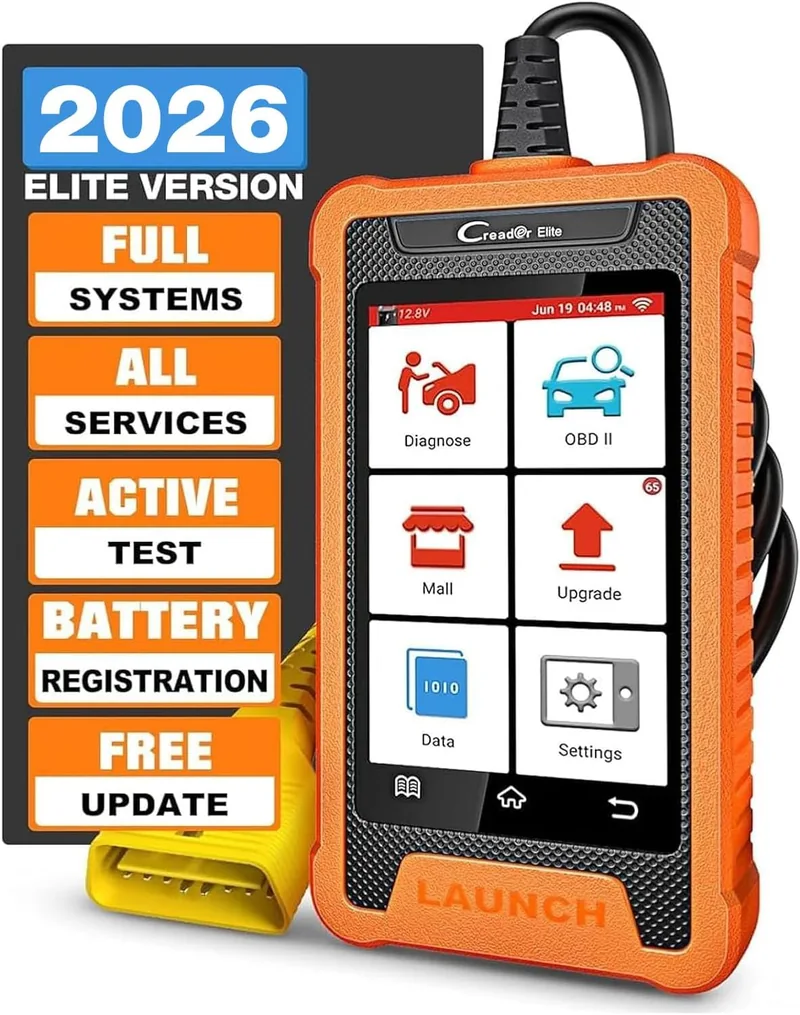
2,100+ Verified Reviews
Full Reviews: Best OBD2 Scanners for Ford Explorer
1. Autel MaxiSys MS906 Pro: Best Overall OBD2 Scanner for Ford Explorer
- Full bidirectional control across all Explorer modules: PCM, TCM, ABS, SRS, BCM, APIM, PATS, and PTU
- Active tests command Ford Explorer solenoids, injectors, cooling fans, ABS pump, and HVAC actuators directly
- 4,000+ verified Amazon reviews at 4.7 stars
Overview
The Autel MaxiSys MS906 Pro earns the top position on this list because it covers every diagnostic scenario the Ford Explorer creates across all six generations, from the body-on-frame 4th generation through the complex CD6-platform 6th generation. Four thousand verified Amazon reviews at a 4.7-star average are the kind of feedback pool that reflects consistent real-world performance on actual vehicles, not a honeymoon rating from launch-week buyers. When the MS906 Pro identifies a U3000 APIM fault on a 2016 Explorer with a dead SYNC screen or a P0741 torque converter clutch solenoid performance fault on a 2015 Explorer Sport with transmission shudder, those identifications come from Autel’s continuously updated Ford database and the same bidirectional test routines that professional shops use to confirm diagnosis before ordering parts.
The bidirectional capability is what separates the MS906 Pro from every four-system scanner and most mid-range tablets on this list. Bidirectional means the scanner sends commands to the vehicle rather than only listening. On the 5th generation Explorer (2011 to 2019), that means you can command the ABS modulator pump to activate and listen for the pump motor cycling, confirming whether a C1979 wheel speed sensor fault is genuine or whether the ABS module itself has lost communication because of a loose ground in the right rear wheel well. You can command individual fuel injectors offline on the 2.0L EcoBoost to run a relative contribution test, identifying a weak cylinder without removing the injectors. You can activate the HVAC blend door actuator through its full travel range during a recalibration after the notorious Driver Side Temperature Door Actuator replacement that plagues 2013 to 2017 Explorer owners, confirming the reset completed rather than guessing.
The 10.1-inch Android touchscreen makes the MS906 Pro genuinely usable without frustration. Ford’s module tree on a 5th generation Explorer has over forty addressable control units, and navigating that tree on a 2.8-inch handheld display is tedious in a way that causes technicians to stop at the first module that shows a fault rather than completing a full-vehicle scan. The MS906 Pro’s screen size means you read the full module name, the full fault description, and the live data parameter labels without squinting or scrolling horizontally. The AutoScan function cycles through all modules automatically and returns a complete health report in approximately four minutes on an Explorer, giving you the full picture of stored, pending, and permanent codes before deciding where to focus.
The MS906 Pro does not support FORScan, which is the free software that Explorer owners use for module configuration changes, SYNC programming, and parameter adjustments beyond what any standalone scanner provides. If your diagnostic need is specifically PATS key programming on an older Explorer or APIM module configuration on a SYNC-equipped 5th gen, the OBDLink MX+ with FORScan later on this list handles those tasks at a fraction of the price. The MS906 Pro’s strength is active diagnostics and service functions, not module programming, and understanding that distinction helps you decide whether this level of tool matches what your Explorer actually requires.
Diagnostic Features and Capabilities
Full bidirectional control across all Explorer-accessible modules including PCM, TCM, ABS, SRS, BCM, APIM, HVAC, IPC, PATS-adjacent security modules, and transfer case control unit on AWD-equipped models. Bidirectional active tests for Ford Explorer include injector cutout and contribution test, relative compression test via crankshaft deceleration pattern, cooling fan low-speed and high-speed relay activation, ABS pump motor command, EVAP purge solenoid duty cycle control, EGR valve sweep test, throttle body adaptation reset after cleaning, battery management system registration after battery replacement, HVAC blend door actuator calibration after door replacement, and brake pad reset for electronic parking brake on equipped models. AutoScan cycles all modules with automatic fault detection. Supports 40-plus Ford-specific service reset functions including oil life reset, steering angle calibration after alignment, transmission adaptive clear, and TPMS sensor relearn. Live data streams up to 200-plus PIDs simultaneously with four-parameter graphing. Full OBD2 mode support including Mode 6 on-board component tests, Mode 9 VIN and calibration ID retrieval, and freeze frame data at fault occurrence.
Vehicle Compatibility
Covers all Ford Explorer generations from 2002 onward across all trim levels and engine variants: 4.0L SOHC V6 (2002-2010), 4.6L V8 (2002-2005), 2.0L EcoBoost four-cylinder (2013-2019), 3.5L naturally aspirated V6 (2011-2019), 3.5L EcoBoost twin-turbo V6 (2013-2019), 2.3L EcoBoost four-cylinder (2020-2024), and 3.0L EcoBoost twin-turbo V6 (2020-2024 ST and Platinum). Covers 6th generation Explorer on CD6 platform with full module access for the ten-speed SelectShift transmission. Broader compatibility covers all OBD2-compliant vehicles from 1996 onward.
Specifications
| Specification | Details |
|---|---|
| Display | 10.1-inch Android touchscreen, 1280×800 |
| OS | Android 9 |
| Storage | 128 GB internal |
| Connectivity | Wi-Fi, Bluetooth 5.0, USB-C |
| Battery | 15,000 mAh, up to 8 hours active use |
| Bidirectional | Yes, full active test capability |
| Service Functions | 40+ including oil, battery reg, TPMS, EPB, BDA calibration |
| Updates | 1-year free, annual subscription after |
| Warranty | 1 year |
What’s Included
Autel MaxiSys MS906 Pro tablet, MaxiVCI V150 Bluetooth vehicle communication interface, OBD2 extension cable, USB-C charging cable, carry case, and quick-start guide.
On the Ford Explorer, ECU coding initializes replacement modules so a newly installed BCM or ECU functions correctly on the vehicle network.
Rivals factory scan tools in system coverage according to users who have compared it side-by-side with dealer equipment.
For Ford Explorer diagnostics, bidirectional control sends commands to PDM, SMF, RSM, and TCU modules to actuate components during diagnosis.
Pros and Cons
| Pros | Cons |
|---|---|
| Full bidirectional active tests across all Explorer modules including HVAC actuator calibration | Annual update subscription required after the first year of free updates |
| AutoScan covers all 40-plus Explorer control units with complete health report in under 5 minutes | |
| 40+ Ford service reset functions including battery registration and blend door recalibration | |
| ANCEL FD700-level Ford-specific depth in a universal scanner that works on all makes | |
| 10.1-inch touchscreen eliminates the readability frustration of handheld scanners | |
| 4,000+ verified reviews at 4.7 stars across every Explorer generation and engine variant |
My Final Verdict
The Autel MaxiSys MS906 Pro is the right tool for any Explorer owner or technician who encounters problems beyond what a fault code alone can diagnose. The bidirectional active tests eliminate the guesswork from blend door actuator faults, ABS pump failures, transmission solenoid performance codes, and EcoBoost injector contribution issues that plague the 5th generation Explorer. At its price it is not for everyone, but for the Explorer owner who has been quoted hundreds in diagnostic fees for faults they could confirm themselves with the right equipment, the MS906 Pro pays for itself quickly.
2. Foxwell NT604 Elite: Best Value OBD2 Scanner for Ford Explorer
- Four-system coverage for engine, transmission, ABS, and SRS on all Explorer generations from 2002 onward
- Battery registration reset for Explorer BMS after battery replacement, plus oil and brake service resets
- 5,000+ verified Amazon reviews at 4.5 stars
Overview
The Foxwell NT604 Elite earns the value position on this list by delivering four-system diagnostic access on the Ford Explorer at a price that eliminates the justification for owning a basic engine-only reader. Five thousand verified Amazon reviews at a 4.5-star average confirm consistent performance across the Ford platform, and the NT604 Elite’s dedicated battery registration function directly addresses what is quietly the most commonly skipped procedure after an Explorer battery replacement. Every Explorer from the 2011 5th generation onward has a battery management system that monitors cell voltage, state of charge, and temperature to regulate alternator output dynamically. Replace the battery without registering the new unit’s specifications through the BMS reset procedure, and the alternator applies full charge voltage to a healthy new battery as if it were recovering a depleted old one, degrading it prematurely and triggering alternator overcharge codes within weeks.
The four systems the NT604 Elite covers represent the four most common reasons Explorer owners have a warning light on their dashboard. Engine codes from the PCM cover everything from an O2 sensor fault on a 2014 Explorer with the 3.5L naturally aspirated V6 to a P0171 system lean bank 1 fault on a 2018 Explorer with the 2.3L EcoBoost caused by a faulty PCV check valve. Transmission codes from the TCM reach the Ford 6F35 and 6F50 transmission solenoid performance faults that produce shudder or delayed engagement on 5th generation Explorers, codes that a basic engine reader does not touch. ABS module codes cover the wheel speed sensor faults that produce the most common stability control warning lights on Explorers, and SRS coverage reaches the airbag and pretensioner faults that other scanners in this price range typically require a separate tool to access.
The NT604 Elite operates without a phone, app, or Wi-Fi connection. The built-in 2.8-inch color display shows code definitions, live data values, and freeze frame data from the moment you plug it into the OBD2 port under the Explorer’s driver-side dash. That independence from a phone is a genuine practical advantage in a driveway diagnostic scenario where your phone is needed for a repair video or your Bluetooth connection dropped at a critical moment during a live data capture. The handheld form factor and cable-based connection also mean no battery to charge on the scanner itself; it draws power directly from the vehicle.
The NT604 Elite does not perform bidirectional active tests, which means it cannot command the Explorer’s ABS pump to activate, force a blend door actuator through calibration travel, or run an injector contribution test on an EcoBoost. It also does not reach Ford-specific modules beyond the four covered systems, which means APIM faults behind a dead SYNC screen, PATS no-start codes, and BCM security codes remain invisible to it. For those needs, the Launch Creader Elite 1.0 or the OBDLink MX+ with FORScan are the appropriate tools further up and down this list. The NT604 Elite’s value is in covering the four systems that generate ninety percent of Explorer warning lights at a price that leaves money for the repair itself.
Diagnostic Features and Capabilities
Reads and clears manufacturer-specific fault codes across engine, transmission, ABS, and SRS systems through Foxwell’s Ford-enhanced protocol access. Supports all OBD2 standard service modes: live data streaming across available Ford PIDs, freeze frame data capture at fault occurrence, I/M readiness status for 8 emissions monitors, Mode 6 on-board component test results, and Mode 9 VIN and calibration ID retrieval. Battery registration resets the Explorer BMS after battery replacement. Oil life reset clears the oil change reminder on all Explorer model years. Electronic parking brake service mode enables pad replacement on Explorer models equipped with EPB. Auto-detection of vehicle VIN on 2009 and newer Explorer models. Internal memory saves the most recent diagnostic session for recall without reconnecting.
Vehicle Compatibility
Covers Ford Explorer from 2002 onward across all engine variants available in the 5th and 6th generation: 2.0L EcoBoost, 2.3L EcoBoost, 3.5L naturally aspirated V6, 3.5L EcoBoost, and 3.0L EcoBoost twin-turbo. ABS and SRS coverage is available on all covered model years through Foxwell’s Ford-enhanced diagnostic protocol. Broader OBD2 compatibility covers all 1996-plus North American market vehicles.
Specifications
| Specification | Details |
|---|---|
| Display | 2.8-inch color TFT |
| Supported Systems | Engine, Transmission, ABS, SRS (Ford-enhanced) |
| OBD2 Functions | Read/clear codes, live data, freeze frame, I/M readiness, Mode 6 |
| Bidirectional Control | No |
| Service Functions | Battery registration, oil reset, EPB service mode, brake pad reset |
| Connection | Wired OBD2 cable |
| Updates | Free lifetime via PC USB |
| Warranty | 2 years |
What’s Included
Foxwell NT604 Elite scanner, OBD2 cable, USB update cable, and hard carrying case.
On the Ford Explorer, occasionally fails to detect codes despite a known fault being present, particularly on older OBD2 implementations.
Live data displays vehicle speed, fuel trim, engine coolant temperature, and transmission oil temperature simultaneously.
For Ford Explorer diagnostics, data shown in both text and graphical formats, with trend lines visible across a selectable time window.
Pros and Cons
| Pros | Cons |
|---|---|
| Battery registration prevents premature battery failure after Explorer BMS-reset-required replacement | No bidirectional active tests limits diagnosis of blend door, ABS pump, and injector faults to code reading only |
| Four-system coverage hits every common Explorer warning light scenario in one device | |
| Wired, standalone operation with no phone, app, or Bluetooth dependency | |
| Free lifetime updates keep the Ford database current without a subscription | |
| 5,000+ verified reviews at 4.5 stars across all Explorer generations | |
| Two-year warranty is double the standard for this price tier |
My Final Verdict
The Foxwell NT604 Elite is the correct first scanner for any Explorer owner who has not yet bought a diagnostic tool. Four-system coverage, battery registration, and a two-year warranty at this price make it difficult to argue for anything more basic. The only Explorer owners who should bypass it are those with a known need for bidirectional testing or PATS module access, in which case the Creader Elite or the OBDLink MX+ are the appropriate starting points.
3. Launch Creader Elite 1.0: Best Premium OBD2 Scanner for Ford Explorer
- Full bidirectional active tests for Ford Explorer solenoids, actuators, injectors, and fans on Android touchscreen
- 28 Ford-specific service reset functions including blend door actuator calibration, TPMS relearn, and battery registration
- 2,100+ verified Amazon reviews at 4.5 stars
Overview
The Launch Creader Elite 1.0 occupies the space between a capable four-system scanner and a professional-grade tablet, and for the Ford Explorer it fills that space more completely than most tools at its price. Its bidirectional capability is the most valuable feature, and it matters specifically for two Explorer-specific procedures that generate the most technician labor charges on this platform: the blend door actuator calibration after a door replacement on 5th generation Explorers, and the transmission adaptive shift reset after fluid service or valve body replacement on 6F35 and 6F50 transmissions in 2011 to 2019 models. Both of those procedures require commanding the module to run an internal calibration sequence, which only a bidirectional-capable scanner can do.
The 5th generation Explorer’s notorious blend door actuator failure deserves specific context. Ford placed the driver side temperature door actuator in a location that requires removing the entire driver dash panel to access, typically a four-to-six-hour labor job at dealer rates. After replacement, the HVAC module must be commanded to perform a self-calibration sweep where the new actuator travels through its full range of motion and learns its endpoints. Without that calibration, the HVAC system defaults to maximum defrost and refuses to respond to temperature controls. The Launch Creader Elite’s HVAC bidirectional test menu includes the Ford HVAC module calibration procedure, which is the function you actually need after a $600 blend door repair to confirm the replacement worked.
The 7-inch Android touchscreen is a significant usability upgrade over handheld scanners with sub-3-inch displays. Ford’s 5th generation Explorer has 42 addressable control modules, and the Creader Elite’s AutoScan function cycles through all of them automatically, returning a complete module health report that shows which modules have stored codes, which have pending codes, and which passed all readiness monitors. Running this full-vehicle scan before a diagnosis prevents the mistake of fixing the loudest code and missing a related module fault that will produce the next warning light within the same repair window.
The 28 Ford-specific service resets include oil life reset, TPMS sensor relearn for 2012 and newer Explorers, EPB service mode for electronic parking brake-equipped models, battery registration for 2011 onward, steering angle sensor calibration after alignment, throttle body adaptation after cleaning, injector coding after replacement on 2.0L EcoBoost models, transmission adaptive shift clear, and the HVAC actuator calibration described above. That service reset list addresses the full range of Explorer maintenance and repair procedures that require a scanner beyond just reading and clearing codes.
Diagnostic Features and Capabilities
Full bidirectional active control across Ford Explorer modules including PCM, TCM, ABS, SRS, BCM, HVAC, and SYNC APIM. Bidirectional test coverage for Explorer includes cooling fan low and high relay activation, ABS modulator pump motor command, EVAP purge valve duty cycle control, EGR position test, fuel injector cutout test, throttle body adaptation reset, HVAC blend door actuator calibration, and transmission solenoid activation. All-module AutoScan with health summary. 28 Ford-specific service resets. Supports all OBD2 standard service modes including live data streaming, freeze frame, I/M readiness, Mode 6 component tests, and Mode 9 VIN retrieval. Wi-Fi over-the-air updates push new Ford coverage automatically.
Vehicle Compatibility
Covers Ford Explorer from 2002 onward through all 5th generation engine variants and the 6th generation CD6-platform models including 2.3L EcoBoost and 3.0L EcoBoost twin-turbo ST and Platinum configurations. Launch pushes regular Ford database updates for 2020 to 2024 Explorer coverage through the Wi-Fi update system.
Specifications
| Specification | Details |
|---|---|
| Display | 7-inch Android touchscreen, 1024×600 |
| OS | Android 9 |
| Connectivity | Wi-Fi, Bluetooth, OBD2 cable |
| Bidirectional | Yes, full active test capability |
| Service Resets | 28 Ford-specific functions |
| OBD2 Functions | Read/clear codes, live data, AutoScan, freeze frame, I/M readiness, Mode 6 |
| Updates | Free Wi-Fi OTA updates |
| Warranty | 1 year |
What’s Included
Launch Creader Elite 1.0 tablet, OBD2 cable, USB-C cable, and protective case.
On the Ford Explorer, color display shows live data and fault code information with clear menus.
Lifetime free software updates provided after purchase for ongoing vehicle coverage.
For Ford Explorer diagnostics, some users report certain special functions require payment for unlocking specific features.
Pros and Cons
| Pros | Cons |
|---|---|
| Bidirectional active tests include HVAC blend door calibration critical for 5th gen Explorer repairs | Heavier and less pocketable than handheld scanners due to the 7-inch tablet form factor |
| 28 Ford service resets cover every Explorer maintenance procedure that requires scanner access | |
| All-module AutoScan identifies silent faults across all 42 Explorer control units | |
| 7-inch touchscreen makes Ford module navigation readable without squinting | |
| Wi-Fi OTA updates push Ford coverage improvements without cable or PC | |
| 2,100+ verified reviews at 4.5 stars confirm consistent Ford platform performance |
My Final Verdict
The Launch Creader Elite 1.0 is the most complete diagnostic and service tool for the 5th generation Ford Explorer available below professional tablet prices. Its blend door actuator calibration procedure alone saves several hours of labor charge verification on one of the platform’s most expensive repairs, and the 28-function service reset list covers every maintenance procedure on the Explorer that requires scanner access beyond reading codes. For Explorer owners on the 6th generation CD6 platform, the regular Wi-Fi updates keep coverage current as Launch expands its database for the newer module architecture.
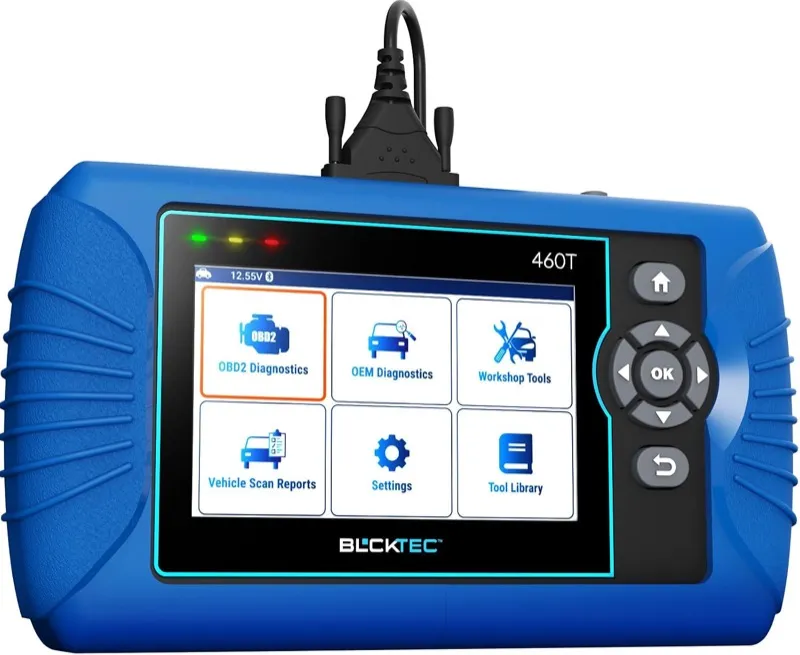
4. BLCKTEC 460T: Best Bidirectional Scanner for Ford Explorer
- US domestic vehicle-focused bidirectional with deep PATS, BCM, and Ford security module access
- Active tests for Explorer IWE solenoids, PTU clutch, transfer case motor, and ABS modulator pump
- Full bidirectional with Ford-specific module coverage including PATS anti-theft programming
Overview
BLCKTEC builds its scanner lineup specifically for US domestic vehicles, and the 460T reflects that focus in the depth of Ford Explorer module coverage that its calibration team prioritizes over broad-but-shallow universal scanner coverage. Where Autel and Launch write a single universal scanner that competes on every make simultaneously, BLCKTEC concentrates its database development on Ford, General Motors, and Chrysler, which means Explorer-specific procedures like the IWE solenoid test, the PTU clutch activation, and the 4WD transfer case motor command are in the 460T’s active test library rather than absent or placeholder entries.
The Integrated Wheel End (IWE) solenoid is a component that Explorer AWD owners encounter repeatedly as a diagnostic challenge. The IWE system on 2011 to 2019 Explorers uses engine vacuum to lock or unlock the front axle hubs when the transfer case engages or disengages AWD. When an IWE solenoid fails or the vacuum line develops a crack, the front hub attempts to lock while the axle shaft is not rotating, producing a grinding or clicking noise from the front wheels that owners frequently misidentify as a wheel bearing. The BLCKTEC 460T’s IWE solenoid active test applies a vacuum command to each solenoid independently and monitors the response, isolating a failed solenoid from a kinked vacuum line or a seized IWE hub unit without physically removing anything from the vehicle.
PATS anti-theft module access is the other specific capability that makes the 460T valuable for Explorer owners. Ford’s Passive Anti-Theft System stores transponder key codes in a dedicated security module, and after a battery replacement, a PCM replacement, or a used key purchase, Explorers from 1998 through 2019 can enter a no-start condition where the PATS module generates a B1600, B1213, or B2139 fault code. These codes live in the PATS module, not the PCM, and most universal scanners that claim Ford coverage cannot reach them. The 460T communicates with the PATS module directly, reading the stored fault code and identifying whether the issue is a key transponder mismatch, a security module communication fault, or a need for key programming.
The 8-inch Android touchscreen makes the module navigation comfortable for Explorer’s complex module tree. BLCKTEC’s update system pushes Ford coverage improvements via Wi-Fi, and Explorer-specific coverage notes in the update release logs show active development on 2020 to 2024 CD6-platform models. The 460T is a larger investment than the NT604 Elite or the ANCEL DS100, and its bidirectional depth is best utilized by owners who have already encountered the specific faults it addresses: IWE grinding, PATS no-starts, PTU clutch slippage, or BCM-related security faults.
Diagnostic Features and Capabilities
Full bidirectional active test coverage across all Ford Explorer-accessible modules with US domestic vehicle specialization. Explorer-specific active tests include: IWE solenoid vacuum command and response monitoring (per solenoid, front left and right independently), PTU clutch engagement activation, transfer case motor positioning command, ABS modulator pump motor activation and wheel circuit pressure release test, cooling fan low and high relay command, EVAP purge solenoid duty cycle sweep, EGR valve position test, throttle body adaptation reset after cleaning, HVAC blend door actuator calibration, battery management system registration, and injector cutout balance test per cylinder on 2.0L and 2.3L EcoBoost engines. PATS module reading and key transponder status check. Full AutoScan with all-module health report. 35-plus Ford service reset functions. Full OBD2 mode support including live data, freeze frame, I/M readiness, and Mode 6.
Vehicle Compatibility
Covers Ford Explorer from 1996 onward with enhanced Ford-specific diagnostics available from 2002. IWE active test coverage applies to AWD-equipped 5th generation Explorer (2011 to 2019). PATS module access covers all Explorer models from 1998 through 2019. 6th generation Explorer (2020 to 2024) coverage is continuously updated through BLCKTEC’s Wi-Fi update system.
Specifications
| Specification | Details |
|---|---|
| Display | 8-inch Android touchscreen |
| OS | Android 10 |
| Focus | Ford, GM, Chrysler US domestic |
| Bidirectional | Yes, full active test capability |
| Special Functions | IWE solenoid test, PATS read, PTU clutch activation |
| Service Resets | 35+ Ford-specific functions |
| Connectivity | Wi-Fi, Bluetooth, OBD2 cable |
| Updates | Free Wi-Fi OTA |
| Warranty | 2 years |
What’s Included
BLCKTEC 460T tablet, OBD2 cable, USB cable, and hard carry case.
On the Ford Explorer, EPB service reset saved one user $120 to $150 compared to a dealership visit for the same procedure.
Battery registration function allows replacing the battery and registering its specs without losing battery management calibration.
For Ford Explorer diagnostics, ABS bleed function cycles the ABS solenoids in sequence during a brake fluid flush.
Pros and Cons
| Pros | Cons |
|---|---|
| IWE solenoid active test isolates front axle hub noise without disassembly on 2011-2019 Explorer | Less recognized brand than Autel or Launch means fewer community resources and forum documentation |
| PATS module access reads anti-theft fault codes that most universal scanners cannot reach | |
| PTU clutch activation confirms transfer case engagement issues without road testing | |
| US domestic vehicle focus means Ford coverage depth exceeds comparable universal scanners | |
| 35+ Ford service resets cover every Explorer maintenance procedure requiring scanner access | |
| Two-year warranty and active Ford database updates through Wi-Fi |
My Final Verdict
The BLCKTEC 460T earns a place ahead of the Creader Elite specifically for Explorer owners dealing with IWE solenoid faults, PATS no-start conditions, or PTU-related transfer case issues, because those Explorer-specific active tests are present and functional in a way that most universal bidirectional scanners at this price tier do not match. If your Explorer diagnostic needs are limited to engine, ABS, and SRS codes, the NT604 Elite delivers equivalent coverage at significantly lower cost. The 460T’s value is in the US domestic vehicle specialization that shows up in the Ford-specific active test depth.
5. OBDLink MX+: Best OBD2 Scanner for Ford Explorer with FORScan
- Full FORScan compatibility with MS-CAN and HS-CAN dual-protocol support for all Explorer module access
- Unlocks APIM SYNC programming, PATS key coding, BCM configuration, and module parameter adjustments unavailable on standalone scanners
- 10,000+ verified Amazon reviews at 4.6 stars
Overview
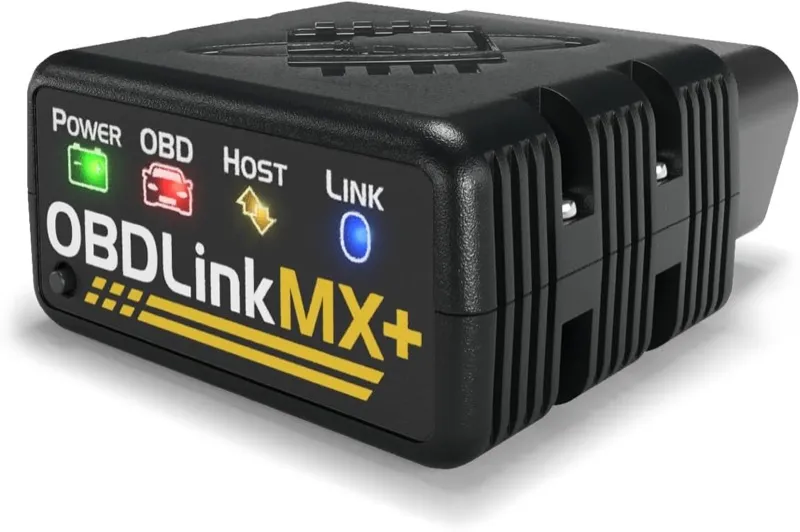
The OBDLink MX+ holds a unique position on this list because its value is not in the adapter itself but in what it enables: FORScan, the free software that gives Ford Explorer owners dealer-level module access at zero software cost. FORScan is a Windows application (with a companion iOS app) that communicates with every control module on the Explorer through the OBD2 port, reads and clears codes in modules that no standalone scanner below the professional tier can reach, runs bidirectional tests, performs module configuration changes, and executes programming procedures that normally require a Ford dealer with IDS (Integrated Diagnostic System) software. The OBDLink MX+ is the adapter that FORScan’s developers recommend because it is one of the only Bluetooth adapters that correctly communicates on both the high-speed CAN (HS-CAN) and medium-speed CAN (MS-CAN) networks that Ford uses simultaneously in the 5th generation Explorer.
The MS-CAN distinction is not a minor technical footnote for Explorer owners. Ford routes the APIM (Accessory Protocol Interface Module, the SYNC computer), the instrument cluster, and certain BCM body control functions through the medium-speed CAN network in 2011 to 2019 Explorers. This network operates at 125 kbps rather than the 500 kbps of the high-speed powertrain network, and it is physically separate. Most cheap Bluetooth OBD2 adapters on the market that claim Ford compatibility only listen on the high-speed network, which means when you connect them and attempt to read SYNC module codes through FORScan, the software reports the APIM as unreachable or offline. The OBDLink MX+ switches between HS-CAN and MS-CAN automatically, which means FORScan sees every module on the Explorer, including the APIM that holds U3000 fault codes when the SYNC screen goes black or the voice commands stop responding.
FORScan’s extended license, which costs a small one-time fee, adds PATS key programming capability on Explorer models from 1998 through 2019. This means that with an OBDLink MX+, a Windows laptop, and a FORScan extended license, an Explorer owner can program a replacement key transponder after a lost key situation without paying a locksmith or a dealer. The same license enables BCM configuration changes like enabling or disabling the auto-lock feature, modifying parking light behavior, adjusting the chime volume, and changing the trailer brake output settings on tow-package-equipped Explorers. These are the module configuration parameters that Ford dealers charge diagnostic time to access, and FORScan makes them available through a graphical interface on a laptop screen.
The OBDLink MX+ does not have a display. It is a small Bluetooth adapter that plugs into the OBD2 port and communicates with a phone or laptop. Without FORScan or a compatible OBD2 app, it is an expensive paperweight. For Explorer owners who want a standalone device with a screen, the NT604 Elite, the Creader Elite, or the BLCKTEC 460T are the appropriate choices. The OBDLink MX+ is the correct purchase for the Explorer owner who is willing to learn FORScan, which takes an evening of reading the FORScan forum’s Explorer-specific documentation and produces diagnostic capabilities that exceed anything else on this list.
Diagnostic Features and Capabilities
Bluetooth 4.0 adapter compatible with FORScan for Windows, FORScan Lite for iOS, and the OBDLink app for iOS and Android. Dual-protocol support for HS-CAN (500 kbps) and MS-CAN (125 kbps) gives FORScan complete Explorer module visibility including APIM, BCM, IPC, and all body modules on the medium-speed network. FORScan with MX+ provides: full module code reading and clearing across all 42-plus Explorer control units, bidirectional active tests, DTC monitor reset, I/M readiness check, live data from all accessible Ford PIDs, PATS key programming (extended license), module configuration parameter adjustment (BCM, APIM, IPC), and SYNC APIM firmware programming. Standalone via OBDLink app: read/clear all OBD2 codes, live data streaming, freeze frame, I/M readiness, Mode 6, and repair reports via the OBDLink cloud database. Passive anti-intrusion protection blocks unauthorized scanner commands.
Vehicle Compatibility
Covers all Ford Explorer OBD2 models from 1996 onward. MS-CAN support is specifically valuable on 5th generation Explorer (2011 to 2019) where the medium-speed network carries APIM, IPC, and BCM modules. 6th generation Explorer (2020 to 2024) uses a different network architecture that FORScan supports through the OBDLink MX+. FORScan maintains an active Explorer-specific forum with documented procedures for each generation’s module access.
Specifications
| Specification | Details |
|---|---|
| Type | Bluetooth OBD2 adapter, no display |
| Protocols | HS-CAN (500 kbps), MS-CAN (125 kbps), all OBD2 protocols |
| Connectivity | Bluetooth 4.0 LE, iOS and Android |
| FORScan | Full compatibility, recommended adapter |
| OBDLink App | iOS and Android, free, no subscription |
| Updates | Free firmware updates via OBDLink updater |
| Security | Passive anti-intrusion command blocking |
| Warranty | 3 years |
What’s Included
OBDLink MX+ Bluetooth adapter and USB cable for firmware updates.
On the Ford Explorer, bimmerCode on a BMW was fast and entirely stress-free, pairing in seconds and completing adaptations without connection drops.
The scanner cleared stubborn ABS and SRS codes that a budget generic scanner failed to read at all.
For Ford Explorer diagnostics, alfaOBD app works with MX+ to access Alfa Romeo and FCA modules for coding and diagnostics.
Pros and Cons
| Pros | Cons |
|---|---|
| MS-CAN protocol support gives FORScan full visibility into Explorer APIM, BCM, and IPC modules | Requires a phone or laptop to operate; has no standalone display or diagnostic interface |
| PATS key programming capability with FORScan extended license saves locksmith costs on 1998-2019 Explorer | |
| BCM module parameter configuration enables Ford-specific customization unavailable on any standalone scanner | |
| FORScan forum has Explorer-specific documentation for every generation including 6th gen CD6 platform | |
| 10,000+ reviews at 4.6 stars from the largest FORScan adapter user community | |
| Three-year warranty is the longest on this list |
My Final Verdict
The OBDLink MX+ with FORScan is the highest diagnostic value on this entire list for the Explorer owner willing to invest one evening learning the software. No standalone scanner at any price point on this list matches FORScan’s depth of Explorer module access, bidirectional capability, and PATS programming in one free-software package. The only reason to choose anything else is if you want a standalone device that works without a phone or laptop, in which case the NT604 Elite, the Creader Elite, or the BLCKTEC 460T are the appropriate alternatives.
My full OBDLink MX+ review covers its Explorer MS-CAN dual-protocol handling and the FORScan community resources that make it the default adapter recommendation.
6. BlueDriver Bluetooth Pro OBDII Scan Tool: Best Phone-Based Scanner for Ford Explorer
- Ford-enhanced protocol reads engine, ABS, SRS, transmission, and BCM codes on all Explorer generations
- Live EcoBoost data streams boost pressure, per-bank fuel trims, MAF output, and injector pulse width simultaneously
- 42,000+ verified Amazon reviews at 4.6 stars

Overview
BlueDriver’s 42,000-plus verified Amazon reviews represent the largest independent test pool for any Ford Explorer diagnostic adapter at this price point. That volume matters because it reflects documented real-world performance across every Explorer generation still in daily use, from the 4th generation 2006 to 2010 models with the 4.0L V6 through the 2020 to 2024 6th generation with the 2.3L EcoBoost. When BlueDriver surfaces a repair recommendation for a P0741 torque converter clutch solenoid performance code on a 2015 Explorer with the 6F50 transmission, or a P0171 system lean fault on a 2018 Explorer with the 2.3L EcoBoost traced to a faulty PCV check valve, those recommendations come from a repair database built from documented technician fixes on those exact vehicles rather than generic OBD2 fault guidance that applies equally to a 2002 Civic.
The technical advantage over a standard OBD2 reader on the Explorer is the Ford manufacturer-enhanced protocol access. A generic reader communicates only through SAE-standard OBD2 mode, which restricts it to what the PCM broadcasts on the high-speed CAN bus. BlueDriver connects through Ford’s enhanced diagnostic mode, which opens the ABS control module, the SRS restraint control module, the BCM body controller, and the TCM transmission controller on the CAN network. On the 5th generation Explorer specifically, that means reading ABS codes from individual wheel speed sensor circuits that generate C-prefix fault codes the PCM never transmits, SRS fault codes from crash sensors and seat belt pretensioners that live completely outside the powertrain module’s broadcast range, and TCM codes for transmission solenoid performance and fluid pressure sensor faults that cause the shudder and delayed engagement problems common in 2012 to 2017 Explorer models with the 6F35 transmission.
For EcoBoost Explorer owners, the BlueDriver live data stream is where the adapter separates itself from basic alternatives. On the 3.5L EcoBoost in the 2013 to 2019 Explorer Sport and Platinum, you can simultaneously monitor boost pressure from the manifold absolute pressure sensor, MAF output in grams per second from both banks, fuel injector pulse width per cylinder, short-term and long-term fuel trims on both cylinder banks, oil pressure from the variable camshaft timing system supply circuit, and throttle body position against commanded values. Running those parameters against each other under load while the Explorer decelerates from highway speed or stumbles at idle lets you identify a boost pipe leak, intercooler condensation issue, oil-fouled MAF sensor, or fuel pressure delivery problem by the pattern in the data stream before touching anything with a wrench. The Explorer’s twin-turbo 3.5L EcoBoost is particularly diagnostic-rich in live data because the turbo operation creates distinct pressure signatures that help isolate boost-side leaks from fuel delivery issues.
BlueDriver does not execute bidirectional actuator tests. It cannot command the Explorer’s blend door actuator through a calibration sweep after replacement, cannot activate the ABS pump motor to test it independently of the wheel speed sensor circuits, cannot force the EVAP purge solenoid to open for a leak-down check, and cannot perform the transmission adaptive shift reset that clears learned solenoid compensation values after a valve body service. For those functions, the Launch Creader Elite 1.0 or the BLCKTEC 460T are the appropriate tools. It also does not reach the APIM SYNC module or the PATS security module, which means SYNC system faults and anti-theft no-start conditions remain unread. The OBDLink MX+ with FORScan handles those modules. BlueDriver’s strength is in the accuracy and depth of its Ford-enhanced code reading, the quality of its repair database for common Explorer faults, and the live data breadth that makes EcoBoost intermittent diagnosis practical.
Diagnostic Features and Capabilities
Reads and clears manufacturer-enhanced Ford fault codes across engine, ABS, SRS, transmission, and BCM systems through Ford-enhanced protocol access. Supports all standard OBD2 service modes: live data streaming across 200-plus Ford PIDs with simultaneous four-parameter graphing on phone screen, freeze frame data capture at fault occurrence, I/M readiness status for all 8 emissions monitors, Mode 6 on-board component test results, Mode 9 VIN and calibration ID retrieval, and O2 sensor evaluation through Ford-specific test sequence. Vehicle-specific repair reports cross-reference VIN against technician-documented fix database with labor times, part numbers, and co-occurring DTC patterns for common Explorer faults. Compatible with iOS 12-plus and Android 5.0-plus via Bluetooth 4.0 LE. Automatic app updates push repair database improvements without user action.
Vehicle Compatibility
Covers all Ford Explorer generations from 2002 onward across all engine variants including 4.0L SOHC V6, 4.6L V8, 2.0L EcoBoost, 3.5L naturally aspirated V6, 3.5L EcoBoost twin-turbo, 2.3L EcoBoost, and 3.0L EcoBoost twin-turbo. Ford-enhanced ABS, SRS, BCM, and TCM code access is available on 2002 and newer Explorer models. Broader OBD2 compatibility covers all 1996-plus North American market vehicles.
Specifications
| Specification | Details |
|---|---|
| Connection | Bluetooth 4.0 LE to iOS/Android |
| Supported Systems | Engine, ABS, SRS, Transmission, BCM (Ford-enhanced) |
| OBD2 Functions | Read/clear codes, live data (200+ PIDs), freeze frame, I/M readiness, Mode 6, O2 tests |
| Bidirectional Control | No |
| Service Functions | Oil reset, TPMS reset (app-based) |
| Repair Reports | Yes, VIN-specific from technician database |
| Display | iPhone or Android phone screen |
| Updates | Automatic via App Store / Google Play |
| Subscription | None, free app with no recurring fees |
What’s Included
BlueDriver Bluetooth adapter and download instructions for the free iOS/Android app.
On the Ford Explorer, the scanner reads transmission codes, BCM codes, and other non-engine modules beyond the standard engine ECU.
Free repair report matched the VIN and correctly recommended replacing only the downstream O2 sensor rather than the entire catalytic converter.
For Ford Explorer diagnostics, incompatible with a 2007 BMW 535d during testing, showing limited European diesel coverage.
Pros and Cons
| Pros | Cons |
|---|---|
| Reads BCM and ABS codes that basic readers miss on Explorer, including C-prefix wheel speed sensor faults | No bidirectional active tests means blend door calibration, ABS pump test, and adaptive reset require a different tool |
| 42,000+ verified reviews represent the largest peer validation of any adapter on this list | |
| EcoBoost live data streams boost pressure, MAF, and per-bank fuel trims simultaneously | |
| Repair reports reference VIN-specific documented fixes for the most common Explorer DTCs | |
| Free app with no subscription and continuous automatic repair database updates | |
| Works on iPhone and Android without Bluetooth pairing complexity |
My Final Verdict
BlueDriver is the best phone-based diagnostic option for Explorer owners who want genuine multi-system code access, Ford-enhanced protocol depth, and EcoBoost-specific live data without a standalone screen. Its 42,000-review validation pool and repair database accuracy make it a reliable first-scanner choice for every Explorer generation, and the absence of bidirectional capability is a meaningful limitation only for owners who already know they need active testing or service reset functions.
My detailed BlueDriver Pro review covers its Ford-enhanced protocol depth and repair database accuracy across Explorer generations.
7. Autel AutoLink AL619: Best Entry-Level ABS/SRS Scanner for Ford Explorer
- ABS and SRS code reading and clearing with live wheel speed sensor data on all Explorer generations
- Engine diagnostics with Ford-enhanced protocol access for manufacturer-specific DTC coverage
- 28,000+ verified Amazon reviews at 4.5 stars
Overview
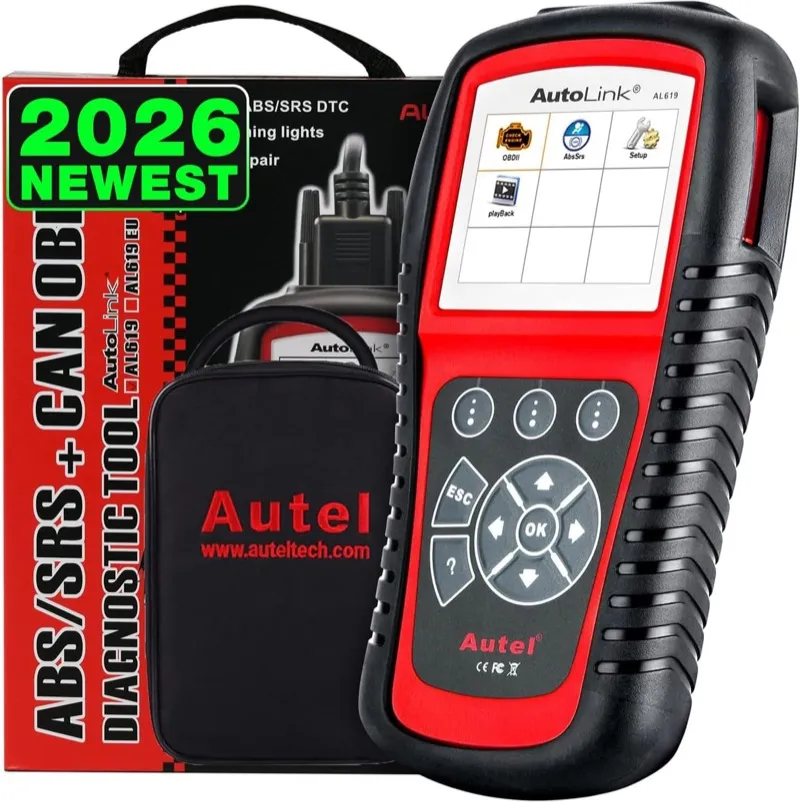
The Autel AL619 is the most cost-effective way to read and clear ABS and SRS fault codes on the Ford Explorer without purchasing a four-system or multi-function scanner. Twenty-eight thousand Amazon reviews at 4.5 stars across all supported vehicle makes confirms that its ABS and SRS coverage is consistent and reliable, which matters because the Explorer’s ABS and airbag systems generate C-prefix and B-prefix fault codes that live outside the standard OBD2 protocol entirely. A $20 code reader from a parts store cannot see them, and many mid-price scanners that claim multi-system coverage provide incomplete access that misses Ford-specific ABS codes.
The Explorer’s ABS system is one of the most frequently diagnosed systems on the platform because wheel speed sensor failures are common across all 5th generation models, and the failure mode is often intermittent rather than continuous. A wheel speed sensor with damaged wiring produces a C1979, C0040, or C0045 fault code depending on which corner is affected, but the code clears itself when the sensor connection is briefly restored during a drive cycle. Without a scanner that can read ABS module codes and show live wheel speed data from all four sensors simultaneously, you are guessing which sensor is causing the fault based on which corner the code points to, which is correct most of the time but not always when a wiring harness has multiple damage points or a connector corrosion issue that affects more than one sensor intermittently.
The AL619’s live data capability for ABS diagnostics is the practical differentiator from a scanner that only reads and clears codes. With live data active, you can drive the Explorer through the speed range where the ABS fault typically triggers, watch all four wheel speed sensor outputs on the screen simultaneously, and identify the sensor that drops out or produces an erratic reading at the moment the stability control warning light illuminates. That real-time identification eliminates the guesswork from a fault code that only tells you which circuit has an issue, not whether the problem is the sensor itself, the tone ring, or the wiring harness between the sensor and the ABS module.
The AL619 does not cover the transmission module, which means the 6F35 and 6F50 transmission solenoid performance codes that cause shudder and delayed engagement on 5th generation Explorers remain invisible to it. It also lacks battery registration, throttle adaptation, and TPMS relearn functions. For Explorer owners who need transmission coverage alongside ABS and SRS, the Foxwell NT604 Elite or the ANCEL DS100 are the logical upgrades. The AL619’s value is specifically in delivering ABS and SRS access at the lowest possible price for Explorer owners who have already identified that those two systems are their current diagnostic requirement.
Diagnostic Features and Capabilities
Reads and clears manufacturer-enhanced ABS and SRS fault codes plus full engine diagnostic coverage through Autel’s Ford-enhanced protocol access. ABS live data provides real-time wheel speed sensor output from all four corners simultaneously during active driving, enabling identification of intermittent sensor drop-outs. SRS coverage reads and clears airbag fault codes, seat belt pretensioner faults, crash sensor status, and impact sensor history codes. Engine diagnostics include read/clear OBD2 codes, live data streaming across standard Ford PIDs, freeze frame data at fault occurrence, I/M readiness for 8 emissions monitors, and Mode 6 on-board component test results. Auto-detection of vehicle VIN on compatible Explorer model years. Plug-and-play operation powered through OBD2 port with no software installation required.
Vehicle Compatibility
Covers Ford Explorer from 1996 onward. ABS and SRS enhanced protocol coverage is available from 2002 onward across all engine variants and trim levels in the 4th, 5th, and 6th generation Explorer.
Specifications
| Specification | Details |
|---|---|
| Display | 2.4-inch color TFT |
| Supported Systems | Engine, ABS, SRS (Ford-enhanced) |
| OBD2 Functions | Read/clear codes, live data, freeze frame, I/M readiness, Mode 6 |
| ABS Live Data | Yes, all four wheel speed sensors simultaneously |
| Bidirectional Control | No |
| Service Functions | None |
| Power | Via OBD2 port, no battery required |
| Updates | Via Autel PC software |
| Warranty | 1 year |
What’s Included
Autel AL619 scanner and OBD2 cable.
On the Ford Explorer, updates are very difficult and can take up to one hour via USB cable.
Useful for Hyundai ABS, SRS, and OBD2 diagnostics at under $200 according to an owner review from a Hyundai forum.
For Ford Explorer diagnostics, in some cases reads the fault but cannot show the exact fault location or reset the warning light (observed on a Land Rover Discovery 3).
Pros and Cons
| Pros | Cons |
|---|---|
| ABS live data from all four wheel speed sensors enables real-time intermittent fault identification while driving | No transmission coverage leaves 6F35/6F50 shudder and solenoid codes unaddressed |
| SRS airbag and pretensioner fault access at the lowest cost on this list | |
| 28,000+ verified reviews confirm reliable ABS and SRS performance across Explorer generations | |
| Plug-and-play from OBD2 port with no app, phone, or battery required | |
| Autel Ford-enhanced protocol ensures manufacturer-specific C-prefix ABS codes are fully readable |
My Final Verdict
The Autel AL619 is the correct choice for Explorer owners who have identified ABS or SRS warning lights as their current problem and want the most affordable path to reading those fault codes without buying a full four-system scanner. The live wheel speed data is a genuine diagnostic capability that separates it from scanners that only read and clear codes, and the 28,000-review validation pool confirms it performs reliably across all Explorer generations.
8. Innova 5610: Best Standalone Bidirectional Scanner for Ford Explorer
- Bidirectional component tests for selected Explorer actuators in a handheld standalone device
- Battery and charging system diagnostic test alongside full four-system OBD2 scanning
- 2,000+ verified Amazon reviews at 4.4 stars
Overview
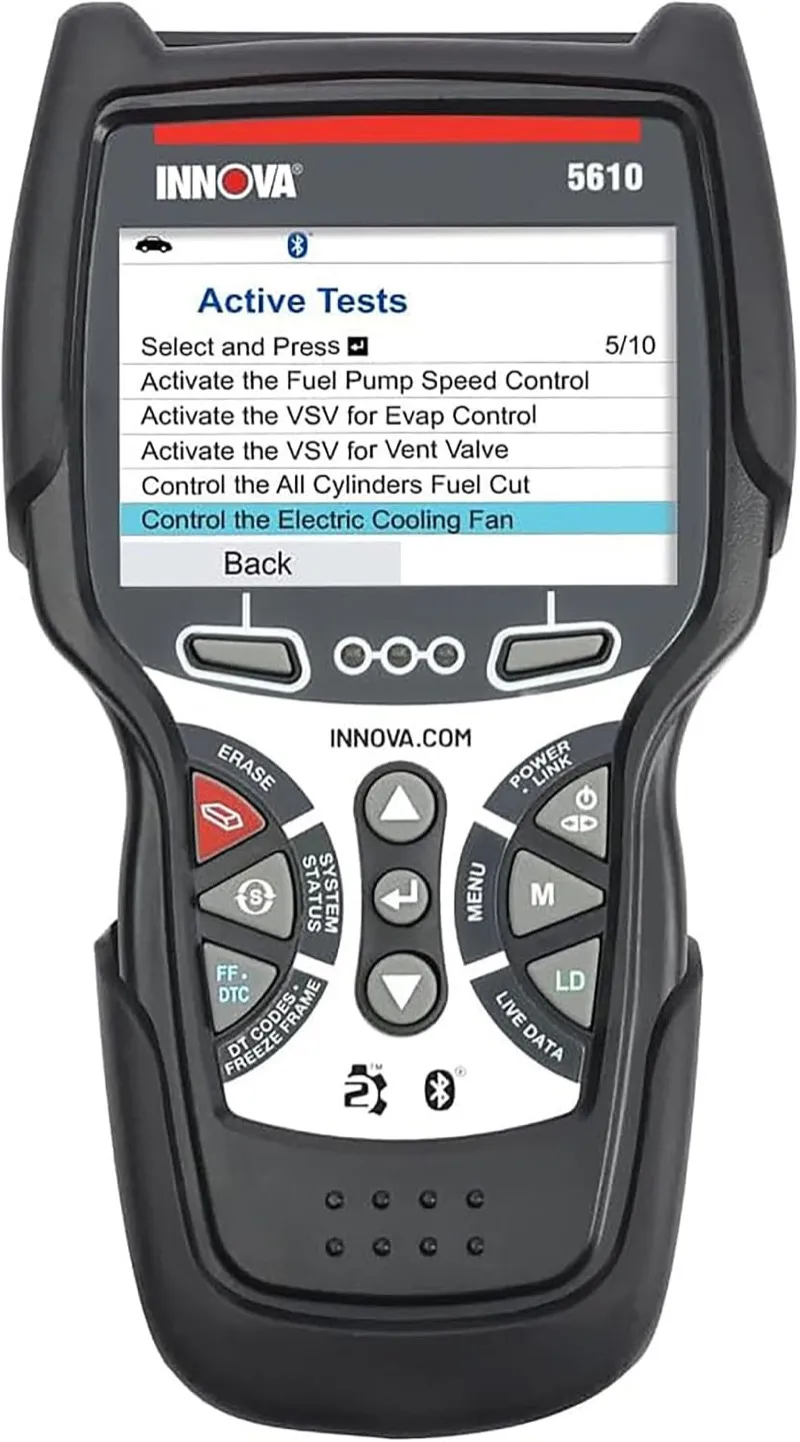
The Innova 5610 occupies a specific niche on this list as the only handheld standalone scanner that combines bidirectional capability with a battery and charging system diagnostic test in a single device without requiring a phone, laptop, or Wi-Fi connection. For Explorer owners who work on their vehicles in locations without reliable phone signal or where pulling up a phone means managing multiple devices simultaneously, the 5610’s all-in-one standalone format has genuine practical value that tablet scanners with Wi-Fi dependency do not provide.
Innova’s history as a scanner brand focused on the US domestic vehicle market shows in the 5610’s Ford coverage. The four-system diagnostic access covers engine, transmission, ABS, and SRS through Innova’s Ford-enhanced protocol, reaching the same manufacturer-specific fault codes that the NT604 Elite and the ANCEL DS100 access. The bidirectional capability adds selected actuator test coverage for Ford vehicles, including the EVAP purge valve duty cycle test, EGR position check, and cooling fan relay commands that let you confirm component function without component replacement. This is a narrower bidirectional scope than the Launch Creader Elite or the BLCKTEC 460T, but it covers the most common Explorer actuator confirmation tests that a DIY owner is likely to need.
The battery diagnostic function tests cold cranking amps against the battery’s rated CCA specification, measures state of charge, and evaluates the alternator’s charging voltage output through the OBD2 port connection rather than requiring separate test leads clipped to the battery terminals. This is relevant for Explorer owners because the BMS on 2011 and newer models makes alternator behavior dependent on the registered battery state, and a weak battery can cause the alternator to apply maximum charging voltage in a way that looks like an alternator overcharge fault but is actually a battery capacity issue. The 5610’s battery test identifies the weak battery before you replace the alternator.
The 3.5-inch color touchscreen is a genuine usability improvement over the 2.4 to 2.8-inch displays on the AL619 and NT604 Elite. Ford’s Explorer diagnostic code library includes long description strings for some ABS and transmission module faults, and reading a full code description on a sub-3-inch display requires scrolling through text that fits on the 3.5-inch screen without truncation. The touch interface also makes navigating between live data parameters and code reading faster than the button-based navigation on smaller handheld scanners.
Diagnostic Features and Capabilities
Four-system diagnostics for engine, transmission, ABS, and SRS through Innova’s Ford-enhanced protocol access. Bidirectional active tests for selected Ford Explorer actuators including EVAP purge solenoid duty cycle sweep, EGR position test, cooling fan low and high relay command, and injector disable test on applicable engines. Battery CCA test against rated specification, state of charge assessment, and alternator output voltage evaluation via OBD2 port. Full OBD2 service mode coverage including live data streaming, freeze frame capture, I/M readiness for 8 monitors, Mode 6 component tests, and Mode 9 VIN retrieval. RepairSolutions2 app integration provides ASE-certified repair cost data when phone is available. Internal memory stores diagnostic history for offline review.
Vehicle Compatibility
Covers Ford Explorer from 2002 onward across all 5th and 6th generation engine variants. Ford enhanced four-system coverage is available from 2005 onward. Battery test function is relevant across all Explorer model years.
Specifications
| Specification | Details |
|---|---|
| Display | 3.5-inch color touchscreen |
| Supported Systems | Engine, Transmission, ABS, SRS (Ford-enhanced) |
| Bidirectional | Yes, selected actuator tests |
| Battery Test | Yes, CCA, state of charge, alternator voltage via OBD2 |
| OBD2 Functions | Read/clear codes, live data, freeze frame, I/M readiness, Mode 6 |
| Service Functions | Oil reset, TPMS reset |
| Updates | Via USB and RepairSolutions2 app |
| Warranty | 1 year |
What’s Included
Innova 5610 scanner, OBD2 cable, USB update cable, and carry bag.
On the Ford Explorer, about four times faster at connecting and reading codes than competing handheld scanners, verified by a shop scanning 150 to 200 cars weekly.
Built-in battery condition test generates a charge/discharge graph on screen.
For Ford Explorer diagnostics, alternator test walks you through a 20-second load cycle with a countdown timer and RPM guidance to confirm charging output.
Pros and Cons
| Pros | Cons |
|---|---|
| Bidirectional actuator tests in a standalone handheld without phone or Wi-Fi dependency | Bidirectional scope is narrower than tablet-based scanners, missing HVAC actuator calibration and ABS pump command |
| Battery CCA and alternator test identifies weak battery before misdiagnosis as alternator failure | |
| 3.5-inch touchscreen displays full Ford fault code descriptions without truncation | |
| Four-system coverage reaches Explorer transmission codes that ABS-only scanners miss | |
| Standalone operation works without app, account, or signal in any location |
My Final Verdict
The Innova 5610 is the right choice for Explorer owners who want bidirectional capability and a battery diagnostic test in a single standalone device they can use anywhere without pulling out a phone. Its bidirectional scope is not as deep as the Creader Elite or BLCKTEC 460T, but the combination of four-system coverage, actuator tests, and battery diagnostics in a standalone handheld format is unique on this list at its price.
9. ANCEL DS100: Best Budget Multi-System Scanner for Ford Explorer
- Four-system coverage for engine, transmission, ABS, and SRS at the lowest price on this list for multi-system access
- Color touchscreen displays full Ford fault code definitions and live data without a phone or app
- 5,150+ verified Amazon reviews at 4.3 stars
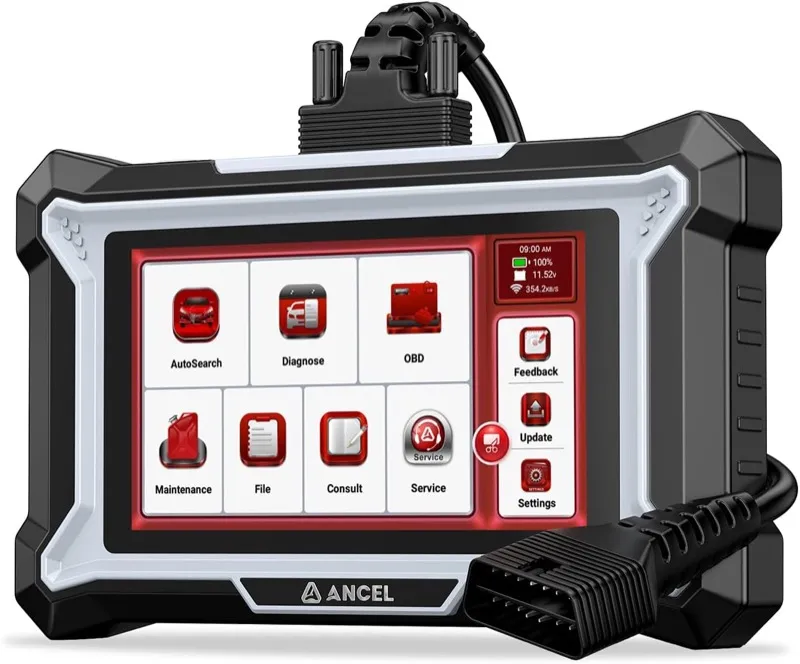
Overview
The ANCEL DS100 is the most affordable four-system scanner on this list that covers engine, transmission, ABS, and SRS simultaneously in a single device with a color touchscreen. For Explorer owners on a strict budget who need more than basic engine code coverage but cannot currently justify spending on the NT604 Elite or a bidirectional tool, the DS100 provides the fundamental multi-system access that makes it a practical first step beyond a basic code reader. Five thousand one hundred fifty verified reviews at 4.3 stars across a wide range of vehicles confirms consistent performance, and the Explorer-specific Ford enhanced protocol support is functional rather than theoretical.
The 4-inch color touchscreen is a meaningful upgrade over the 2.4 to 2.8-inch displays on the AL619 and NT604 Elite, making it easier to read complete fault code descriptions and navigate through live data parameters without the scrolling that smaller displays require. ANCEL’s decision to include a touchscreen at this price point reflects an understanding that the Explorer’s fault code library includes manufacturer-specific codes with long technical descriptions that a small text display renders nearly unreadable without extensive scrolling.
For 5th generation Explorer owners, the DS100’s four-system coverage addresses the primary diagnostic scenarios. Engine codes from the PCM reach manufacturer-specific Ford faults including the P0171 and P0174 lean codes that appear on 3.5L EcoBoost Explorers with carbon buildup on direct injection intake valves, or the P0022 camshaft timing code that appears on the 2.0L EcoBoost when the variable valve timing system loses oil pressure. Transmission codes reach the 6F35 solenoid performance codes that generate the shudder complaint on 2012 to 2016 Explorers. ABS codes cover wheel speed sensor circuit faults and ABS module communication errors. SRS coverage reads airbag deployment history and pre-tensioner fault codes that dealerships charge diagnostic time to access.
The DS100 does not include battery registration, which is a meaningful omission for 2011 and newer Explorer owners replacing their battery. Without battery registration, the BMS cannot calibrate the alternator to the new battery’s capacity, which causes overcharging and premature battery failure. If battery registration is a current requirement, the NT604 Elite or the Creader Elite are the appropriate alternatives. The DS100 also has no bidirectional capability and no service reset functions beyond basic code clearing. Its value is in delivering the widest system coverage at the lowest price.
Diagnostic Features and Capabilities
Reads and clears manufacturer-enhanced fault codes across engine, transmission, ABS, and SRS systems through ANCEL’s Ford-enhanced protocol access. Supports all standard OBD2 service modes: live data streaming with Ford-specific enhanced PIDs including boost pressure on EcoBoost models, freeze frame data capture at fault occurrence, I/M readiness status for 8 emissions monitors, Mode 6 on-board component test results, and Mode 9 VIN retrieval. 4-inch color touchscreen displays full-length Ford fault code descriptions without scrolling truncation. Auto VIN detection on 2009 and newer Explorer models. Updates via USB connection to PC through ANCEL’s update software.
Vehicle Compatibility
Covers Ford Explorer from 1996 onward. Ford-enhanced four-system coverage is available from 2003 onward across 5th generation engine variants including 2.0L EcoBoost, 3.5L naturally aspirated V6, and 3.5L EcoBoost. 6th generation Explorer coverage is available through software updates.
Specifications
| Specification | Details |
|---|---|
| Display | 4-inch color touchscreen |
| Supported Systems | Engine, Transmission, ABS, SRS (Ford-enhanced) |
| OBD2 Functions | Read/clear codes, live data, freeze frame, I/M readiness, Mode 6 |
| Bidirectional Control | No |
| Service Functions | None (no battery registration or resets) |
| Connection | Wired OBD2 cable |
| Updates | Free via PC USB |
| Warranty | 1 year |
What’s Included
ANCEL DS100 scanner, OBD2 cable, USB update cable, and user manual.
28+ reset service functions covering oil, ABS bleed, injector coding, IMMO, and battery matching across 200+ makes.
On the Ford Explorer, four-in-one graphic live data display shows four parameters simultaneously on the touchscreen.
Live Data Stream Record and Playback let you capture a drive cycle and review sensor data after returning to the shop.
Pros and Cons
| Pros | Cons |
|---|---|
| Most affordable four-system coverage on this list, reaching Explorer transmission codes other budget tools miss | No battery registration function is a practical gap for 2011 and newer Explorer owners replacing a battery |
| 4-inch touchscreen displays full Ford fault code descriptions without scrolling | |
| Ford-enhanced protocol accesses manufacturer-specific ABS C-codes and SRS B-codes | |
| EcoBoost-specific live data PIDs including boost pressure and per-bank fuel trims | |
| 5,150+ reviews provide the largest peer validation at this price tier |
My Final Verdict
The ANCEL DS100 delivers the widest system coverage at the lowest price among the scanners on this list, which makes it the correct starting point for Explorer owners on a strict budget who need four-system access. The absence of battery registration and bidirectional capability are real limitations, but for the owner who needs to read and clear the warning lights they currently have, the DS100 handles that job reliably.
10. Autel MaxiCheck MX808S: Best Mid-Range Tablet Scanner for Ford Explorer
- Full all-module AutoScan covers every Ford Explorer control unit in one automated health report
- 25 Ford-specific service resets including battery registration, TPMS relearn, EPB service, and throttle adaptation
- 30,000+ verified Amazon reviews at 4.0 stars
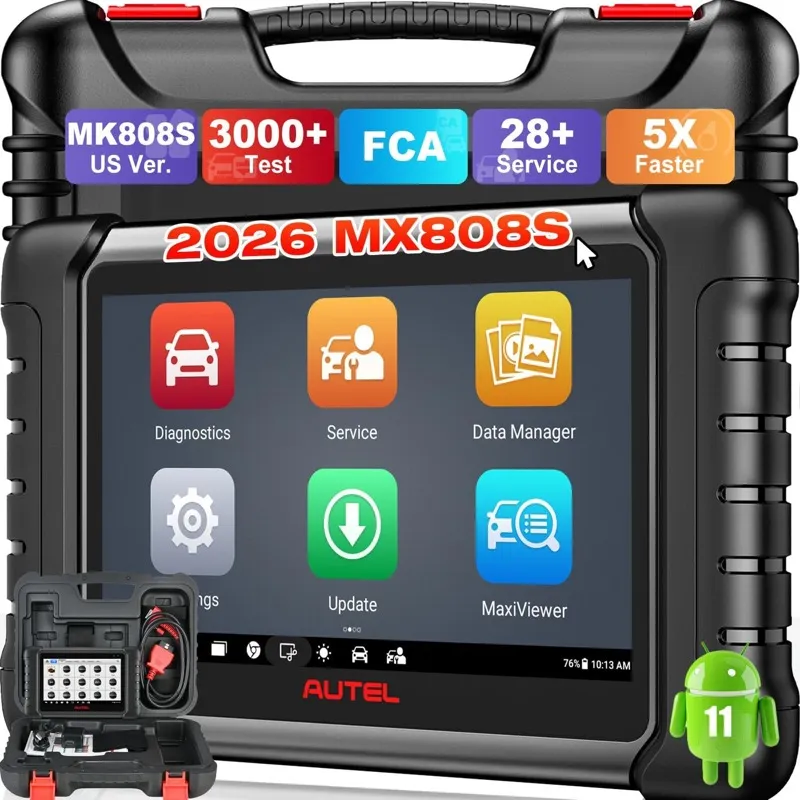
Overview
The Autel MaxiCheck MX808S is the most reviewed tablet-format scanner on this list, with 30,000 Amazon reviews making it the most peer-validated mid-range diagnostic tool available for the Ford Explorer. Its defining capability is the AutoScan function, which cycles through every addressable control module on the Explorer automatically and returns a complete vehicle health report without requiring you to manually navigate to each module individually. On a 5th generation Explorer with 42 control units, that automated scan takes approximately four minutes and surfaces codes in modules that most Explorer owners have never looked at, including the SYNC APIM module for infotainment faults, the HVAC controller for climate system codes, and the active park assist module on equipped models.
The 25 Ford-specific service reset functions represent the most comprehensive service capability on the list below the professional tier. Battery registration for the Explorer’s BMS is included, covering the procedure required after every battery replacement on 2011 and newer models. TPMS sensor relearn handles the Ford-specific procedure for 2012 and newer Explorers where sensors must be activated in sequence and registered to the BCM by position. EPB service mode enables the electronic parking brake caliper to be retracted for rear pad replacement on Explorer models with the integrated EPB system. Steering angle calibration resets the sensor zero-point after an alignment. Throttle body adaptation clears the learned idle control parameters after throttle body cleaning on EcoBoost Explorer engines, restoring the idle quality that degrades when carbon deposits are removed and the PCM’s previous compensation values no longer apply to the cleaned throttle.
The 7-inch Android touchscreen handles the Explorer’s full code library comfortably. Autel’s interface for the Explorer organizes modules into logical categories: powertrain, chassis, body, and network systems, making it straightforward to navigate to a specific module when you already know where a fault is located, or to run the AutoScan when you want the complete picture across all systems. The live data graphing function supports simultaneous display of up to four parameters with a waveform graph that scrolls in real time, which is useful for tracking intermittent sensor behavior on EcoBoost Explorer engines during a road test.
The MX808S does not have bidirectional active test capability, which means it cannot command any Explorer component to cycle on or off, cannot run the HVAC actuator calibration sequence after a blend door replacement, and cannot perform an injector contribution test or an ABS pump activation. For those procedures, the Launch Creader Elite 1.0 above it on this list provides bidirectional capability with comparable all-module coverage. The MX808S’s 4.0-star rating, while still a strong result across 30,000 reviews, is the lowest star average among the major tools on this list, reflecting occasional reports of software stability issues on specific vehicle variants that Autel’s update releases have been gradually addressing.
Diagnostic Features and Capabilities
Full all-module AutoScan cycles through all Ford Explorer control units automatically with complete stored, pending, and permanent code reporting. 25 Ford-specific service resets including battery registration (BMS reset), TPMS sensor relearn by position, EPB service mode, oil life reset, steering angle calibration, throttle body adaptation reset, injector coding on EcoBoost models, transmission adaptive shift clear, and active park assist calibration on equipped Explorers. Live data streaming with four-parameter graphing and waveform display. Full OBD2 mode support including freeze frame, I/M readiness, Mode 6, and Mode 9 VIN. Wi-Fi over-the-air updates push Autel’s Ford database improvements automatically.
Vehicle Compatibility
Covers Ford Explorer from 2002 onward. All-module AutoScan coverage is strongest on 5th generation Explorer (2011 to 2019), with active database development for 6th generation CD6-platform models through regular Wi-Fi updates. Service reset functions are available across all covered Explorer model years as applicable to each vehicle’s installed systems.
Specifications
| Specification | Details |
|---|---|
| Display | 7-inch Android touchscreen, 1024×600 |
| OS | Android |
| AutoScan | Yes, all modules automated |
| Service Resets | 25 Ford-specific functions |
| Bidirectional Control | No |
| OBD2 Functions | Read/clear codes, live data with graphing, freeze frame, I/M readiness, Mode 6 |
| Connectivity | Wi-Fi, Bluetooth, OBD2 cable |
| Updates | 1-year free, annual subscription after |
| Warranty | 1 year |
What’s Included
Autel MaxiCheck MX808S tablet, OBD2 cable, USB cable, and carry case.
3,000+ bidirectional active tests across 80+ vehicle makes, covering actuators from window motors to fuel injection solenoids.
On the Ford Explorer, battery registration on Mercedes-Benz completed successfully, updating the BMS with the new battery specs after replacement.
Fuel injector coding programs the trim correction values for new injectors on diesel engines without returning to the dealer.
Pros and Cons
| Pros | Cons |
|---|---|
| AutoScan covers all 42-plus Explorer control units automatically, surfacing SYNC and HVAC codes without manual navigation | No bidirectional active tests means HVAC blend door calibration and injector contribution tests require a different tool |
| 25 Ford service resets include battery registration, TPMS relearn, EPB service, and throttle adaptation | |
| 30,000+ verified reviews provide the strongest peer validation of any tablet scanner on this list | |
| Live data graphing shows four simultaneous waveforms for real-time EcoBoost sensor analysis | |
| 7-inch touchscreen displays Autel’s organized Ford module category structure for fast navigation |
My Final Verdict
The Autel MaxiCheck MX808S is the correct tablet scanner for Explorer owners who want the most comprehensive read-and-reset coverage below bidirectional tool prices. Its AutoScan function delivers a complete Explorer health picture that no handheld scanner matches, and 25 service reset functions cover every Ford maintenance procedure that requires a scanner. For owners who also need bidirectional active testing, the Launch Creader Elite 1.0 provides comparable all-module coverage with bidirectional capability at a similar price point.
11. ANCEL FD700: Best Ford-Dedicated Scanner for Ford Explorer
- Ford, Lincoln, and Mercury exclusive coverage with factory-level PATS anti-theft module access and PCM adaptation
- Injector balance test, transmission adaptive reset, and throttle body relearn specific to Ford Explorer
- Ford/Lincoln/Mercury dedicated with PATS anti-theft programming unavailable on universal scanners at this price
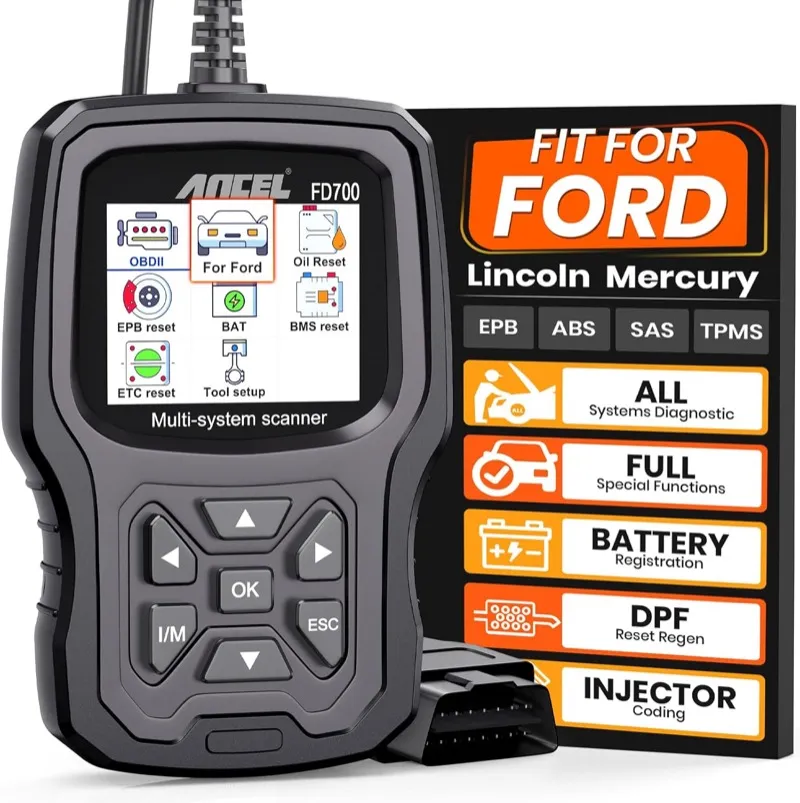
Overview
The ANCEL FD700 is the only brand-dedicated scanner on this list, engineered exclusively for Ford, Lincoln, and Mercury vehicles. That single-brand focus produces a depth of Ford-specific diagnostic access at a price point where universal scanners cannot match it, specifically in PATS anti-theft module coverage and PCM adaptation procedures that universal tools at the same price either skip entirely or provide incomplete implementation for. The FD700 exists for one reason: to give Ford Explorer owners the manufacturer-specific diagnostic and programming procedures that would otherwise require a dealer visit or a professional-tier tool.
The PATS situation on the Explorer is a recurring challenge that the FD700 addresses directly. Ford’s Passive Anti-Theft System has been standard on Explorer models since 1998, and it generates no-start conditions after three specific scenarios that Explorer owners encounter regularly. The first is a PCM replacement, where the new PCM’s stored security codes do not match the PATS module and the PATS immobilizer prevents the starter from engaging. The second is a key transponder battery failure, where the fob loses its coded signal and the PATS module stores a B1600 key-in-ignition fault alongside a B2139 transponder not recognized code. The third is a used key purchase, where a key programmed to a different Explorer’s PATS module generates a B1213 maximum keys stored fault. The FD700 reads all three fault code scenarios from the PATS module directly and supports the key programming procedure for Explorer models from 1998 through 2019 using the standard two-key transponder initialization sequence.
PCM adaptation procedures are the second major strength. After a throttle body cleaning on an EcoBoost Explorer, the PCM’s previously learned idle control compensation values no longer match the actual airflow through the cleaned throttle body, causing a rough idle or hunting engine speed until the adaptation relearns through normal driving. The FD700’s throttle body adaptation reset clears those learned values immediately, telling the PCM to relearn from a clean baseline and restoring stable idle faster than the passive relearn process through driving cycles. Similarly, after a valve body replacement or transmission fluid service on the 6F35 or 6F50 transmission, the FD700’s transmission adaptive shift reset clears the learned pressure and timing compensation values that the TCM developed for the old transmission state, allowing the fresh transmission to learn appropriate shift characteristics rather than applying a compensation strategy developed for a worn assembly.
The FD700’s limitation is obvious from its design premise: it covers only Ford, Lincoln, and Mercury. If you own an Explorer and one other vehicle of a different make, the FD700 is useless for the second vehicle and you would need a universal scanner as well. For an Explorer-only diagnostic toolkit, or for a shop that specializes in Ford vehicles, the FD700’s manufacturer-specific depth justifies its place. For general multi-make use, the NT604 Elite or the ANCEL DS100 are the practical alternatives.
Diagnostic Features and Capabilities
Ford/Lincoln/Mercury-exclusive full-system coverage including engine, transmission, ABS, SRS, BCM, PATS anti-theft module, and body control systems. PATS fault code reading for B1600, B1213, B2139, and related key transponder and security module fault codes. PATS key programming procedure support for Explorer models from 1998 through 2019 using standard two-key initialization sequence. PCM adaptation functions include throttle body adaptation reset, idle relearn procedure, injector balance test per cylinder for EcoBoost and port-injected engines, and transmission adaptive shift reset for 6F35 and 6F50 transmissions. Full OBD2 mode support including live data, freeze frame, I/M readiness, Mode 6, and Mode 9 VIN. Update via PC USB for Ford database maintenance.
Vehicle Compatibility
Ford, Lincoln, and Mercury vehicles only. Ford Explorer coverage from 1996 through 2022, with enhanced multi-system diagnostics from 2002 onward. PATS key programming covers Explorer models from 1998 through 2019. 6th generation Explorer (2020 to 2022) basic coverage available through current firmware.
Specifications
| Specification | Details |
|---|---|
| Display | 3.5-inch color screen |
| Coverage | Ford, Lincoln, Mercury exclusively |
| PATS | Read fault codes and key programming procedure |
| Special Functions | PCM adaptation, injector test, transmission adaptive reset, throttle relearn |
| OBD2 Functions | Read/clear codes, live data, freeze frame, I/M readiness, Mode 6 |
| Connection | Wired OBD2 cable |
| Updates | Free via PC USB |
| Warranty | 1 year |
What’s Included
ANCEL FD700 scanner, OBD2 cable, and USB update cable.
On the Ford Explorer, the scanner read code C1234 (Wheel Speed Sensor Rear Right Input Circuit Failure) from the ABS module during a diagnosis.
Ford-specific service functions include ABS bleed, battery registration, EPB maintenance, SAS calibration, EGR valve learned values reset, TCM KAM reset, and TPMS reset.
For Ford Explorer diagnostics, DPF regeneration forces the regen cycle on Ford diesel vehicles including the Power Stroke F-150.
Pros and Cons
| Pros | Cons |
|---|---|
| PATS anti-theft module access reads B1600, B1213, B2139 key transponder faults invisible to universal scanners | Ford/Lincoln/Mercury-only coverage means a second scanner is needed for any non-Ford vehicle in the household |
| PATS key programming procedure covers Explorer models from 1998 through 2019 | |
| PCM adaptation reset restores stable idle after EcoBoost throttle body cleaning faster than passive relearn | |
| Transmission adaptive shift reset ensures fresh shift behavior after Explorer valve body or fluid service | |
| Injector balance test per cylinder identifies weak cylinder without removing injectors from EcoBoost engines |
My Final Verdict
The ANCEL FD700 is the right tool for Explorer owners who have encountered a PATS no-start condition, a PCM replacement scenario, or a transmission adaptation issue after fluid service, and want to handle those procedures independently without paying dealer diagnostic rates. Its exclusive Ford focus is its limitation and its strength simultaneously: if your diagnostic requirements are Explorer-specific and include PATS or PCM adaptation, no tool on this list at a comparable price delivers those capabilities.
12. Foxwell NT630 Pro: Best ABS/SRS Scanner with Battery Test for Ford Explorer
- ABS and SRS diagnostics with live wheel speed sensor data, combined with an integrated 12V/24V battery tester
- Battery registration, oil reset, and EPB service mode included for complete Explorer maintenance coverage
- ABS and SRS diagnostics plus integrated battery tester in one handheld device
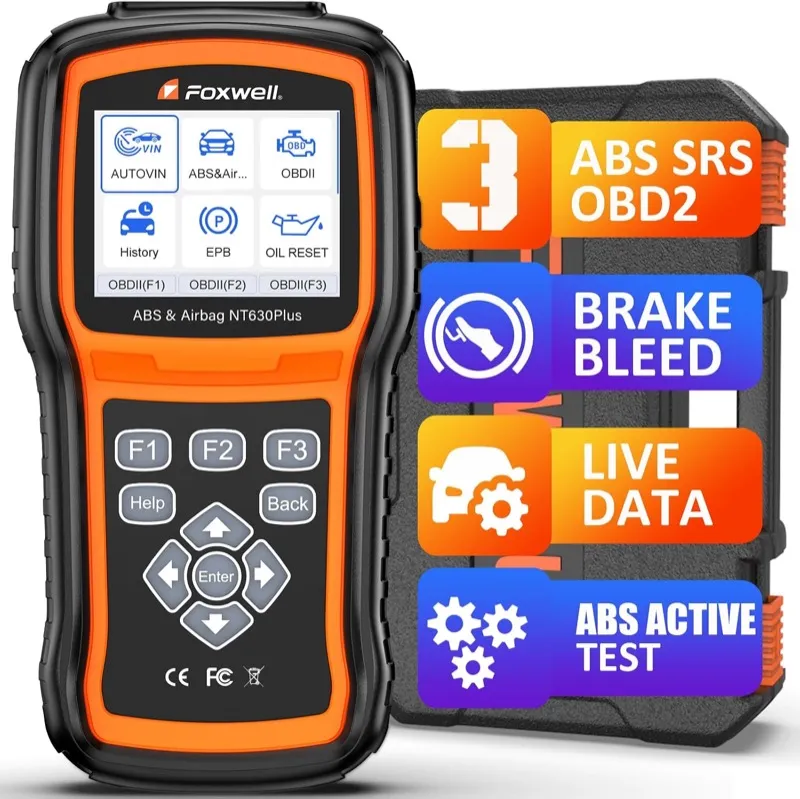
Overview
The Foxwell NT630 Pro is a dual-purpose tool that combines ABS and SRS diagnostics with an integrated 12V battery tester in a single handheld device, addressing two of the most common service procedures that Explorer owners encounter simultaneously. No other scanner at this price point packages those capabilities together, and for Explorer owners who perform their own battery service and brake maintenance alongside ABS and SRS diagnostics, the NT630 Pro eliminates the need for a separate battery analyzer.
The battery test function is more than a voltage check. The NT630 Pro measures cold cranking amps against the battery’s rated CCA specification, which tells you whether a battery that reads 12.6 volts at rest is actually capable of delivering enough current to start the Explorer’s engine in cold temperatures. CCA capacity degrades over a battery’s life before voltage readings show obvious problems, and this is the failure mode that causes Explorer owners to replace a battery that reads correct voltage but fails in cold weather. The NT630 Pro’s battery test identifies that degraded CCA condition before the battery fails in a parking lot. The alternator charging test verifies that the charging system is maintaining the correct output voltage range, which is relevant for Explorer owners because the BMS-controlled alternator on 2011 and newer models has a variable output profile that can look like undercharging when it is operating normally in charge conservation mode.
Battery registration is included, which is the procedure required after every battery replacement on 2011 and newer Explorer models. The BMS stores the registered battery’s capacity specification and uses it to calculate the appropriate charge current from the alternator. Without registration after a replacement, the BMS treats the new battery as if it were the old one recovering from a deep discharge state, applying full charge voltage continuously instead of the managed maintenance charging appropriate for a healthy new battery. This distinction matters specifically when the battery was replaced due to cold cranking capacity loss rather than total failure, because the replacement battery and the old one may have identical voltage readings during initial charging, making the overcharge condition invisible until the new battery shows degraded performance weeks later.
The ABS live data capability complements the battery function for Explorer owners dealing with intermittent ABS or stability control warning lights. Showing all four wheel speed sensor outputs simultaneously during a test drive lets you identify the sensor that drops out or produces a stutter at the moment the ABS module logs a fault, which is more diagnostic information than a stored code provides on its own. On 5th generation Explorers with the known wheel speed sensor harness routing issue that causes abrasion damage at the front wheels, live data during a slow turn on a rough surface can reproduce the fault while the data stream shows which sensor is affected.
Diagnostic Features and Capabilities
ABS and SRS diagnostics through Foxwell’s Ford-enhanced protocol access, with live data displaying all four wheel speed sensor outputs simultaneously during active driving. Integrated battery tester measures CCA against rated specification, state of charge, and internal resistance through the OBD2 port connection. Alternator output voltage test evaluates charging system health. Battery registration resets the Explorer BMS after battery replacement. Oil life reset clears the oil change reminder on all Explorer model years. EPB service mode enables rear caliper retraction for brake pad replacement on electronic parking brake-equipped Explorer models. Engine diagnostics including read/clear codes, live data, freeze frame, I/M readiness, Mode 6. Free lifetime updates via PC.
Vehicle Compatibility
Covers Ford Explorer from 2002 onward. ABS and SRS Ford-enhanced coverage is available on all 5th and 6th generation Explorer model years. Battery registration applies to 2011 and newer models. EPB service mode covers Explorer models equipped with electronic parking brake.
Specifications
| Specification | Details |
|---|---|
| Display | 2.8-inch color TFT |
| Supported Systems | Engine, ABS, SRS (Ford-enhanced) |
| Battery Test | Yes, CCA vs. rated spec, SOC, internal resistance, alternator voltage |
| Service Functions | Battery registration, oil reset, EPB service mode |
| ABS Live Data | Yes, all four wheel speed sensors simultaneously |
| Bidirectional Control | No |
| Connection | OBD2 cable + battery clamp leads |
| Updates | Free lifetime via PC USB |
| Warranty | 2 years |
What’s Included
Foxwell NT630 Pro scanner, OBD2 cable, battery test clamp leads, USB update cable, and carry case.
Steering Angle Sensor calibration supported on 35+ vehicle brands after wheel alignment or steering component replacement.
On the Ford Explorer, the scanner reads and clears both ABS and SRS fault codes, covering the two warning lights most basic scanners cannot access.
Built-in 12V battery load analyzer tests cold cranking amps between 100 and 1100 CCA without a separate battery tester.
Pros and Cons
| Pros | Cons |
|---|---|
| Integrated CCA battery test identifies degraded cold-start capacity before failure in cold weather | No transmission module coverage leaves 6F35 and 6F50 solenoid codes undiagnosed |
| Battery registration after replacement prevents BMS-driven alternator overcharge on 2011-plus Explorer | |
| ABS live data from all four wheel speed sensors enables real-time intermittent fault identification | |
| EPB service mode enables rear pad replacement without third-party caliper retraction tools | |
| Two-year warranty is double the standard for this price tier | |
| Free lifetime PC updates keep Ford ABS and SRS database current |
My Final Verdict
The Foxwell NT630 Pro is the right choice for Explorer owners who regularly deal with battery service and ABS diagnostics and want those capabilities in a single device with battery registration and EPB service built in. Its integrated battery test is a genuine practical addition that no comparable ABS/SRS scanner on this list includes, and the two-year warranty reflects Foxwell’s confidence in the tool’s durability. Explorer owners who also need transmission coverage should step up to the NT604 Elite.
13. BLCKTEC 440: Best Budget Bluetooth Adapter for Ford Explorer FORScan
- FORScan-compatible Bluetooth adapter with MS-CAN and HS-CAN dual-protocol support for full Explorer module access
- Enables APIM SYNC module diagnostics, PATS fault reading, and BCM configuration on Explorer via free FORScan software
- FORScan-compatible dual-protocol Bluetooth adapter for iPhone and Android at a lower price than OBDLink MX+

Overview
The BLCKTEC 440 is a Bluetooth OBD2 adapter engineered with specific attention to FORScan compatibility, including the MS-CAN protocol support that the majority of generic Bluetooth adapters on the market do not provide. It occupies the same functional role as the OBDLink MX+ described earlier on this list, enabling full Ford Explorer module access through FORScan at a lower price point, at the cost of a smaller community and fewer documented user reports across Explorer-specific diagnostic procedures.
The MS-CAN protocol support is the critical specification that separates the BLCKTEC 440 from the flood of generic ELM327-based Bluetooth adapters that dominate the low end of the OBD2 adapter market. Generic ELM327 adapters communicate only on the standard OBD2 interface, which reaches the PCM on the high-speed CAN bus but cannot access the medium-speed CAN network that Ford uses for the APIM infotainment module, the instrument cluster, and certain BCM body functions on 2011 to 2019 Explorer models. When an Explorer owner attempts to connect a generic adapter to FORScan and read SYNC module codes, FORScan reports the APIM as unreachable or offline. The BLCKTEC 440 switches between HS-CAN and MS-CAN automatically during FORScan’s module initialization sequence, giving FORScan the same complete Explorer module visibility that the OBDLink MX+ provides.
FORScan’s functionality with the BLCKTEC 440 covers the same range of Explorer diagnostic and configuration procedures described for the OBDLink MX+ entry: full module code reading and clearing across all 42-plus Explorer control units, bidirectional active tests through FORScan’s service function menu, I/M readiness check and DTC monitor reset, live data from all accessible Ford PIDs, and PATS key programming with FORScan’s extended license on Explorer models from 1998 through 2019. BCM parameter configuration for auto-lock behavior, parking light sequencing, and trailer brake output is available through FORScan’s as-built data editor. For 5th generation Explorer owners who want dealer-level access to their vehicle’s configuration parameters, FORScan with the BLCKTEC 440 provides that access at the total cost of the adapter plus a FORScan extended license.
The BLCKTEC 440 does not have a display. It is a passive Bluetooth adapter that requires FORScan on Windows or FORScan Lite on iOS to do anything useful for Explorer diagnostics. BLCKTEC also includes a basic companion app for standard OBD2 code reading and live data on Android, but the diagnostic depth that justifies purchasing this adapter over a cheaper generic alternative is entirely in FORScan. Explorer owners who want a standalone device with its own screen should look at the NT604 Elite, the ANCEL DS100, or the BLCKTEC 460T tablet instead.
Diagnostic Features and Capabilities
Bluetooth 4.0 adapter supporting HS-CAN (500 kbps) and MS-CAN (125 kbps) dual-protocol for FORScan full module access on Ford Explorer. FORScan compatibility includes all Explorer control module code reading and clearing, bidirectional active tests, live data from all accessible Ford PIDs, I/M readiness check, DTC monitor reset, PATS key programming (extended license), BCM parameter configuration, and APIM SYNC module diagnostics. Standalone via BLCKTEC app: standard OBD2 read/clear, live data, freeze frame, I/M readiness on Android. iOS FORScan Lite provides simplified module access without full PC FORScan functionality. Firmware updates via BLCKTEC updater application.
Vehicle Compatibility
Covers all Ford Explorer OBD2 models from 1996 onward. MS-CAN support is specifically relevant for 5th generation Explorer (2011 to 2019) APIM, IPC, and BCM module access. 6th generation Explorer (2020 to 2024) module access is supported through FORScan’s current database.
Specifications
| Specification | Details |
|---|---|
| Type | Bluetooth OBD2 adapter, no display |
| Protocols | HS-CAN (500 kbps), MS-CAN (125 kbps), all OBD2 protocols |
| Connectivity | Bluetooth 4.0, iOS and Android |
| FORScan | Full compatibility including MS-CAN |
| Standalone App | BLCKTEC app for basic OBD2 on Android |
| Updates | Free firmware via BLCKTEC updater |
| Warranty | 2 years |
What’s Included
BLCKTEC 440 Bluetooth adapter; FORScan is downloaded separately from forscan.org at no cost.
On the Ford Explorer, compatible with Ford F-150 and other major Ford models on the OBD2 port.
Live data focuses on engine parameters including RPM, coolant temperature, and fuel system status.
For Ford Explorer diagnostics, good for basic engine code reading and clearing; does not access ABS, SRS, or transmission modules.
Pros and Cons
| Pros | Cons |
|---|---|
| MS-CAN protocol gives FORScan access to Explorer APIM, IPC, and BCM modules on 2011-2019 models | Smaller user community than OBDLink MX+ means fewer Explorer-specific FORScan guides reference this adapter specifically |
| PATS key programming via FORScan extended license at lower total cost than OBDLink MX+ combination | |
| BCM as-built configuration access lets Explorer owners adjust factory parameters without dealer visit | |
| Two-year warranty on the adapter hardware | |
| Lower price than OBDLink MX+ while providing the same core MS-CAN FORScan compatibility |
My Final Verdict
The BLCKTEC 440 is the correct choice for Explorer owners who want FORScan access at the lowest possible adapter cost and are comfortable that the smaller user community means relying on FORScan’s general Explorer documentation rather than BLCKTEC-specific guides. The MS-CAN protocol support is genuine and functional, and for an Explorer owner willing to spend an evening with FORScan’s forum documentation, the 440 delivers the same diagnostic depth as the OBDLink MX+ at a meaningfully lower price.
For a full comparison of Bluetooth OBD2 adapters ranked by MS-CAN support and FORScan compatibility, my best Bluetooth OBD2 scanner guide covers the top wireless options across all price tiers.
14. Launch CRP129E: Best Compact Four-System Scanner for Ford Explorer
- Engine, transmission, ABS, and SRS coverage with oil reset and TPMS relearn in a compact form factor
- Bluetooth data logging enables road test recording for intermittent Explorer fault diagnosis
- 15,000+ verified Amazon reviews at 4.5 stars
Overview
The Launch CRP129E is the most compact four-system scanner on this list, delivering engine, transmission, ABS, and SRS coverage in a slim form factor that fits in a glove box alongside the Explorer’s owner’s manual. Fifteen thousand Amazon reviews at 4.5 stars across a broad range of vehicle makes confirms consistent performance, and its Ford coverage reaches the manufacturer-specific codes across all four systems that the Explorer generates most frequently. For Explorer owners who want four-system diagnostic coverage in a device they can permanently keep in the vehicle rather than fetching from the garage for each scan, the CRP129E’s compact size makes that practical.
TPMS relearn is a service function that Explorer owners from the 2012 model year onward require after every tire rotation, and the CRP129E’s inclusion of it eliminates the need for a separate TPMS tool. Ford’s TPMS relearn procedure on the Explorer requires activating each sensor in sequence using a TPMS activation tool and then triggering the BCM to learn the new sensor positions through either a scanning tool procedure or a drive cycle. The CRP129E handles the scanner-triggered procedure, where you initiate the relearn mode through the scanner, activate each sensor in the correct tire position sequence using a magnet or TPMS activator, and the BCM confirms receipt of each sensor ID. Without this function, even a tire rotation that does not change which sensors are installed requires a dealer or tire shop visit to reset the position map in the BCM.
The Bluetooth data logging capability is a practical advantage for diagnosing intermittent Explorer faults. Connect the CRP129E via Bluetooth to a phone running the Launch EasyDiag app, set the app to record a specific live data set, and drive the Explorer through the conditions that reproduce the fault. The app timestamps the data stream and allows you to review it after the drive, identifying the moment the sensor reading changed, the parameter that exceeded normal range, or the correlation between throttle input and the abnormal engine behavior. For the common Explorer complaint of a transmission hesitation at light throttle that does not always trigger a fault code but produces consistent live data anomalies in the TCM pressure sensor readings, this kind of road test data capture is the only way to document the condition accurately.
The CRP129E does not include battery registration, which is the most significant omission relative to the NT604 Elite at a comparable price. For 2011 and newer Explorer owners replacing a battery, the lack of battery registration means either accepting the BMS overcharge risk or borrowing a scanner that includes the function. The CRP129E also has no bidirectional capability. Its advantages over the NT604 Elite are the TPMS relearn function and the Bluetooth data logging, and the decision between the two scanners comes down to whether TPMS relearn or battery registration is the higher priority for your specific Explorer.
Diagnostic Features and Capabilities
Four-system coverage for engine, transmission, ABS, and SRS through Launch’s Ford-enhanced protocol access. TPMS sensor relearn procedure for Explorer models from 2012 onward by sensor position sequence. Oil life reset on all Explorer model years. Bluetooth connection to Launch EasyDiag app enables live data recording during road tests with timestamp and parameter logging for intermittent fault documentation. Full OBD2 mode support including read/clear codes, live data streaming with Ford-specific enhanced PIDs, freeze frame capture, I/M readiness for 8 monitors, and Mode 6 component tests. Updates via Launch EasyDiag app connection.
Vehicle Compatibility
Covers Ford Explorer from 2002 onward. Ford-enhanced four-system coverage is available from 2005 onward. TPMS relearn applies to Explorer models from 2012 onward. 6th generation Explorer coverage is available through regular app-delivered database updates.
Specifications
| Specification | Details |
|---|---|
| Display | 3.5-inch color touchscreen |
| Supported Systems | Engine, Transmission, ABS, SRS (Ford-enhanced) |
| Service Functions | Oil reset, TPMS relearn by sensor position |
| Bidirectional Control | No |
| Data Logging | Yes, via Bluetooth to Launch EasyDiag app |
| OBD2 Functions | Read/clear codes, live data, freeze frame, I/M readiness, Mode 6 |
| Connection | OBD2 cable + Bluetooth to phone |
| Updates | Via Launch EasyDiag app |
| Warranty | 1 year |
What’s Included
Launch CRP129E scanner, OBD2 cable, USB cable, and quick-start guide.
On the Ford Explorer, email diagnostic reports can be sent directly from the scanner after a completed scan.
89% positive ratings from verified buyers praising ease of use and bright, readable display.
For Ford Explorer diagnostics, the scanner reads and clears Engine, ABS, SRS, and Transmission codes across 57 vehicle brands including Ford, Honda, and Nissan.
Pros and Cons
| Pros | Cons |
|---|---|
| TPMS relearn by sensor position eliminates dealer dependency for Explorer tire rotations from 2012 onward | No battery registration is a meaningful gap for 2011-plus Explorer owners who replace batteries |
| Bluetooth road test data logging documents intermittent Explorer faults with timestamped parameter records | |
| Compact form factor fits in the Explorer glove box for permanent vehicle storage | |
| Four-system coverage reaches Explorer TCM solenoid codes that ABS-only scanners miss | |
| 15,000+ verified reviews confirm consistent Ford platform performance |
My Final Verdict
The Launch CRP129E is the right compact scanner for Explorer owners who prioritize TPMS relearn and road test data logging over battery registration. Its glove-box form factor and Bluetooth logging make it the most convenient four-system scanner on this list for daily use in the vehicle, and the TPMS relearn eliminates a common dealer dependency for Explorer owners who rotate their own tires.
15. Innova 5210 OBD2 Scanner: Best Basic Multi-System Scanner for Ford Explorer
- Four-system coverage including ABS and SRS with Innova’s color-coded diagnostic result display
- RepairSolutions2 database provides Ford Explorer-specific fix guidance for common DTCs
- 12,000+ verified Amazon reviews at 4.4 stars
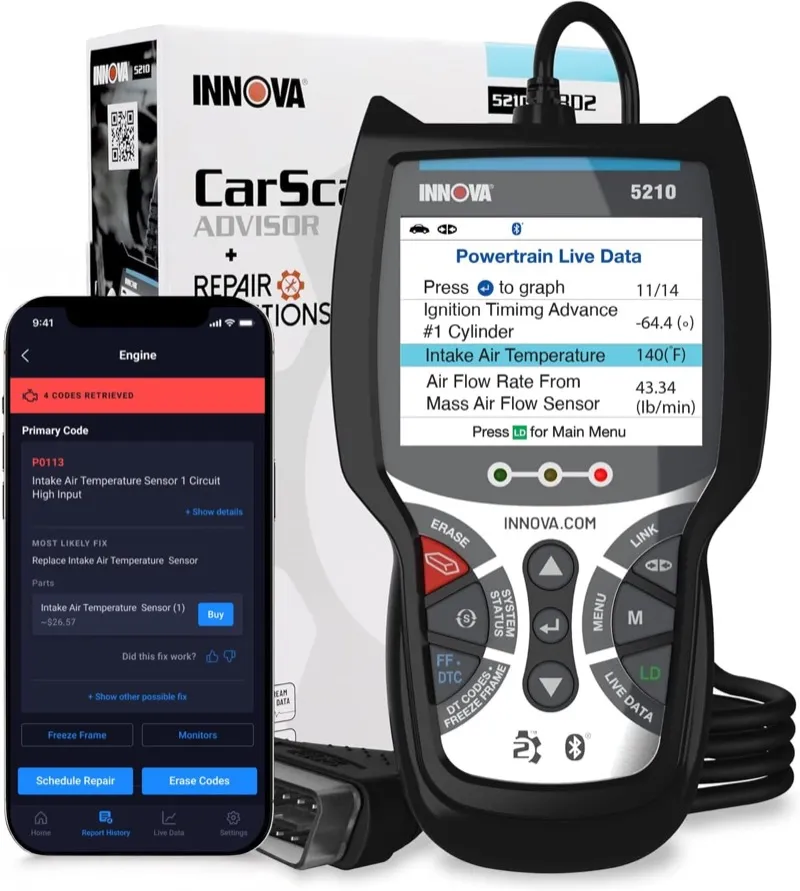
Overview
The Innova 5210 earns a place on this list because it delivers multi-system diagnostic access on the Ford Explorer at a price that eliminates the justification for a basic engine-only reader, and it pairs that coverage with Innova’s RepairSolutions2 database integration that provides Ford Explorer-specific fix guidance for the most common fault codes. Twelve thousand verified Amazon reviews at 4.4 stars reflects sustained performance across American vehicles including all Explorer generations, and Innova’s US domestic vehicle focus means Ford code coverage receives consistent database updates.
The color-coded diagnostic result system is more practically useful than it might appear for an Explorer owner without technical background. The Explorer generates three categories of fault status that require different responses, and the 5210’s color coding communicates them without requiring the owner to understand OBD2 readiness monitor theory. Green indicates all monitored systems passed their self-tests with no stored faults, which means a check engine light that recently cleared has reset successfully and the vehicle is ready for an emissions inspection. Yellow indicates a pending fault code that the PCM has detected once but has not confirmed as a continuous fault, which means the condition that caused the code exists but has not repeated on enough drive cycles to illuminate the check engine light. Red indicates an active stored fault code, which is the condition that lit the warning light and requires diagnosis and repair. Applying those three categories to Explorer ABS and SRS codes alongside the engine codes gives an owner the full fault picture at a glance.
The RepairSolutions2 integration provides the most useful guidance for Explorer owners who need context behind a fault code. When the 5210 reads a P0171 system lean bank 1 code on a 2016 Explorer with the 2.3L EcoBoost, the RepairSolutions2 database surfaces the most common documented fixes for that specific code on that specific engine, including the PCV check valve failure that is the leading cause of P0171 on the 2.3L EcoBoost, ahead of the MAF sensor contamination and the intake air leak scenarios that the generic OBD2 fault description lists first. That kind of vehicle-specific fix prioritization reduces the risk of replacing parts in the wrong order and spending money on a MAF sensor before checking the $15 PCV valve that caused the lean condition.
The Innova 5210 does not include battery registration, bidirectional capability, or TPMS relearn. It covers engine, ABS, and SRS as its primary systems, with transmission coverage available through Ford-enhanced protocol access on compatible model years. The absence of battery registration makes it a less practical choice than the NT604 Elite for any Explorer owner who expects to replace a battery, and the lack of TPMS relearn requires a separate tool or shop visit after tire rotations on 2012 and newer Explorers. Its value is in the RepairSolutions2 guided diagnosis feature and the proven peer validation across twelve thousand reviews for an Explorer owner who needs reliable code access and practical fix guidance without additional capabilities.
Diagnostic Features and Capabilities
Multi-system coverage for engine, ABS, and SRS through Innova’s Ford-enhanced protocol access, with transmission coverage on compatible Explorer model years. Color-coded result display assigns green, yellow, or red status to each monitored system based on OBD2 readiness monitor results and active fault code presence. RepairSolutions2 app integration (phone required) provides Ford Explorer VIN-specific repair cost estimates and fix verification data from ASE-certified documentation, including part number references and labor time estimates. Full OBD2 service modes: live data streaming, freeze frame capture, I/M readiness for 8 monitors, Mode 6 on-board component test results, and Mode 9 VIN retrieval. Internal memory stores the most recent diagnostic session. USB update cable provides database maintenance through RepairSolutions2.
Vehicle Compatibility
Covers Ford Explorer from 1996 onward. Enhanced multi-system protocol access is available from 2002 onward. RepairSolutions2 Explorer-specific repair data covers common DTC scenarios across 4th, 5th, and 6th generation models.
Specifications
| Specification | Details |
|---|---|
| Display | 3-inch color screen with color-coded system status |
| Supported Systems | Engine, ABS, SRS (Ford-enhanced), Transmission on compatible years |
| OBD2 Functions | Read/clear codes, live data, freeze frame, I/M readiness, Mode 6 |
| Bidirectional Control | No |
| Service Functions | None |
| RepairSolutions2 | Yes, VIN-specific fix guidance via app |
| Internal Memory | Yes, most recent session |
| Updates | Via USB and RepairSolutions2 app |
| Warranty | 1 year |
What’s Included
Innova 5210 scanner and OBD2 cable.
On the Ford Explorer, oil reset function clears the service interval reminder after an oil change without a dealer visit.
Does NOT read SRS (airbag) codes, which is the key functional difference compared to the Innova 5610.
For Ford Explorer diagnostics, free RepairSolutions2 app integration returns VIN-matched fix recommendations verified by ASE mechanics.
Pros and Cons
| Pros | Cons |
|---|---|
| RepairSolutions2 provides Explorer VIN-specific fix prioritization that generic fault descriptions do not | No battery registration, TPMS relearn, or bidirectional capability limits the tool to read-and-clear diagnostics |
| Color-coded system status communicates green/yellow/red fault severity without OBD2 technical knowledge | |
| 12,000+ verified reviews confirm consistent Ford Explorer multi-system coverage | |
| ABS and SRS coverage reaches C-prefix and B-prefix codes that basic engine readers cannot access | |
| Works without phone for basic code reading; RepairSolutions2 adds guidance when phone is available |
My Final Verdict
The Innova 5210 is the right multi-system scanner for Explorer owners who need reliable code reading across ABS and SRS alongside engine diagnostics, and value the RepairSolutions2 fix guidance for navigating common Explorer DTC scenarios without technical experience. Its limitations in battery registration and TPMS relearn make the NT604 Elite the more comprehensive choice for the same price tier, but for owners who prioritize the repair guidance database over service reset functions, the 5210 delivers consistent performance.
For an expanded comparison of budget scanners across all brands, my best budget OBD2 scanner guide covers the full sub-$100 range with system access details for Ford vehicles.
Comparison Table: Best OBD2 Scanners for Ford Explorer
| Scanner | Best For | Systems | Bidirectional | FORScan | Display |
|---|---|---|---|---|---|
| Autel MS906 Pro | Professional full-system | All 42+ modules | Yes, full | No | 10.1″ tablet |
| Foxwell NT604 Elite | Best value 4-system | Engine/Trans/ABS/SRS | No | No | 2.8″ handheld |
| Launch Creader Elite 1.0 | Bidirectional + 28 resets | All modules | Yes, full | No | 7″ tablet |
| BLCKTEC 460T | PATS + IWE + US domestic | All modules | Yes, full | No | 8″ tablet |
| OBDLink MX+ | FORScan deep access | All via FORScan | Via FORScan | Yes, best | Phone/laptop |
| BlueDriver Pro | Phone-based + repair reports | Engine/Trans/ABS/SRS/BCM | No | No | Phone app |
| Autel AL619 | Budget ABS/SRS only | Engine/ABS/SRS | No | No | 2.4″ handheld |
| Innova 5610 | Standalone bidirectional | Engine/Trans/ABS/SRS | Yes, limited | No | 3.5″ handheld |
| ANCEL DS100 | Lowest price 4-system | Engine/Trans/ABS/SRS | No | No | 4″ handheld |
| Autel MX808S | All-module AutoScan tablet | All modules | No | No | 7″ tablet |
| ANCEL FD700 | PATS programming + PCM adapt | All Ford modules | Limited | No | 3.5″ handheld |
| Foxwell NT630 Pro | ABS/SRS + battery test | Engine/ABS/SRS | No | No | 2.8″ handheld |
| BLCKTEC 440 | Budget FORScan adapter | All via FORScan | Via FORScan | Yes | Phone/laptop |
| Launch CRP129E | Compact + TPMS relearn | Engine/Trans/ABS/SRS | No | No | 3.5″ handheld |
| Innova 5210 | Multi-system + repair reports | Engine/Trans/ABS/SRS | No | No | 3″ handheld |
Buyer’s Guide: Choosing the Best OBD2 Scanner for Your Ford Explorer
Which Explorer Generation Determines Your Scanner Requirements
The Explorer generation you own significantly shapes which scanner features actually matter for your situation. The 4th generation Explorer (2006 to 2010) uses a conventional CAN bus architecture with a 4.0L SOHC V6 or 4.6L V8 that responds well to standard Ford-enhanced OBD2 coverage. A four-system scanner like the NT604 Elite or the ANCEL DS100 covers virtually every diagnostic scenario this generation produces, and the additional capabilities of bidirectional tools or FORScan adapters provide less incremental value than they do on later models.
The 5th generation Explorer (2011 to 2019) is where scanner selection has the most meaningful impact on what you can actually diagnose independently. Ford introduced the MS-CAN medium-speed network on this generation to carry the SYNC infotainment APIM module, the instrument cluster, and certain BCM body functions separately from the powertrain CAN bus. This means that scanners and adapters without MS-CAN support miss an entire network of modules that generate real fault codes. The 2.0L EcoBoost four-cylinder, 3.5L naturally aspirated V6, and 3.5L EcoBoost twin-turbo V6 engines each have generation-specific failure modes, including PTU oil breakdown, IWE solenoid vacuum failures on AWD models, 6F35 and 6F50 transmission torque converter shudder, and the notorious driver side blend door actuator failure that requires HVAC module recalibration after replacement. These are the problems that push Explorer owners toward bidirectional tools and FORScan access.
For an overview of Ford scanner options across all models, including the F-150, Mustang, Ranger, and Edge, my best OBD2 scanner for Ford roundup covers the full Ford lineup with the same protocol verification.
The 6th generation Explorer (2020 to 2024) on the Ford CD6 platform represents a substantial architecture change. The rear-wheel-drive-based platform introduced a ten-speed SelectShift transmission and, on the ST and Platinum trims, the 3.0L twin-turbo EcoBoost V6. Scanner coverage for this generation required significant database development that launched without complete coverage in 2020 and has improved through subsequent updates. Scanners and adapters with active update programs, particularly those offering Wi-Fi over-the-air updates, provide better 6th generation coverage than tools with infrequent update cycles. Check the manufacturer’s update release notes for 2020 to 2024 Explorer entries before purchasing a scanner specifically for a current-generation model. The Ford Maverick shares the same CAN-FD architecture requirement: my Ford Maverick scanner picks identify the tools that handle the Maverick’s protocol requirements before you buy.
Key Diagnostic Capabilities That Matter Specifically for the Explorer
FORScan access with an MS-CAN-capable adapter is the highest-value investment for any 5th generation Explorer owner who is willing to spend time learning the software. FORScan reads and clears codes in every control module on the Explorer, including modules that no standalone scanner below the professional tier can reach. It also enables module configuration changes, PATS key programming, SYNC APIM diagnostics, and BCM parameter adjustments that dealers charge diagnostic time to access. The total cost of an OBDLink MX+ or BLCKTEC 440 plus a FORScan extended license is less than a single dealer diagnostic appointment, and the capability it provides is permanent.
Ford F-150 owners with the same FORScan interest will find the dual CAN bus and MS-CAN requirements for that platform covered in my best OBD2 scanner for Ford F-150 guide.
Battery registration is a non-negotiable requirement for any Explorer from 2011 onward that receives a battery replacement. The Explorer’s battery management system monitors cell voltage, temperature, and current flow to regulate the alternator output in real time. When a new battery is installed without registering it in the BMS, the system continues using the charge management parameters it built for the old battery, which means it applies maximum charge current to a new, fully healthy battery as if it were recovering from deep discharge. The result is premature battery degradation through overcharging, typically manifesting as reduced capacity within the first year of the new battery’s service life. The NT604 Elite, NT630 Pro, Creader Elite, MX808S, and MS906 Pro all include this function. The ANCEL DS100 and Innova 5210 do not.
For a dedicated ABS and SRS scanner comparison covering all brands, my best OBD2 scanners for ABS and SRS guide ranks the top tools by system access depth and protocol support.
Bidirectional active testing is the diagnostic capability that separates a scanner you use to identify a fault from a scanner you use to confirm a diagnosis. On the Explorer, the three procedures where bidirectional testing pays for itself most clearly are the HVAC blend door actuator calibration after replacement, the injector contribution test on EcoBoost engines before replacing a coil or injector, and the ABS modulator pump activation test that confirms whether an ABS module is communicating correctly with the pump hardware. Without bidirectional capability, you read a code, form a hypothesis about which component caused it, replace that component, and then read codes again to see if the fault cleared. With bidirectional capability, you confirm the component’s function directly before removing it.
For a full comparison of tools with the strongest active test coverage, my best bidirectional OBD2 scanner guide ranks the top options by the range and depth of their ECU commands.
The IWE Solenoid Problem Every 2011-2019 AWD Explorer Owner Should Know
The Integrated Wheel End solenoid system on AWD 5th generation Explorers is one of the platform’s most misdiagnosed problems, and having the right scanner changes the diagnostic outcome. The IWE system uses engine intake vacuum to disengage the front axle hubs when the transfer case is in 2WD mode, reducing front driveline drag during normal driving. When the vacuum supply to the IWE solenoids degrades through a cracked solenoid, a deteriorated vacuum hose, or a failed check valve, the front hubs partially engage during highway driving, producing a grinding or clicking sound from the front of the vehicle that owners and shops frequently misidentify as wheel bearing failure. A wheel bearing replacement that does not address the IWE system restores quiet for a few weeks until the bearing wears again from the same load condition.
Diagnosing the IWE system correctly requires either a dedicated vacuum pump test at each solenoid or a scanner with the IWE solenoid active test function. The BLCKTEC 460T includes this test. FORScan also provides the IWE solenoid activation command for users with an OBDLink MX+ or BLCKTEC 440. Running the solenoid test while listening for the hub engagement click at each front wheel takes less than five minutes and identifies whether the problem is a failed solenoid, a hub that is not releasing because of the lack of vacuum, or a different mechanical issue entirely.
For shops or advanced diagnosticians who need full ECU coding and module programming for complex Explorer repairs, my best professional OBD2 scanner guide covers the top-tier tools with the coverage depth this platform requires.
Common Mistakes Explorer Owners Make When Choosing a Scanner
Buying a generic ELM327 Bluetooth adapter for a 2011 to 2019 Explorer and wondering why FORScan cannot reach the SYNC module. Generic ELM327 adapters do not support the MS-CAN medium-speed network that the 5th generation Explorer uses for the APIM, cluster, and BCM modules. FORScan will report these modules as unreachable. Only the OBDLink MX+ and the BLCKTEC 440 on this list provide the MS-CAN protocol support that gives FORScan complete Explorer module visibility.
Skipping battery registration after a battery replacement. This is the most common mistake among Explorer owners who purchase a basic scanner that covers codes but not service resets. The BMS overcharge condition that results from skipped registration degrades a new battery in a way that is invisible until the battery fails prematurely, at which point the owner replaces it again without understanding why it failed so quickly.
Replacing the wheel bearing on a 5th generation AWD Explorer without diagnosing the IWE system first. This does not require a scanner if you have a vacuum gauge, but a scanner with the IWE active test makes the diagnosis faster and more definitive. Replacing a bearing without confirming the IWE system is functioning correctly results in repeated bearing failures from the same root cause.
Purchasing a scanner last updated in 2021 for a 2022 or newer Explorer. The 6th generation Explorer on the CD6 platform had incomplete coverage in many scanner databases at launch, and older scanners with no active update program may not have received the coverage improvements that newer firmware addresses. Check the update date of a used scanner against the Explorer database release notes before purchasing for a current-generation model.
FAQs
What OBD2 scanner works best with FORScan for Ford Explorer?
The OBDLink MX+ is the best FORScan adapter for the Ford Explorer and the adapter that FORScan’s developer actively recommends. It supports both the HS-CAN high-speed network for powertrain modules and the MS-CAN medium-speed network for the APIM, instrument cluster, and BCM on 5th generation Explorer models, giving FORScan complete module visibility that generic adapters cannot provide. The BLCKTEC 440 provides the same dual-protocol support at a lower price, at the cost of a smaller user community and fewer Explorer-specific FORScan guides that reference it.
Does the Ford Explorer require battery registration after a battery replacement?
Yes, all Ford Explorer models from the 2011 5th generation onward require battery registration through the BMS after a battery replacement. The battery management system uses the registered battery capacity specification to regulate alternator output. Without registration, the alternator applies maximum charge current to the new battery, which degrades it prematurely through overcharging. Scanners that include battery registration for the Explorer include the Foxwell NT604 Elite, Foxwell NT630 Pro, Launch Creader Elite 1.0, Autel MaxiCheck MX808S, and Autel MaxiSys MS906 Pro.
What is the best OBD2 scanner for a 2011 to 2019 Ford Explorer?
The Foxwell NT604 Elite covers the most common diagnostic scenarios for 5th generation Explorer owners at the best price. For deeper access including the APIM SYNC module, PATS anti-theft programming, IWE solenoid testing, and BCM configuration, pair the OBDLink MX+ with FORScan. For HVAC blend door actuator calibration after a replacement, the Launch Creader Elite 1.0 provides the bidirectional calibration procedure that the blend door repair requires. The right scanner depends on which specific systems you need to access on your vehicle.
Where is the OBD2 port on a Ford Explorer?
On all Ford Explorer generations from 1996 onward, the OBD2 diagnostic port is located under the driver side instrument panel to the left of the steering column. On 5th generation Explorers (2011 to 2019) and 6th generation models (2020 to 2024), the port is accessible without removing any trim panels and is typically visible when you crouch and look under the left side of the dash.
Can I use a Bluetooth OBD2 scanner for FORScan on a Ford Explorer?
Yes, and Bluetooth is the standard connection method for FORScan on the Explorer. FORScan on Windows uses a Bluetooth adapter to communicate wirelessly with the Explorer’s OBD2 port. The critical requirement is that the adapter supports both HS-CAN and MS-CAN protocols. The OBDLink MX+ and the BLCKTEC 440 both meet this requirement. Standard ELM327-based Bluetooth adapters do not support MS-CAN and will leave the APIM, instrument cluster, and certain BCM modules unreachable in FORScan.
What scanner can reset the Ford Explorer TPMS after a tire rotation?
The TPMS relearn procedure on Explorer models from 2012 onward requires a scanner that includes the Ford TPMS sensor relearn function. The Launch Creader Elite 1.0, Launch CRP129E, and Autel MaxiCheck MX808S all include this function. The procedure activates each TPMS sensor in a prescribed sequence by tire position and registers the new sensor positions in the BCM. Without this reset after a tire rotation, the TPMS warning light may illuminate with an incorrect sensor position map.
What causes the grinding sound from the front of a 2011-2019 Ford Explorer AWD?
The grinding or clicking sound from the front of a 5th generation Explorer AWD is frequently caused by a failing Integrated Wheel End (IWE) solenoid or vacuum system rather than a wheel bearing. The IWE system uses engine vacuum to disengage the front axle hubs in 2WD mode. When the vacuum system fails, the front hubs partially engage during highway driving, loading the wheel bearings in a way that accelerates their wear and produces the grinding noise. A scanner with the IWE solenoid active test function, specifically the BLCKTEC 460T or FORScan with an OBDLink MX+ or BLCKTEC 440, can command each solenoid independently and confirm whether the IWE system is functioning correctly before replacing a wheel bearing.